







Microsoft shipped a major release for Teams and other Office products in June 2026, but a bigger update is on the way and will roll out in the coming weeks, with features like AI Facilitator in Rooms and physical meetings. Teams will also let you try new chat sections called Muted chats and Meeting chats, and move screen sharing to a dedicated section.
We spotted these new Microsoft Teams features in a recent update on the admin portal, which requires Microsoft 365 Enterprise to access, and one of the most exciting changes is support for AI Facilitator in physical meetings.
Teams Facilitator is getting more powerful, and it could worry some
Microsoft has noted that it’s testing an AI-powered Facilitator version where it can detect knowledge gaps in meetings by listening to the participants.
That means if a participant appears or sounds confused, Teams Facilitator would start a conversation in the chat and try to address the knowledge gap via AI-generated and web search-powered answers.
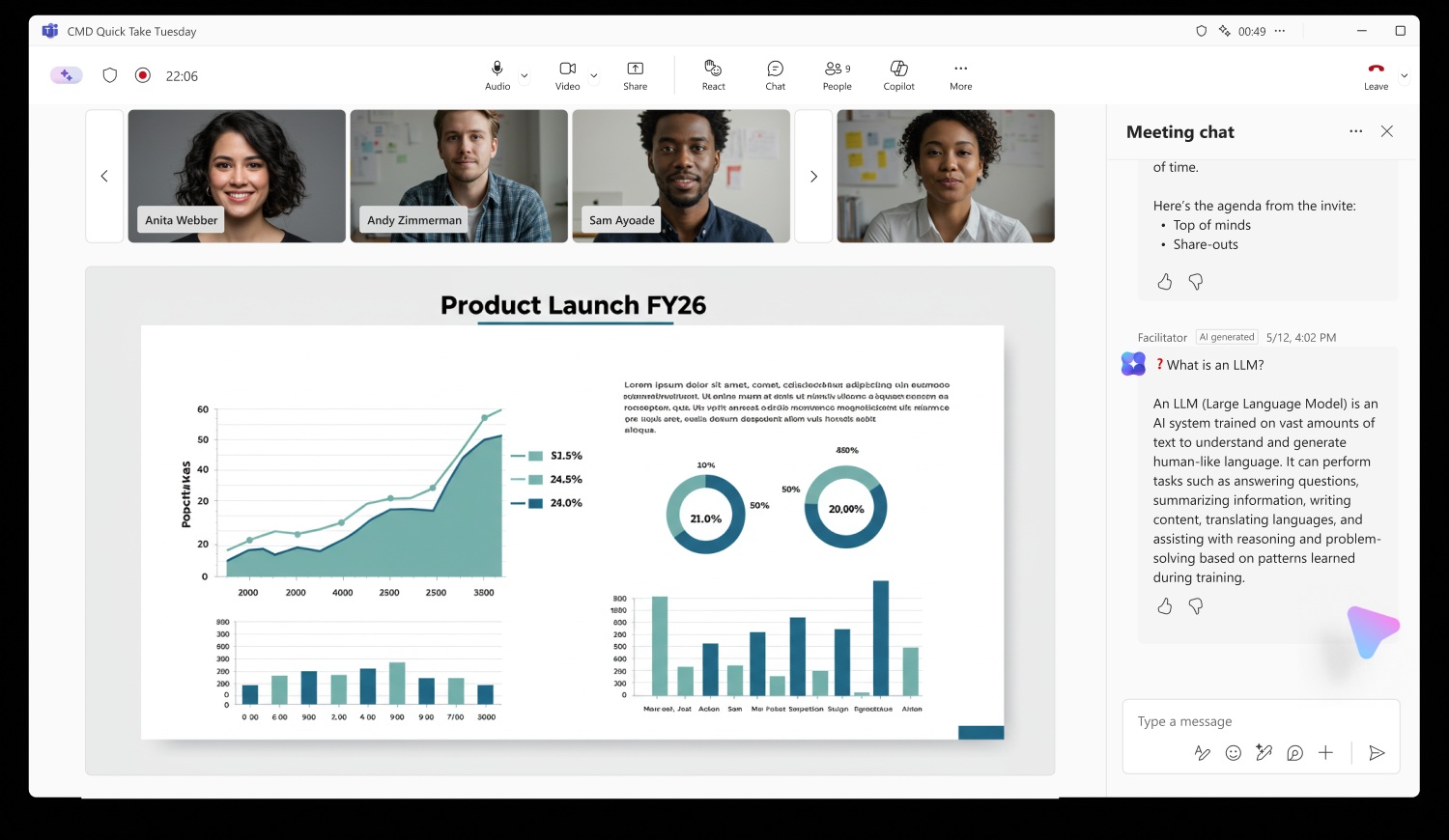
This version of AI Facilitator performs web searches and posts answers in chat in an attempt to address the knowledge gap it detected in meetings.
Microsoft said it’ll not turn on the feature by default, and it’ll also let you turn off all Meeting AI features in Teams with a single toggle.
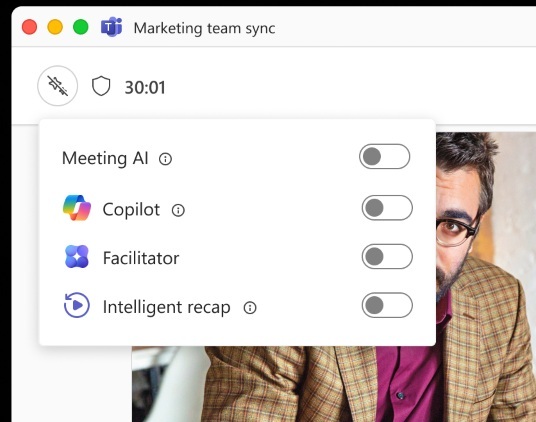
Unlike company policies, this new Meeting AI toggle would be accessible to everyone, including organizers and participants, but not guests.
AI-powered notes for in-person meetings in Microsoft Teams Rooms on Windows
AI-powered meeting notes have been around in Teams for a while now, and the feature is expanding to Teams Rooms on Windows. This will roll out in August and become available for everyone in October 2026. Just like how AI-powered notes work in regular meetings, your room notes will be captured in real time.
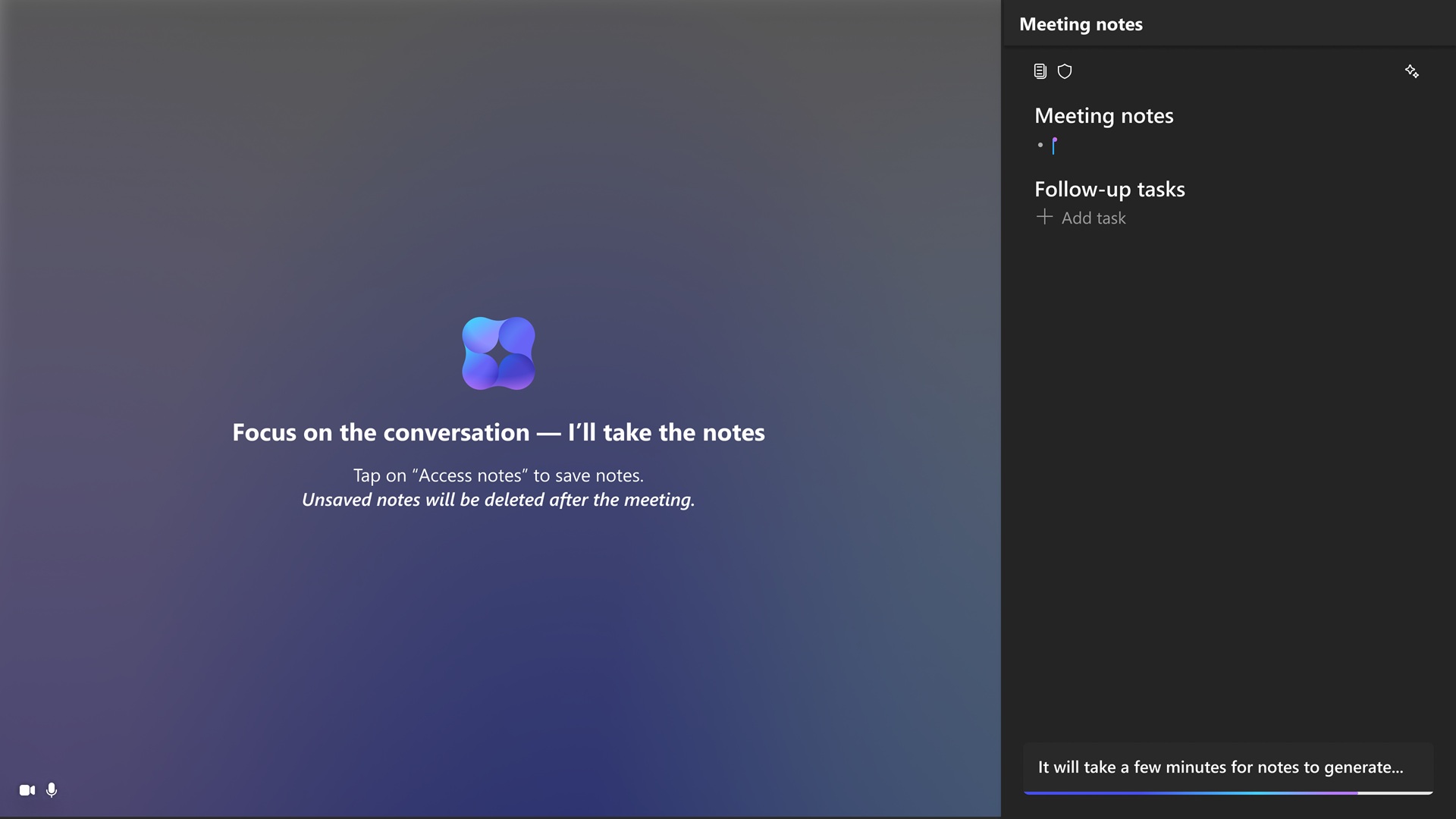
When you turn on Facilitator in the new Meeting AI menu, you can finally capture real-time notes and create action items using AI without turning on a hybrid meeting or scheduled meeting. You can have the same Facilitator agentic experience in Teams Rooms on Windows.
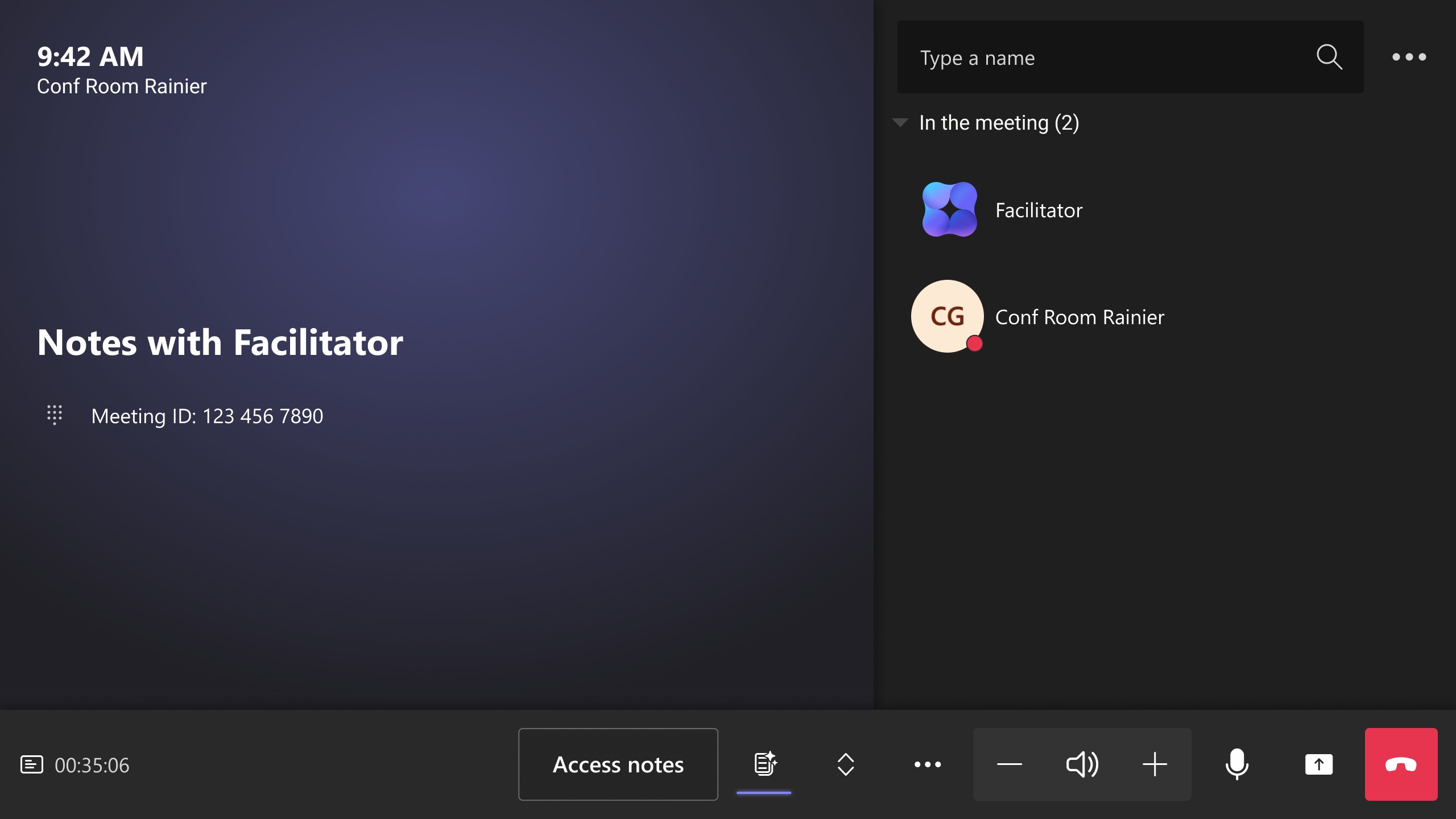
For example, when you’re in an in-person meeting, you can tap the “Take notes” button, and AI-generated notes will appear on the right side of the screen, as shown in the below screenshot. All these notes are shared in SharePoint and can be accessed by anybody in the tenant.
In addition, Microsoft confirmed it will eventually bring AI-powered meeting notes to Teams Rooms on Android, and it’ll have a similar experience where you can capture decisions or notes using AI.
Teams will finally send guest invitation emails from the inviter’s email address
Right now, if you’re creating a meeting and try adding a guest who is not part of your tenant, you can choose to send an invite link via email, but the catch is that the email is sent using a no-reply address. While it’s not bad, you’d like to have direct replies and more authenticity with your guests.
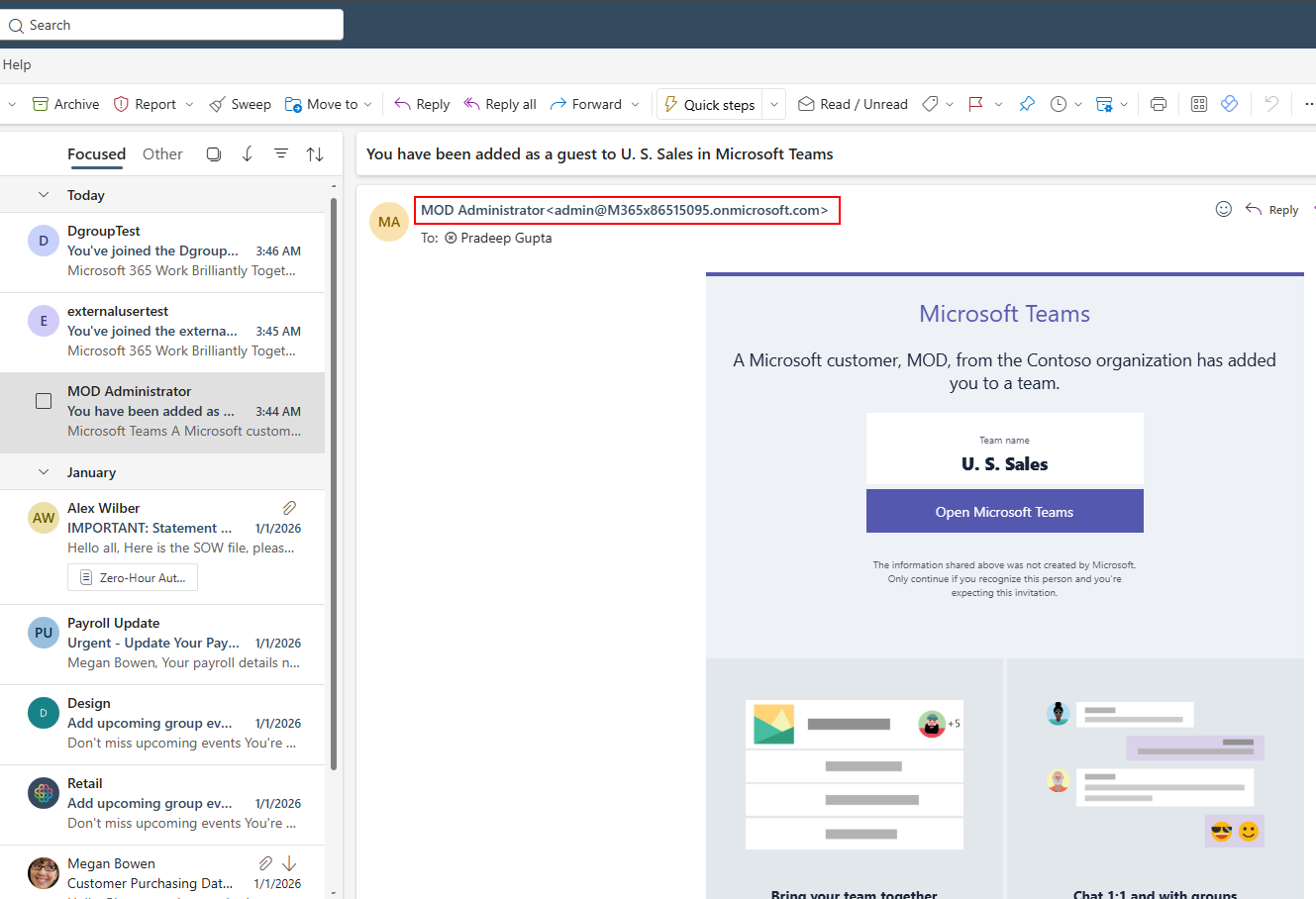
Now, Microsoft Teams can send invites using the inviter’s email address, so you will no longer have no-reply emails used for guest invitations.
This change is already rolling out, and Microsoft expects it to finish by the end of July 2026.
Teams getting new chat sections
Microsoft is creating two new chat sections: one called Muted and another called Meeting.
This will let you organize your cluttered chat list into two sections. If something is important, you probably wouldn’t mute it, and it’ll appear in the Meeting section. On the other hand, irrelevant chats can be muted and will appear in that dedicated Muted section. This update also means Microsoft is dropping support for the existing Meeting chat filters.