







Microsoft has just rolled out “Quick Parts,” which is basically an email snippets feature from Outlook Classic. New Outlook started getting Quick Parts in February 2026, but it wasn’t until the first week of July 2026 that it became available to everyone. With Quick Parts, you can save snippets of your emails and reuse them in all future emails.
Right now, if you want to send an email and reuse content from a previous email, you have to copy and paste. Or you can use a template, but it’s not the ideal solution if you just want to reuse certain parts in New Outlook. For those use cases, Outlook Classic and Microsoft Word have always shipped with “Quick Parts” to create and insert reusable content.
For example, you can store a frequently used phrase or chunk of text and reuse it in all your future emails. It could be a question, directions to an address, or something else you send often.
If you run a hardware shop and need to direct a vendor to an address, you could reuse the directions from Quick Parts instead of typing them repeatedly. There are other use cases, and I’ll leave that to your imagination.
This feature never shipped with New Outlook, but after a new update, it’s now possible to use this feature in New Outlook, and it’s almost as good as the Outlook Classic version.
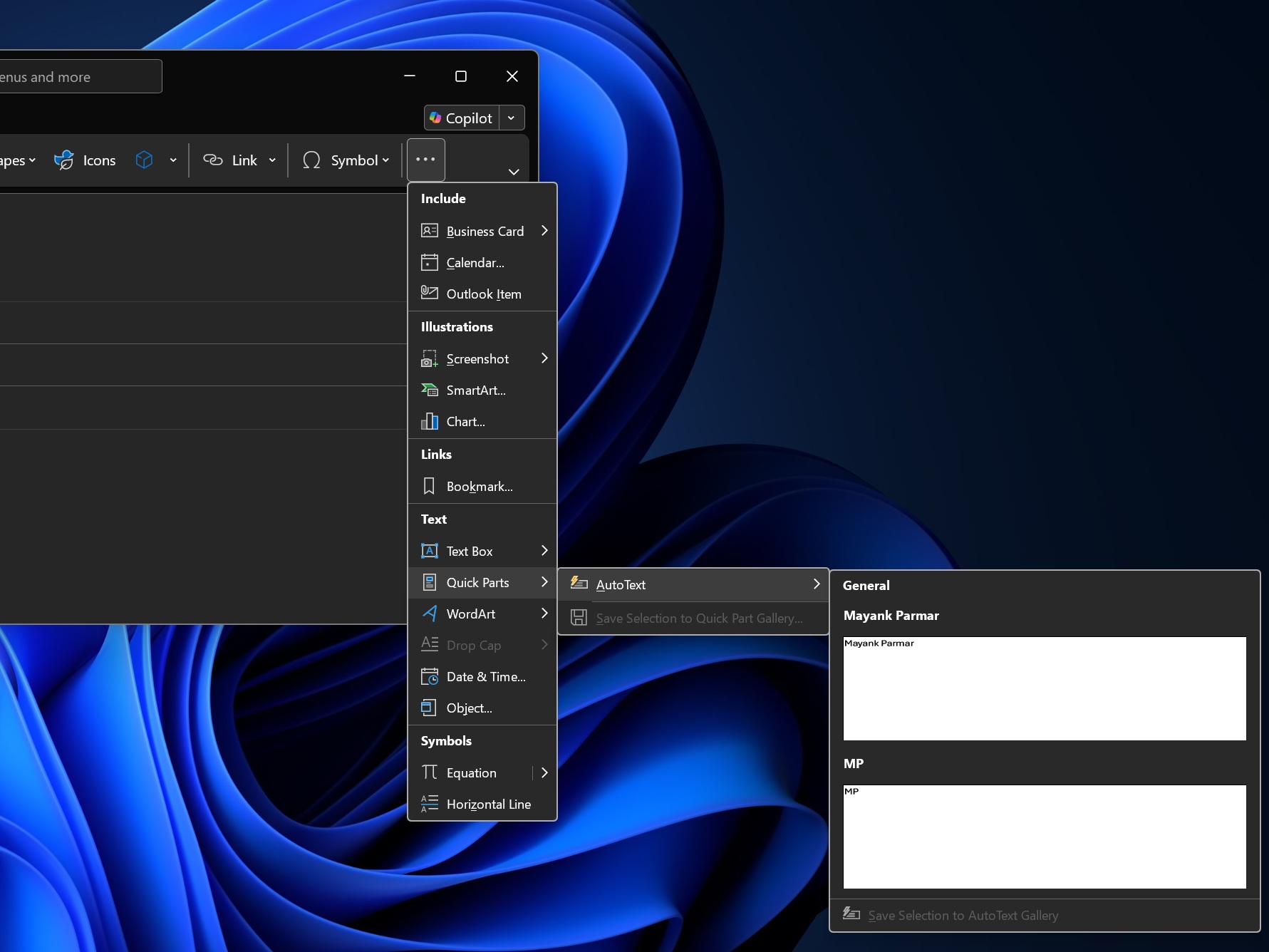
To use Quick Parts in New Outlook, you need to create a new email or reply draft first, select the content, and tap on Insert. Finally, you will see a new Quick Parts toggle. Click on it, and the selected content will be saved as an email snippet. Now, you can always click on Insert and Quick Parts to use your previously saved snippets.
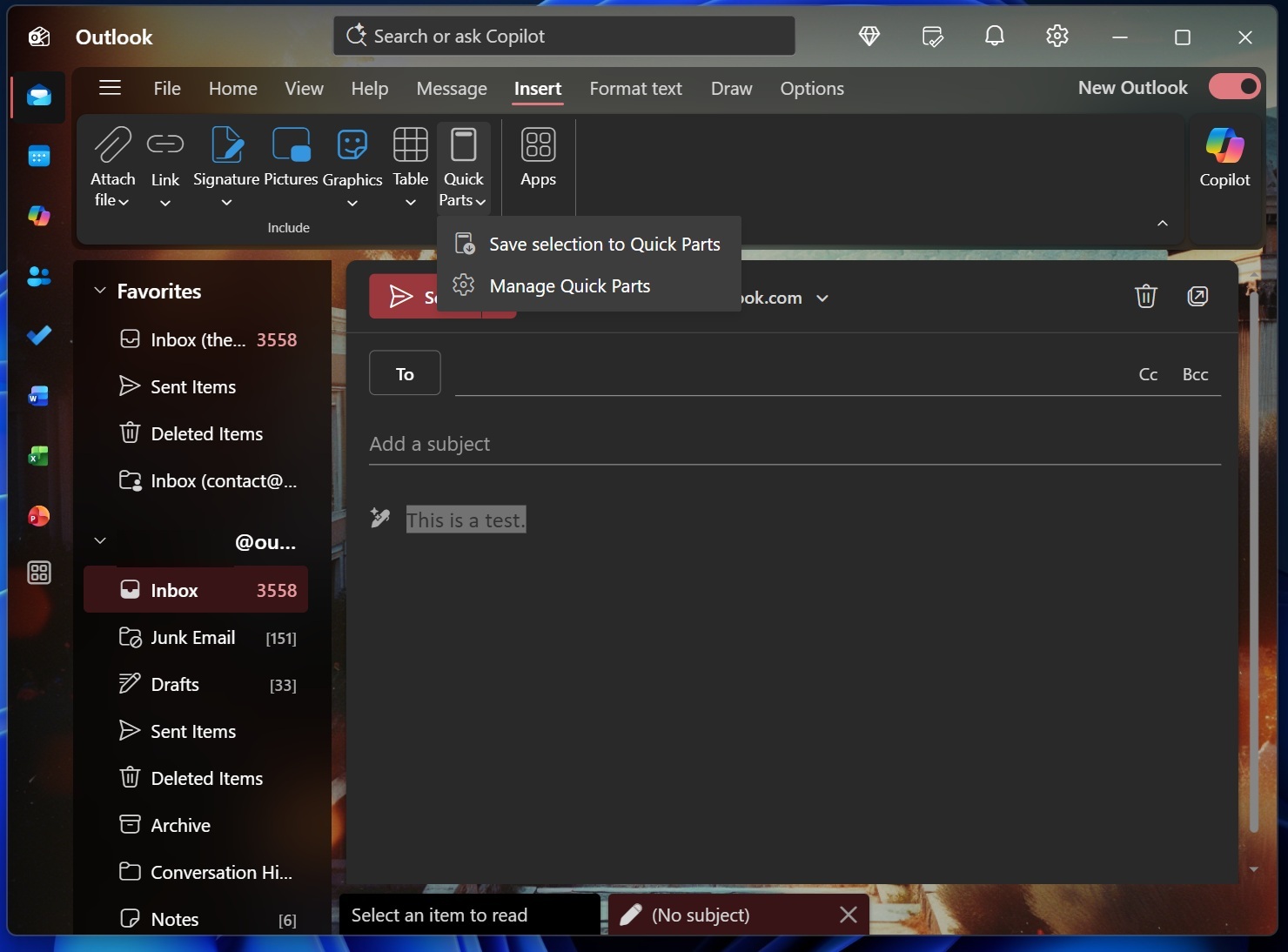
According to Microsoft’s roadmap, Quick Parts began rolling out in February and is now widely available, but some of you might still not see it.
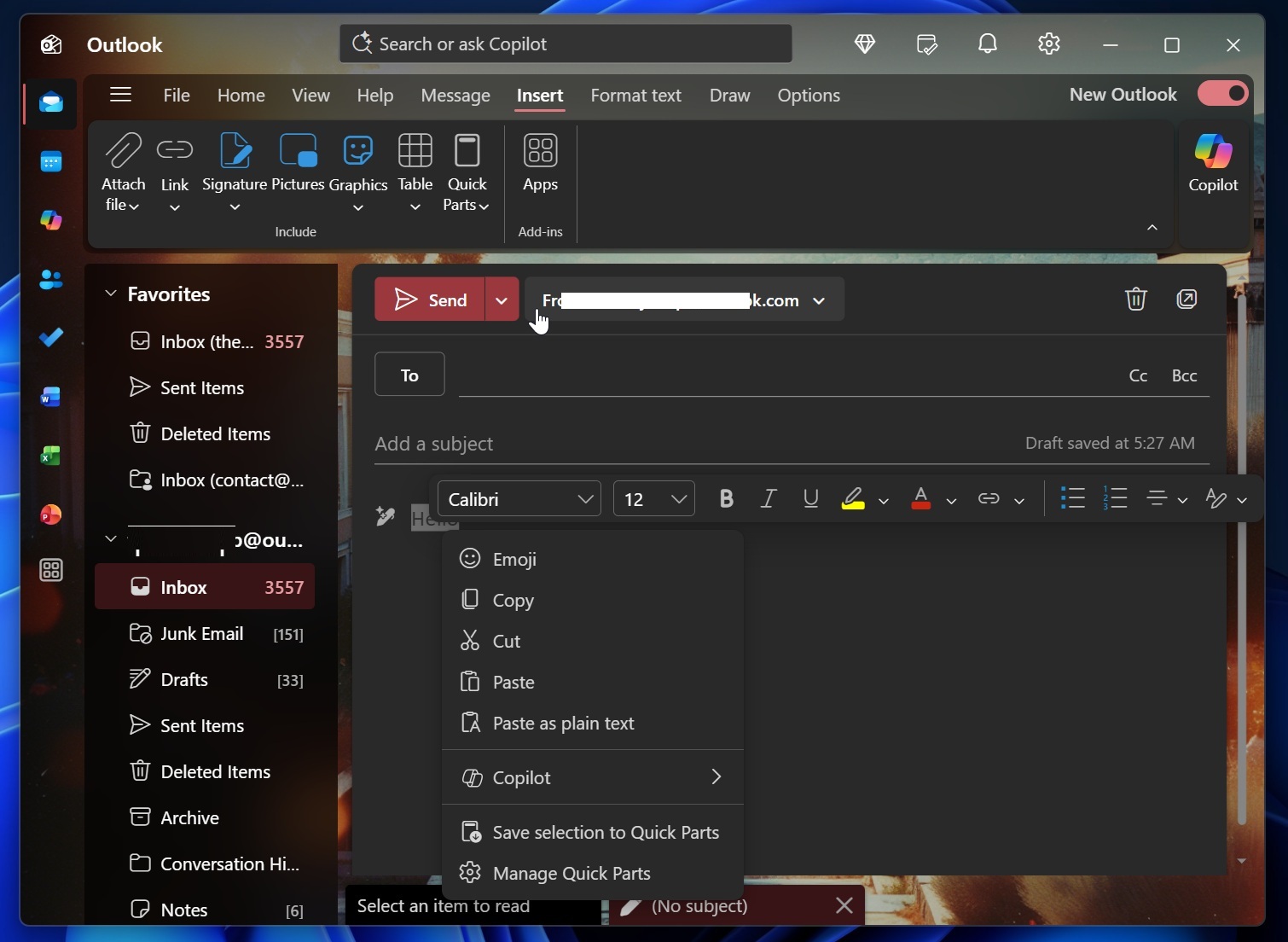
Also, I’ve learned that creating a new email snippet will soon be as easy as selecting the content in a message and choosing Quick Parts from the right-click menu, instead of using the Insert tab. This feature seems to be rolling out gradually, and you can check it out in the below screenshot from my Outlook:
New Outlook is testing Unified inbox and other features
Quick Parts isn’t the only good thing coming to New Outlook. In fact, if you dislike the current Outlook, you might soon have a reason to use it, and that reason is Unified Inbox.
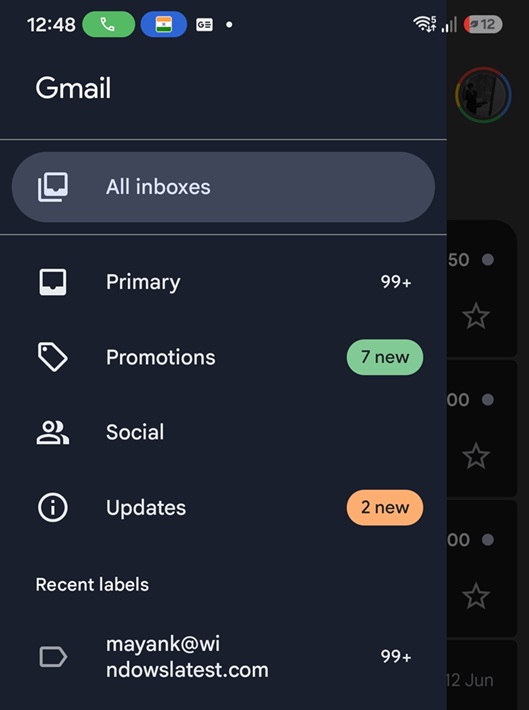
If you have ever used a third-party email client or even Gmail, you might have also used Unified Inbox, which brings all your emails into a single-point view and lets you respond to emails from different mailboxes. The same feature is coming to New Outlook, and it’ll let you access all your controls, including the ability to delete or move emails.
Another feature in development is support for advanced Mail Merge, where you can fully personalize email content for recipients in the list, including their names and greetings.
Last but not least, New Outlook will let you send locally stored Office files if they are already open by creating an additional local copy. Other upcoming features include advanced .PST, better control over the folder pane, and more.
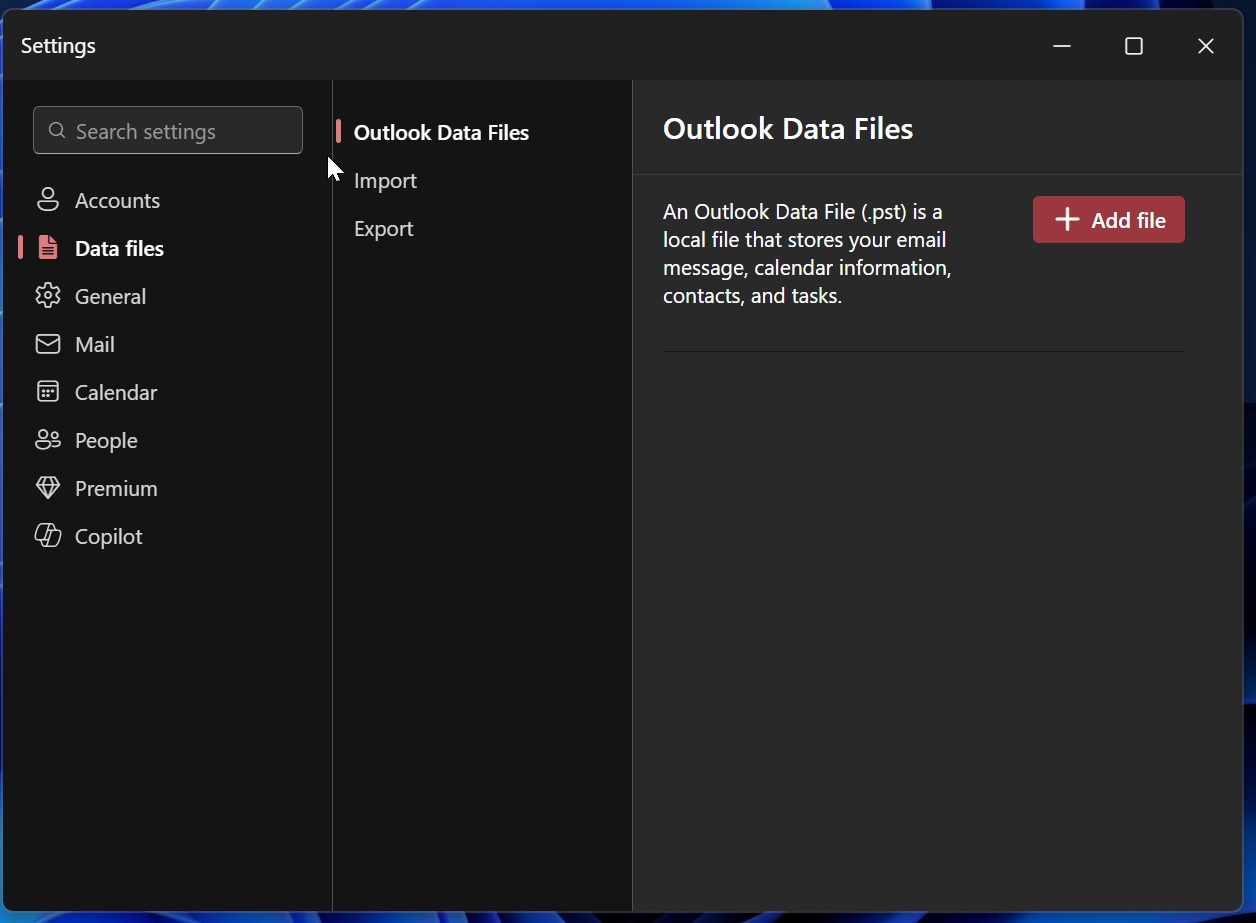
These features will roll out in the coming months, alongside other improvements like notifications grouping, which aims to address notification spam on Windows by clubbing recent emails as a single notification.
Unfortunately, that doesn’t mean Microsoft is trying to patch a long-standing bug where New Outlook takes approx 10 seconds to open via an email notification on Windows.