






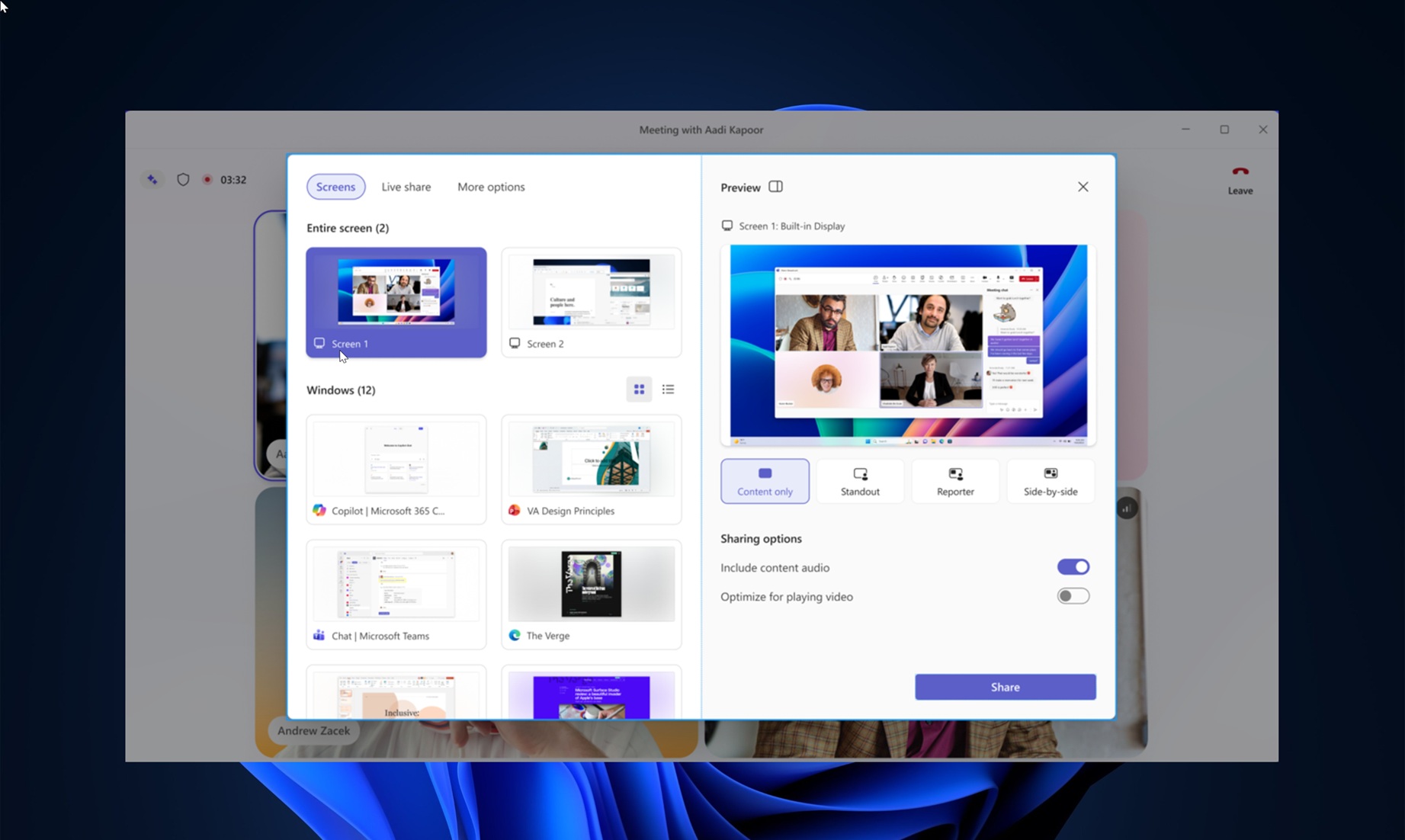
Microsoft says it’s testing a new UI for the in-meeting experience and adding new controls, which are much easier to access. This new Microsoft Teams revamp also includes two-step verification to avoid embarrassing screen-sharing situations where you accidentally share content you don’t intend to.
In a post in the admin center spotted by Windows Latest, Microsoft finally confirmed that the Teams UI is crowded and admitted it’s their fault. According to Microsoft, Teams has evolved over the years and added new meeting capabilities over time, which results in frequent mis-clicks.
I don’t hate more controls, but there’s no denying that when you’re tired or switching back and forth between Microsoft Teams calls, you’re likely to mis-click what the company describes as “high-impact” actions. Those actions include sharing your screen, leaving the meeting, or raising a hand.
You can leave a meeting and rejoin, and it’s not a worry. You can also raise a hand, and it still won’t raise eyebrows, but accidental screen shares can be embarrassing. Thankfully, Microsoft has finally realized that it truly messed up the Teams in-meeting interface and is rolling back some changes.
“The meeting controls and share panel have grown crowded,” the company wrote in a post in the admin center. “[The current UI is] contributing to mis-clicks between high-impact actions like Share, Leave, and Raise hand, and to accidental shares of unintended content.”
Based on feedback from everyone, Microsoft is introducing a new UI/UX for Teams. This new update includes a redesigned share panel and simplifies existing meeting controls.
“Together, they make core actions easier to find, reduce accidental clicks, and give users more confidence when sharing content,” Microsoft said.
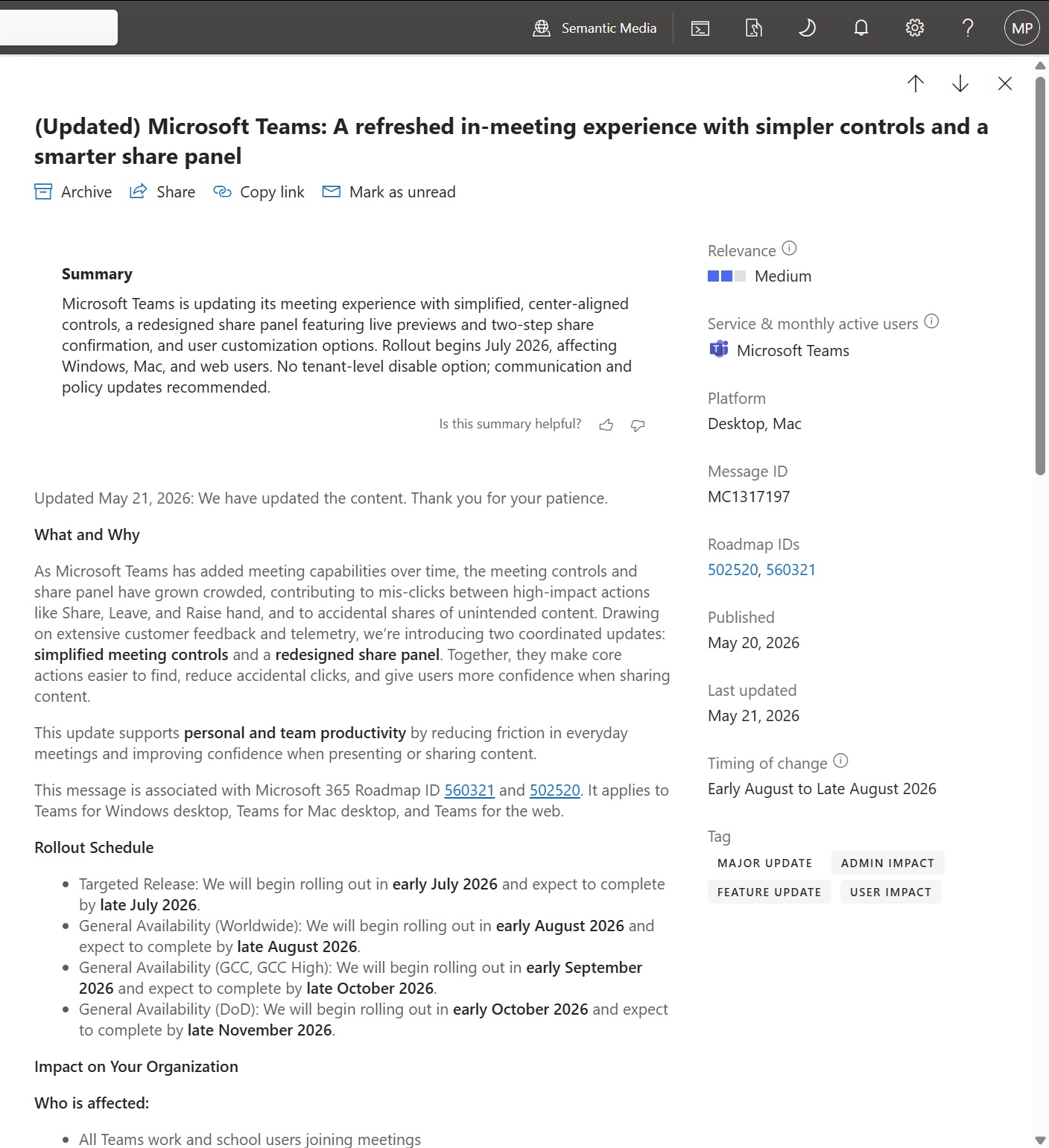
New simpler meeting controls in Microsoft Teams
You can now personalize meeting controls in Microsoft Teams by pinning or unpinning items, so you have full control over your meetings. That means if you accidentally click on the “share” button because it’s placed before (to the left of) the Leave button in the meeting control bar, you can now rearrange controls.
To rearrange controls in Teams, select an item, then drag and drop it to the place of your choice, of course, inside the control bar.
Microsoft says it will center-align the meeting controls, which means the microphone, camera, and share options will be grouped. The leave button is being moved to reduce accidental exits, and other lesser-used options are now clubbed inside a new More menu.
New Share panel that reduces accidental clicks
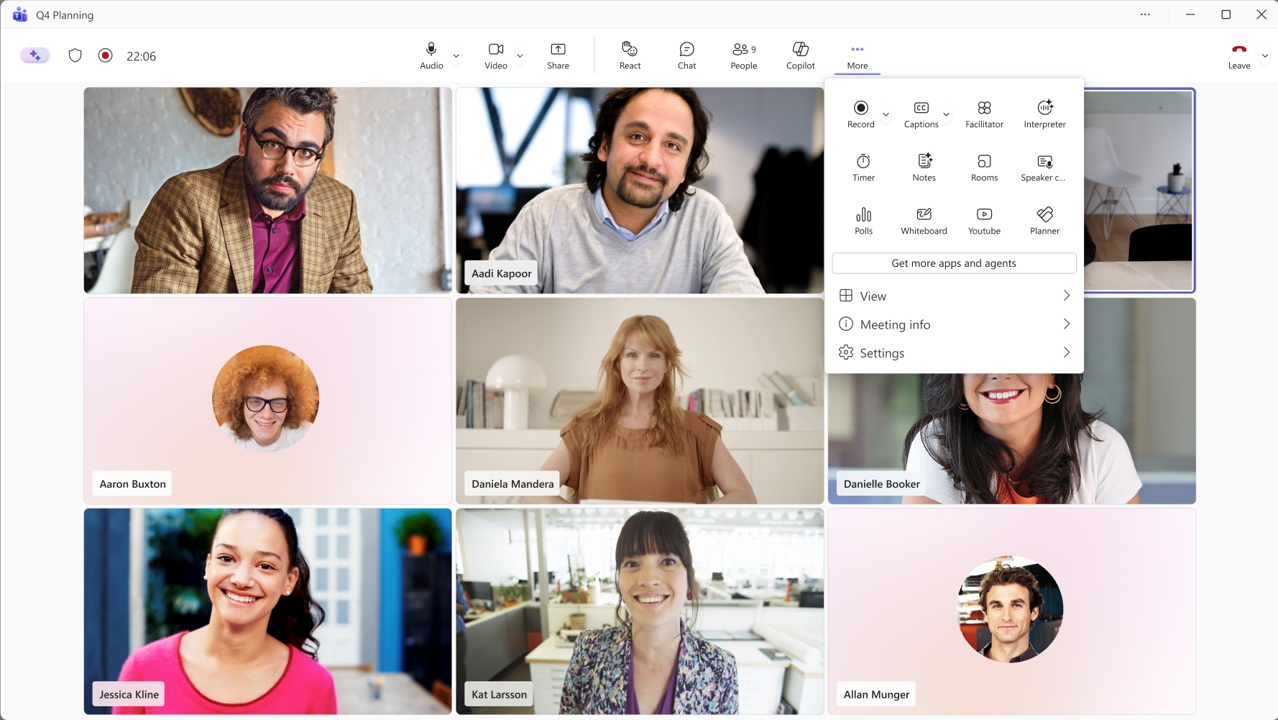
There’s also a redesigned share panel where Teams lists available screens and open windows, each with a small live preview.
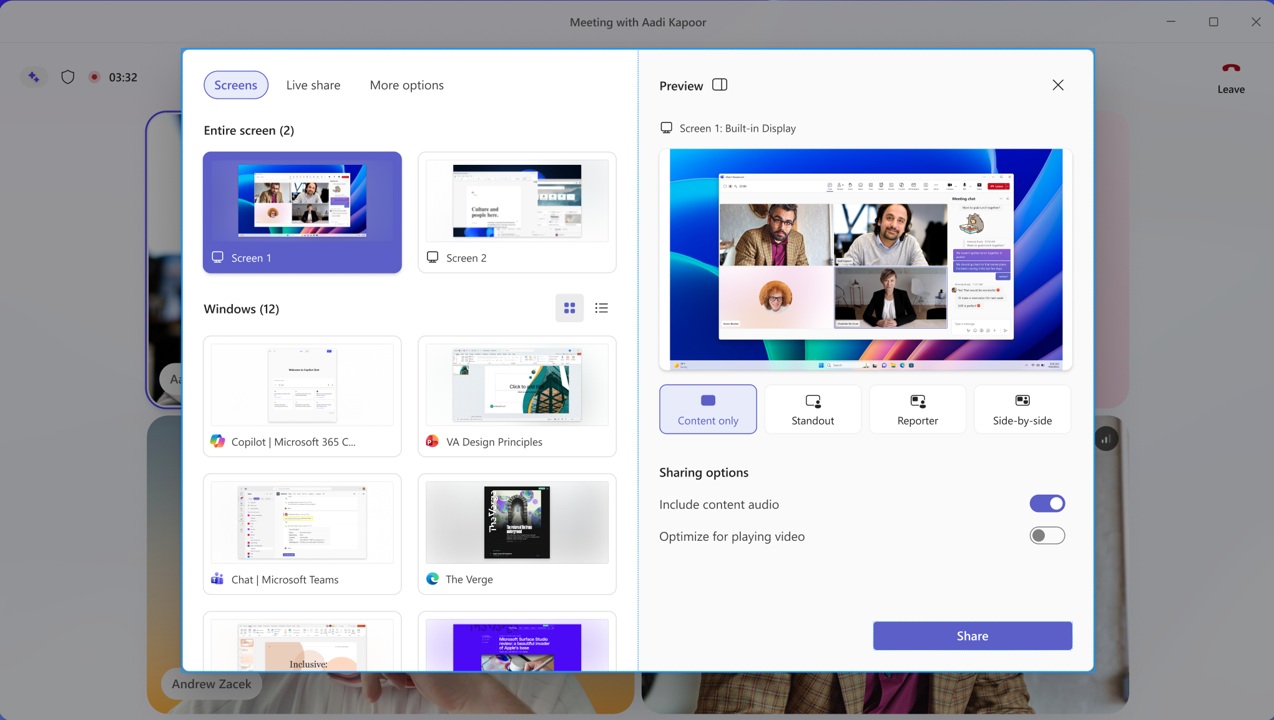
As you can see in the above screenshot, you have tabs like Screens, Live share, and More options.
On the right, there is a larger preview of the selected screen, and you can easily switch between presentation modes such as Content only, Standout, Reporter, and Side-by-side.
Underneath these options, you have controls to configure toggles for computer audio and video. After you have selected your preferred mode and other settings, you can preview it before your screen is shared. Finally, you have to click Share at the bottom, which adds an extra confirmation step before anything is shared.
When will Microsoft Teams’ simplified in-meeting experience roll out?
Microsoft is targeting early August 2026 for rollout, and Windows Latest understands that the rollout will complete in less than four weeks. That means most of you will have the new Teams in-meeting experience by September, and Microsoft told Windows Latest that the feature will be turned on by default.
- Targeted release: July 2026
- General rollout (GCC, GCC High): August 2026
- General rollout (DoD): October 2026
I asked Microsoft if you can sign up for the new experience before it arrives in your tenant, and I’m told that you’ll be able to opt in early. The opt-in toggle will be available in early July 2026, and during this rollout phase, you can always go back and forth between the previous experience.
Microsoft plans to remove the original/current in-meeting option later this year, and it will confirm the timeline soon.
There are several other improvements planned for Teams, including performance. In 2025, Microsoft confirmed Teams uses RAM even when it’s idle, and it plans to move the calling experience to a separate .exe to reduce memory leaks on Windows 11.