





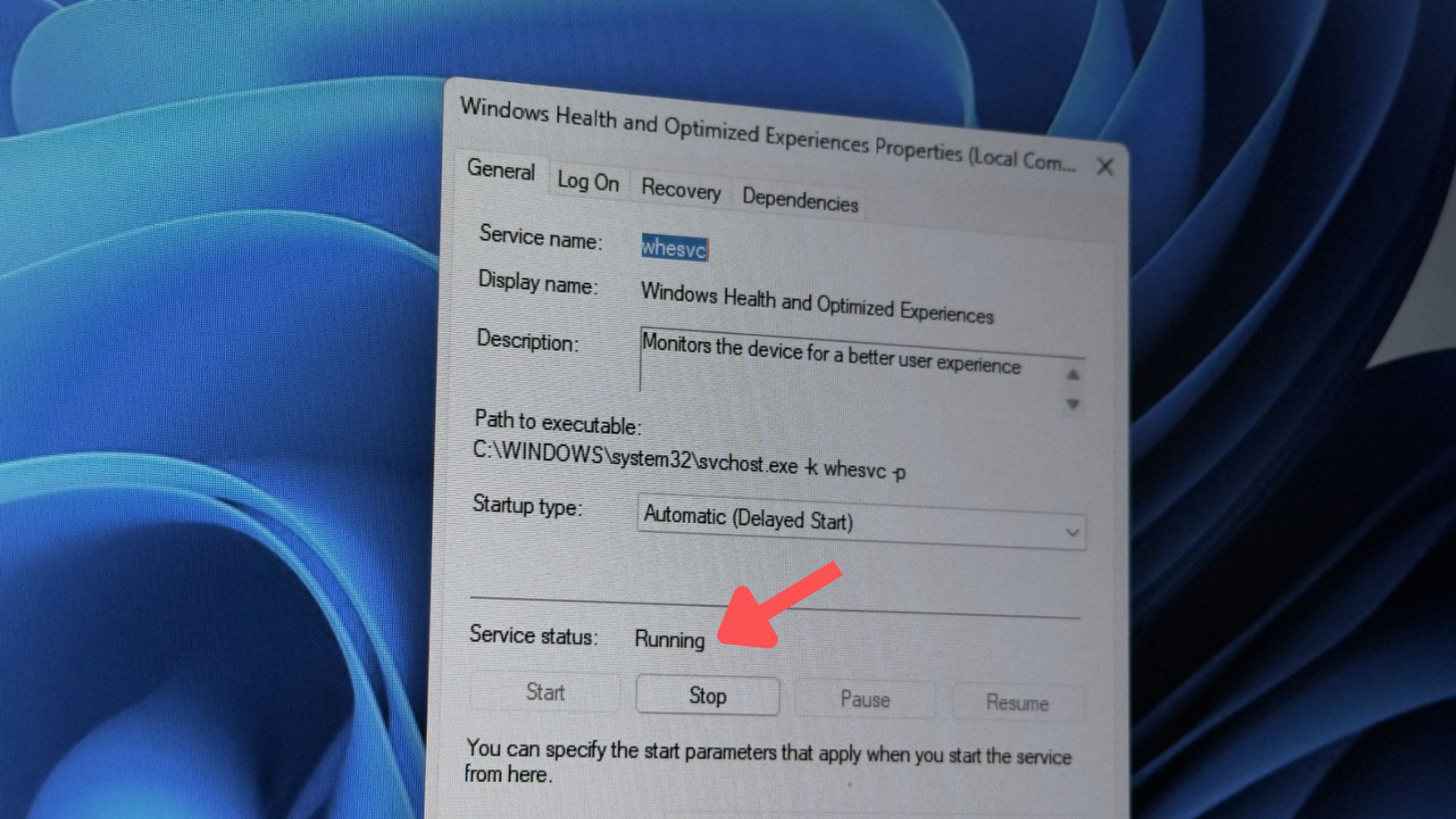
Windows 11 quietly runs a background service called Windows Health and Optimized Experiences, and yes, it starts automatically on every boot. It’s real, it’s been there for over a year, and no, it isn’t secretly recording your PC and sending it to Microsoft every 15 minutes!
What it actually does is far less dramatic. The service, known internally as whesvc, watches for signs of a sluggish system and only saves diagnostic traces locally on your own machine. The data it collects doesn’t leave your PC unless you choose to file a report through the Feedback Hub.
A viral X post this past weekend claimed otherwise, painting it as a hidden tracking tool built for laptops that serves no purpose on a desktop gaming PC, and that post has already pulled in over 110,000 views.
A couple of sharp-eyed users commented that the service is over a year old and fully documented in public builds. Eventually, the post got a Community Note, and finally, to put matters to rest, Microsoft’s Scott Hanselman stepped in.
However, most of the damage was already done because Windows 11 has earned a reputation for feeling slower and bloated, so a post like this fits right where people expect it to. Microsoft does run a service as the one described, but once you look at what it does, it isn’t the problem people assumed it was.
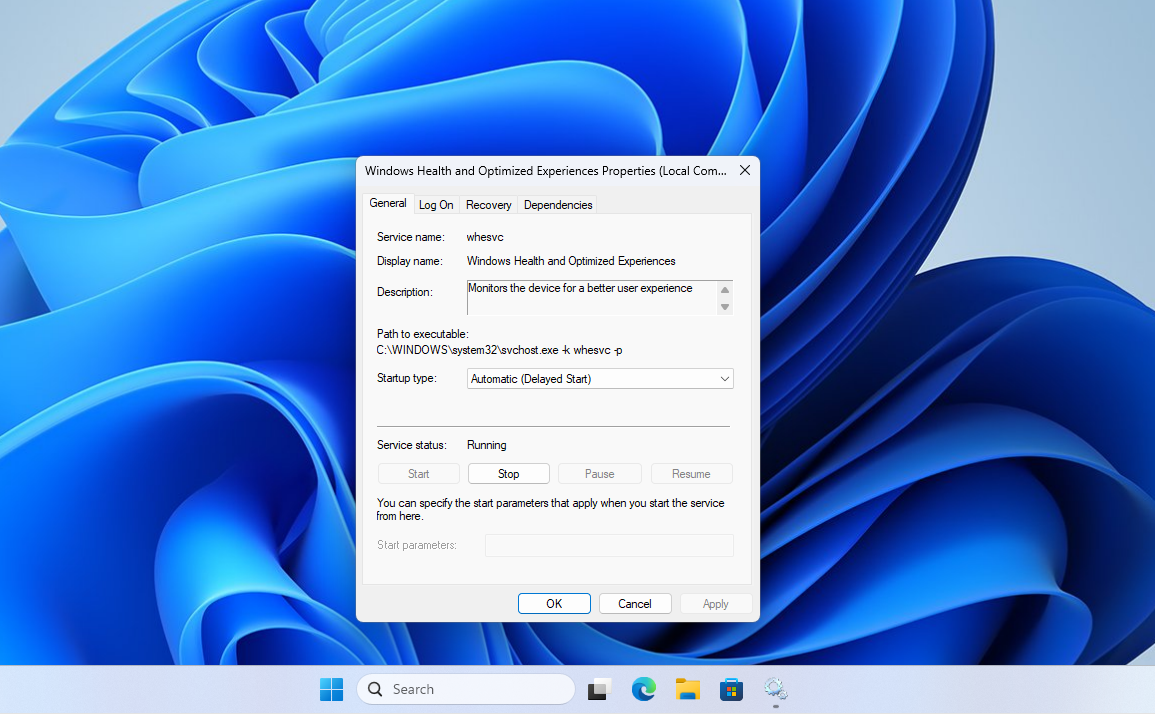
Windows Health and Optimized Experiences Properties in a misunderstood feature
X user Xilly posted in all caps that Microsoft “ADDED A NEW BACKGROUND SERVICE TO YOUR PC IN WINDOWS 11” called Windows Health and Optimized Experiences, framing it as a laptop battery tool that does nothing but run in the background on desktop gaming PCs while quietly sending data to Microsoft every 15 minutes. Yes, that sounds dystopian and very much like Microsoft, but fortunately, this claim is false.
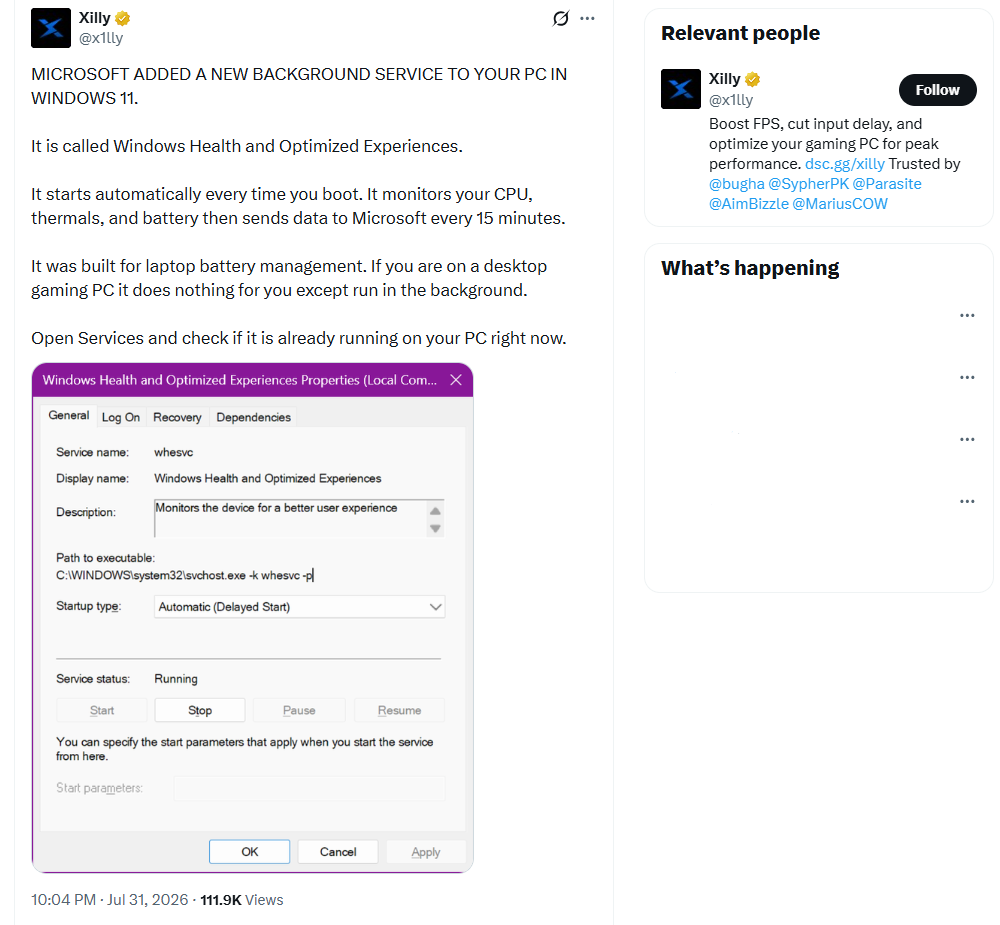
Note that Xilly runs a paid PC tuning business that manually adjusts BIOS, Windows settings, and hardware parameters for gamers chasing lower input lag and higher FPS. In a reply to their own post, Xilly wrote that most background services “do not affect gaming performance as much as people like to believe,” an odd thing to admit while implying this particular one is worth panicking over.
Commenters were tech-savvy enough to catch Xilly in the act. The service, known internally as whesvc, first showed up in a Windows 11 Canary build back in May 2025, where developer Albacore flagged it as a Lua-driven component tucked inside whesvc_assets.dll.
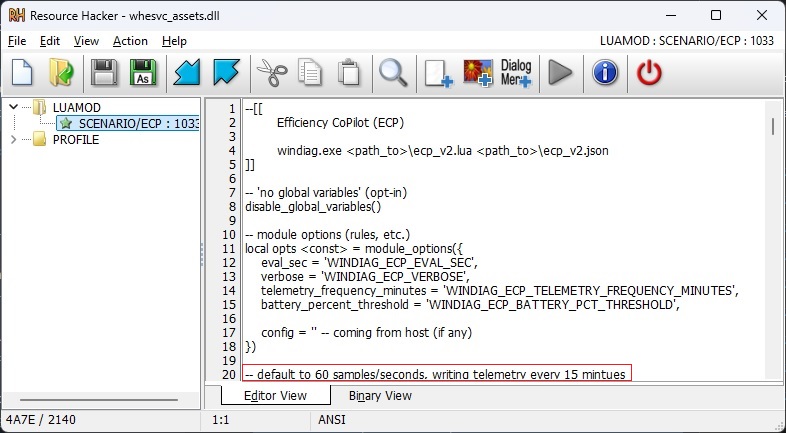
Windows Latest broke down the service’s code at the time and found it runs a script called ecp.v2.lua, sandboxed with disable_global_variables(), sampling metrics like CPU load, thermals, brightness, and battery percentage through environment variables such as WINDIAG_ECP_EVAL_SEC and WINDIAG_ECP_TELEMETRY_FREQUENCY_MINUTES. The “every 15 minutes” figure people are quoting today is about that May 2025 code analysis.
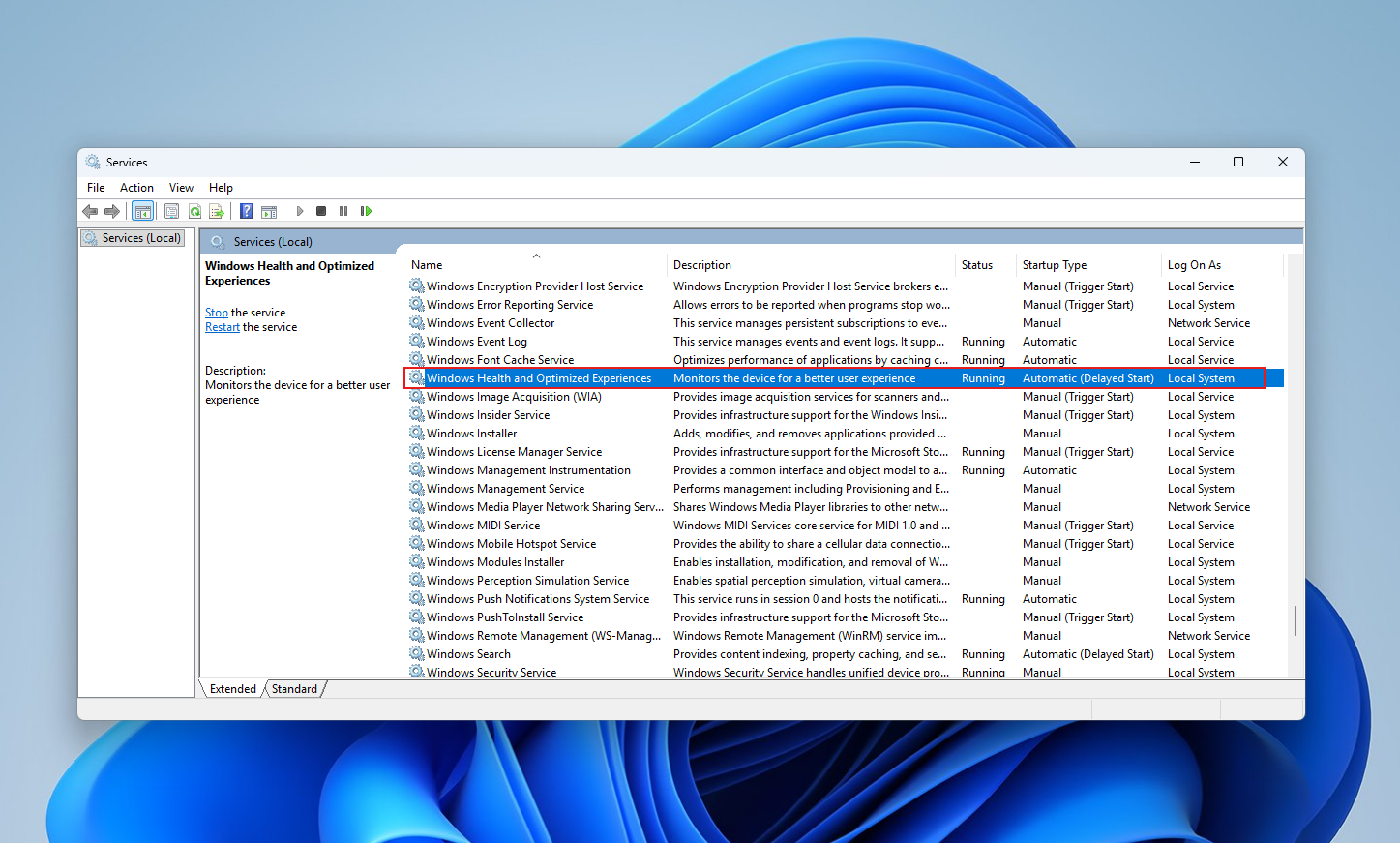
X eventually added a Community Note to Xilly’s post, and Albacore’s original 2025 post was cited directly as the source proving the service wasn’t new.
It’s also not a secret. Windows 11 documented builds show whesvc now powers Adaptive Energy Saver, a real, working feature that automatically dials in battery-saving settings, which is a strange thing for a service supposedly built to do nothing useful on your PC.
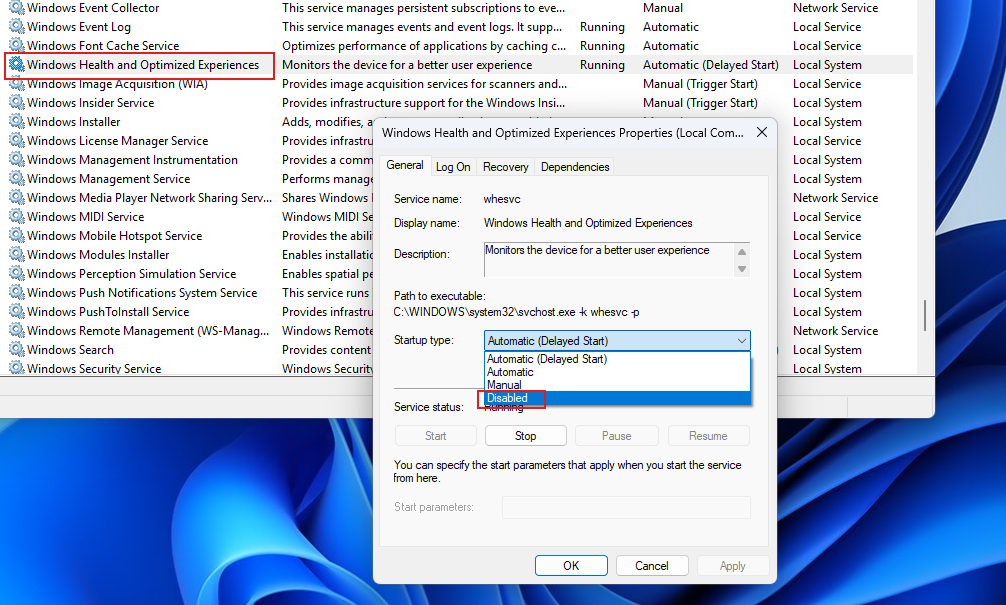
How to disable Windows Health and Optimized Experiences Properties
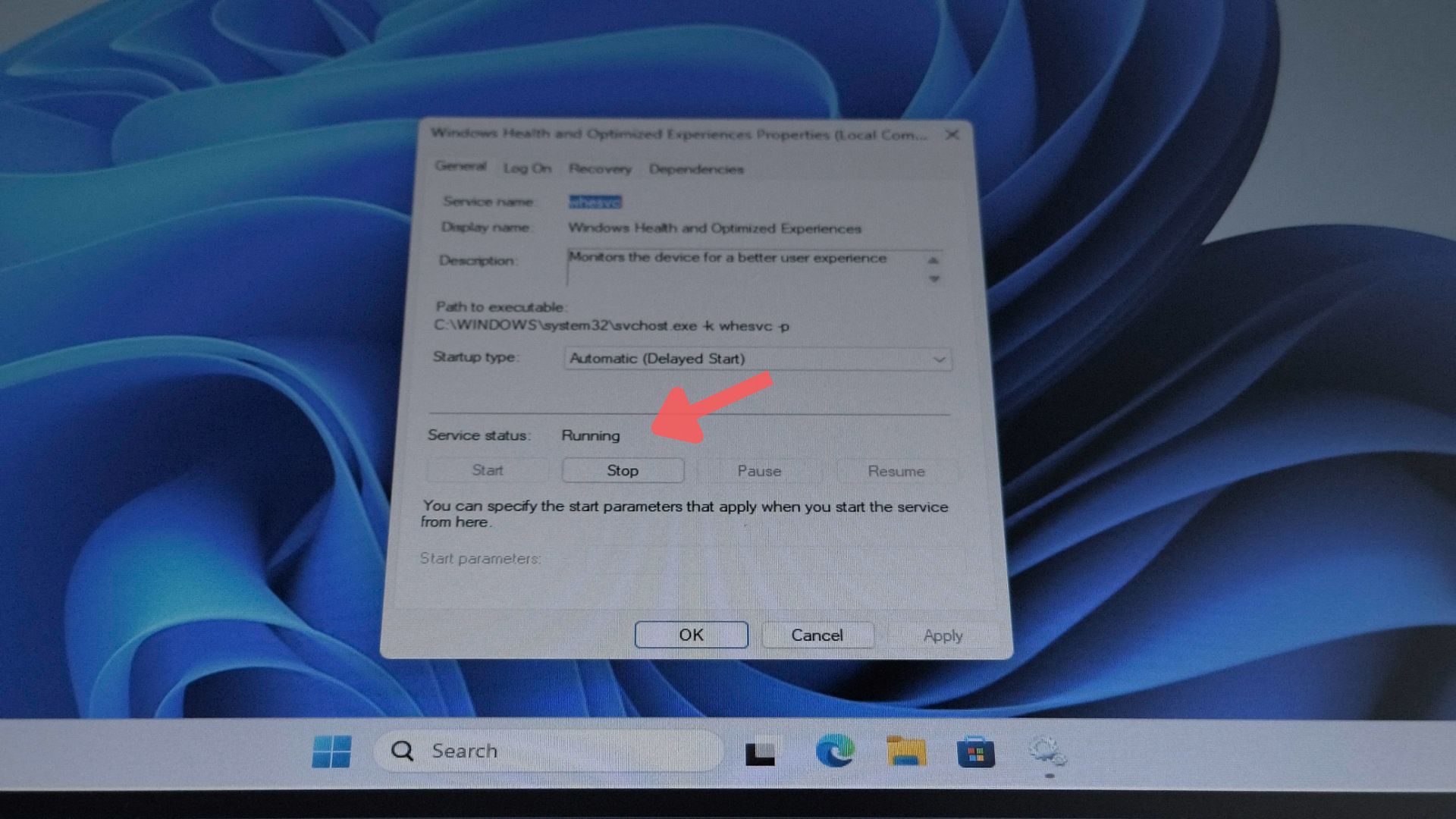
Disabling it, if you want to, is easy. Open Services (services.msc), find Windows Health and Optimized Experiences, and set its startup type to Disabled, or run sc stop whesvc and sc config whesvc start=disabled from an elevated terminal.
Of course, like with any negative post about Microsoft, this rumor too was already hard-etched as a reality in users’ minds. But the person who finished it off was Scott Hanselman, VP and member of technical staff at Microsoft.
Senior Microsoft VP shuts down rumours of a new viral Windows 11 tracking tool that reduces PC performance
The service was added in 2025 for performance-diagnostic capture. When Windows detects sluggish behavior, it can record targeted performance traces locally under %SystemRoot%\Temp\DiagOutputDir\Whesvc, which get bundled into a Feedback Hub report only if you choose to file one under the Desktop > System Sluggishness category.
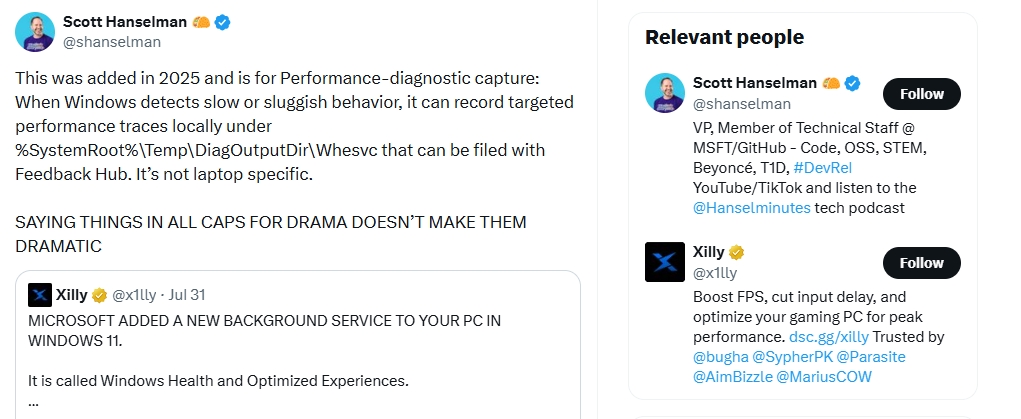
The traces stay on your machine unless you actively submit feedback; they aren’t silently phoned home on a schedule the way the viral post implied. Hanselman also directly rejected the false claim that this was laptop-only, confirming the service isn’t battery-specific and instead falls under Windows’ diagnostics stack along with tools like Windows Performance Counters, the same built-in mechanism Windows has used for years to track CPU, memory, disk, and network behavior across both desktops and laptops.
When one commenter asked what specifically counts as “sluggish” if raw hardware usage numbers don’t tell the whole story, Hanselman clarified that the service works off Windows performance counters instead of anything resource-heavy like screen recording, which actually addressed a fair technical question that had nothing to do with the induced panic from the original post.
It’s not always that we see senior Microsoft staff shutting down fake rumours like this, and there is good reason. Scott Hanselman is aware of this, as he rightfully said, “SAYING THINGS IN ALL CAPS FOR DRAMA DOESN’T MAKE THEM DRAMATIC.”
People believe rumors like this because Windows 11 gave them reasons to
If Apple quietly shipped the same diagnostic service, most people wouldn’t blink. Windows 11 doesn’t get that benefit of the doubt anymore, and Microsoft largely did this to themselves.
As Windows Latest’s Mayank Parmar replied: “hating Windows for absolutely stupid reasons is the new gig economy for these so called X ‘independent’ creators.”
Several people asked why the service’s official description just says “Monitors the device for a better user experience” instead of something closer to what Hanselman explained in the thread. He agreed and said he’d ask for the description to be expanded.
Now, this is where Apple differs from Microsoft. California cares too much about how users perceive their brand, and it has largely worked in their favour, except for the times when they have to announce a new product, and it’s almost always the same one from last year.
Also, multiple users said some version of “just make Windows faster,” and mentioned their real, lived experience of a sluggish Windows 11 as the reason a vague rumor felt believable in the first place.
Windows Latest has been tracking this closely, from Windows 11’s rough run of update problems through 2025 to how the Task Manager creator had to publicly correct a claim about a different tracking identifier just last week. Distrust like this doesn’t come from nowhere.
Microsoft is trying to earn that trust back
Windows 11 became one of the most criticized versions of Windows for real reasons, and Redmond has been working to reverse that since March, when the company committed to fixing Windows 11’s quality and fundamentals.
Satya Nadella reinforced that commitment on Microsoft’s most recent earnings call, telling investors the company is investing directly in Windows 11’s quality this year.
That said, the years of bloat, forced upsells, and confusing background services that got Windows 11 here don’t just go away because of one good week. But the next viral rumor about a “secret” Windows service deserves a beat of skepticism, especially when the person posting it happens to sell the fix.