








Outlook’s March 2026 update has a small bunch of surprises for you. After slowly including heavily requested features like offline access and PST file support, Microsoft is making a few cosmetic changes. These features are in a gradual rollout phase, so you won’t immediately notice all of them after updating Outlook.
Organizing search folders
Outlook’s search folders help you configure the scope of your search queries and the type of entries to include whenever you search for something.
Currently, you can set Outlook to only show search results from all folders when searching from the inbox, or focus on the current folder.
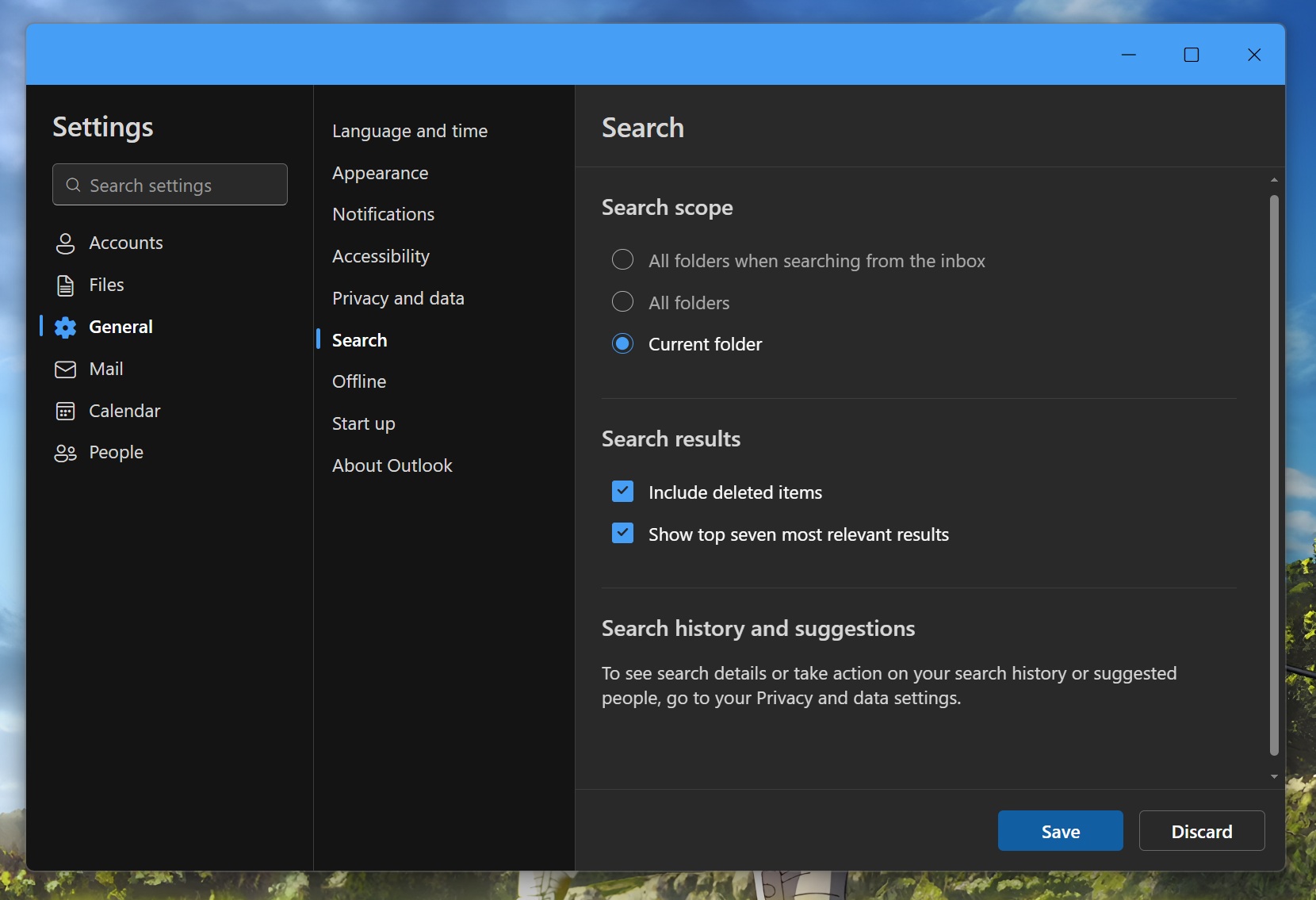
Soon, you can pick from additional search folder types, which gives you more granular control over the search. It’s helpful because when you deal with a select few large folders, performing a global search delays the result. Additional folder types can help you select only those folders that are important to you.
The current folder setting works, but it’s restricted to one folder and not multiple folders. So, adding more folder types is a wise strategy.
Remembering selected folders
This is one setting that solves a problem I face on a daily basis. Outlook lets you select single or multiple email entries and then perform a batch action on them. You can delete them, move them to other folders, or do more actions. But if you accidentally or intentionally switch to a different folder, all the selected entries vanish.
Microsoft will soon program Outlook to remember the last selected item in a folder. If you select a few entries, they’ll remain in that state even if you switch folders and revisit them again.
In our tests, Windows Latest observed that Outlook will also remember the last scroll location, so you won’t have to scroll down a long list to reach the selected item. It’s a small but useful add-on that I wish other apps could adopt. Even if I have to switch to a different folder to check a new mail, my selected items remain unaffected.
Shared mailboxes and signature settings
You can now access the shared mailboxes archive in the new Outlook. The entry will appear in the mailbox folder list for easy access.
Outlook is also adding new signature settings that will help you control its integration across multiple accounts.