






Microsoft says it has almost finished rolling out a feature that lets you test your microphone and speakers before joining a meeting. It’s similar to the audio and camera preview feature on Google Meet or Zoom, and it’s finally available to everyone using Teams.
If you don’t see the screen yet, Microsoft says those in GCC, GCC High, and DoD may need to wait a few more weeks.
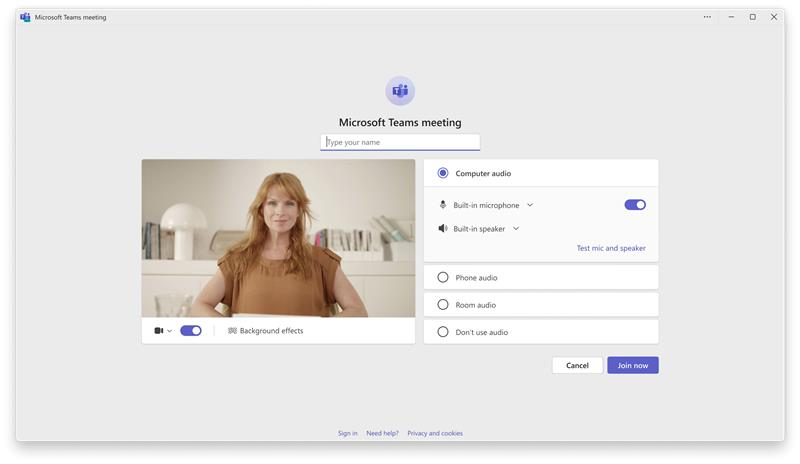
Until now, Teams has not allowed everyone to test their microphone and speakers before joining a meeting. You can make sure everything is working after you join the call, but it’s not an ideal experience, especially when Microsoft’s rival platforms, Zoom and Google Meet, have always offered this feature.
Once the feature is available, you can verify whether you have selected the correct audio devices and whether they work properly.
How does Microsoft Teams let you test the microphone and speakers before joining a meeting?
As you can see in the screenshot, you will automatically see your microphone and speakers listed before the meeting starts, and you’ll have an option to test them. This is the pre-join screen, which has been around for a long time, but it didn’t let you test and hear yourself.
You can record yourself and play the audio to figure out how others will hear you. That also lets you test whether your speakers or headphones are working. If you can’t hear your own recorded audio, you can’t expect others to hear you.
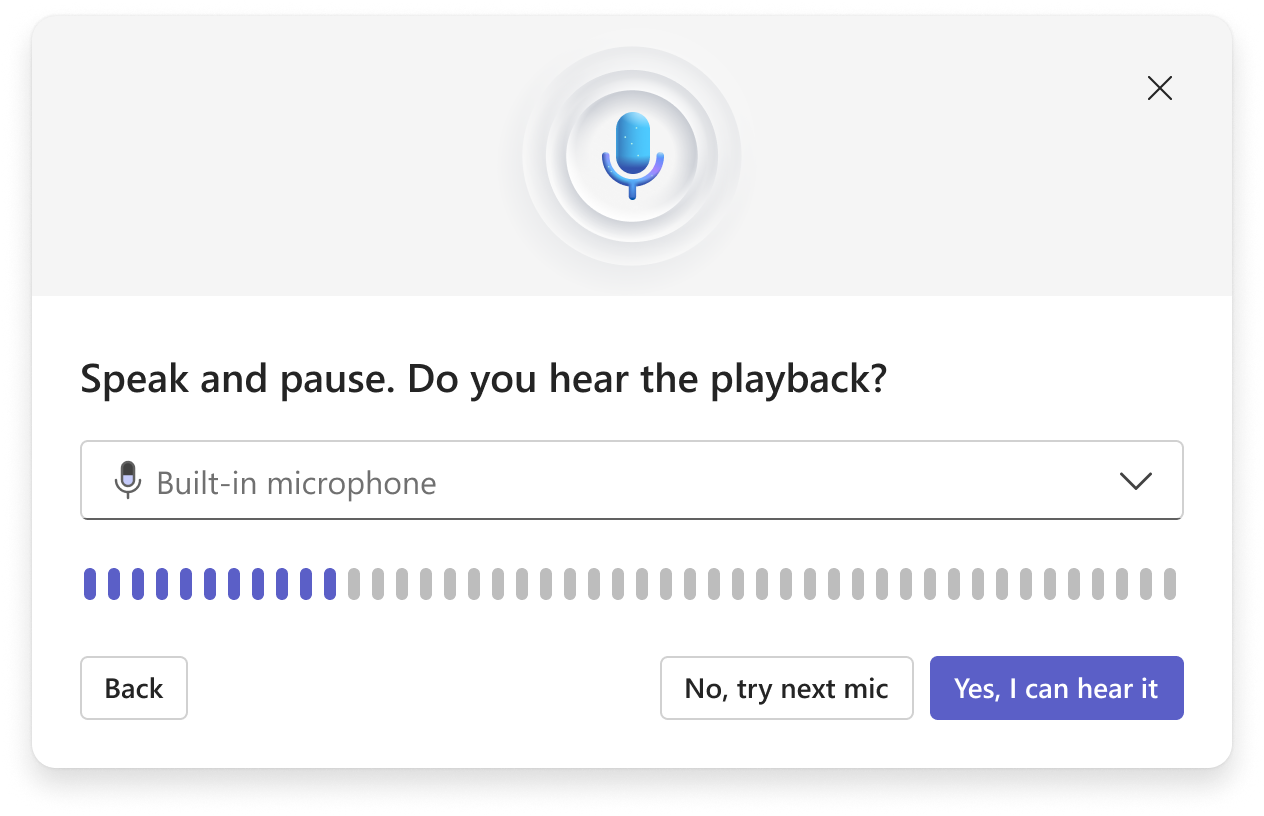
It’s also worth noting that Teams’ audio preview feature was originally announced in May 2026, but it only began showing up for most users this week. Microsoft proudly says this feature will reduce audio issues and help you conduct meetings with fewer “Can you hear me?” moments.
Here’s the rollout timeline for Teams’ audio preview feature:
- It was confirmed and announced in May 2026.
- The rollout finished in the last week of June 2026 for the General Availability audience.
- GCC, GCC High, and DoD started getting it in late June 2026, and the rollout will finish by August 2026.
Microsoft to block AI-powered bots from spamming your meetings
Microsoft has confirmed that AI bots are invading your meetings, and we’re not talking about the useful bots that can help with transcription or summarization. We’re talking about bots that may be added to meetings without your knowledge and have the potential to capture everything they can see or read.
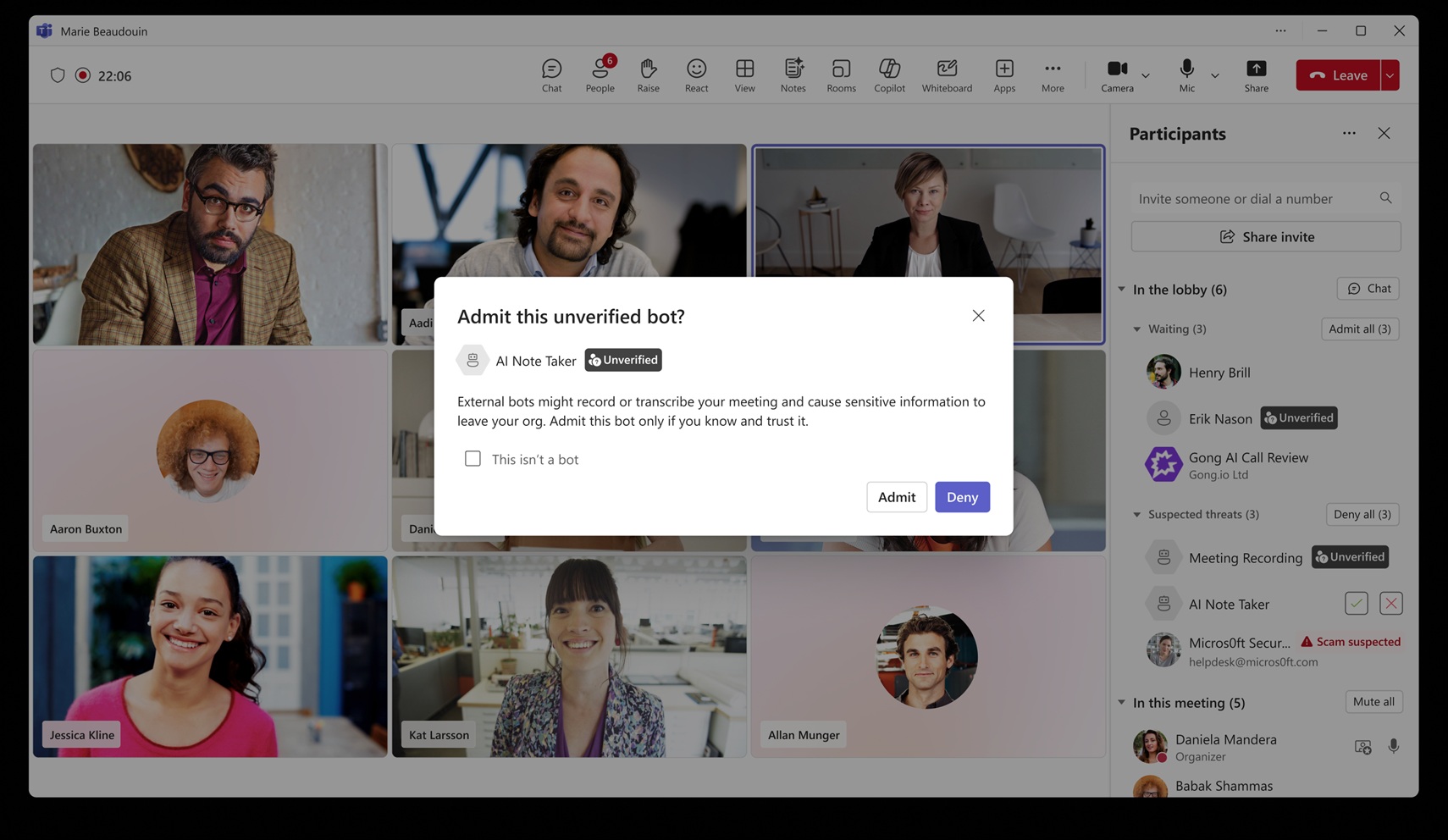
Microsoft Teams now comes with a new feature to detect external meeting assistant bots and help you manage them, so you don’t accidentally remove the ones you actually need.
This feature began rolling out in mid-May 2026, and it’ll become available to everyone in August 2026.
Planner now works with Shared and Private channels (finally)
I use Planner in Teams all the time, and while it’s quite useful, I find it annoying that you can’t create plans in certain channels. That appears to be getting fixed, as Microsoft says it’ll allow Planner in Teams to create plans within certain channels and keep collaboration organized.
“Only basic plans are being made available in Shared and Private Channels. Premium capabilities will come at a later date.”
Microsoft says Planner for private and shared channels will roll out in late August 2026.
In addition to these three changes, there are quite a few major improvements planned, including AI notes for physical meetings.
At the same time, Microsoft Teams is testing a controversial feature that would allow employers to track your potential location. Moreover, it’s planning to let AI automatically analyze meetings if they are archived.