







Microsoft says it’ll roll out Planner to New Outlook for Windows in a move that the company hopes will convince Outlook Classic holdouts to move on. Planner will begin rolling out in the coming weeks, and once you have it, you can manage your tasks alongside emails and your calendar.
Planner is already integrated into other Microsoft products, such as Teams. I regularly use it to assign tasks to myself and my team, and it works very well. Teams-like Planner integration in Outlook for Windows would be handy, and it’ll be turned on by default for everyone.
You’ll be able to open Planner in New Outlook from the left sidebar, which also houses other Microsoft products like Microsoft To Do and Office.
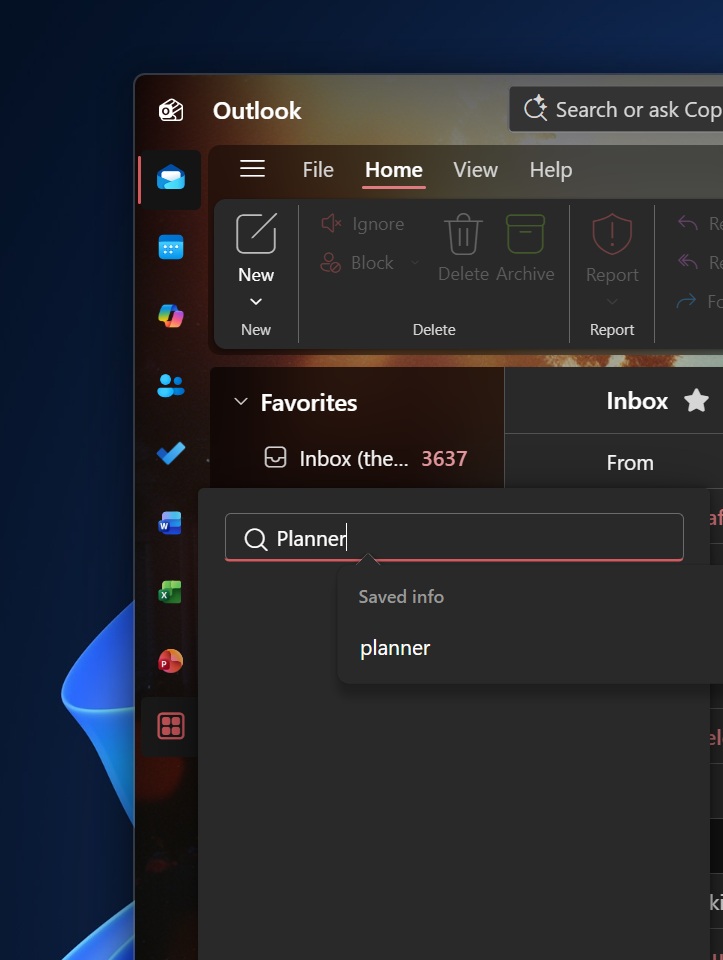
“This change reduces context switching by allowing users to view and manage tasks and plans alongside email, calendar, and Copilot experiences,” Microsoft argued in an admin portal update first spotted by Windows Latest.
The company added that it’s rolling out Planner after strong feedback from customers requesting tighter integration between task management and daily productivity workflows.
Since Planner will be deeply integrated, you will also be able to easily send Outlook emails to Planner and access those tasks inside Microsoft Teams, or move back and forth between the apps.
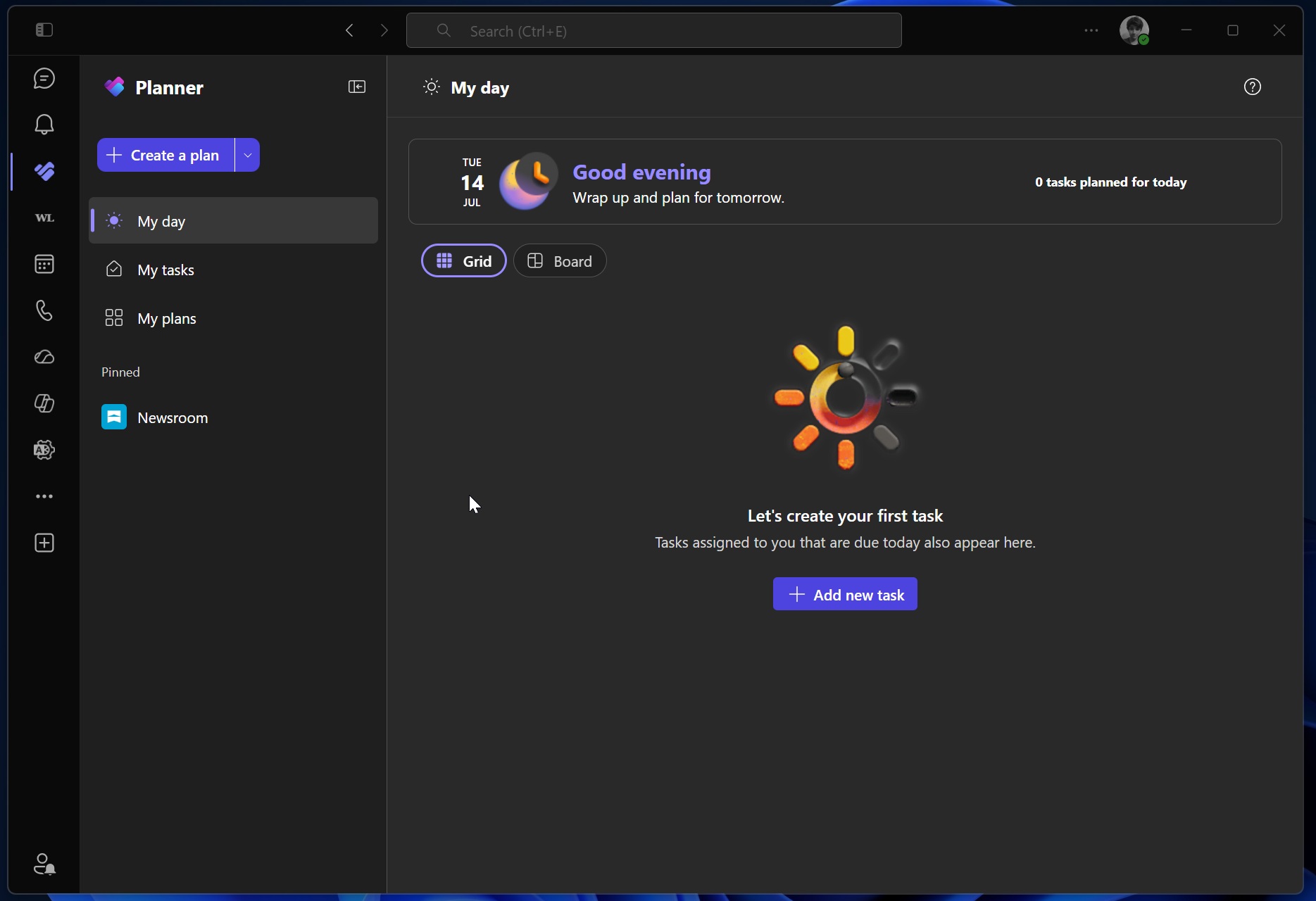
In addition to Outlook, the Microsoft 365 Copilot app is testing Planner integration as well, and I’m told that’s because Planner is one of the most popular apps in the ecosystem.
Outlook will recall messages across external Microsoft 365 tenants
In addition, Microsoft says it’s rolling out a new feature that will allow Outlook, including New Outlook, to recall messages across Microsoft 365 tenants for the first time. This means external Microsoft 365 tenants can recall emails from your Outlook inbox if your admin allows it.
In a post on the Microsoft 365 dashboard, Microsoft confirmed Exchange Online, which also covers Outlook, will finally add support for cross-tenant message recall. Outlook message recall isn’t exactly a new feature, as you could already recall messages within the same tenant, but support is now expanding to external tenants.
When the feature rolls out and you turn it on, you will have the choice to whitelist trusted external tenants.
“This enhancement improves organizational collaboration and control, allowing administrators to extend recall capabilities across partner or affiliated tenants while maintaining explicit governance through an allow list,” Microsoft noted in a document spotted by Windows Latest.
Microsoft says it’ll begin rolling out Outlook’s ability to recall messages across Microsoft 365 tenants in mid-August 2026 and complete the rollout by early September 2026.
New Outlook for Windows is also testing notification grouping, which should reduce notification clutter, according to Microsoft. Windows Latest also found that you’ll get an alert when you accidentally reply to an old email in a conversation while a newer one is available.
Microsoft has planned major improvements for New Outlook, but it’s still missing Outlook Classic features, and we don’t know when other smaller but advanced features will ship.