








Windows Latest previously reported twice that the Edge browser is starting to look more like Copilot. Now, Microsoft has officially confirmed our findings, confirming in a statement that Edge will indeed adopt the user interface from Microsoft’s AI platforms, including Copilot and Bing.
“Microsoft Edge will update the Look and Feel to give customers a unified experience across all of Microsoft AI surfaces including Copilot and Bing. This will change multiple elements of the UX such as spacing, corners, fonts, default colors, etc,” the company said in a statement.
The company’s reasoning here is that they want to give their customers a similar experience across all of “Microsoft AI surfaces”, which, as I see it, is the software giant’s way of admitting that Windows 11’s built-in browser is part of their AI initiative.
Following this change, multiple UI elements in Microsoft Edge, such as the spacing, corners, fonts, colors, etc., will start to look like the ones in the Copilot app for Windows, which is now already a web app, as we first reported.
As unappealing as that sounds, all these “updates” are currently live in the Edge Canary builds and will start rollout to regular users from June 2026.
Ever since Microsoft Edge adopted the Chromium engine, about 6 years ago, it has gone from a usable browser to a very capable one in 2026, with unique features like the AI tab organizer, while already having productivity features like vertical tabs and immersive reader, years before Google Chrome.
However, Microsoft’s decision to make their browser look like the universally despised Copilot app could be another blow to Edge’s evidently modest market share.
Microsoft Edge is getting an AI-first design
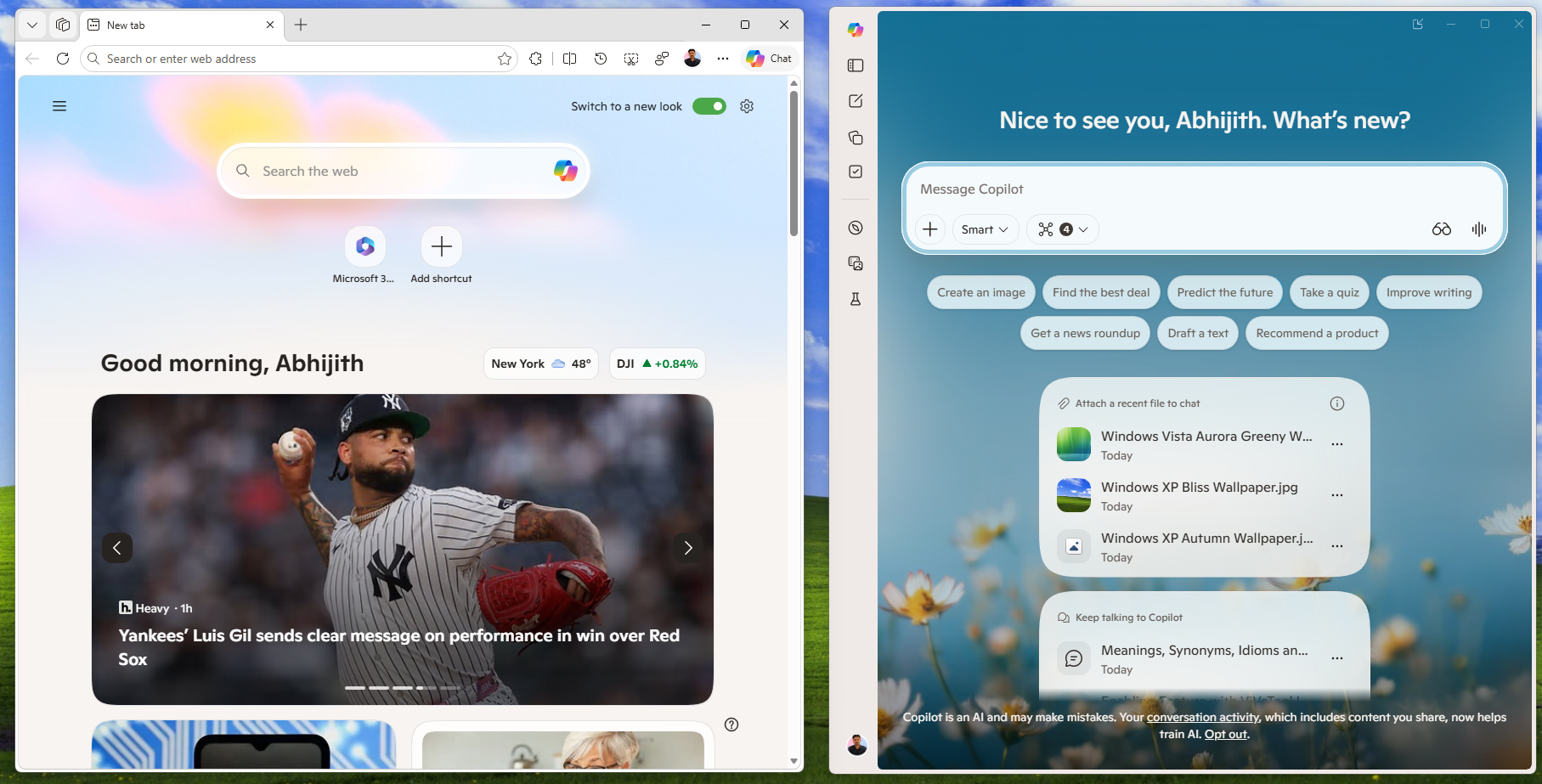
I have been testing the Microsoft Edge Canary version, which is what gets the latest features first, and in the recent updates, I noticed Edge getting more rounded corners and iOS-like toggles.
Of course, rounded corners are not something new to Microsoft, but the ones in upcoming versions of Edge are getting more rounded!
This is how a new tab looks in the regular Edge browser. You can see rounded corners everywhere, from the shortcuts to the widgets and the feed.
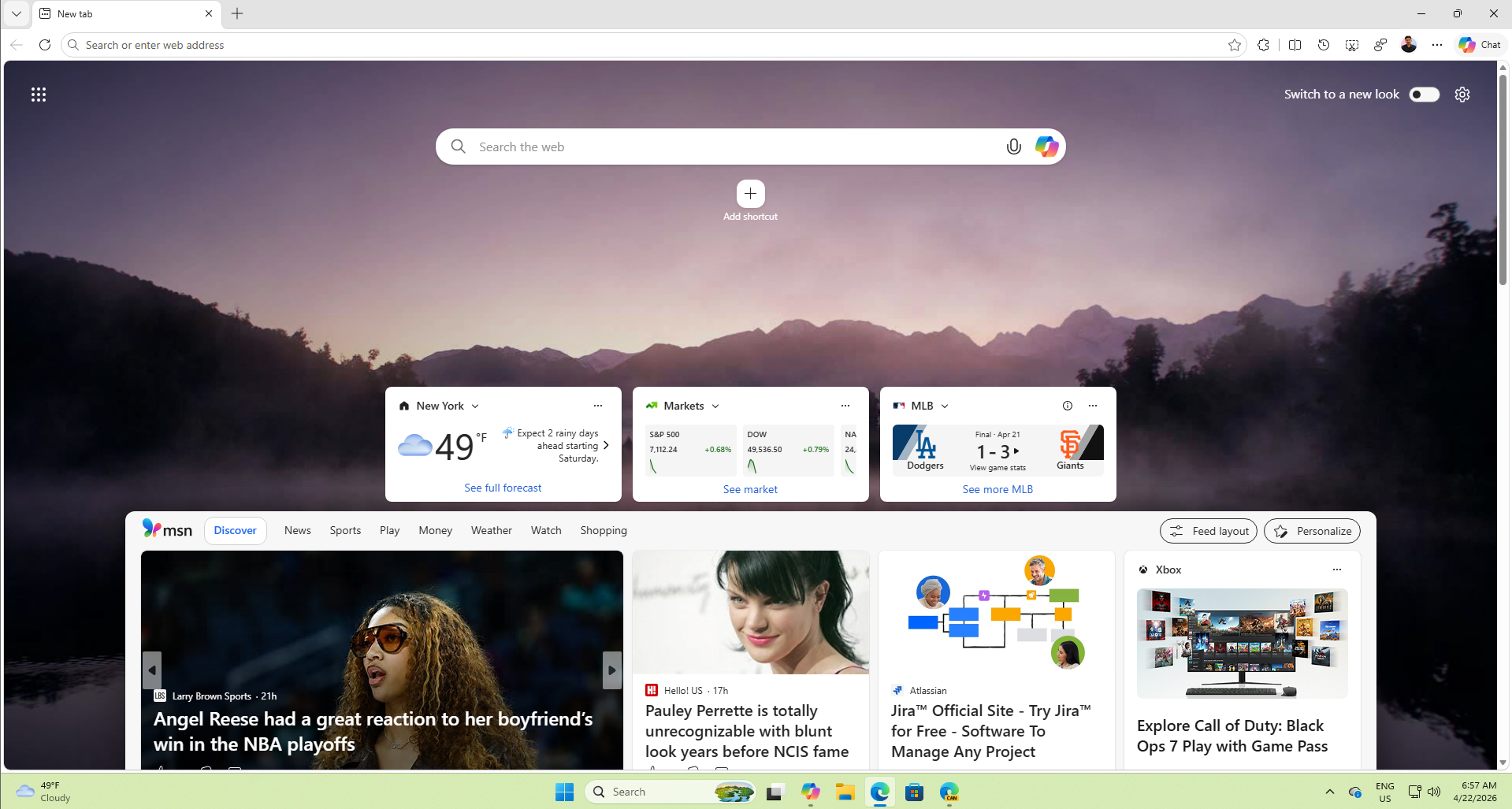
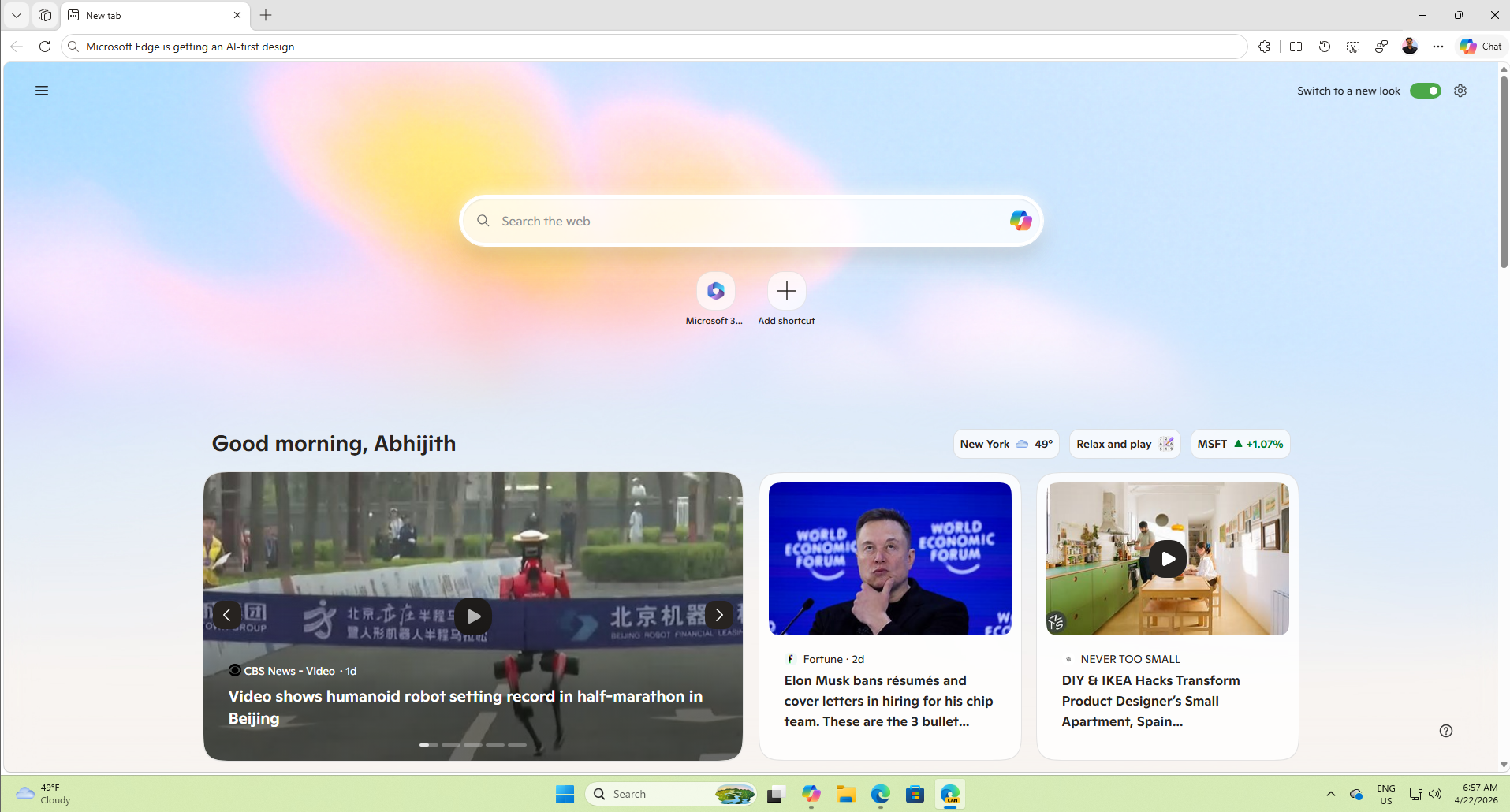
However, the upcoming version of Edge has an even softer, dare I say cleaner look, with clearly distinct yet soothing corners in the feed layout and smaller widgets as well.
You’re also going to observe these softer, rounded corners when you right-click anywhere in the Edge browser:
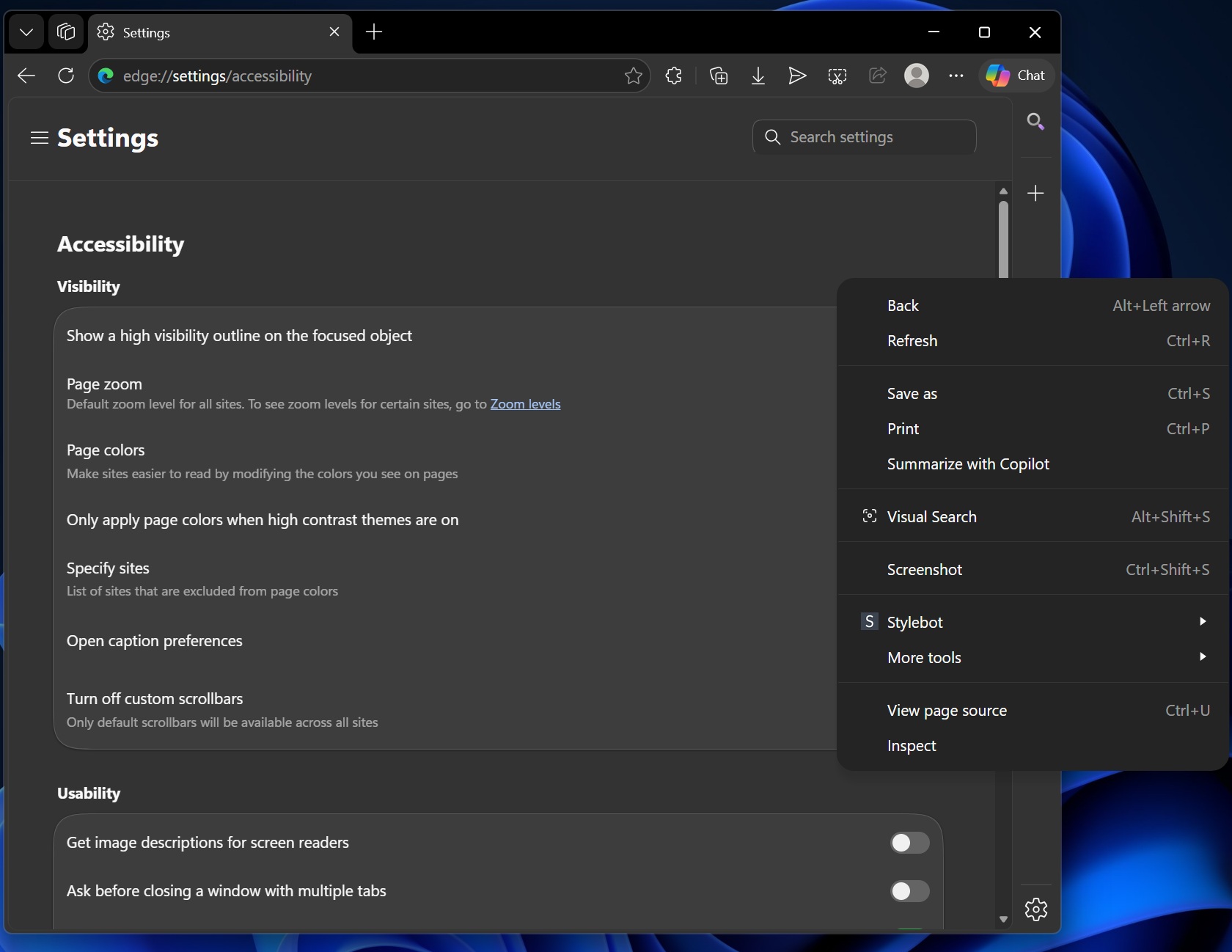
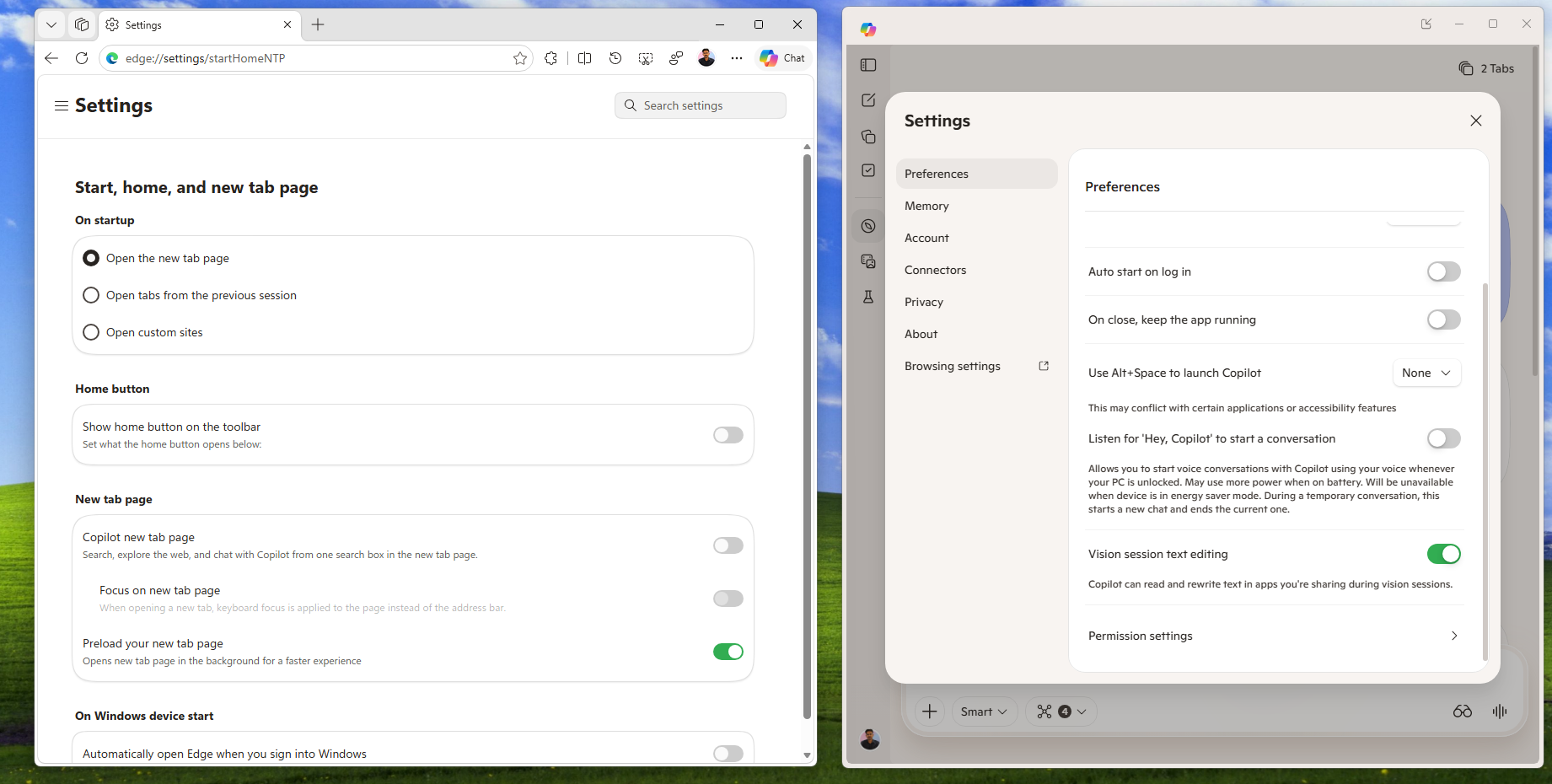
Apart from the corners, we also noticed the toggles in Edge becoming similar to those of Copilot.
In fact, the settings pages in each are starting to look alike, which is understandable, considering Copilot for Windows 11 is now a web wrapper, which essentially makes it Microsoft Edge.
In our tests, Windows Latest observed that Copilot’s Windows 11 is heavily dependent on Edge source code, which is why Microsoft wants to bring Edge and Copilot UI/UX closer.
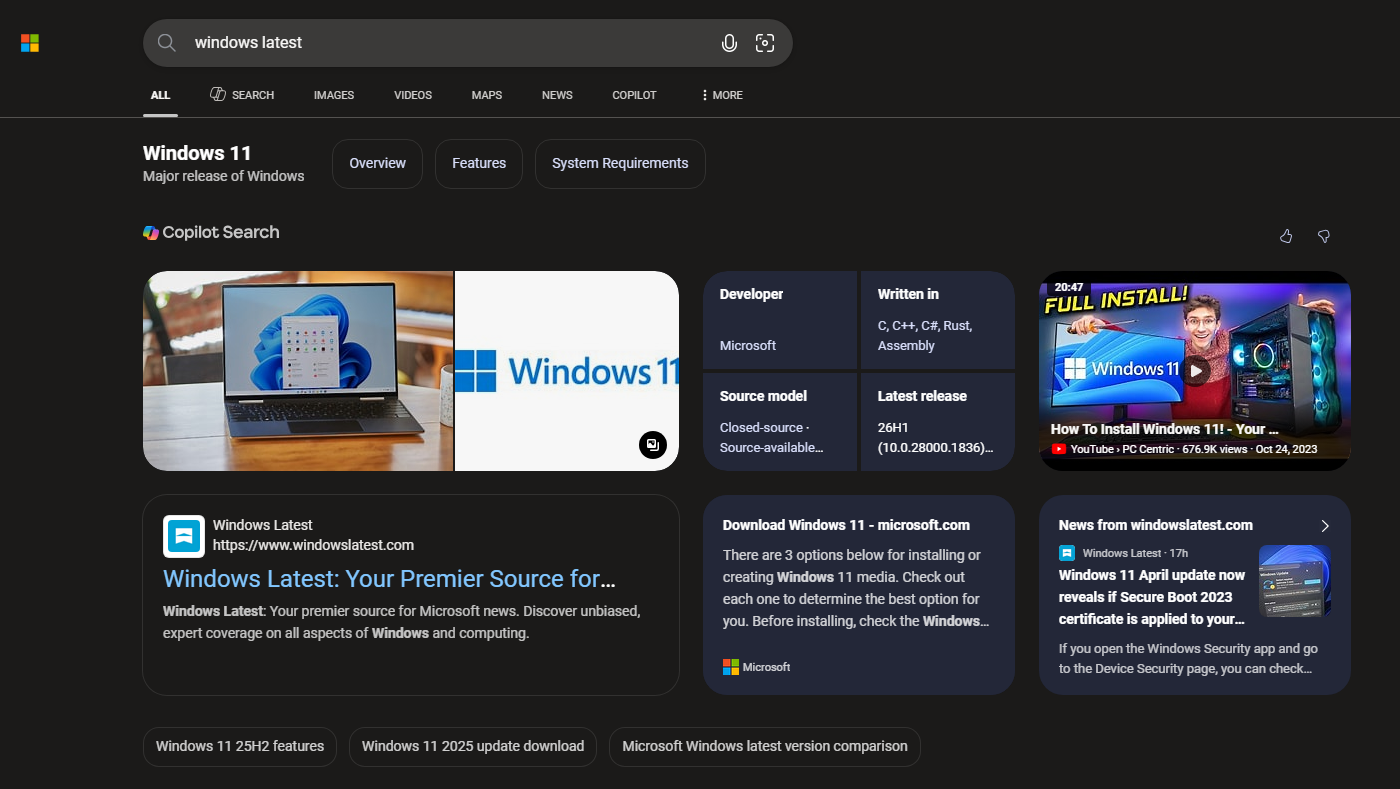
Also, it’s not just about Edge or Copilot. Microsoft is creating a unified UI for all AI surfaces, including Bing and MSN. Bing is also getting rounded corners to match the overall rounded aesthetic.
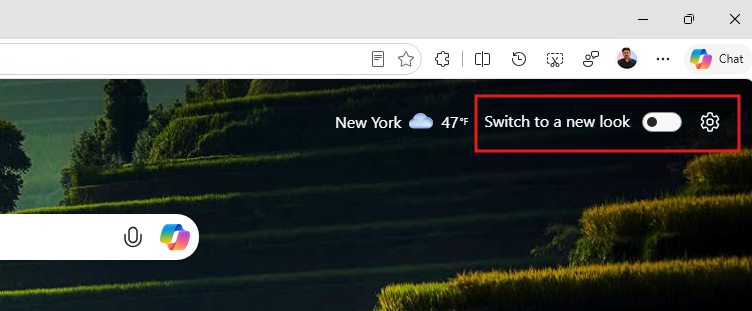
Note that some of these changes are already available in the regular version of Microsoft Edge. The browser also has a persistent “Switch to a new look” toggle in the new tab, which you can turn on to get accustomed to the rounded corners.
However, there might be even more changes and design cues coming to Microsoft Edge, because the Copilot Discover feed already has widgets with a fully-rounded rectangle look, not just in the corners.
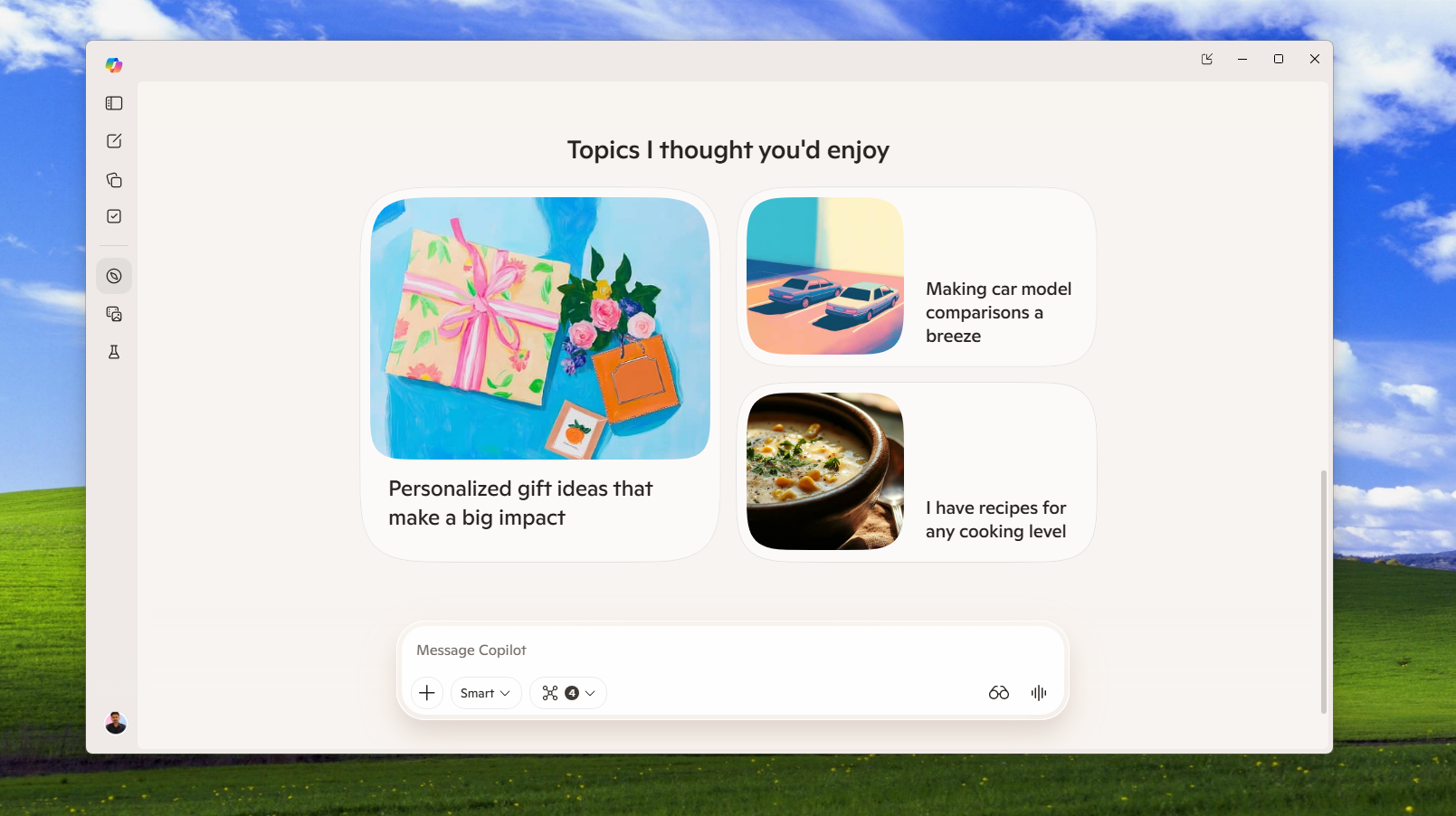
Microsoft wants everything to look like AI
It’s no secret that Copilot has a bad reputation, and we’ve also seen reports of its low adoption among the public. So, giving all of Microsoft’s AI platforms (including Edge) a similar look may make using Copilot feel comfortable for users, at least that’s what Microsoft is hoping for.
“Microsoft Edge will update the Look and Feel to give customers a unified experience across all of Microsoft AI surfaces including Copilot and Bing.”, says the company in their Microsoft 365 roadmap, which is Microsoft’s official, publicly available resource that provides a forward-looking view of upcoming features, updates, and changes across all Microsoft products.
The company also says that default colors in Edge will resemble those of Copilot, which is something that I am looking forward to because the pastel colors in Copilot are, in fact, soothing to look at.
“This will change multiple elements of the UX such as spacing, corners, fonts, default colors, etc,” the company explained in a roadmap update.
That said, what Microsoft really needs to focus on is making Edge a faster, simpler browser, focusing on privacy, which is what users are looking for now. After promising to reduce Copilot integrations from Windows 11, adding more of what reminds people of Copilot to a browser that Microsoft wants to be more popular, is maybe not the right way to go about it.