







At Build 2026, Microsoft showed off a future where agents could customize Windows 11 in a way that truly makes it feel “personal.” Note that Microsoft isn’t saying it’ll add more AI agents to Windows, but it’s promising that the operating system already has all API endpoints for an agent to personalize it.
Microsoft is encouraging developers to bring their AI ideas to the desktop OS, and one way to do that is through personalization.
Samantha Song, who is a Product Manager on the Windows Platform team, argues that half of our time is spent looking at our Windows devices, and it “should look and feel personal,” which is a fair point. While Windows does let you customize its appearance and is also testing the ability to move the taskbar, it cannot do everything for you automatically.
If you want to personalize Windows, you need to open Settings, find the appropriate toggle, try different options, and find your preference. And given how fast the OS is evolving, it’s very likely that you might not even realize when a new personalization setting comes to Windows 11.
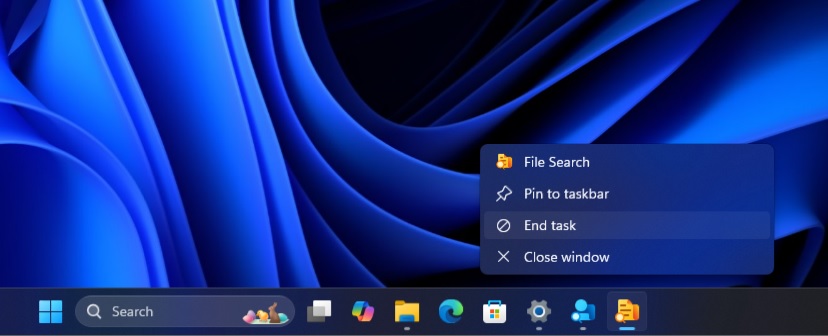
One example is the “End task” button for the taskbar, which has existed for more than a year, but not everyone is familiar with it.
“Want to coordinate your accent color, wallpaper, and keyboard lighting? That’s three different settings pages at a minimum,” says Samantha Song, who has been involved with building Windows for the agentic era.
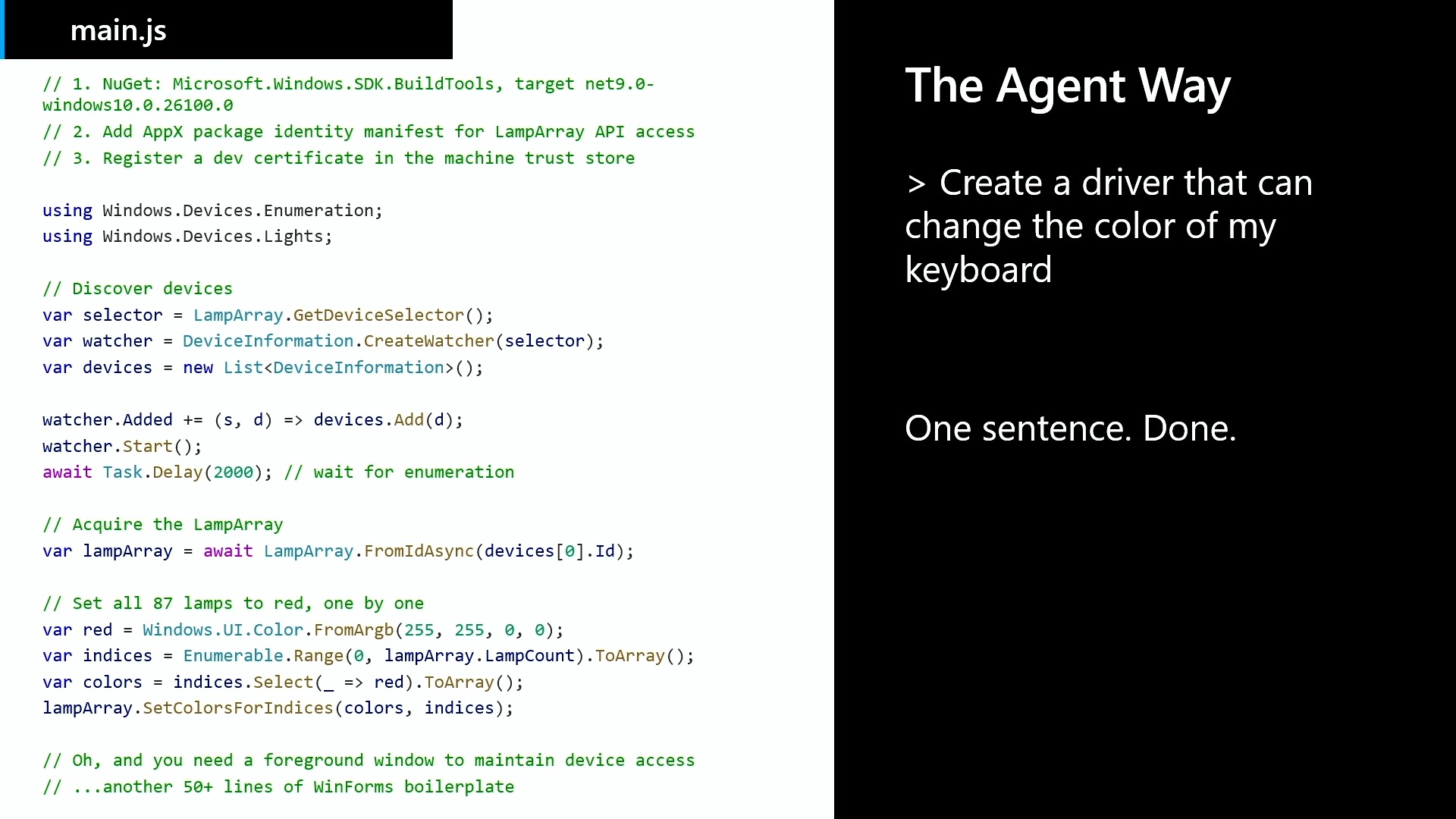
“If you want to go deeper, you’re looking at potentially multiple third-party apps and navigating registry keys.”
How Windows skills work with agents
At Build 2026, Microsoft announced a project called “WinUI skills,” where you can use AI agents like Copilot and Claude Code to build native Windows apps using WinUI 3, including AI-powered apps.
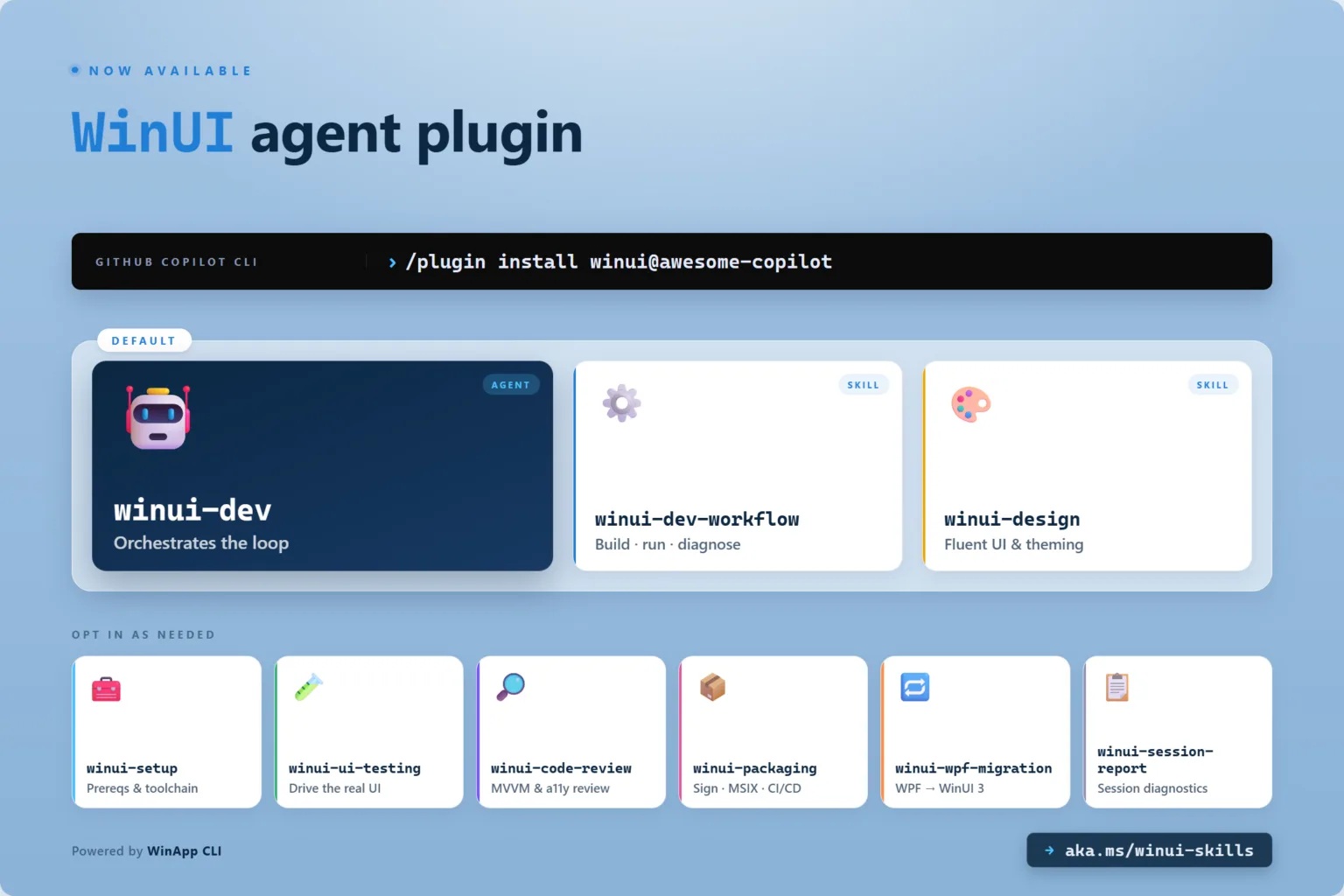
This means the AI-generated apps can use the MCP server, skills, connect to existing Windows API endpoints, and do all tasks you’ve been doing through natural language.
For example, if an app exists to customize Windows 11 and is connected to the API, you can prompt it to change your theme, and it’ll do it for you.
It was already possible to switch between themes and a few other Windows settings using the original Copilot integration in Windows 11, but that was powered by Power Automate, and the idea was eventually dropped. A similar idea is being explored, but this time, the implementation is more robust.
“No SDK to integrate, no API service to design,” Microsoft said at Build. “Skills are great because they define clear guidelines for agents. So instead of spinning their wheels, wasting tokens, trying to interpret your intent, they know to use these predefined tools to accomplish a type of task.”
What is a possible use case for agentic Windows?
Some of you might wonder why you’d need AI to change Windows 11, which is a fair point, but there are specific use cases where AI can be a bit useful.
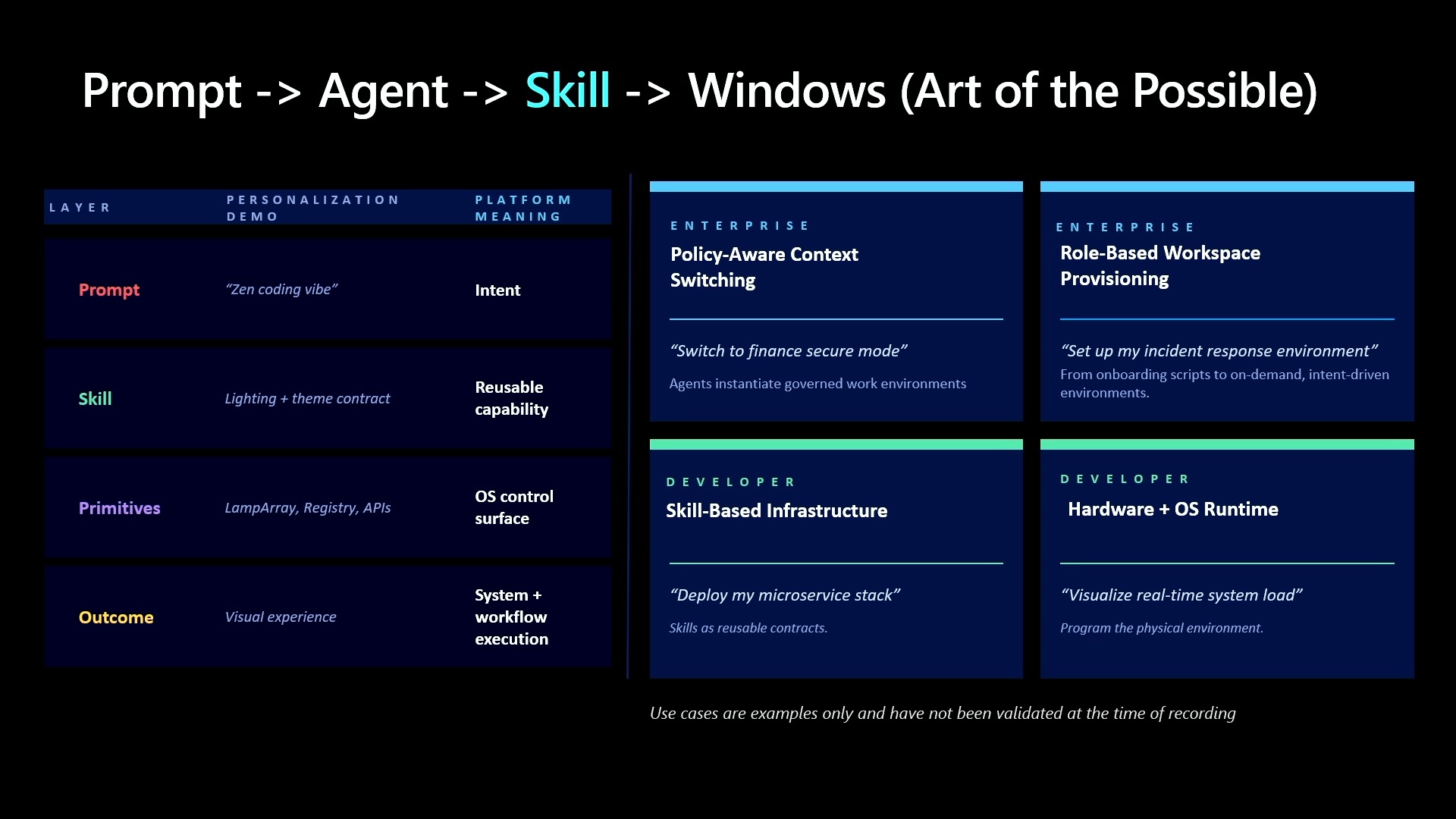
For example, you can ask an agentic Windows to make everything cherry blossom themed for spring, and the agent will automatically pick an appropriate wallpaper, switch to a pink accent color, make sure the colors apply across the operating system, and even play around with RGB personalization.
Windows now integrates with Dynamic Lighting and RGB personalization, which means there are API endpoints that can be exposed to these AI agents.
“What if I wanted it to reflect my love of music? Or what if I just woke up one day and decided I wanted my keyboard to feel like a Zen garden with blooming flowers? Agents can use public LampArray APIs to design and implement cool per-lamp effects and animations. And that’s what I’ve programmed my skill to do. The skills modules execute it reliably against real OS APIs,” says Samantha Song in a session at the Build conference.
Microsoft says AI skills can also apply accent colors to the File Explorer accent registry path
Microsoft made an interesting claim that AI skills, when connected to the right API in Windows 11, can go beyond just lights and colors.
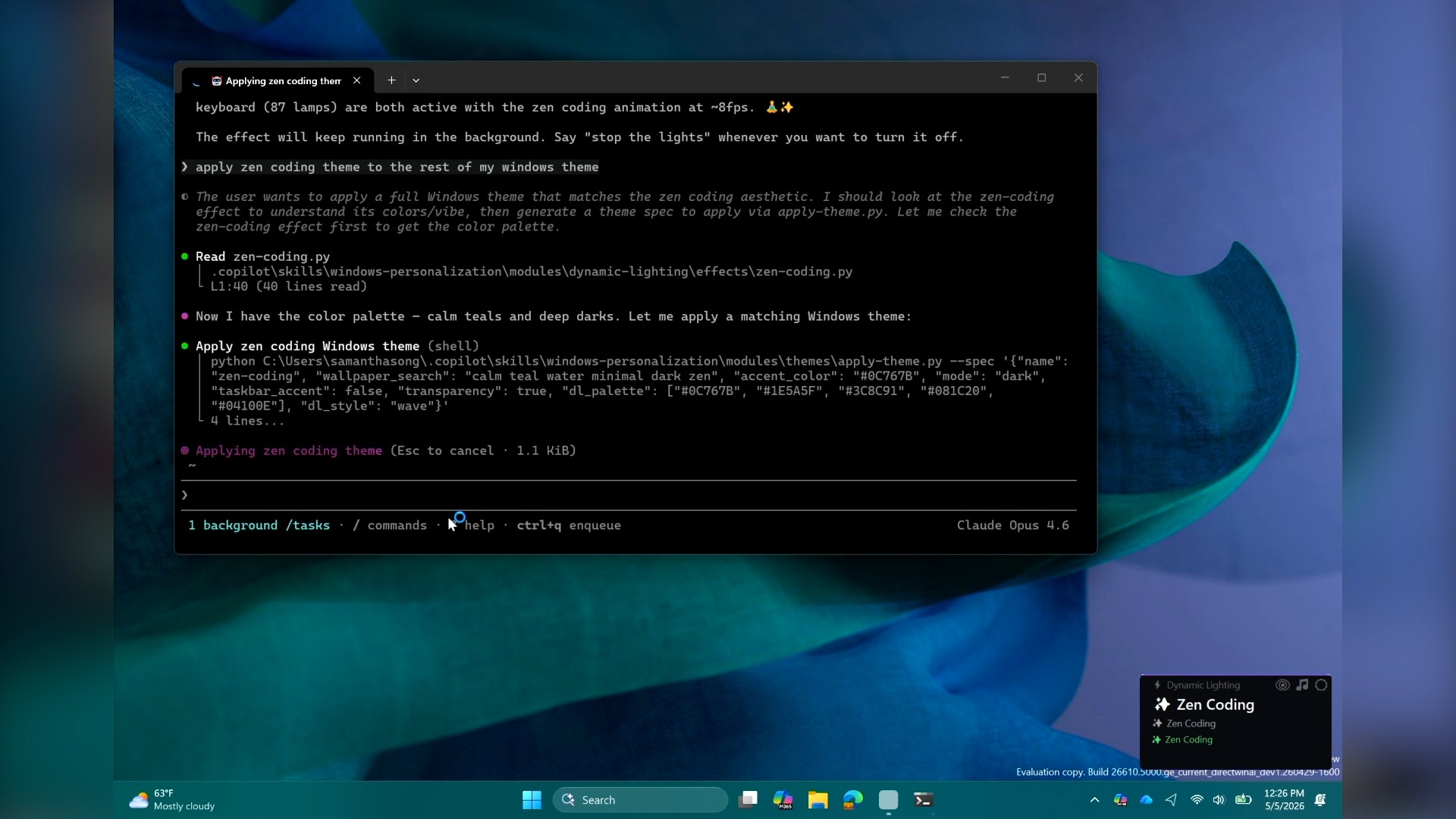
It can also modify the Windows registry to add accent colors to File Explorer. It can also download themed wallpapers from the Store and apply them to the OS.
“The theme module goes beyond RGB. You say ocean theme, and the skill orchestrates everything in a single pass. It can download themed wallpapers, write accent colors to the Explorer accent registry path, and more. This skill ships with a library of real Microsoft MSIX package themes,” Microsoft said.
It’s also worth noting that Windows AI treats themes, lighting, or settings as one coherent action, so your single request could cover the entire platform, which is very interesting.
“With Windows primitives, I should be able to change my whole Windows theme. I’m talking wallpaper, accent color, light mode, dark mode. One sentence to my agent, and I can change everything,” Song said.
Microsoft also said that Windows can have a themes agent that generates a completely new theme, or it pulls a beautiful Microsoft-designed theme, which is what you’re seeing here.
But why is Microsoft doing it? What’s the point of automating ideas that can be easily done already? Microsoft won’t tell us that, but Windows Latest understands Microsoft believes Windows and other platforms will entirely shift to AI, and at some point, you may not be using a mouse or keyboard for everything.
Windows agentic experience is the future, but Microsoft won’t force you
Windows AI-based personalization is only an open-source GitHub project, and it may or may not ever ship. However, I wouldn’t be surprised if Microsoft begins considering agentic customization and other similar local AI features for Windows 11.
If an agent can securely and safely communicate with Windows APIs and execute tasks autonomously, it’s not entirely bad, especially if you’re a power user who prefers to personalize Windows based on their work.
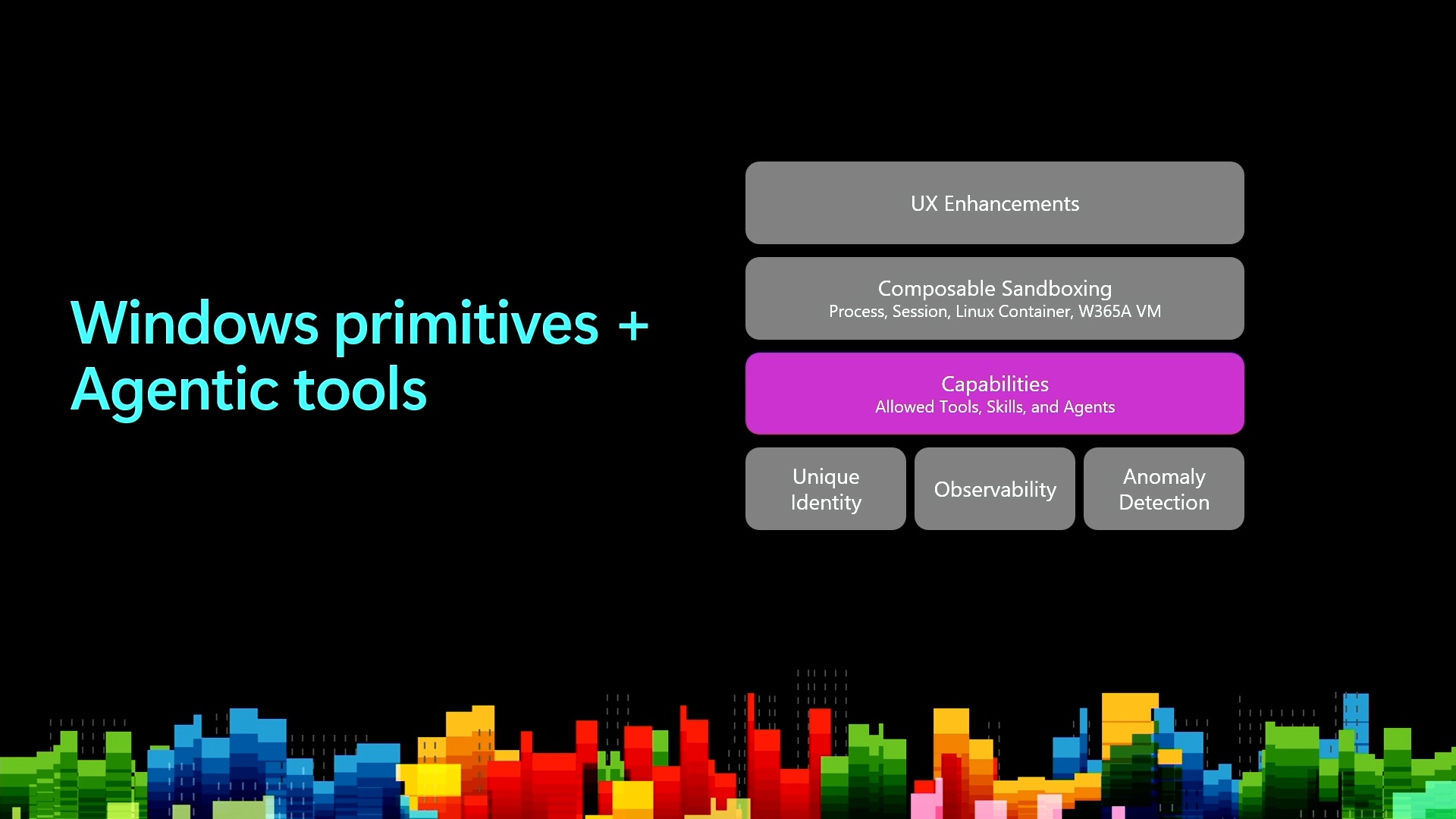
“Theming and personalization is so important to Windows,” Microsoft says. “We want developers to have fun coding on Windows and to feel like their machine is theirs. We are investing in exposing Windows primitives so that agents can do more with the platform and make it personal.”
While AI doesn’t have a good reputation among Windows users, this agentic integration is interesting, and I wouldn’t really mind an agent that can personalize Windows based on my emotions and prompts, as long as it runs locally.
What about you? Do you know a better use case for Windows agentic shell? Let me know in the comments below.