








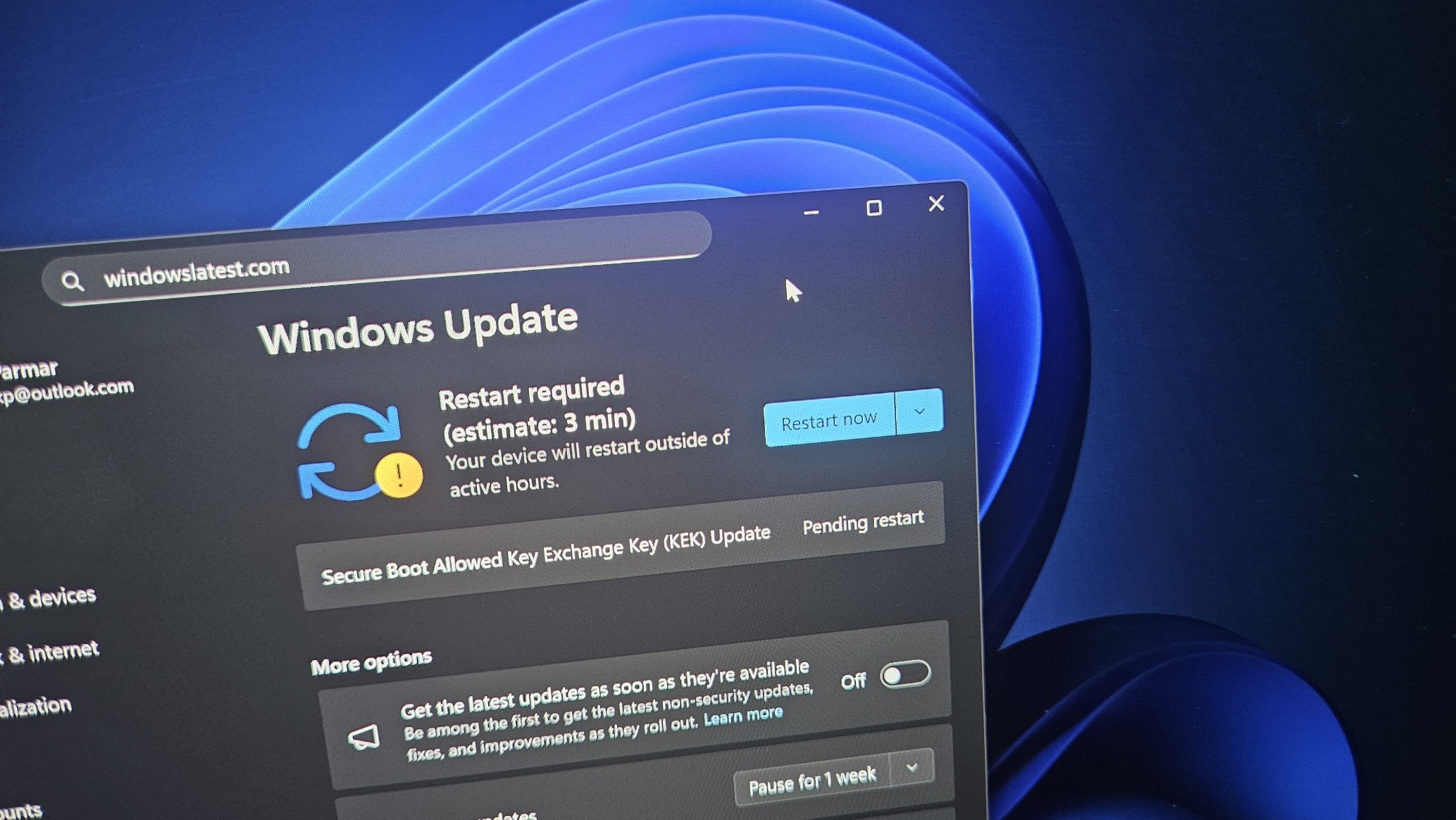
If you go to Windows Update and check for updates, you might have a pending update called “Secure Boot Allowed Key Exchange Key (KEK) Update,” which requires a system reboot to finish installing.
Now, if you don’t see the update, it may mean it is already installed on your PC, or it has not been offered to your hardware yet because Microsoft is rolling this out gradually. Either way, this is an important update, as Microsoft officials have already clarified that Secure Boot certificates will be rolled out via Windows Update.
“The good news is that the new 2023 certificates will be delivered to your device through regular Windows Update channels. For most users on supported Windows systems, no action is needed,” Microsoft’s official says in a document.
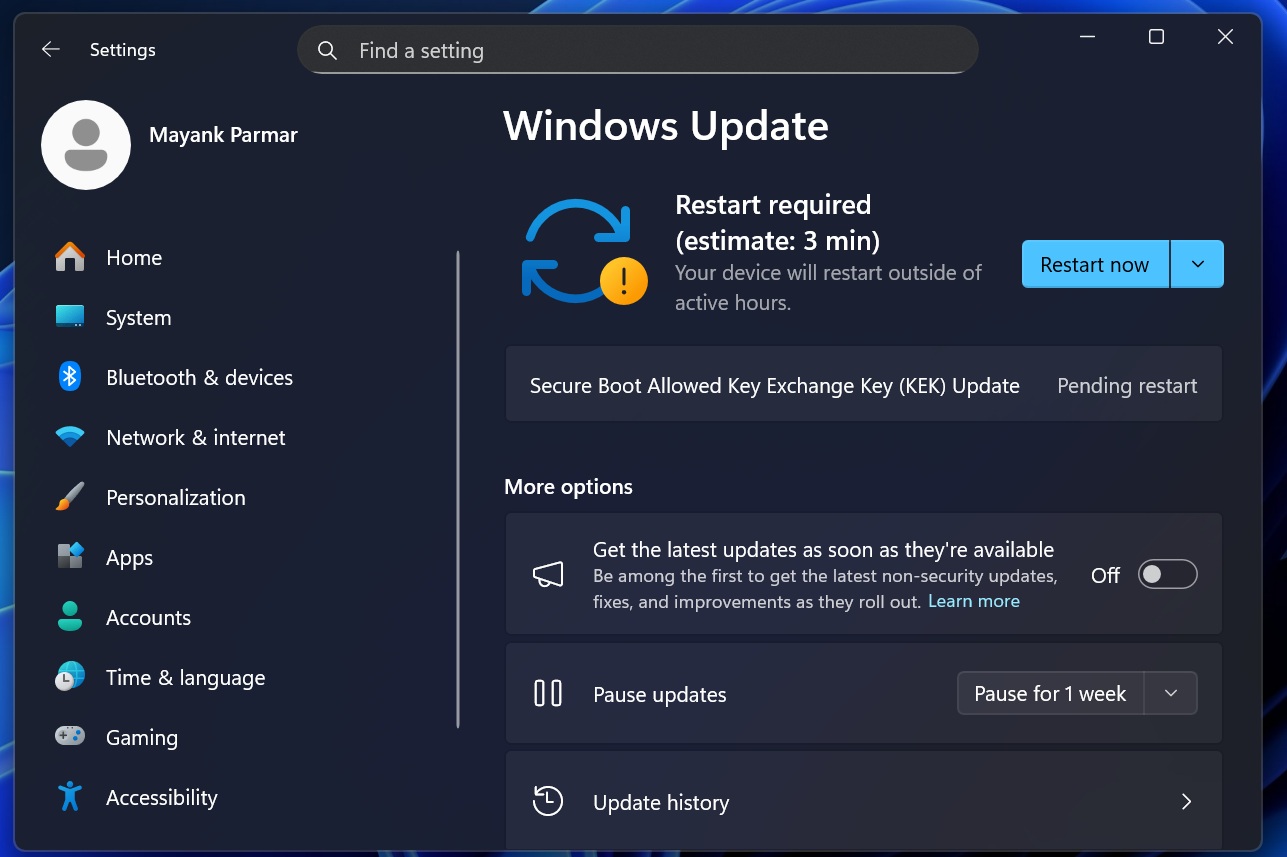
In other words, most users do not need to manually enter BIOS and reset keys just to receive the new Secure Boot certificates. However, Microsoft also notes that “Some devices may require an OEM firmware update to apply the new certificates correctly.”
Secure Boot certificates have been making headlines for a while now, and some assume that only enterprises need to worry about them. While it’s true that enterprises need to pay closer attention, Secure Boot also matters on consumer PCs, including Windows 10 and Windows 11 devices that receive Microsoft-managed updates.
What is Secure Boot?
The Secure Boot concept might sound a bit complicated, but it has a fairly straightforward job.
Secure Boot is a security feature inside Unified Extensible Firmware Interface (UEFI)-based firmware that helps validate that only trusted software runs during boot. To put it simply, it’s a feature inside your PC’s UEFI firmware that checks important boot files, like the Windows boot loader, and verifies whether they were really signed by a trusted authority.
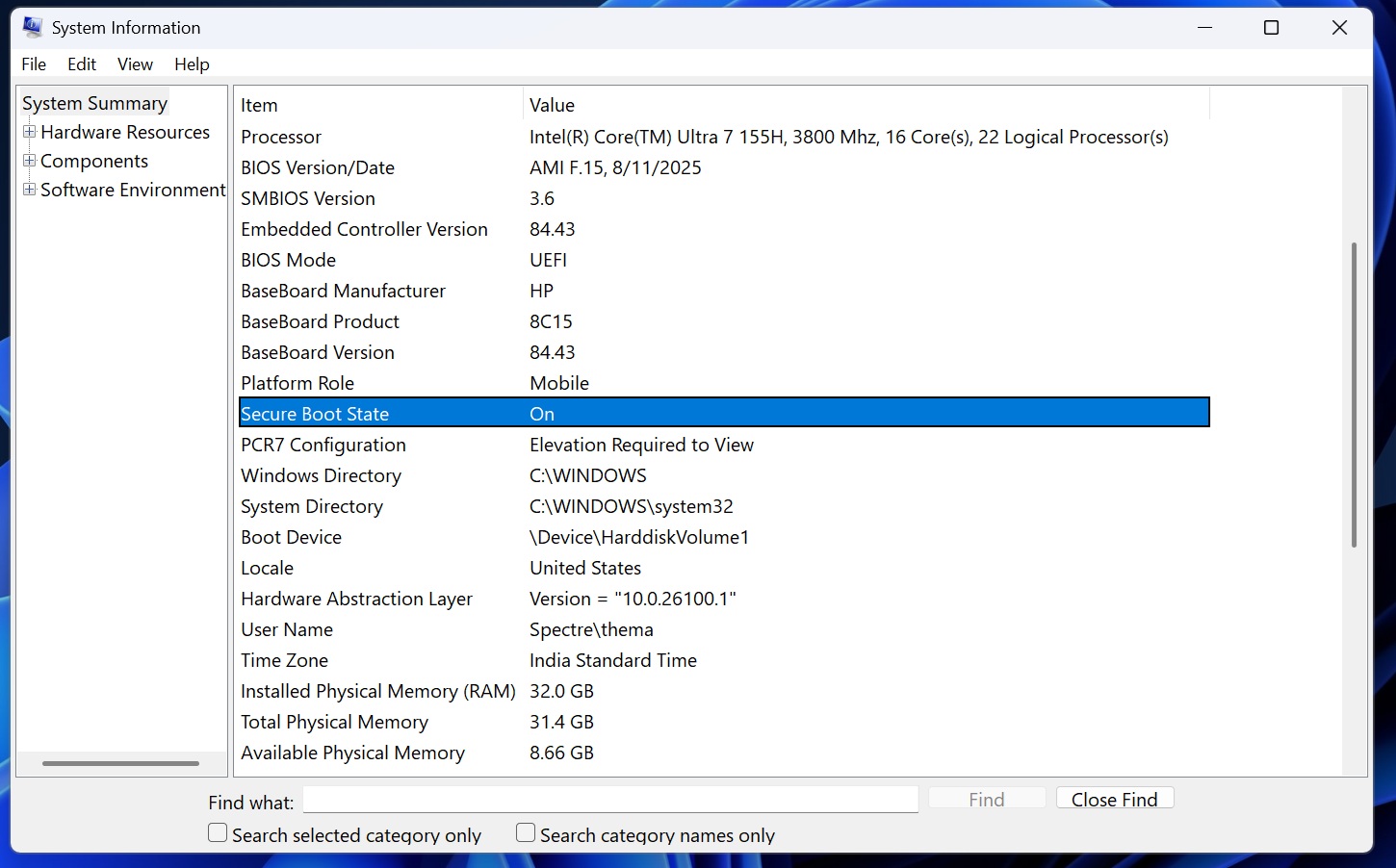
When the signature matches one of the trusted certificates stored in firmware, the software is allowed to run. Windows 11 uses Secure Boot to help ensure that only legitimate boot software is granted permission to run, and bootkits and other malware are blocked before Windows even starts.
Just like a website’s certificate, Secure Boot also needs to be refreshed.
Secure Boot certificates have an expiry, and one of the widely used Microsoft certificate sets was issued back in 2011, which is set to begin expiring in June 2026.
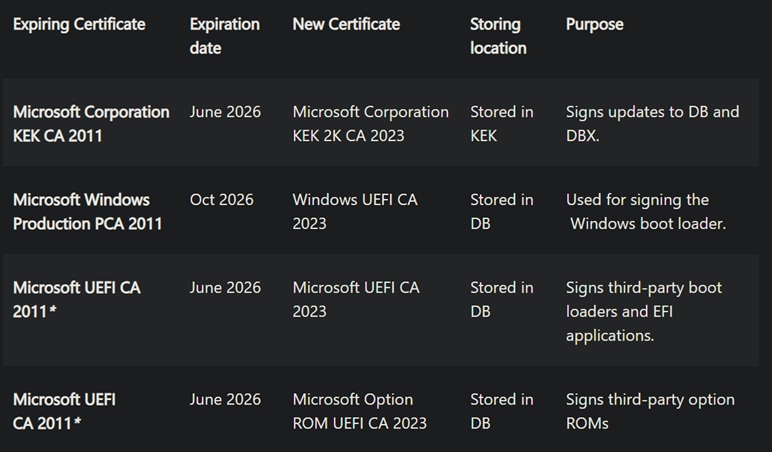
If the updated 2023 certificates are not in place before the 2011 certificates expire, new Secure Boot and Boot Manager protections can no longer be applied. Vulnerability fixes for the early boot environment, such as BitLocker bypass mitigations or Secure Boot revocations, also will not be available.
Microsoft is aware of the issue and is replacing the Secure Boot 2011 certificates with newer Secure Boot 2023 certificates. If you see the following Windows Update, it means your device is receiving part of the newer certificate rollout. It’s a legitimate security update, and you should install it.
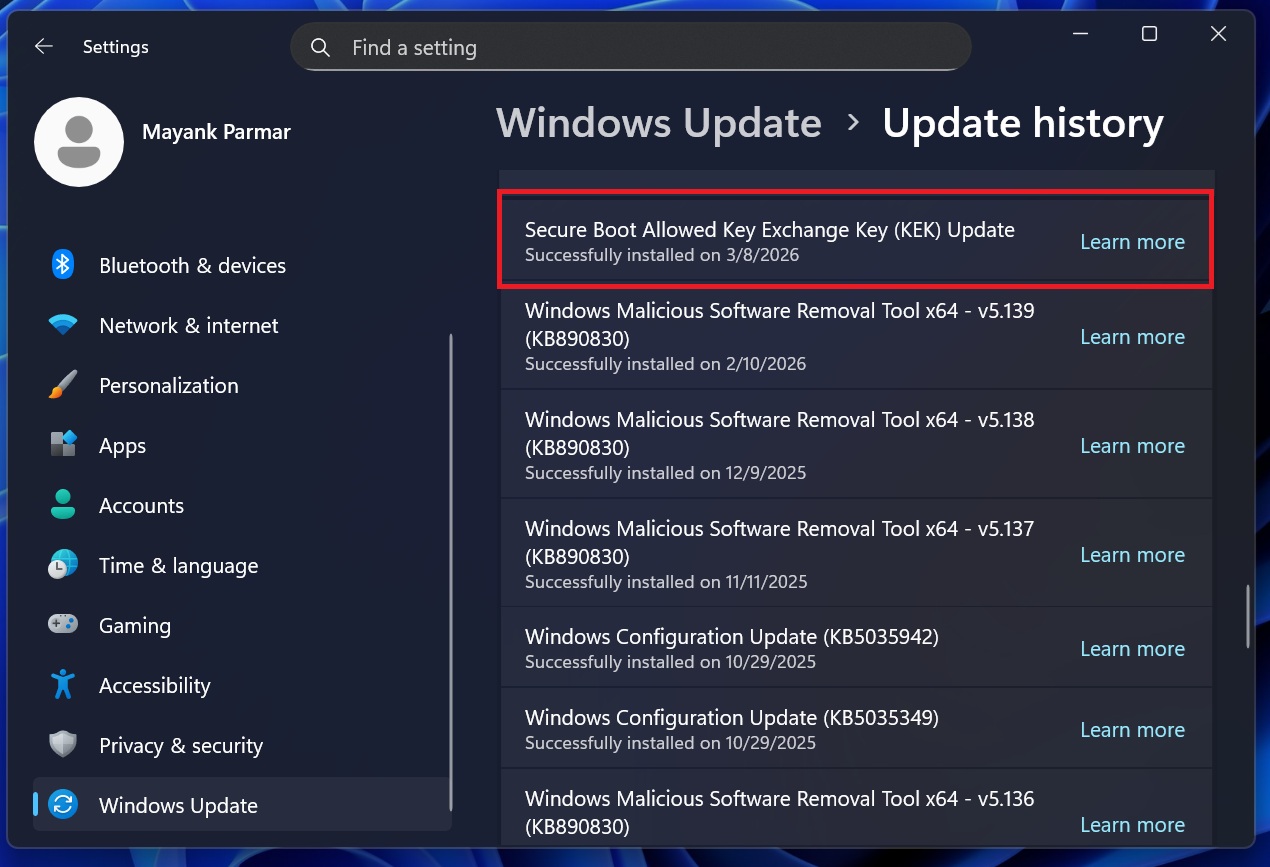
Microsoft rolls out Secure Boot Allowed Key Exchange Key (KEK) Update to more PCs, but it’s a slow rollout
Microsoft is using a gradual rollout approach, which is why the Secure Boot Allowed Key Exchange Key (KEK) Update is slowly showing up on PCs.
In our tests, Windows Latest observed that the “Secure Boot Allowed Key Exchange Key (KEK) Update” takes less than two minutes to download and under 2-3 minutes to finish installing. On our test PCs, a single reboot was enough, and there were no visible changes. That means your OS Build and Version would remain the same.
It’s also worth noting that you’re not going to experience performance issues or FPS drops after installing the Secure Boot Allowed Key Exchange Key (KEK) Update.
How do you verify if the Secure Boot certificates are already applied?
As I mentioned at the outset, if you don’t see the Secure Boot update, it may already be installed on your PC, or it may not yet be available for your hardware.
We’ve already explained how you can verify if the Secure Boot 2023 certificate is present, but to make things easier for you, I’ve noted down the easy steps below:
- Open PowerShell (admin).
- In PowerShell, run the following command:
([System.Text.Encoding]::ASCII.GetString((Get-SecureBootUEFI db).bytes) -match 'Windows UEFI CA 2023')
If the Secure Boot 2023 certificate is available on your PC, PowerShell will return “True” as the output, as shown in the screenshot below.
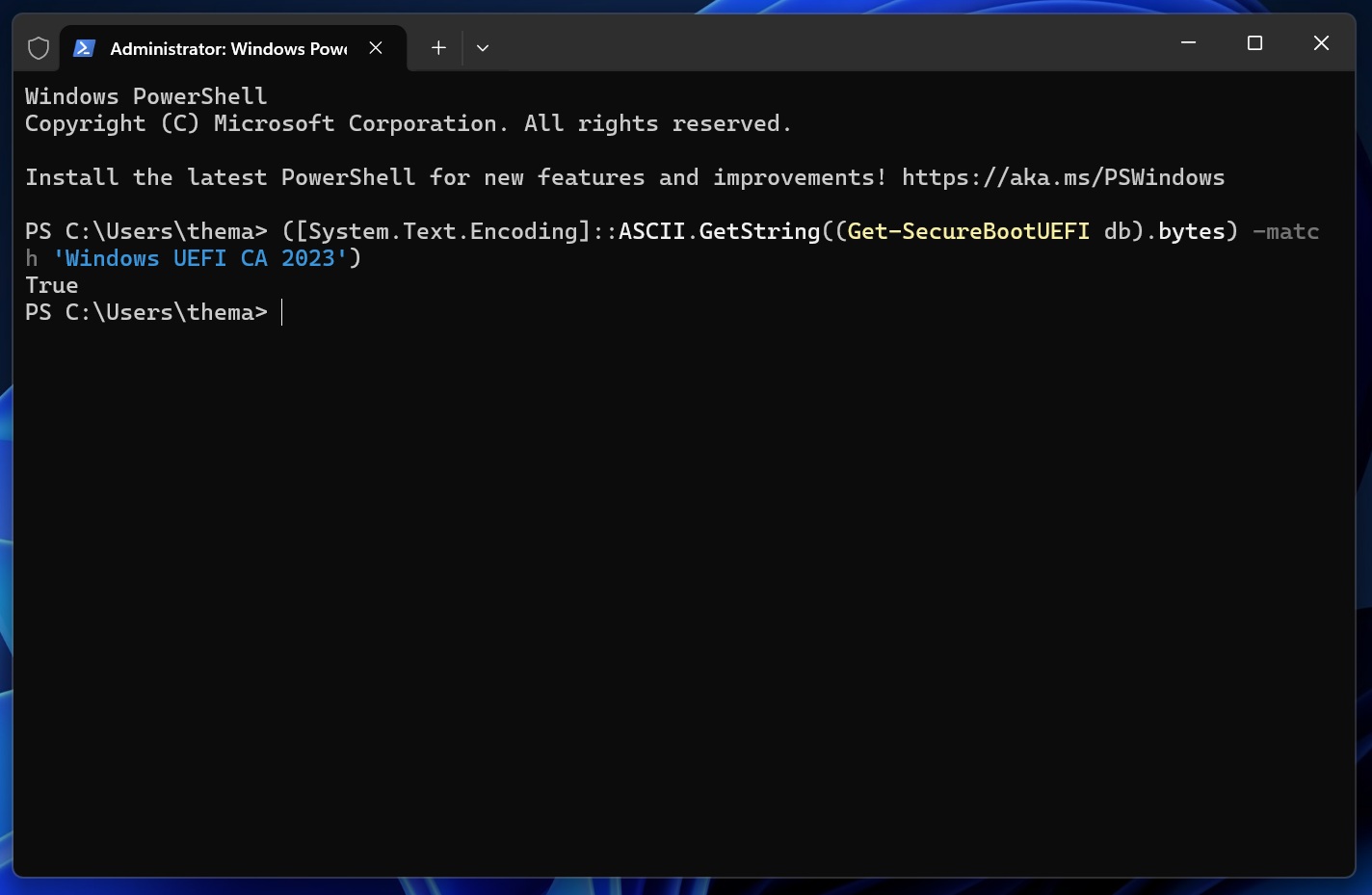
This means the Windows UEFI CA 2023 certificate is present in the Secure Boot DB on your PC. If PowerShell returns “False,” it means that the certificate is not currently present in the DB.
However, just because PowerShell reports that the Windows UEFI CA 2023 certificate is present on your PC doesn’t necessarily mean the full rollout is complete.
Microsoft says Event ID 1808 is logged when all needed certificates have been applied to firmware and the boot manager has also been updated. You can use Event Viewer to verify that final state:
- In Event Viewer, open Windows Logs > System.
- Now, look for Filter Current Log.
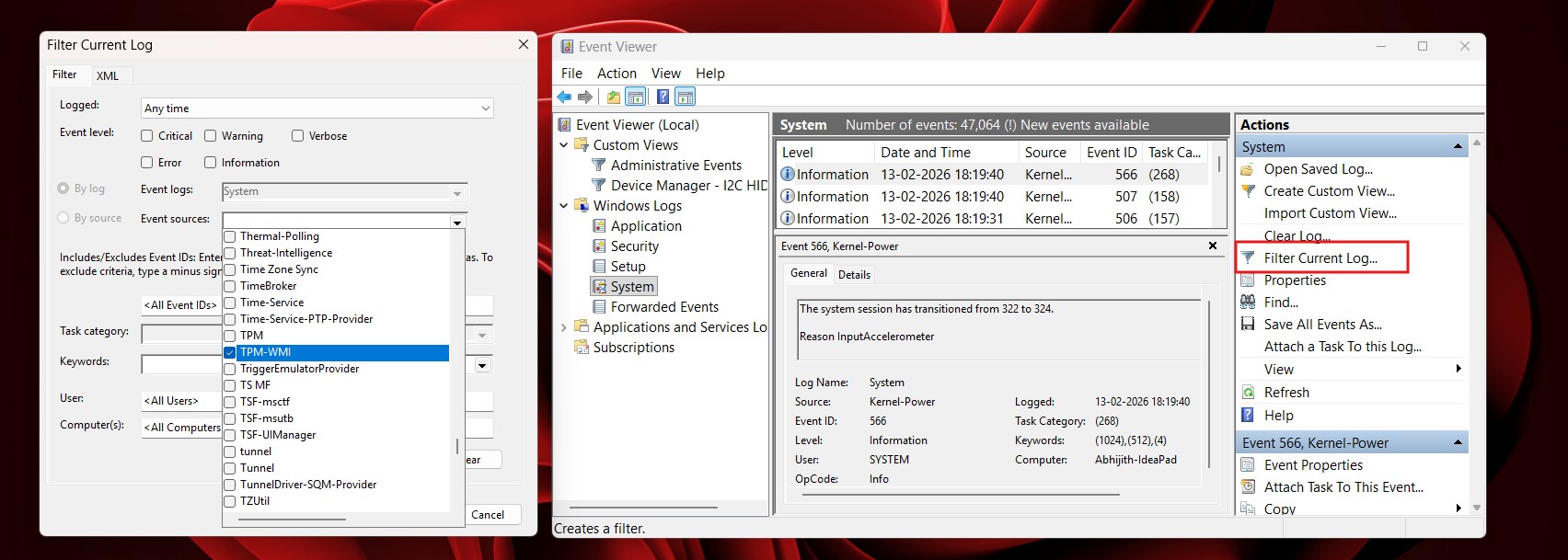
How to verify the update in Event Viewer - As you can see in the left screenshot, you’ll now need to choose TPM-WMI (or Microsoft-Windows-TPM-WMI on some PCs).
- This filter automatically shows the logs related to TPM-WMI.
- Now, you might find a new event that says the new Secure Boot certificate update is installed and correctly applied.
If you want to confirm the KEK portion specifically, Microsoft documents Event ID 1043 with the message: “Secure Boot KEK update applied successfully.”
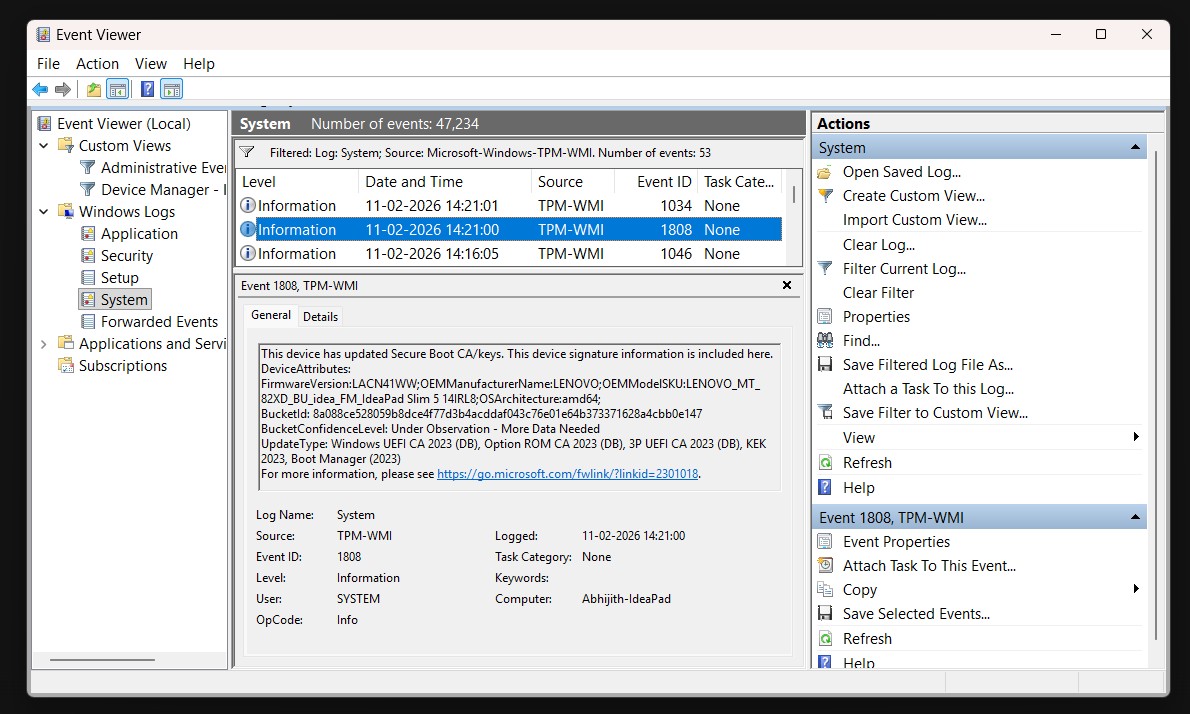
“This device has updated Secure Boot CA/keys. This device signature information is included here,” the Event ID 1808 entry says.
Do you need to manually go to the BIOS and apply the changes?
Microsoft says refreshed certificates are rolling out gradually, and that most personal Windows devices will automatically receive the new Secure Boot certificates through Microsoft-managed updates. No action is required in most cases.
However, some devices may still require an OEM firmware update to apply the new certificates correctly. Microsoft does not specifically say this only affects older PCs, but it can depend on the device’s firmware, model, and OEM support.
Microsoft has also confirmed that devices added to its high-confidence rollout receive these updates through cumulative monthly updates, and Windows automatically applies the certificates to UEFI Secure Boot variables in firmware.
More PCs have been added over time through monthly updates, and that should continue when the March 2026 Patch Tuesday update kicks off, so more users will continue seeing these certificates in phases.