




Windows 11 is testing a new feature called “Haptic signals” for select PCs, which will allow you to turn on subtle vibrations for UI-based actions. This means, if you’ve a haptic-supported mouse or touchpad, you will now feel subtle vibrations when you drag and snap app windows or align objects, and some other “UI” actions.
As Phantom on X points out, this feature is included in Windows 11 preview builds, and it rolled out to everyone on Windows 11 25H2 or 24H2. But as I mentioned, not all devices have a haptic touchpad. To verify whether your device has a haptic touchpad, open Settings > Bluetooth & devices > Touchpad.
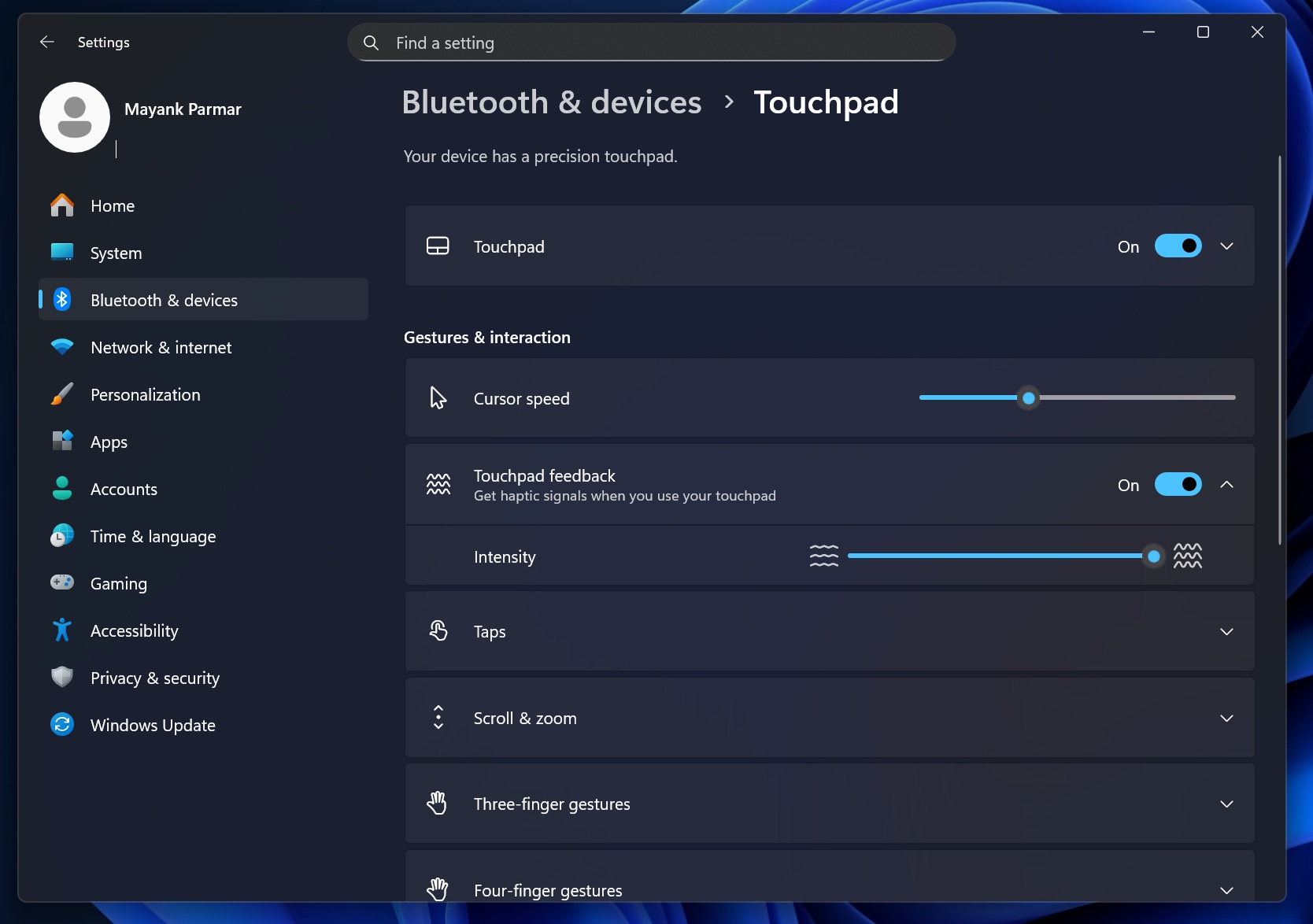
Windows settings clearly mention when you have a haptic touchpad. For example, I can adjust the intensity of the haptic touchpad using the settings above.
But if you don’t have a haptic touchpad, you probably don’t realise how amazing it is, and you will never go back to a regular touchpad if you get used to haptic.
How is a haptic touchpad different from a physical touchpad
Traditionally, when you press a touchpad, the touchpad physically presses down and activates a switch. This executes the ‘click’ or right-click. While nothing is wrong with these touchpads and most devices still ship with the traditional touchpad because they’re cheaper, haptic takes the experience to the next level.
Haptic touchpad offers a glass-like experience where the touchpad itself does not physically press down when you press your finger. Instead, it uses a touch sensor, a vibration sensor, and a force sensor that detects if you’re really pressing the touchpad or it’s your cat or your palm.
A light tap/subtle vibration on your touchpad when using Windows 11 features
Up until now, the haptic touchpad vibration has been felt only when you press it, which is already great enough.
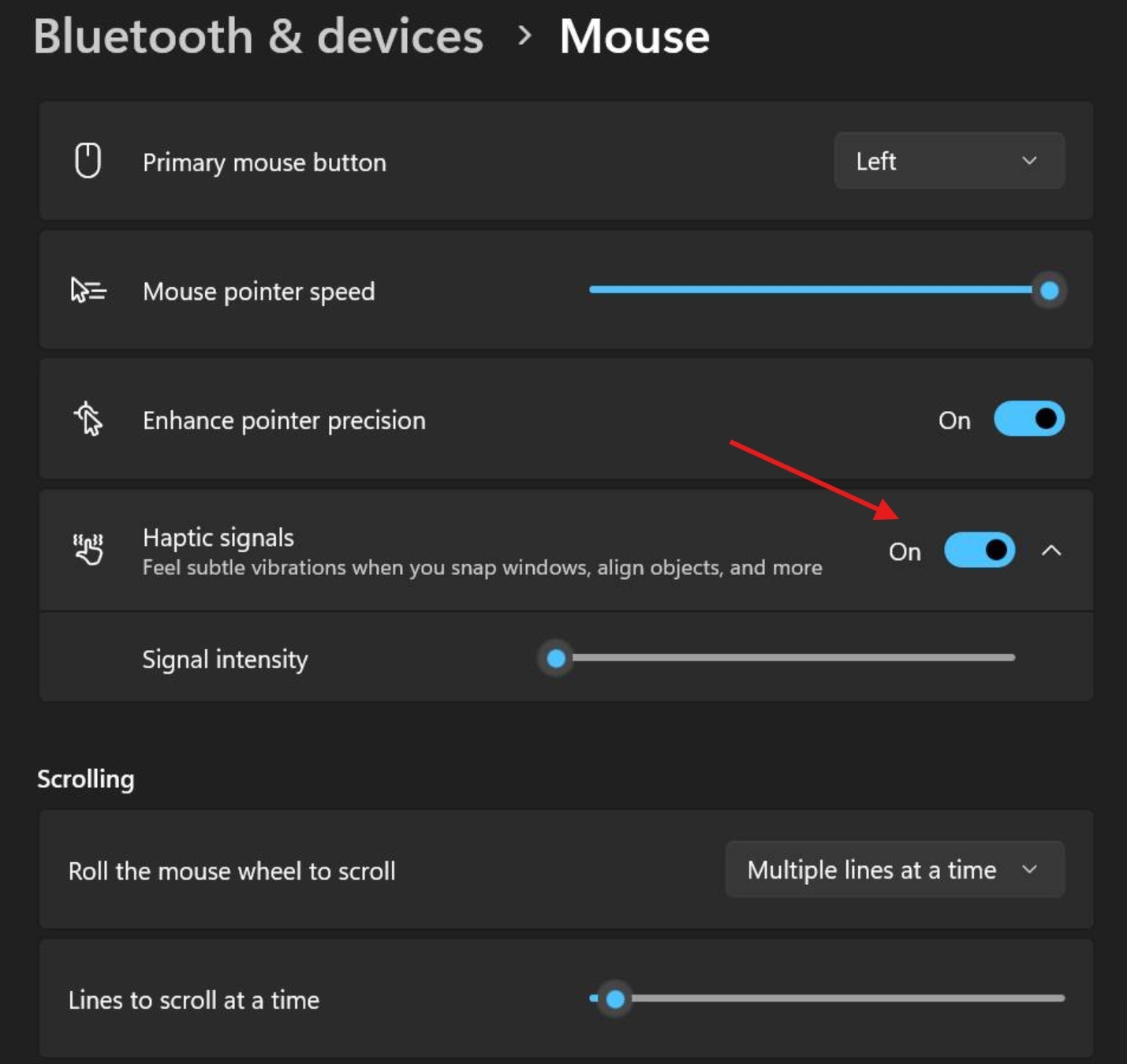
Now, it’s expanding to include Windows features. This means the OS now sends tiny vibrations to the touchpad for certain UI features, such as when a window snaps into a layout zone or perhaps when you hit the end of a slider.
If you have a haptic touchpad or a mouse with a built-in haptic motor, you’ll feel it. On a regular mouse, turning this on won’t do anything, and the feature likely won’t even show up.
Some external mice, such as Logitech MX Master 4, also have haptic technology, and this feature could also support those devices.
The idea is very similar to Apple’s Force Touch feedback, which gives subtle taps for certain UI features, like when using the Spotlight search. Unlike macOS, Windows integration is an OS-level feature that can work with both touchpads and external mice, but how often you feel it depends on your device and whether apps opt in to those alignment cues.
Windows 11 is testing subtle vibrations only for snapping windows, objects and other UI-related features.