



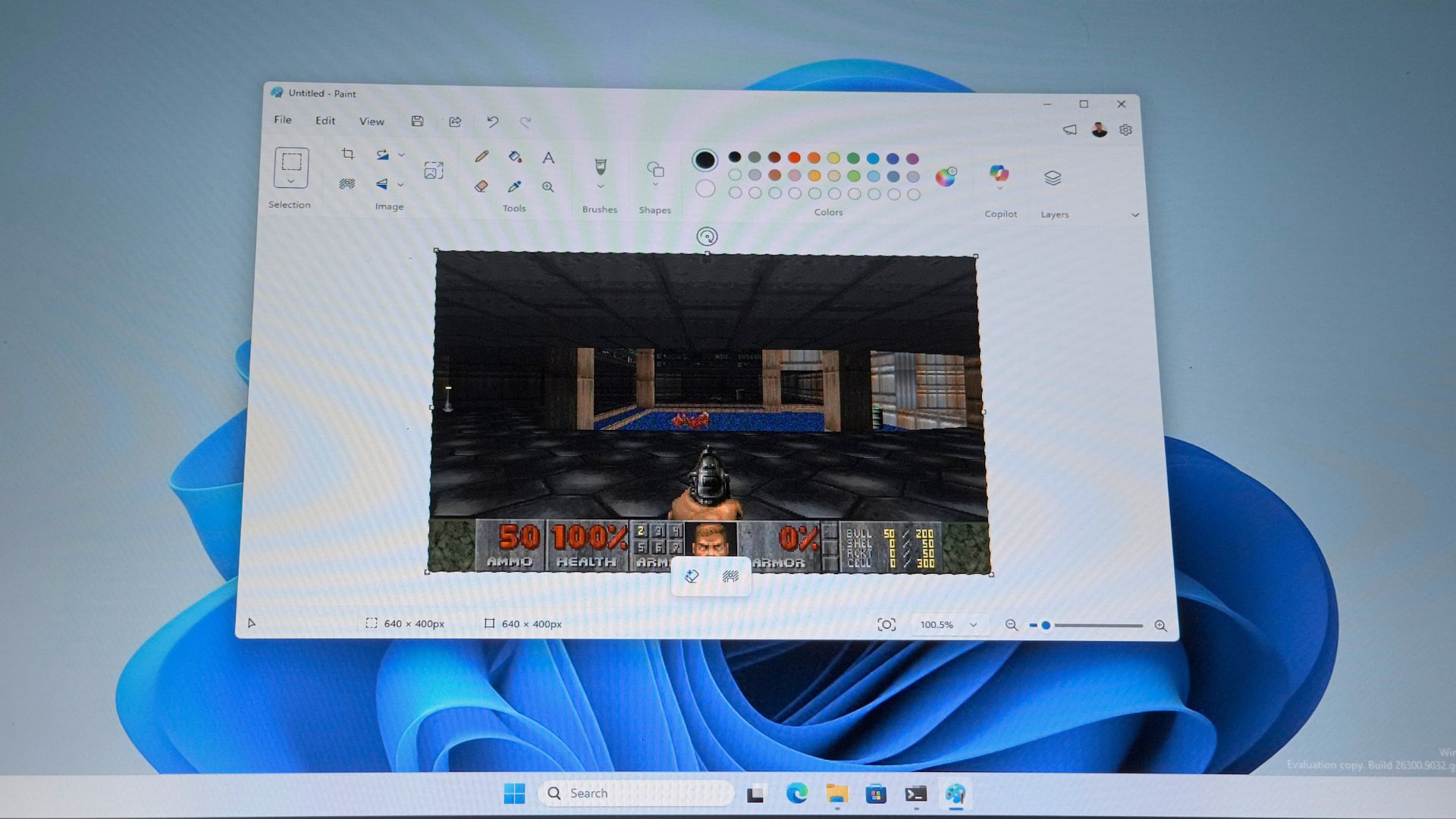
Yes, you’ve seen the headlines. DOOM now runs in MS Paint too. But unlike the popular meme where DOOM runs anywhere, Paint isn’t running the game. Windows 11’s built-in drawing app is just the screen the game happens to be displayed on.
Mark Russinovich, CTO of Microsoft Azure, built and released the project, called DoomPaint, on GitHub. He says, “Paint renders the game but does not compute it. Paint computes nothing. Paint has never computed anything. That’s the joke.”
Russinovich’s project runs the real ViZDoom engine, renders every frame headlessly, and pastes each one onto Paint’s canvas through the Windows clipboard.
What’s more interesting is that there are full keyboard controls, working sound effects, and a real MIDI soundtrack, at a frame rate that tops out around Doom’s native 35 FPS and bottoms out at what Russinovich calls “spreadsheet-tier.”
We took a look into the GitHub repo and explain how Windows clipboard, of all things, ends up carrying a real-time game engine without falling over.
How to run DOOM inside Microsoft Paint
- Head to the DoomPaint GitHub page and download the project as a ZIP, or clone it if you use Git
- Make sure Python is installed on your PC first, since the project needs it to run
- Extract the folder, then double-click
run.bat - On first launch, it automatically creates a virtual environment and installs everything it needs, so just wait for that to finish
- Microsoft Paint opens automatically once setup is done
- Keep Paint in focus and start playing right away.
Default controls:
- W / S or ↑ / ↓ – move forward and back
- A / D or ← / → – turn
- Q / E – strafe
- Ctrl or F – fire
- Space – use, open doors
- Shift – run
- F12 – quit
How does DoomPaint compare to earlier “Doom in Paint” tricks
Unlike how the headlines over the past two days suggested, DoomPaint is not the first project to get Doom’s likeness onto a Paint canvas, but earlier attempts usually ran the game in a separate window and mirrored or screen-captured that window into Paint, which meant you were really playing Doom normally and just watching a copy of it appear elsewhere.
DoomPaint works differently. There isn’t a second Doom window to look at. Paint’s canvas is the only display the game has, and every input you press goes through Paint.
The engine is ViZDoom, a ZDoom-based fork built for AI and reinforcement learning research, which is why it can render without opening a window. Russinovich’s wrapper hides that window as soon as it’s created, before it flashes on screen. The shareware DOOM1.WAD supplies the first episode, both the levels and the original Bobby Prince soundtrack; maps beyond that fall back to Freedoom, which is a BSD-licensed replacement WAD, since id Software didn’t make the rest of the game free to redistribute (even after all these years!)
The default resolution is 640×400 at up to 35 frames per second. If you drop to 320×200 (Doom’s authentic native resolution from 1993), then the frame rate climbs.
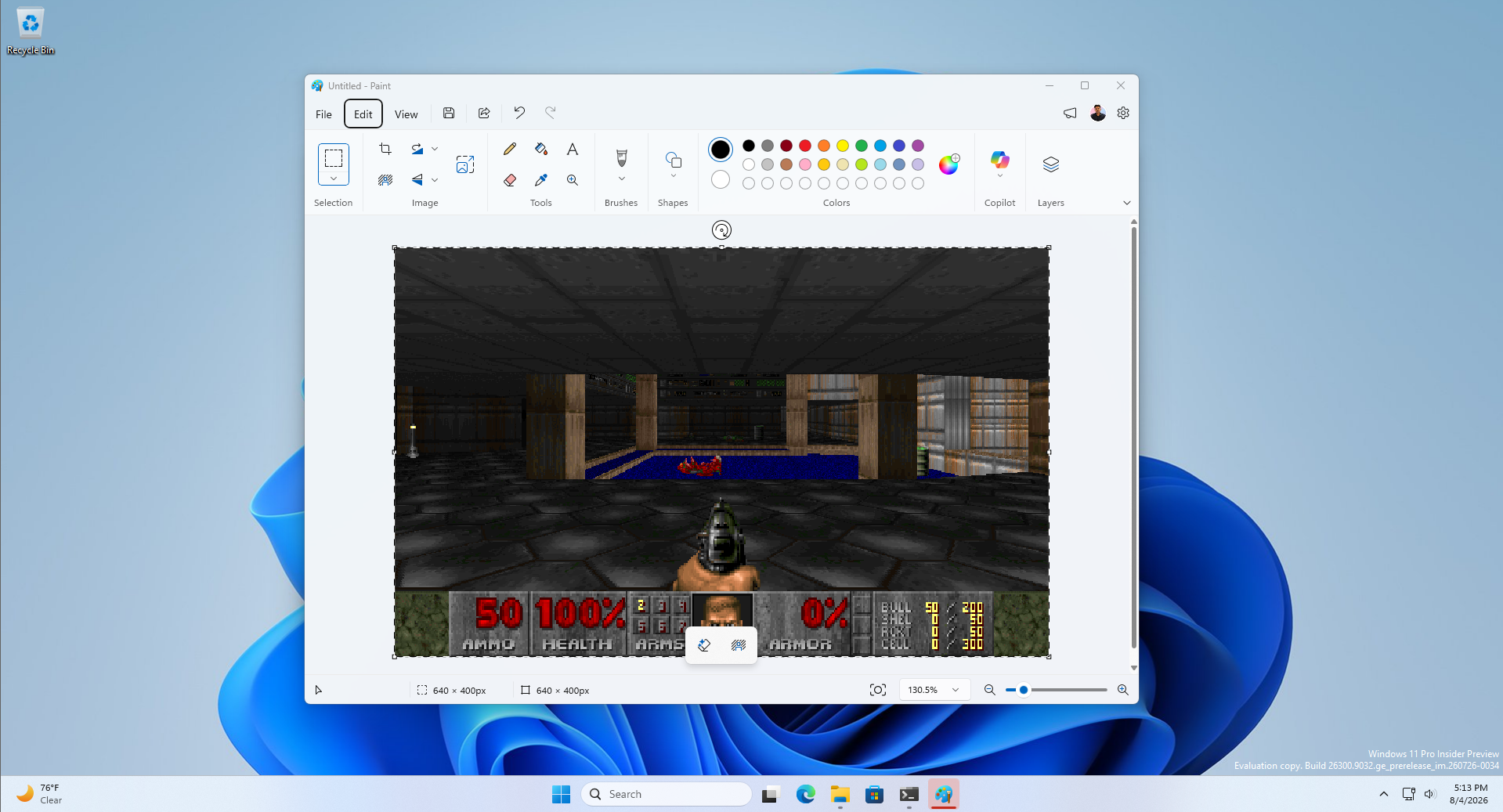
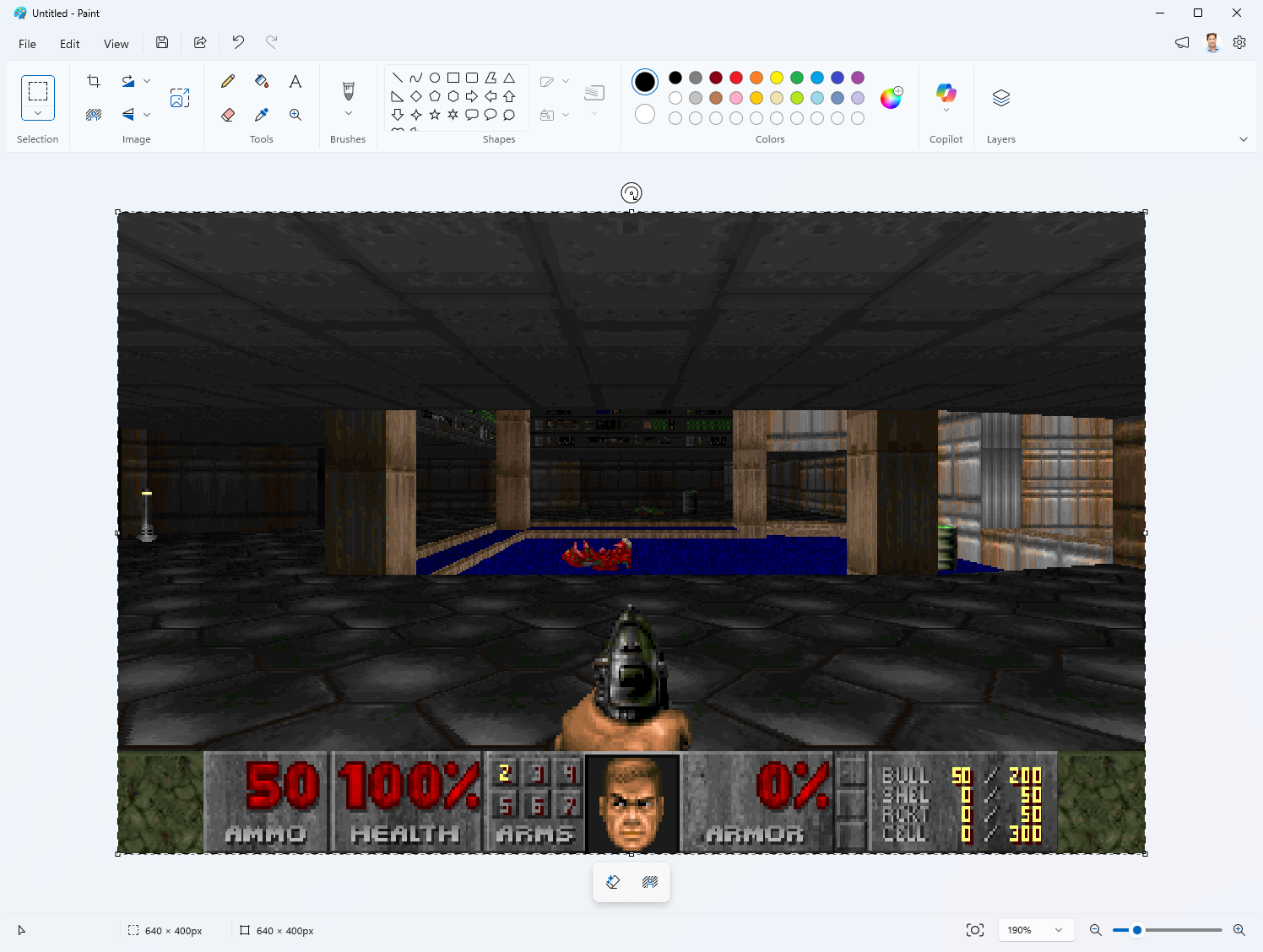
In a clip we reviewed of the project running, the floating pasted frame rests inside Paint’s normal selection handles, with the classic Doom HUD, health, ammo, armor, and the player’s status face, rendered at the bottom of the canvas, Copilot button and all still visible in Paint’s ribbon above it.
Controls and setup
- Movement uses WASD or the arrow keys, strafing is Q and E, and firing is bound to both Ctrl and F, a deliberate redundancy since third-party utilities with their keyboard hooks, like PowerToys, can intercept a Ctrl press before the game sees it.
- Interestingly, or rather, expectedly, Undo (Ctrl+Z) doubles as a rewind button, since every pasted frame is its own undo step in Paint’s history, so dying and hitting Ctrl+Z a few times un-dies
- Saving the file at any point produces a PNG of whatever frame you were looking at, because Paint has no way of knowing that it’s rendering a video game from 1993!
- Running it requires Python, since bat builds a virtual environment and installs dependencies automatically.
- You don’t need a separate Doom purchase for the first episode, though dropping a full doom.wad or doom2.wad into the project’s wad folder unlocks the rest of the soundtrack for later maps.
How Mark Russinovich got Doom running inside Paint
Yes, “every frame goes to the clipboard and gets pasted” sounds simple until you try doing it dozens of times a second without Paint throwing errors.
The clipboard race condition that almost sank the project
Paint reads the clipboard asynchronously, on its own schedule. The obvious approach should be to empty the clipboard and write fresh image data with Windows’ standard EmptyClipboard and SetClipboardData.
Do it dozens of times a second, though, and you eventually empty the clipboard while Paint is still mid-read of the previous frame. The bytes vanish out from under it, and Paint throws a modal “Can’t complete operation” dialog that kills the paste and stalls the game.
Russinovich’s fix, as we found in the project’s clipserve.py, is to stop rewriting the clipboard. Windows lets an application own the clipboard as a reference-counted OLE data object instead, using OleSetClipboard with a custom IDataObject, and hand out its bytes through a GetData call whenever something asks.
DoomPaint publishes one such object for the whole session and updates the frame bytes it hands out in place, without emptying or rewriting the clipboard. Because the object is reference-counted, a read already in progress will continue to be valid, so the race condition can’t occur anymore. Each GetData call also doubles as a “frame was consumed” signal the game uses to pace itself, publishing the next frame only after Paint confirms it read the previous one.
Getting the paste to happen without stealing your keystrokes
DoomPaint self-tests two ways of triggering the paste at startup and picks whichever works on that build of Paint. The preferred method sends a synthetic Ctrl+V keystroke directly, which opens no menu and won’t risk anything intercepting a gameplay key.
Some Paint builds silently swallow synthetic Ctrl+V presses, though, so if that fails, the project falls back to triggering Paste through Paint’s UI Automation menu, which is a slower but more reliable path that briefly opens the Edit menu.
A pasted frame comes to Paint as a floating selection, which is what shows up in a clip of the project running.
The next frame’s paste automatically commits the previous floating selection as soon as it arrives, which is what turns every frame into its own permanent step in Paint’s undo history without Russinovich needing to add any separate commit or flatten action.
Keeping gameplay keys from interacting with Paint’s UI by accident required a low-level Windows keyboard hook, WH_KEYBOARD_LL, that intercepts every game key while Paint is in focus and stops it from reaching Paint. Without that hook, a stray arrow key press can dismiss an open paste menu and freeze frame delivery for seconds.
How DoomPaint makes sound inside MS Paint
Sound effects come from ViZDoom through OpenAL, and Russinovich swaps in a newer OpenAL-Soft 1.24 build because the older version that came with ViZDoom doesn’t follow your default audio device when you switch outputs mid-session, like plugging in a headset.
For music, since ViZDoom strips out ZDoom’s built-in music playback, a separate module pulls the raw music data out of the WAD file, converts it from Doom’s MUS format to MIDI when needed, and loops it through Windows MIDI sequencer.
The project also self-heals a nondeterministic Windows audio bug where a device can open and appear to work while silently rendering total silence. DoomPaint resets the sound system once at boot to guard against that, then monitors its output during play and triggers a second reset within seconds if you’re firing weapons into dead silence.
Fable 5 helped build this, and it shows where software development is headed
In a LinkedIn post announcing the project, Russinovich wrote that he had been using Claude Fable 5 on serious research work and found it a noticeable improvement over Opus 4.8, adding that this Doom-in-Paint project was what he built with it “for fun” the same morning. DoomPaint’s GitHub commit history shows real contributions credited to AI coding tools.
Although a fun project, DoomPaint had to solve a real race condition in Windows, reverse-engineer Paint’s undocumented clipboard behavior, and route around an audio driver bug, and it came out of a Microsoft employee treating an AI model as fast enough to prototype real systems work with in his spare time.
DoomPaint is a small, deliberately silly example of the AI trend Microsoft has been betting on with the rest of Windows, particularly where AI agents do increasingly serious engineering work, something Yusuf Mehdi committed to pushing forward in his final year at Microsoft before he leaves.