






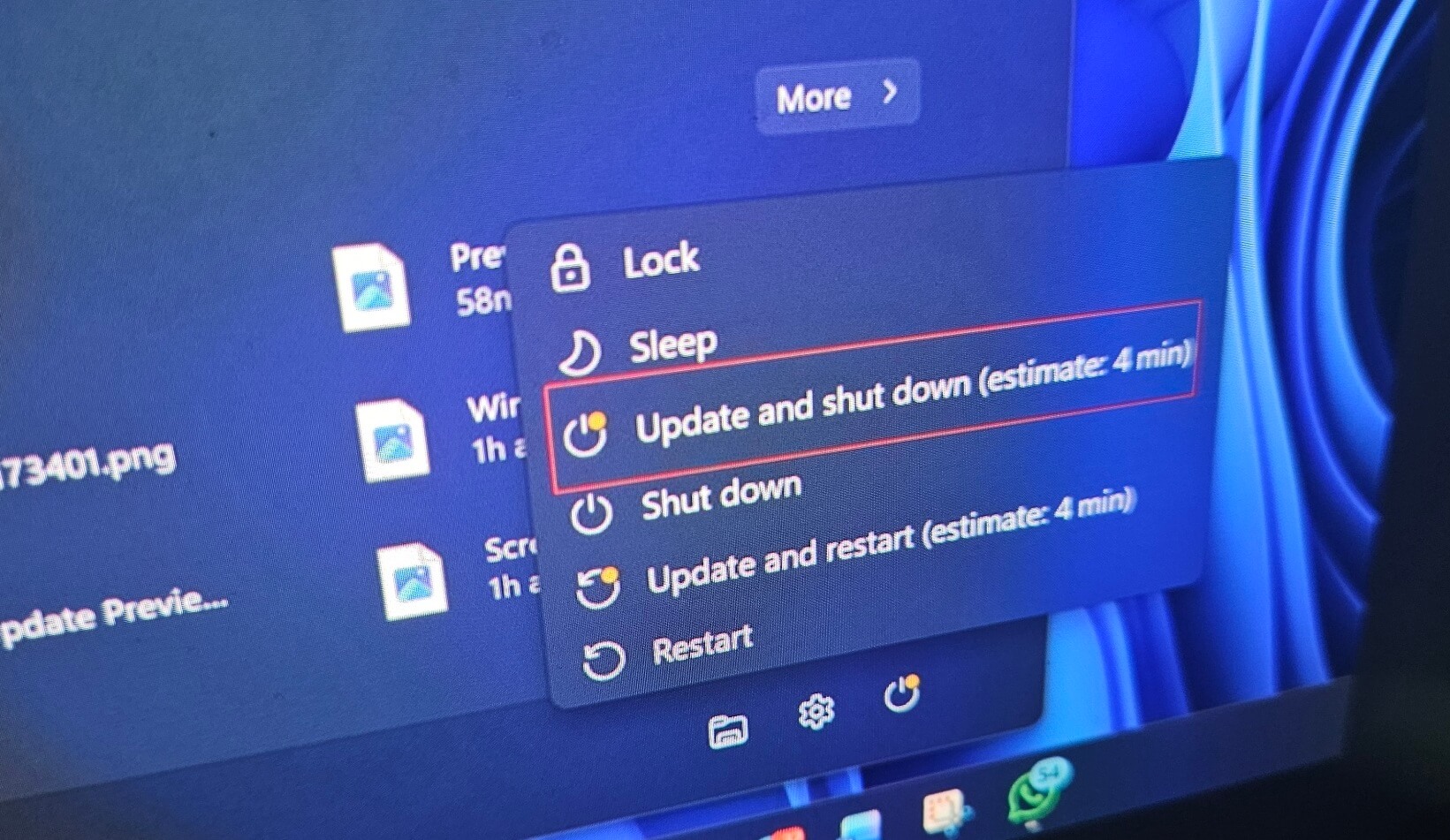
If you’ve been sitting on the “Shutting down” screen for more than a few seconds, it’s not due to random third-party software or slow hardware. It’s due to a bug in Windows 11. Microsoft has finally admitted that a Windows 11 bug has been causing slow shutdowns, where you need to wait longer than usual to restart or turn off the PC.
On June 23, Microsoft rolled out Windows 11 KB5095093 (Build 26200.8737 and 26100.8737) with a long list of improvements, including a few noticeable features. One of my favorites is Point-in-time Restore, which allows you to restore a working snapshot of Windows, and another notable addition is greater control over Windows Updates.
We’ve also spotted Bluetooth advancements in Windows 11’s June 2026 optional update, and they’ll be rolling out to everyone with the July 2026 Patch Tuesday update. But it’s not the only quality-of-life improvement that deserves your attention. I noticed that Microsoft also addressed a long-standing shutdown bug.
What’s causing the slow shutdown in Windows 11?
Microsoft says a bug in Windows causes BITS, the service it uses for background update or download-related tasks, to delay PC shutdown.
In other words, Windows may be checking for updates, downloading updates, deploying Microsoft Store updates, or performing other downloads/uploads, and that could delay shutdown even when you’re already on the shutdown screen.

With Windows 11 KB5095093, Microsoft has finally reduced the time Windows takes to stop BITS during shutdown. It does not mean every PC will suddenly shut down much faster, but if your PC was hanging or taking extra seconds while shutting down, this should help.
Microsoft confirms black taskbar icons were a Windows bug
There’s another notable fix in the July 2026 update that Windows Latest noticed.
Microsoft is aware of an explorer.exe reliability issue where taskbar icons appear blank, particularly after you sign in. If you were affected, you might have run into black/gray placeholders and had to restart explorer.exe manually to see taskbar icons again, or wait for the placeholders to go away.
“It addresses issues on the login and lock screens related to third-party credential providers, reduces the probability of taskbar icons appearing as blank gray placeholders,” the company noted in the release notes.
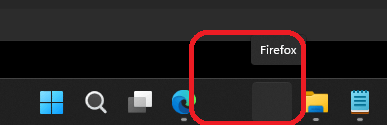
Microsoft found that explorer.exe reliability patches go beyond just the taskbar. And that is quite obvious, as explorer.exe also powers the shell, including the Start menu and right-click menu, so if it malfunctions, you can run into major problems. The blank taskbar is only the tip of the iceberg.
For example, today’s explorer.exe fixes also make it faster to open the “Home” tab of File Explorer, especially when OneDrive files are syncing. Moreover, you should notice better performance when switching between Windows desktops, and improved Acrylic blur effects in the Start menu or other areas.
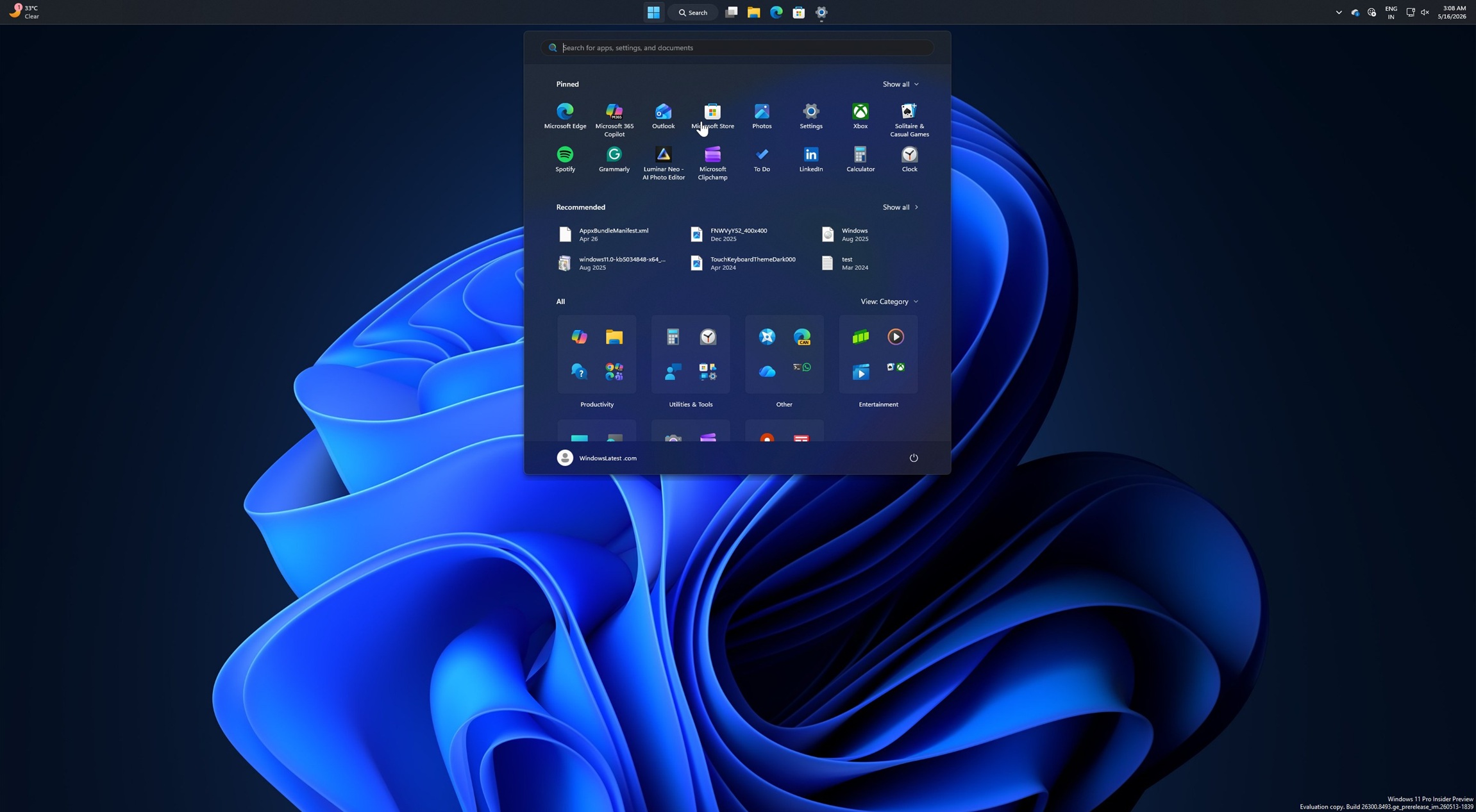
In some cases, you might have noticed that Acrylic automatically disappears from the Start menu before reappearing. This was due to a bug with explorer.exe, and now you should run into fewer design consistency issues. Also, apps should now launch faster if they rely on shell experiences.
The shutdown bug and some much-needed shell improvements are a great way to start the July 2026 update cycle. We might see some other fixes as well, including a fix for the Recycle Bin bug, where it identifies the incorrect name when you purge files. And tons of other changes are also on the radar.
What do you want Microsoft to fix in Windows 11? Let me know in the comments below.