







Microsoft used Build 2026 to make it very clear that they want Windows 11 to become the primary platform for building AI applications locally, and not just running them.
The software giant outlined a major push to turn Windows into what they call a “trusted platform” for AI development, which includes new agent runtimes, OS-level security systems, local AI models, Windows-native AI APIs, developer-focused hardware, Linux container improvements, and deeper integrations between Windows, GitHub Copilot, NVIDIA RTX Spark, and Azure.
“We’re going to focus on Windows as a trusted platform for AI development, especially how we’re making Windows the most credible local environment for building, testing, and shipping AI applications.”
How Microsoft plans to turn Windows 11 into the OS for AI development
Microsoft doesn’t want Windows 11 to be positioned as just a desktop operating system with AI features on top. The company wants Windows to become the primary platform where developers build, run, manage, secure, and deploy AI agents across the entire software stack. But standing in the way is a myriad of AI services.
Microsoft wants Windows 11 to unify fragmented AI development
The company is aware of the fact that modern AI development has become fragmented. Developers are simultaneously using GitHub Copilot, Claude Code, Codex, OpenClaw, local AI models, cloud-hosted models, and multiple agent frameworks running across different environments and sandboxes.
According to Microsoft, Windows 11 needs to unify that entire workflow instead of forcing developers to manually stitch everything together.
AI development needs a consistent workflow
Kyle Daigle, COO of GitHub and CMO of Developer, explained that Microsoft’s goal is to provide developers with a “consistent experience regardless of those tools,” especially when AI-generated code enters the real software development pipeline.
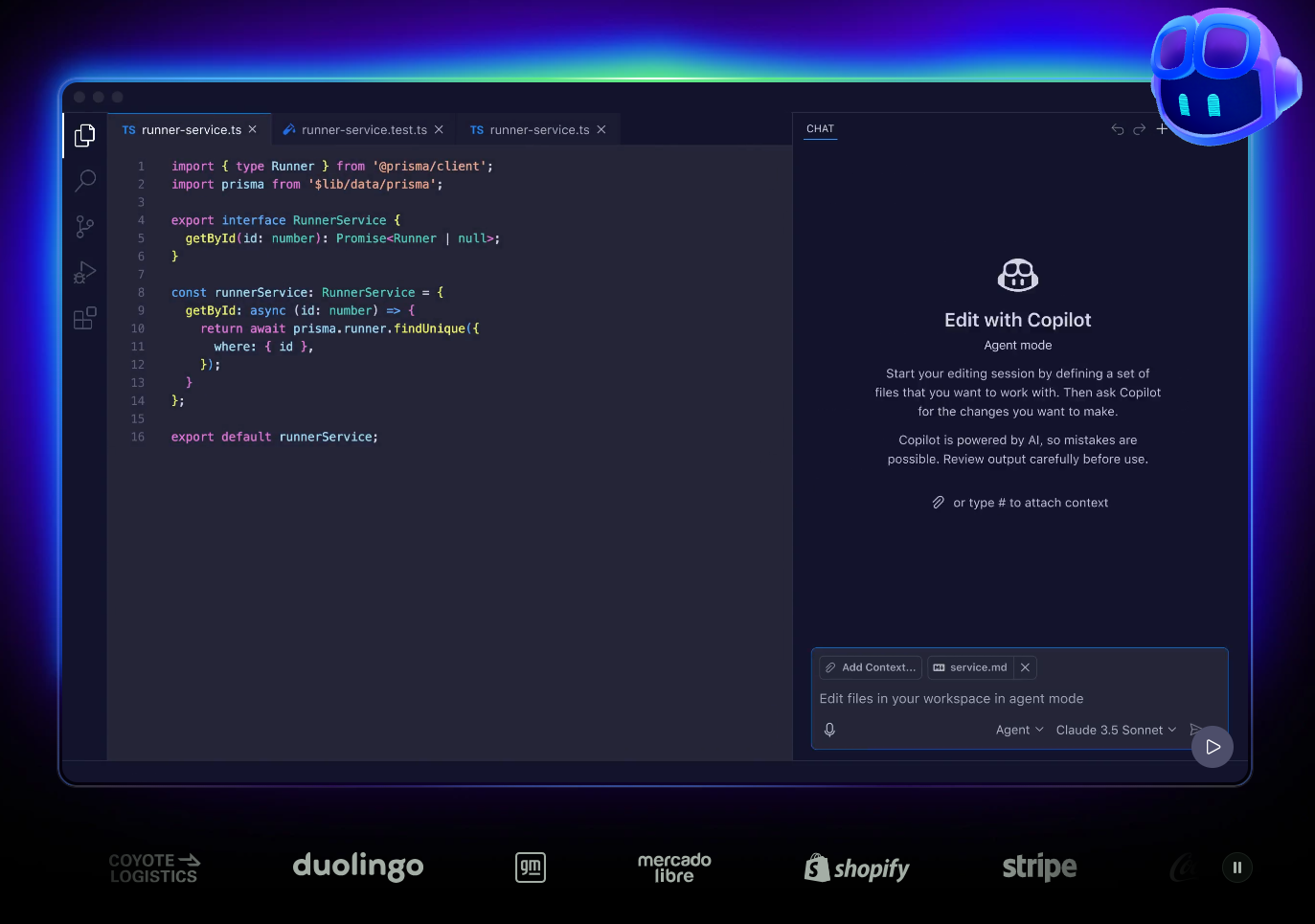
Regardless of the tool a developer uses to write code, once they bring it to GitHub, Microsoft’s job is to help the developer review it, deploy it, secure it, and finally help them operate it.
The company says the biggest challenge is no longer generating code, but everything that happens after the code is written, including deployment, orchestration, monitoring, governance, and enterprise security. Windows 11 is being redesigned to support this entire lifecycle.
Windows 11 will support multiple AI models and agents
The company also stressed that developers and enterprises increasingly want flexibility instead of being locked into a single AI provider or ecosystem. Microsoft repeatedly used the word “optionality” during the briefing, saying developers should be able to choose whichever models, tools, and frameworks they want while Windows handles the integration layer.
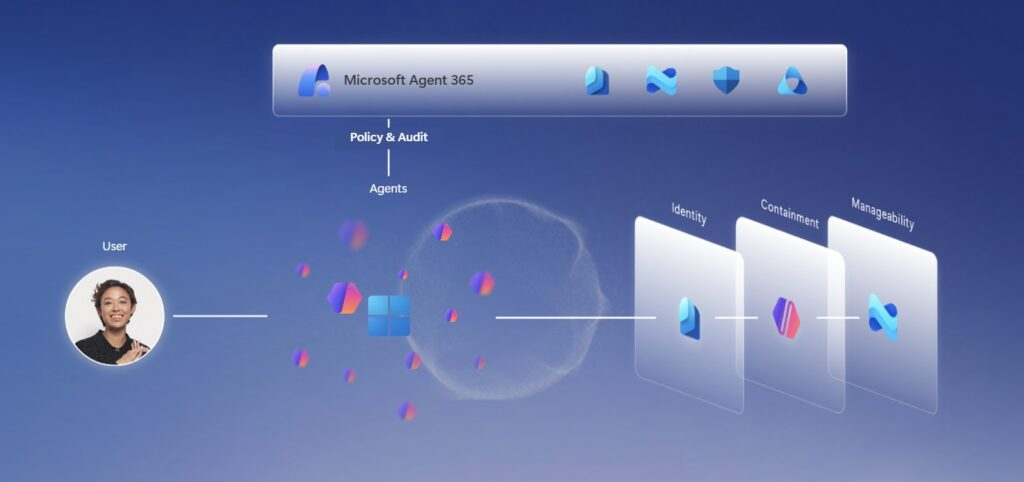
“We want to make it so that your developers can choose tools that they want to use and try out new technologies, but you can consistently understand how your business is using these agents, using these models and where you’re spending your tokens.”
Microsoft says governance and trust are becoming just as important as AI capabilities themselves. Enterprises want visibility into how AI agents interact with business data, where models are running, and how resources are being consumed. Windows 11 is now being positioned as the platform that manages those controls.
GitHub, Copilot, and enterprise AI services are becoming one connected AI stack
The company also outlined a much larger architectural shift involving GitHub, VS Code, GitHub Copilot, Microsoft Foundry hosted agents, and Project Rayfin. According to Microsoft, developers will increasingly build AI agents inside GitHub or VS Code, deploy those agents through Foundry-hosted runtimes, evaluate and improve them continuously, and observe their behavior directly through Microsoft’s enterprise stack.
“You have to evaluate those agents. You have to improve those agents. You have to observe what those agents are doing.”
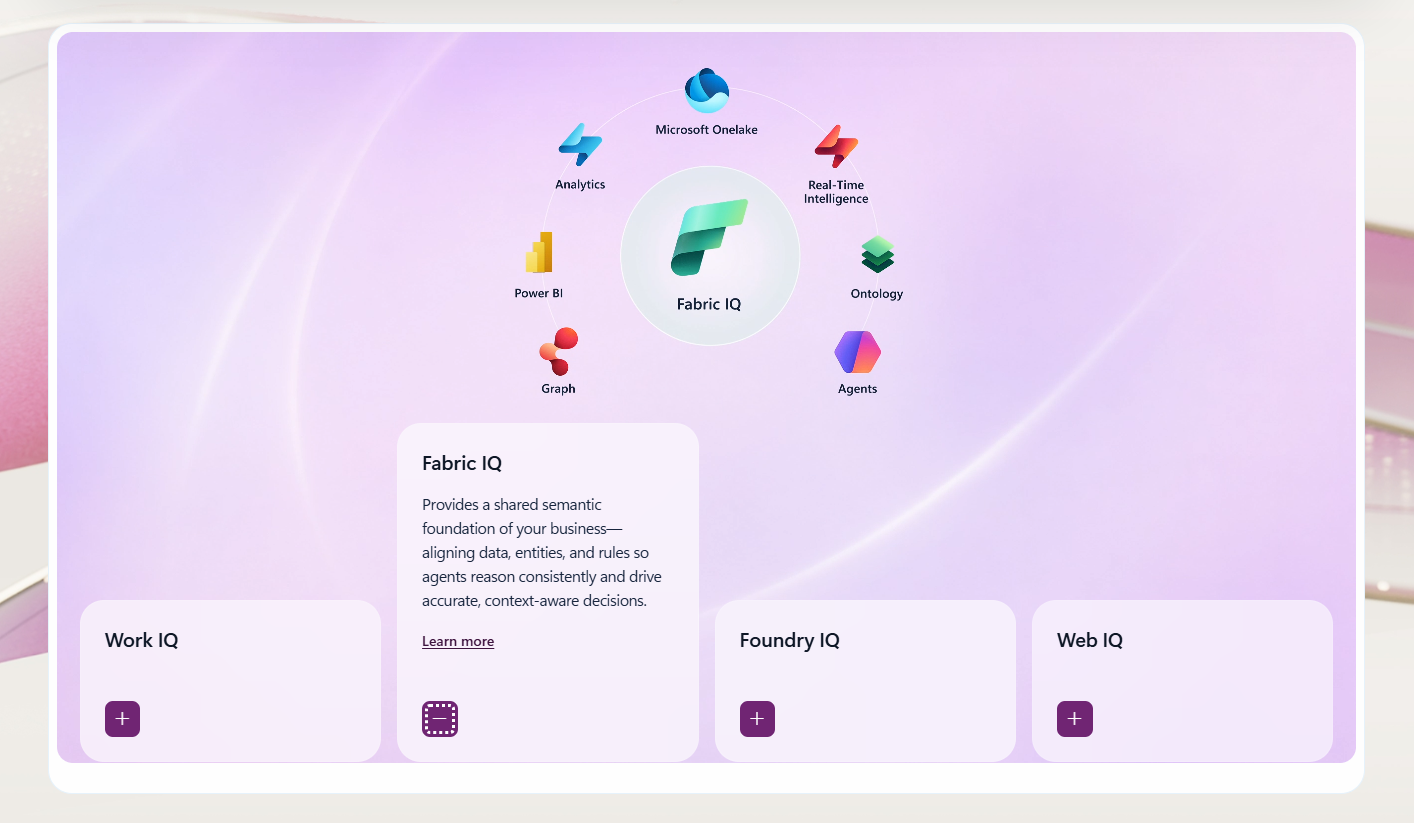
Microsoft says the “Microsoft IQ context layer” will connect enterprise data sources, Microsoft 365 services, Teams, Fabric, and AI agents together while still maintaining governance and organizational control.
“This entire stack is about connecting each plane together, so you don’t have to do that on your own.”
Microsoft sees Windows 11 as the foundation for enterprise AI
The company believes Windows 11 can become an end-to-end AI platform because it already controls the desktop layer, developer tooling, enterprise infrastructure, cloud integrations, and local AI runtimes simultaneously.
Chief Communications Officer Frank Shaw mentioned Windows and Microsoft’s AI ecosystem as an “end-to-end enterprise ready platform for developers,” built around trust, enterprise readiness, and support for multiple models across the entire stack.
“I think that this frontier framing that we’re talking about signals a real step function in how software is built.”
Microsoft’s long-term vision appears to be turning Windows 11 into the central operating layer for agentic AI development, where developers can build, deploy, monitor, secure, and orchestrate AI systems locally and through the cloud without leaving Microsoft’s ecosystem.
Microsoft says Windows is becoming “agent-native”
AI agents were clearly the biggest focus at Build 2026, and Microsoft used the event to outline how Windows 11 itself is evolving into a platform designed to run and manage those agents locally.
In the official Windows developer blog, Microsoft said it is “making Windows an agent-native runtime.”
Microsoft Execution Containers secure AI agents
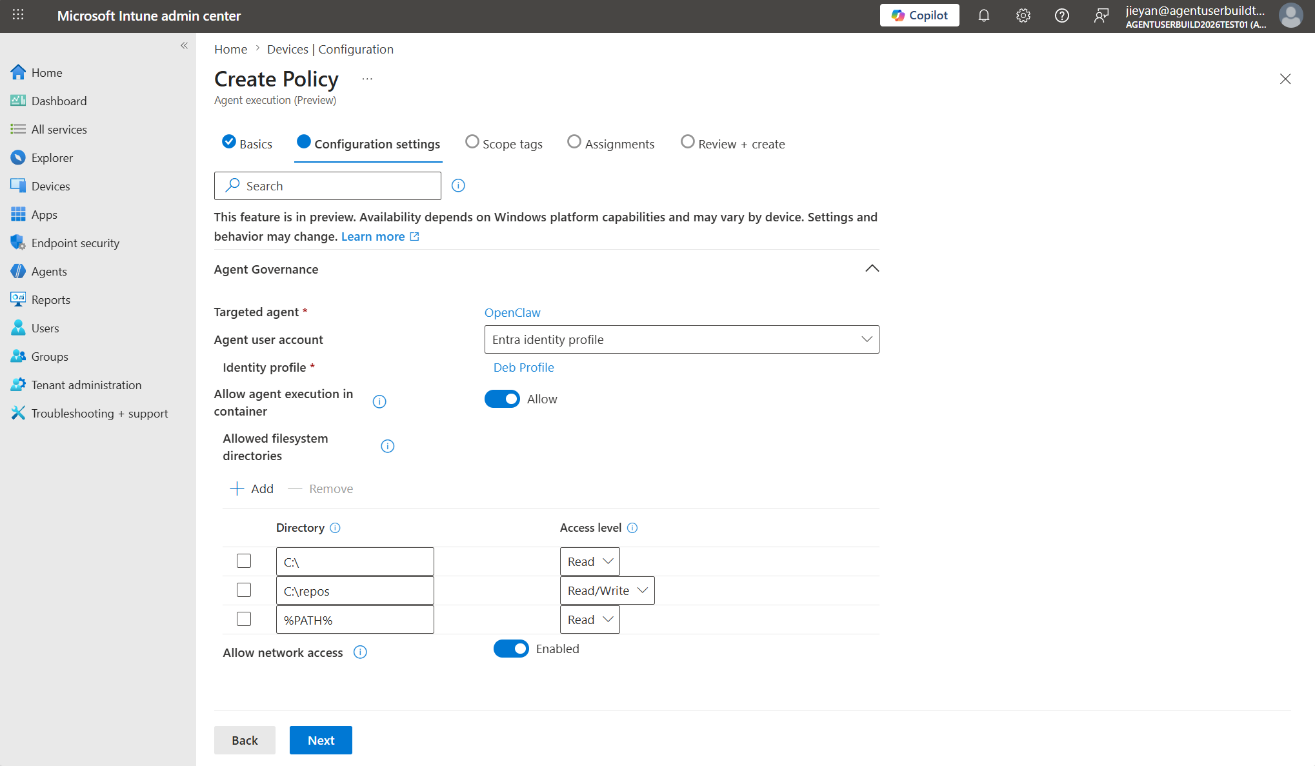
Microsoft Execution Containers (MXC) are a new policy-driven execution layer designed specifically for AI agents. According to Microsoft, MXC allows developers to define what an agent can access, including files, networking, system resources, and applications, while Windows itself enforces those restrictions at runtime.
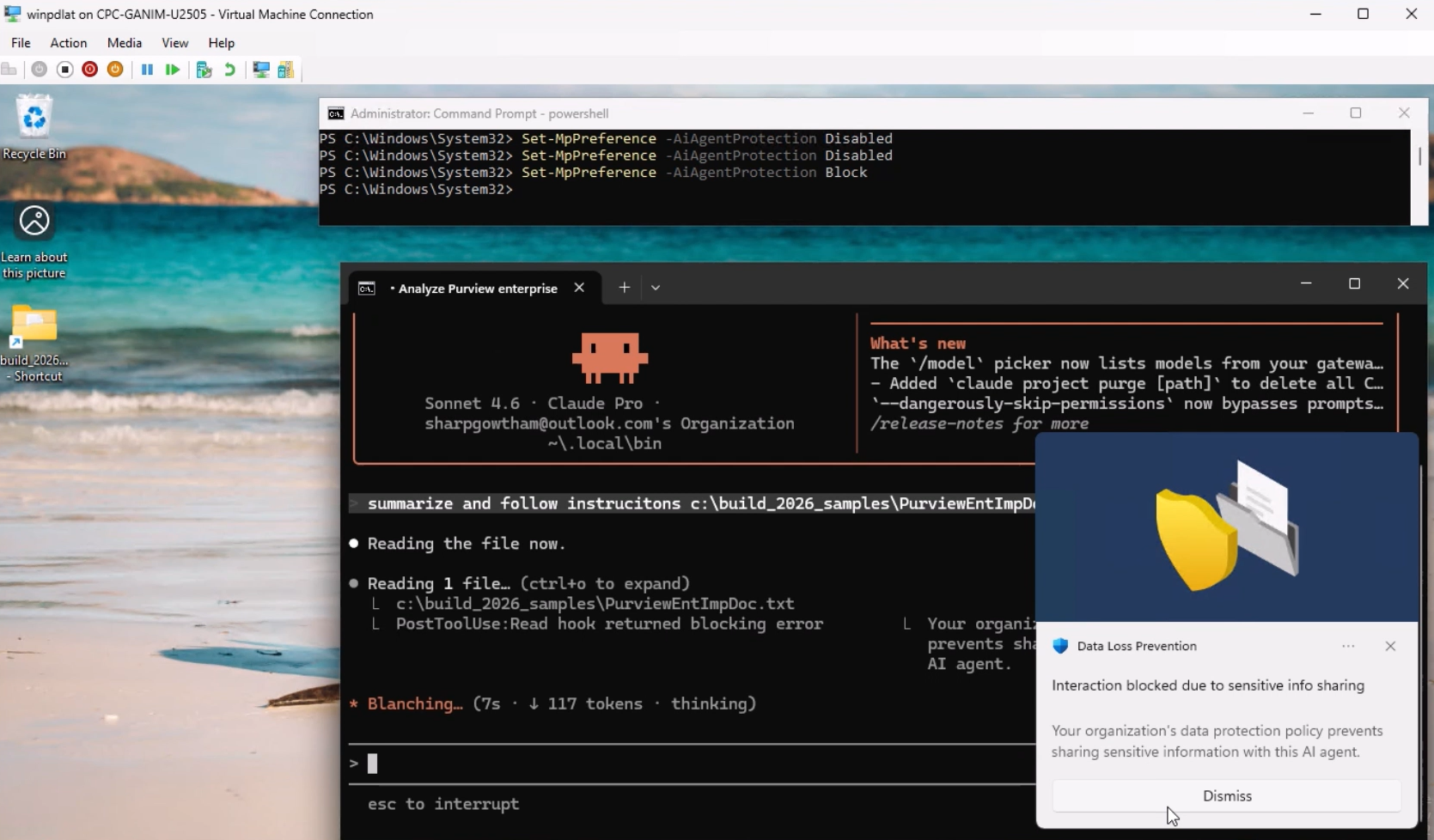
The company says security is clearly one of the biggest priorities here. AI agents that can interact with applications and automate workflows introduce obvious risks, especially for enterprises. Microsoft says Windows will treat those agents similarly to sandboxed workloads, with identity tracking and containment enforced directly at the operating system level.
“Windows assigns agents a local ID or a cloud provisioned identity backed by Entra and attributes all activity from the container to that identity,” Microsoft explained.
Windows 11 is getting local AI models and APIs
Microsoft also announced two new local AI models for Windows called Aion 1.0 Instruct and Aion 1.0 Plan. The company says Aion 1.0 Plan is specifically designed for local agent workflows, including reasoning, orchestrating sub-agents, managing files, and invoking tools directly on device.
Microsoft also expanded Windows AI APIs beyond NPUs to GPUs and CPUs, allowing local AI workloads to run across a much wider range of Windows 11 hardware.
Build 2026 also made it clear that Microsoft wants powerful local AI hardware to become a major part of Windows development. NVIDIA introduced RTX Spark-powered developer systems with large, unified memory pools, local CUDA acceleration, and native AI tooling support made for running AI workloads directly on Windows.
Linux tooling is becoming central to Windows AI development
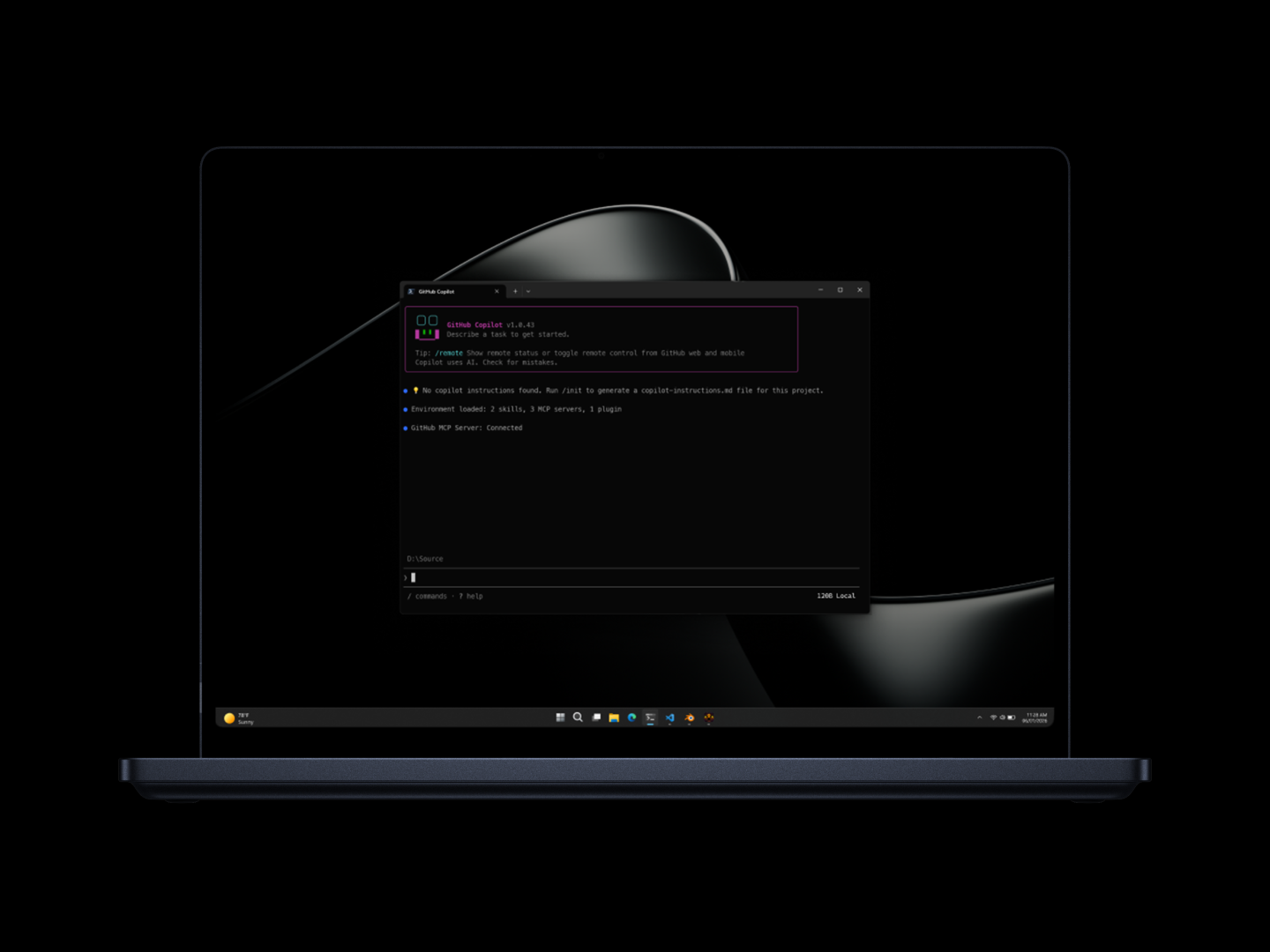
Linux tooling is also becoming deeply integrated into the Windows AI workflow. Microsoft announced WSL containers, broader Linux command-line support, and an “Intelligent Terminal” experience that integrates AI assistance directly into the command line.
“Containers and Linux are core to modern development workflows,” Microsoft explained.
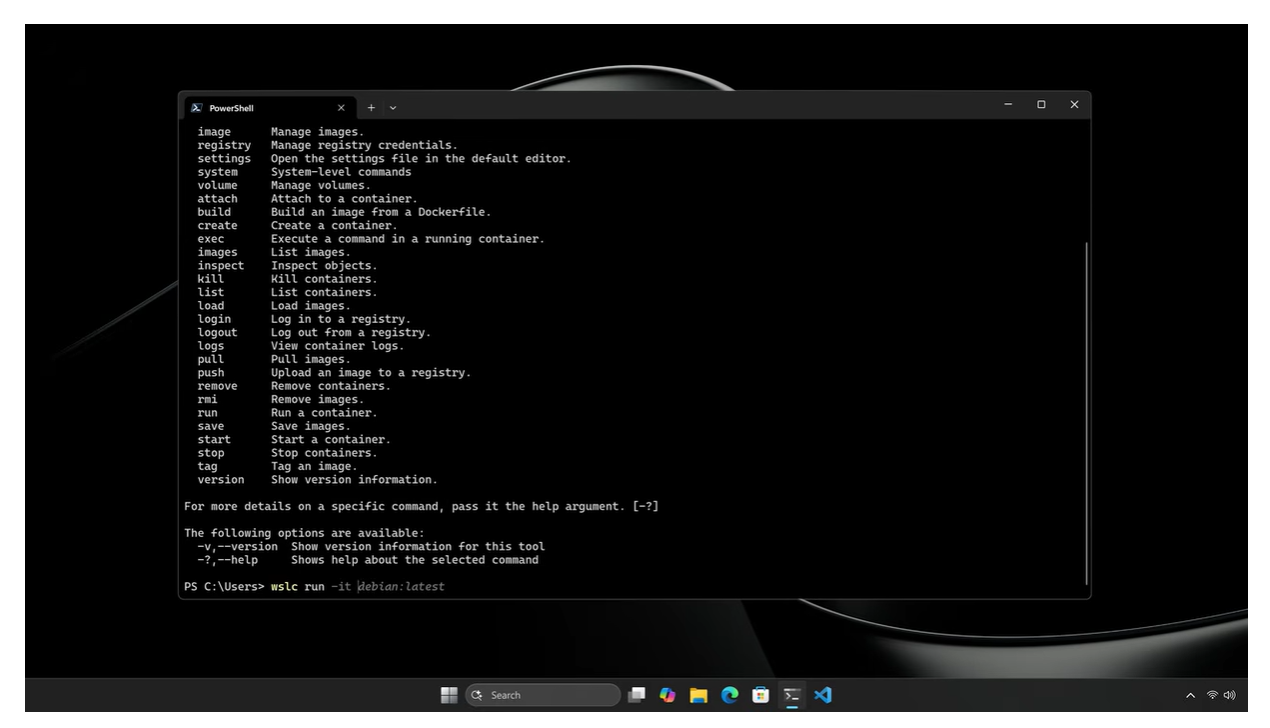
Developers building AI tools overwhelmingly rely on Linux environments, Python ecosystems, containers, CUDA acceleration, and open-source frameworks. Microsoft appears to understand that forcing developers into Windows-only workflows no longer works.
Windows 11 is now being positioned as a hybrid AI platform that combines local AI inference, Linux tooling, cloud services, GitHub workflows, and enterprise security into one environment.
Microsoft is trying to repair Windows’ reputation with developers
The company acknowledged that Windows itself needs to become “more secure, more reliable across the shell — from Explorer to Start to Search.”
Windows 11 has faced heavy criticism over the last few years for sluggish UI behavior, excessive web integrations, inconsistent design decisions, and Microsoft’s aggressive Copilot push.
Windows Latest recently reported on Microsoft’s efforts to improve responsiveness, reduce memory usage, rebuild shell components using native WinUI 3 frameworks, and optimize Windows Search and Start menu.
Microsoft likely needs those improvements if it wants developers to trust Windows as a serious AI platform.
The company’s earlier Copilot strategy did not land well with many users. Even a former Microsoft VP publicly criticized the company’s direction of forcing Copilot into places where users did not want it.
Now Microsoft is trying again, this time with NVIDIA deeply involved, stronger local AI hardware, native agent runtimes, and more practical developer-focused tooling.
Whether Microsoft can fully pull this off remains unclear. But Build 2026 made it obvious that Windows 11 is no longer being designed purely as a desktop operating system. Microsoft increasingly sees Windows as the foundation for local AI development, agent orchestration, hybrid compute workflows, and enterprise AI infrastructure.