







Microsoft told Windows Latest that the new “SecureBoot” folder created by Windows 11’s May 2026 Update (KB5089549) is expected behavior for Secure Boot certificates update and not a known issue. If you see the folder inside C:\Windows, you don’t have to delete it, but why is it being created in the first place?
In June 2026, Secure Boot certificates issued in 2011 or earlier will automatically expire, which means the older certificates need to be replaced sooner rather than later.
For those unaware, Secure Boot certificates are necessary for Secure Boot to work effectively. Secure Boot is a UEFI firmware feature required by Windows 11. It is turned on by default on all modern PCs, and it blocks unauthorized software, particularly malware, from loading during startup or boot.
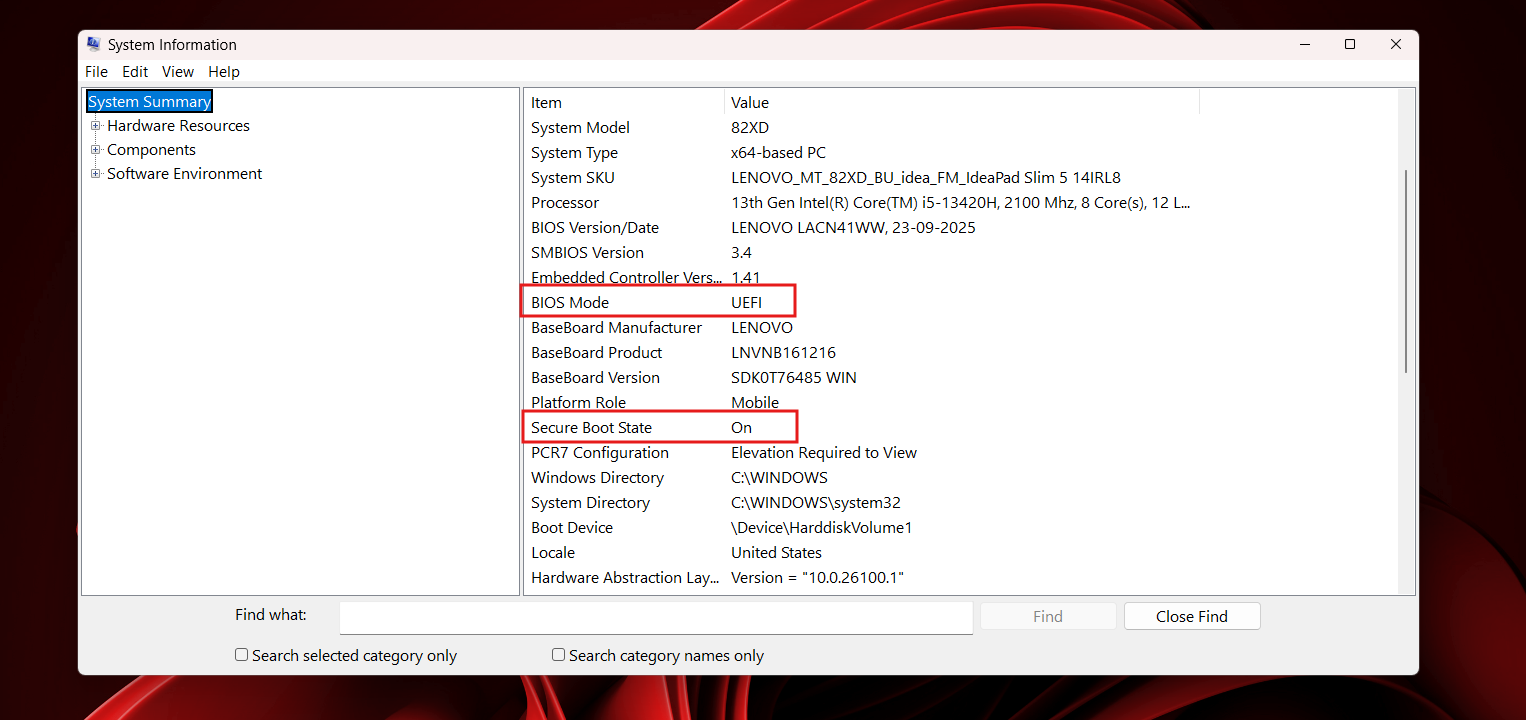
Secure Boot 2023 certificates will replace all older certificates, and most of you don’t have to take any action if you have a compatible firmware version. In fact, Microsoft says Secure Boot certificates will automatically update via Windows Update when you install monthly cumulative updates and reboot your PC once or twice to finish applying the changes.
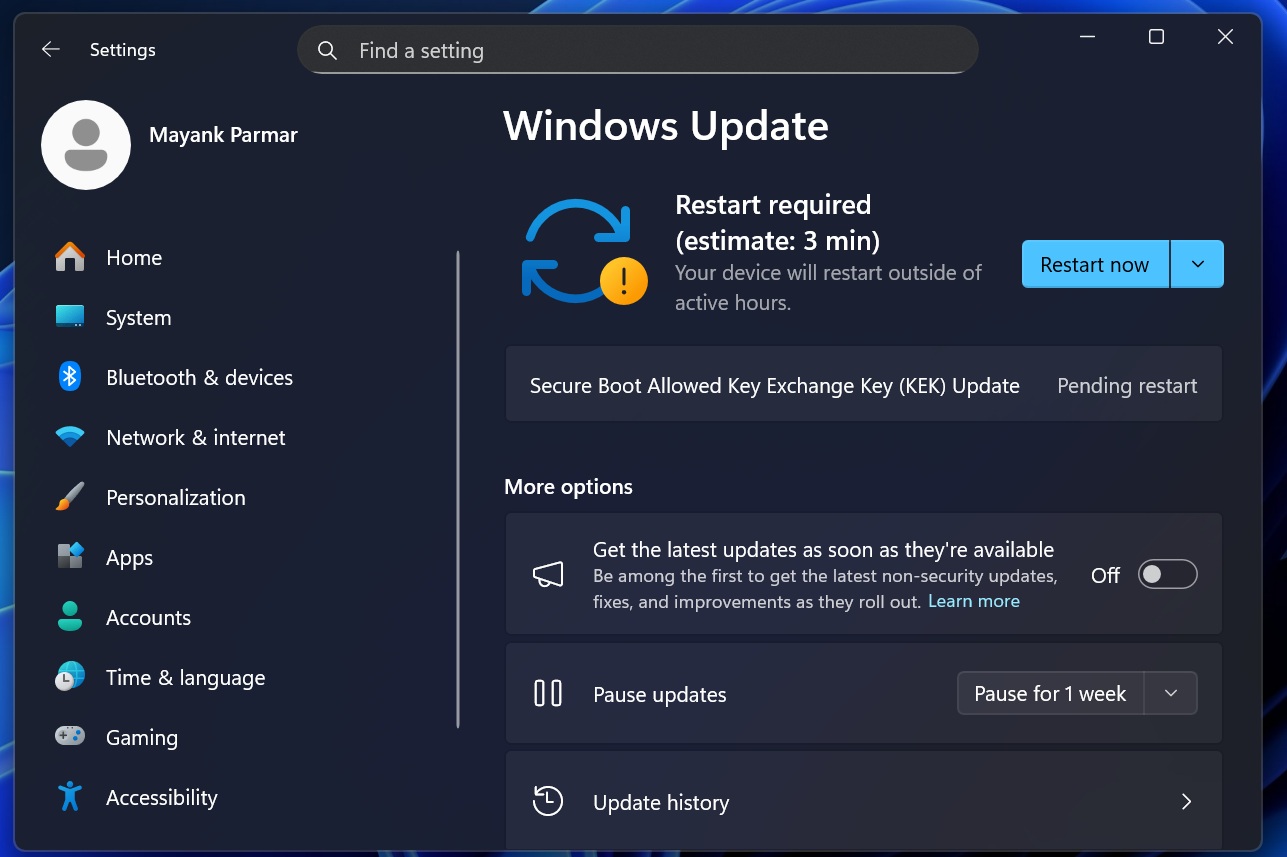
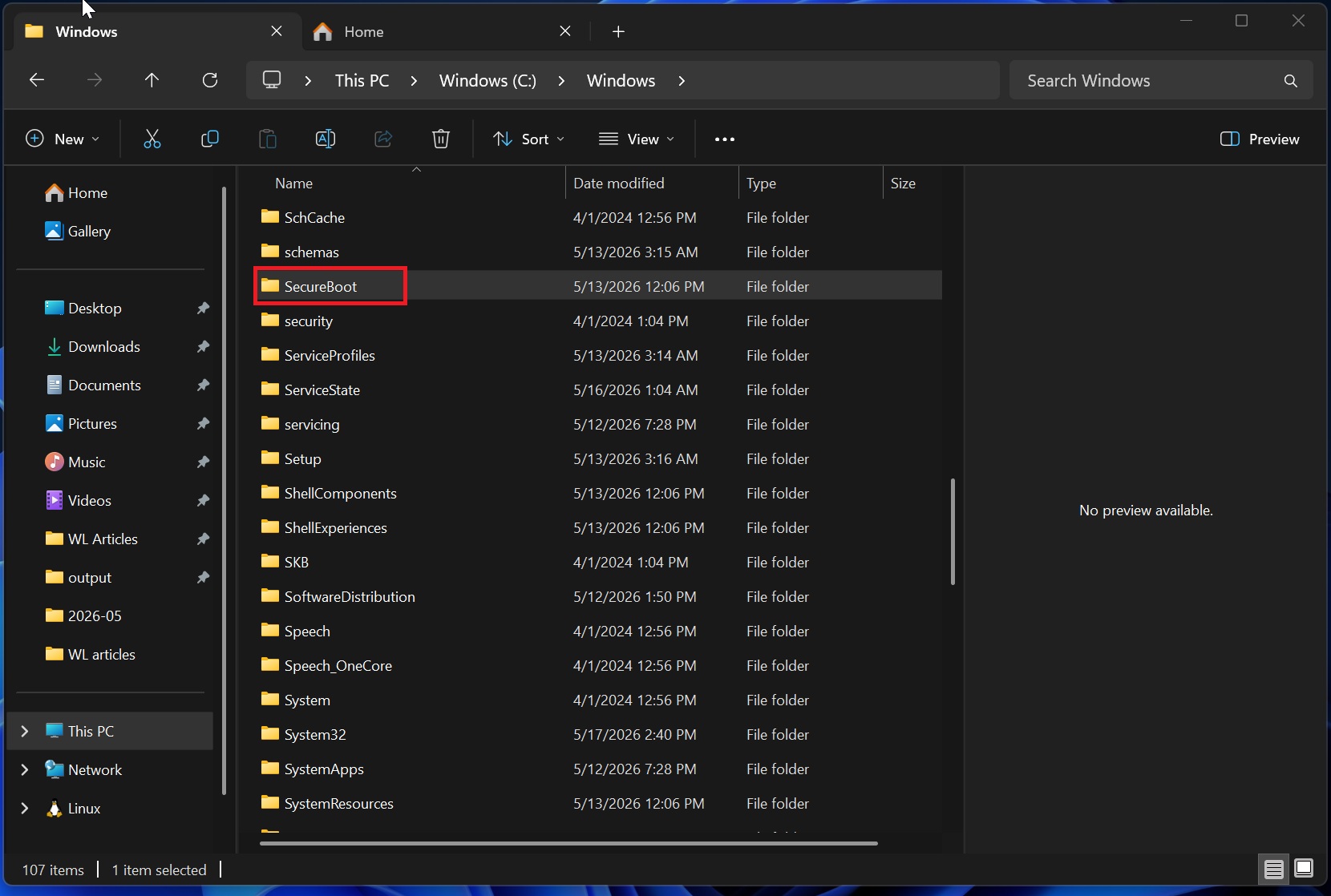
Now, ahead of the deadline, Microsoft is quietly adding a new “SecureBoot” folder under C:\Windows on eligible devices to enable smooth installation of the certificates. This chang is rolling out with Windows 11 KB5089549 (May 2026 Update).
In the release notes, Microsoft never mentioned that it was adding a new folder for Secure Boot certificates, but after users noticed the odd new folder, the company finally updated the documentation with clarification.
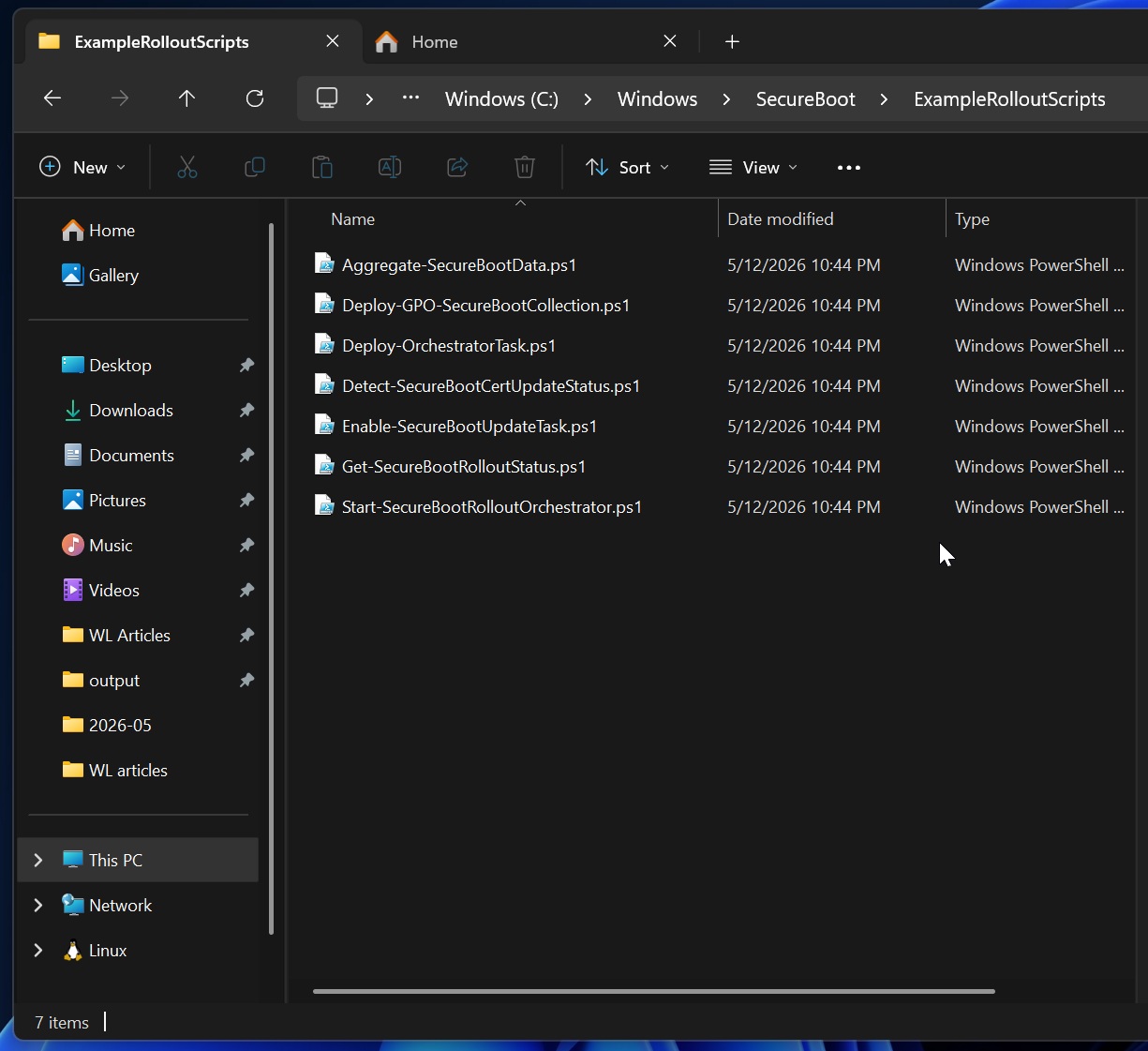
“This update adds a new SecureBoot folder under C:\Windows on eligible devices. The folder contains example scripts intended for organizations with IT professionals who actively manage updates across their device fleet,” Microsoft noted in an updated support document spotted by Windows Latest.
In theory, this folder is meant for IT admins or enterprises, but it’s being rolled out to everyone, including those who use Windows 11 Home. The “SecureBoot” folder showed up on all my PCs, including my test virtual machines where Secure Boot 2023 certificates are already applied.
What does the new “SecureBoot” folder inside C:\Windows contain, and should you delete it?
The new SecureBoot folder contains seven PowerShell scripts that Microsoft built for IT admins, and none of them actually change anything on your PC on their own.
One script (Detect-SecureBootCertUpdateStatus.ps1) checks whether the new 2023 certificates are installed and saves the result as a JSON file, and another (Enable-SecureBootUpdateTask.ps1) makes sure the built-in Windows scheduled task that actually applies the certificates is turned on.
Fortunately, there’s nothing you have to do about these scripts or the SecureBoot folder itself. I’d leave them untouched, as a future Windows update might either require it or remove the folder entirely when it’s not needed.
Microsoft says Secure Boot 2023 is widely rolling out and you can verify the status via Windows Security
In another update to its support document, Microsoft confirmed that Secure Boot certificates are now widely rolling out and are included with cumulative updates.
That means, if you haven’t received it yet, you might get it with Windows 11’s May 2026 Update, but remember that not all PCs will have access to the newer certificates.
In our tests, Windows Latest found that Secure Boot certificates are quietly failing across thousands of PCs due to outdated firmware. It’s unclear if Microsoft has any plans to step in, but I doubt that would happen, as the Windows Security app already exposes the current status.
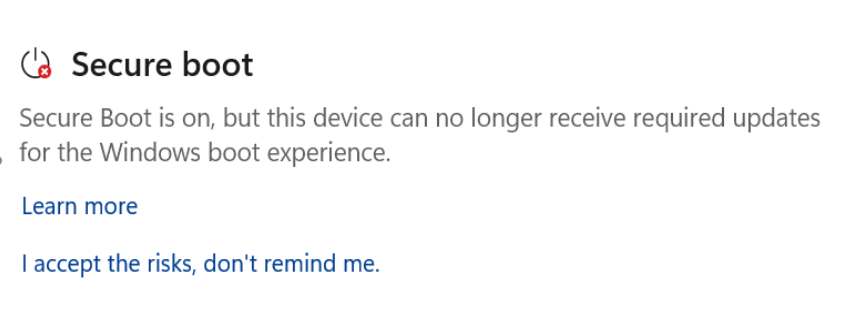
If you open Windows Security, go to Device Security, and scroll to “Secure Boot,” you’ll either have a green, yellow, or red alert. If it’s green, it means Secure Boot is running correctly and the certificate is applied.
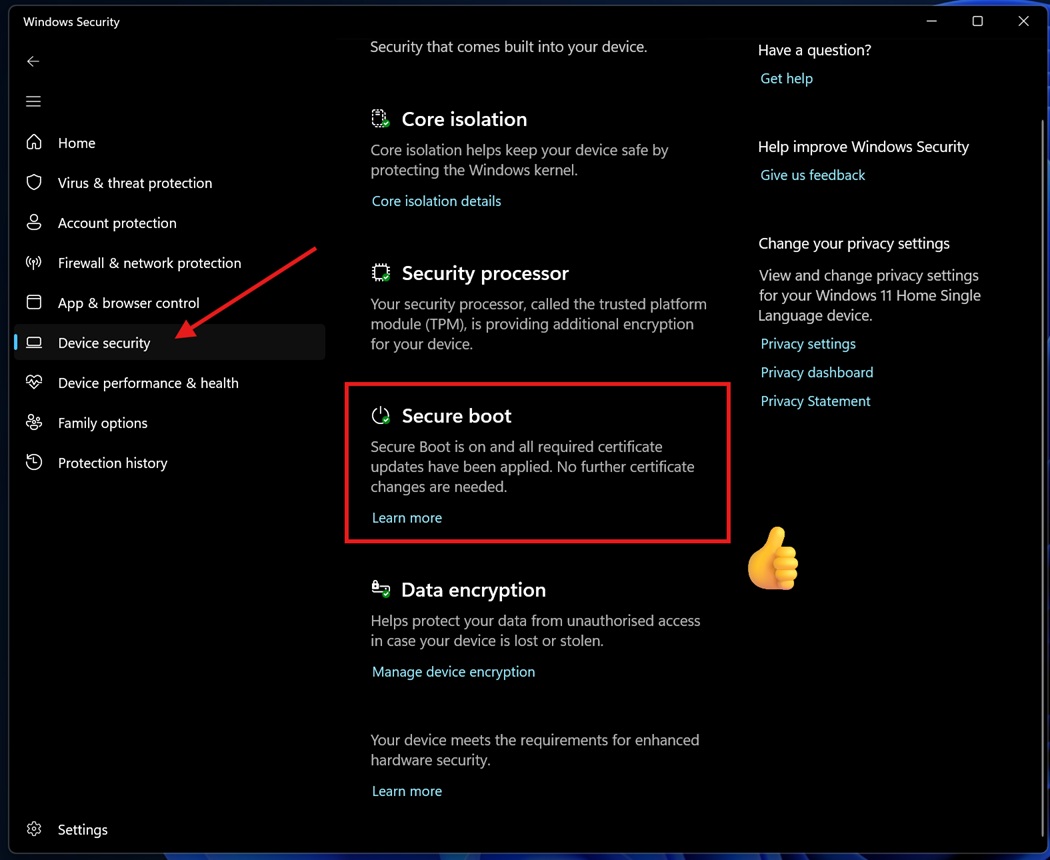
In the case of yellow, you might need to take action, such as updating firmware to get the newer certificates, and red means your device may never receive the certificate.
What about you? Do you have the Secure Boot 2023 certificates?