






Windows 11 KB5101684 is now rolling out with several quality improvements, particularly performance gains. This update is available via Windows Update and installs only when you tap the ‘Download & Install’ button. In addition, Microsoft has posted direct download links for KB5101684 offline installers (.msu).
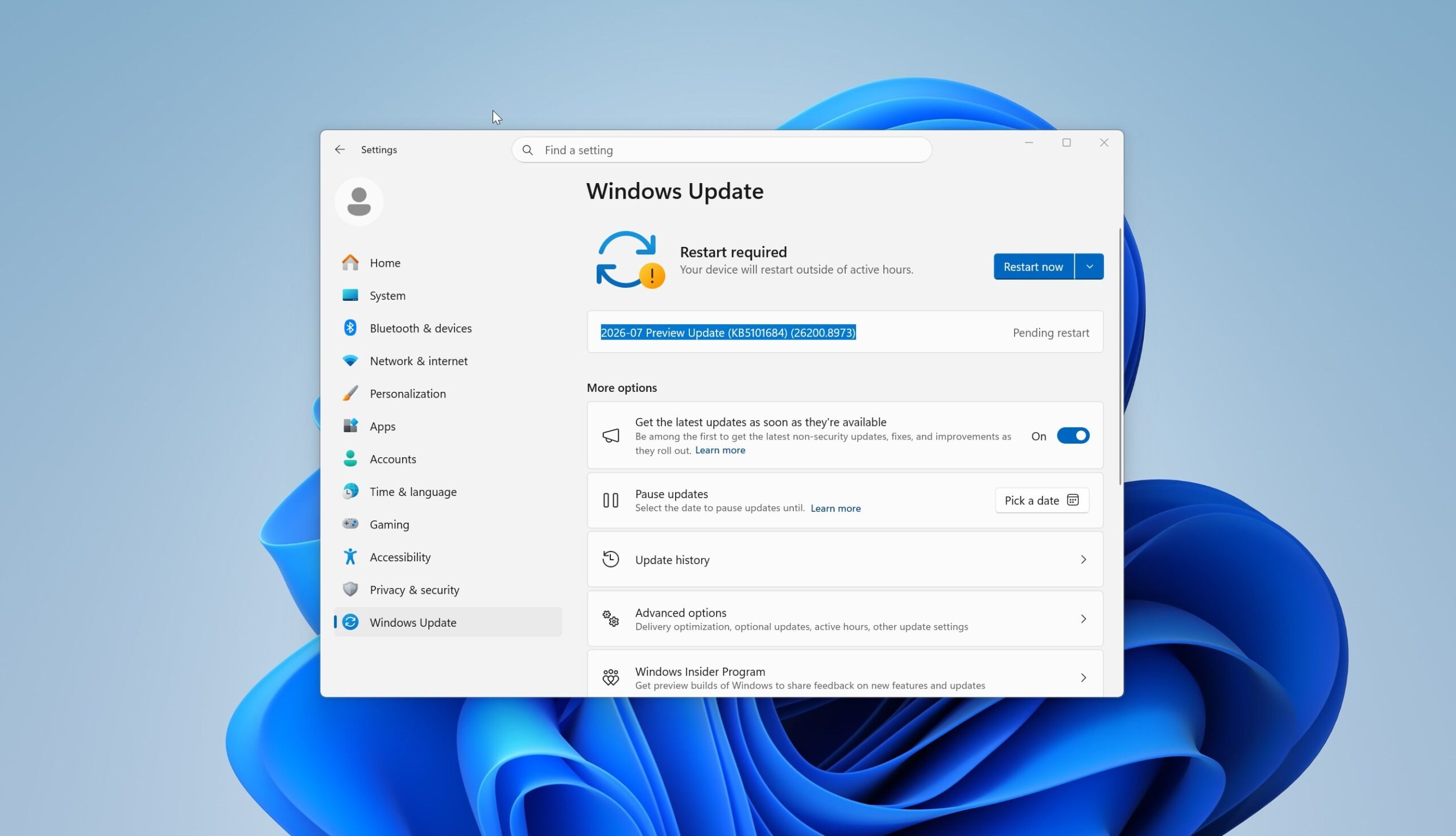
KB5101684 is an optional update and is internally known as a ‘D’ release because it’s being rolled out in the last week of the month. It shows up as “2026-07 Preview Update (KB5101684) (26200.8973)” and is not downloaded automatically unless the “Get the latest updates…” toggle is turned on.
As you might remember, Microsoft recently warned that this toggle force-installs updates that are not required for your PC, including optional updates and out-of-band updates. If you do not want updates like today’s to install automatically, make sure the “Get the latest updates as soon as they’re available” toggle is turned off.
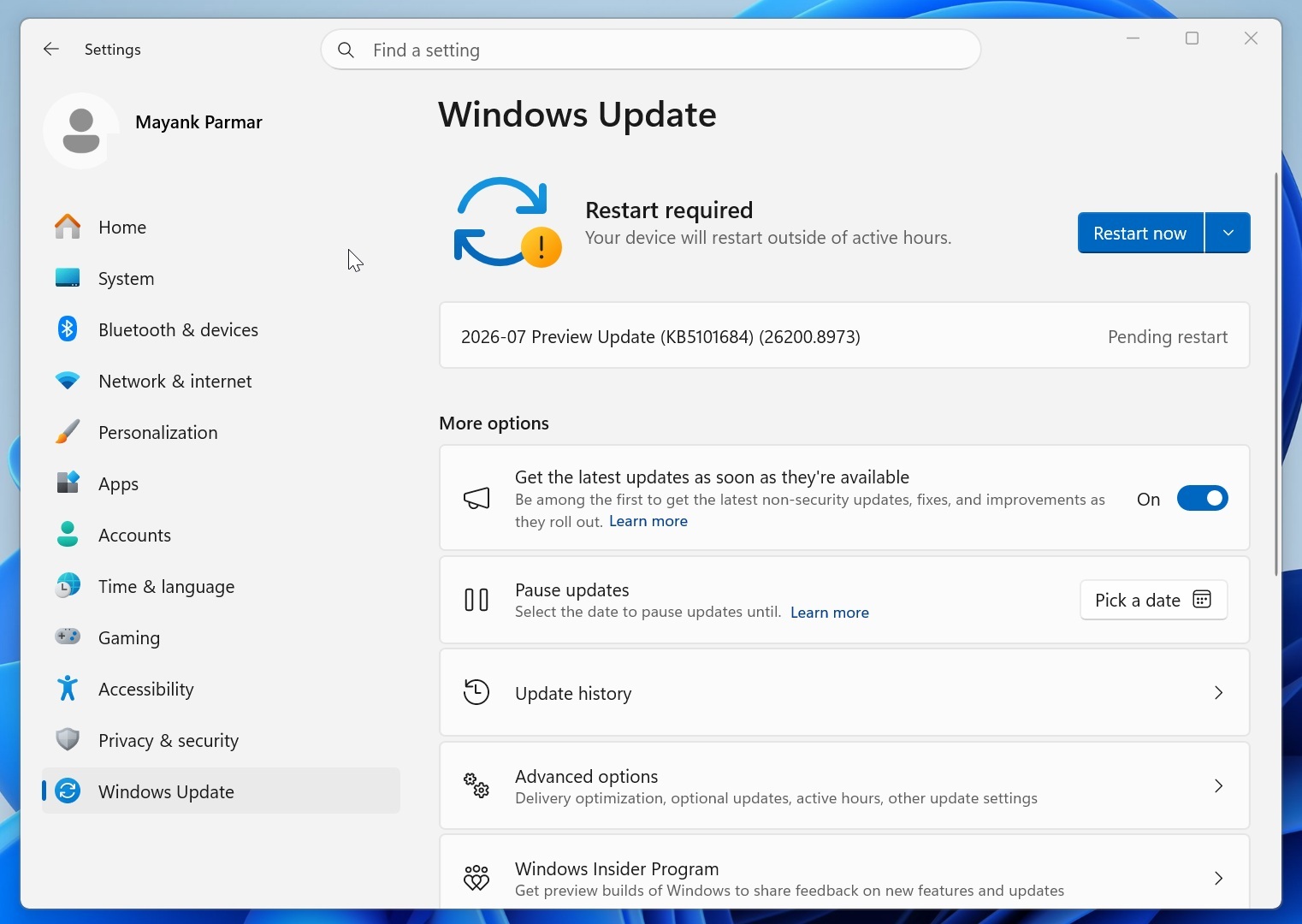
To download and install the update, open Settings > Windows Update and click the Download & Install button when it shows up. It bumps Windows 11 25H2 to Build 26200.8973 and version 24H2 to 26100.8973.
Download Links for Windows 11 KB5101684
Windows 11 KB5101684 Direct Download Links: 64-bit and ARM-64 | Windows Update can sometimes fail to install, and Microsoft also doesn’t have a patch for all issues. If it isn’t installing via Windows Update, I recommend using the Update Catalog to download the July 2026 optional update.
You can also use it if you want to install the update across multiple PCs. In all cases, Windows Update is the recommended path.
The July 2026 update is almost 5.3GB in size on regular PCs (Intel and AMD), while ARM sits at 4.9GB, which is notably smaller. According to our analysis, these updates appear massive in size because of how AI models are bundled, and recent changes to the Windows Update system.
| Build Number | Size | OS Version | Architecture |
|---|---|---|---|
| 26200.8973 | 5370.2 MB | Windows 11 25H2 | x64-based |
| 26200.8973 | 5370.2 MB | Windows 11 25H2 | arm64-based |
| 26100.8973 | 4922.3 MB | Windows 11 24H2 | x64-based |
| 26100.8973 | 4922.3 MB | Windows 11 24H2 | arm64-based |
What’s new in Windows 11 Build 26200.8973 (25H2) / Build 26100.8973 (24H2)?
Unlike previous updates, today’s optional release is not massive in terms of new features, but it delivers the long-awaited ‘Windows K2’ improvements for Windows Search and overall system performance. However, all the features and improvements listed below are gradually rolling out and won’t show up right away.
1. File Explorer is getting better at showing file sizes
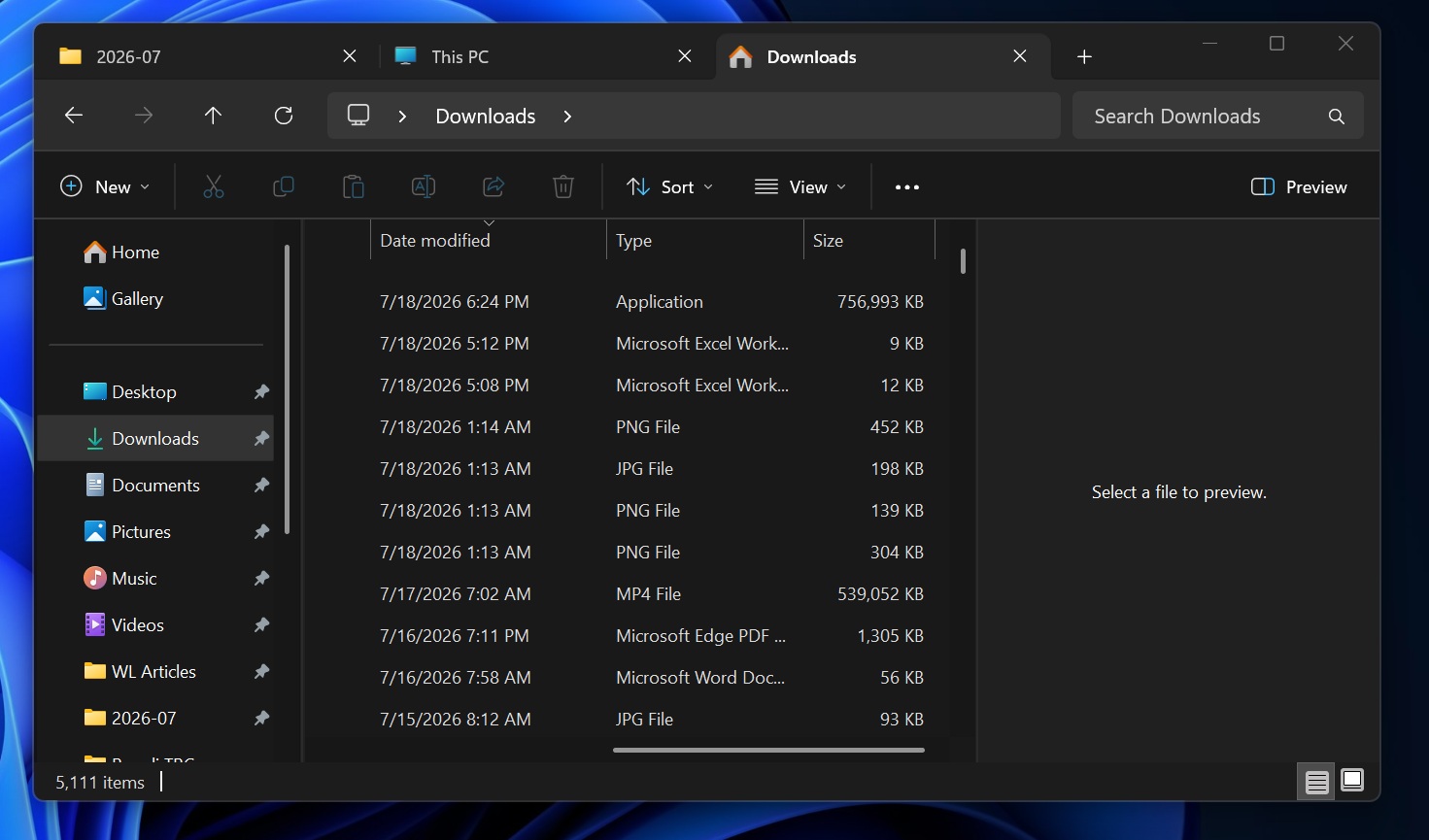
Right now, if you open any folder in File Explorer and look at its file sizes in the ‘Sizes’ tab in Details view, you will notice that sizes are always declared in KB (kilobytes). While it’s not a bug, it can be annoying if you’re staring at a massive file and its size is declared in kilobytes. Here’s what it looks like before you install the update:
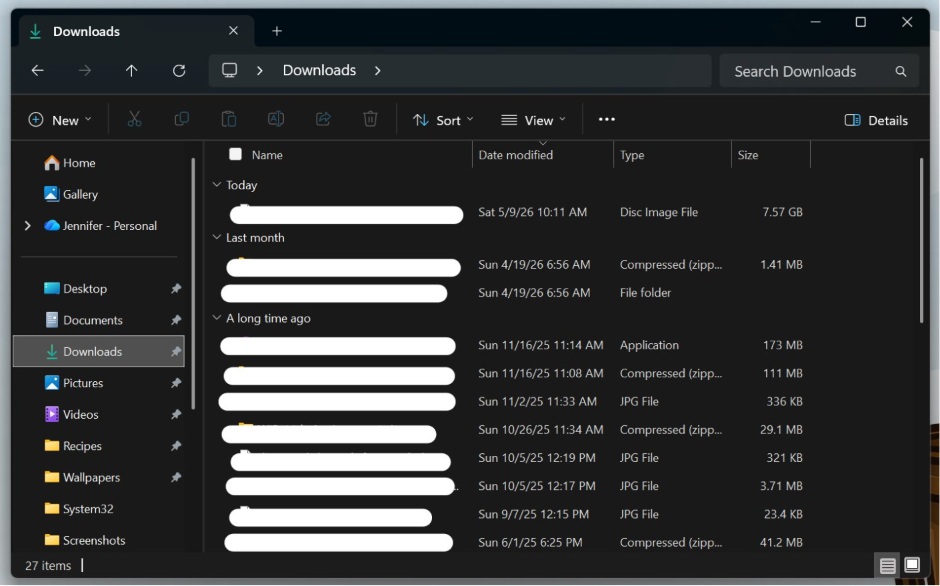
With Windows 11 KB5101684, Microsoft now shows appropriate units for file sizes. If a file is in megabytes, it’ll show up in MB, and if it’s in gigabytes, it’ll show up in GB. For example, an ISO file (Disc image file) in the screenshot below has a file size of 7.57 GB, while an image is 321 KB.
This makes it easier for you to understand how your files are eating up your storage:
Another notable improvement is the ability to open a folder in a new tab by middle-clicking on it, similar to how you can open browser tabs in a new window. It’s nifty, but still a quality-of-life improvement.
I also noticed that Microsoft has removed the unusual gray flash when you scroll on the “Home” tab of File Explorer and when it loads in dark mode.
Last but not least, File Explorer now shows better thumbnails for the ‘Recommended’ section, so it’s easier to understand.
2. Windows Search is finally smarter
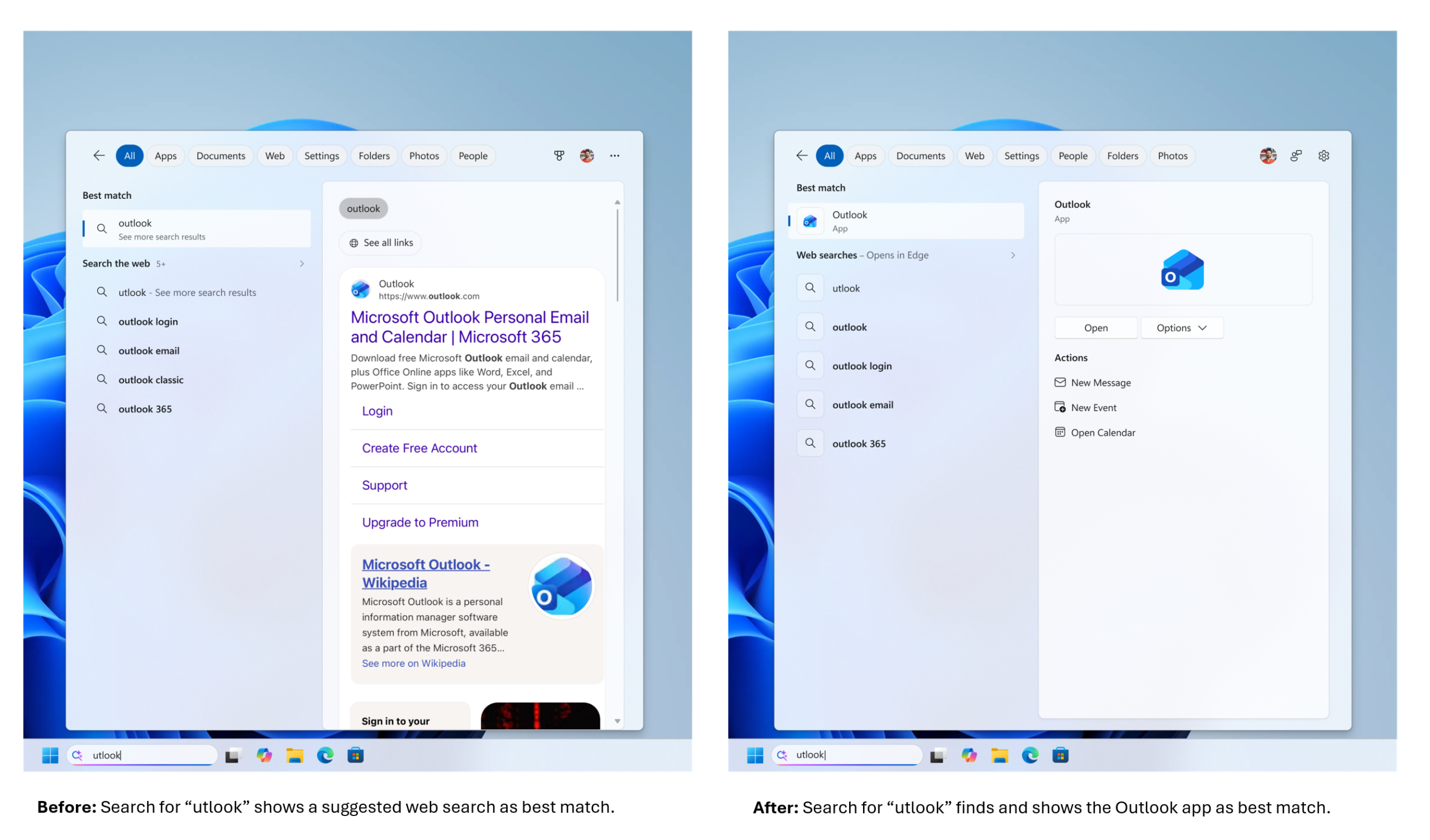
With Windows 11 KB5101684, Search is getting a major update, but no, it’s not the one that lets you disable Bing entirely. For now, Windows Search is only rolling out better support for typos, so you can find Windows settings if you misspell it as ‘xetting’ and open Outlook if you type “otlook.”
I also noticed that Windows Search can now better reflect Settings, so if you search for Bluetooth’s audio page, you will finally see it instead of unrelated settings around Bluetooth and audio.
It’s a great improvement if you ask me, as Windows Search would often suggest incorrect settings instead of the one I wanted.
3. Major reliability fixes for Start menu, explorer.exe, and taskbar
Windows 11 KB5101684 finally makes the Start menu noticeably more reliable, particularly when you’re applying customizations. For example, Microsoft found a bug where the Start menu would not remember your preferred view or pinned apps and would keep reverting the changes and going back to normal.
This issue has now been patched, and you will also notice that the Start menu no longer stutters on low-end PCs.
As for explorer.exe, the improvement is particularly noticeable when you use Task View and switch between multiple desktops. In that case, you will notice that it lags less and uses less memory. We also observed that jump lists are now more reliable and don’t close unexpectedly. The same goes for ‘recent files’ in File Explorer. It’s also more reliable.
Last but not least, the Start menu and taskbar should feel smooth immediately after you start the PC. You’ll also notice that the Windows sign-in process is less buggy, and opening the Windows lock screen no longer hurts the performance of PCs with low system memory.
Again, these changes may not sound groundbreaking, and they should not, given that real quality improvements are usually around the features we use all the time. Nothing fancy.
4. Secure Boot is unlocked for more PCs
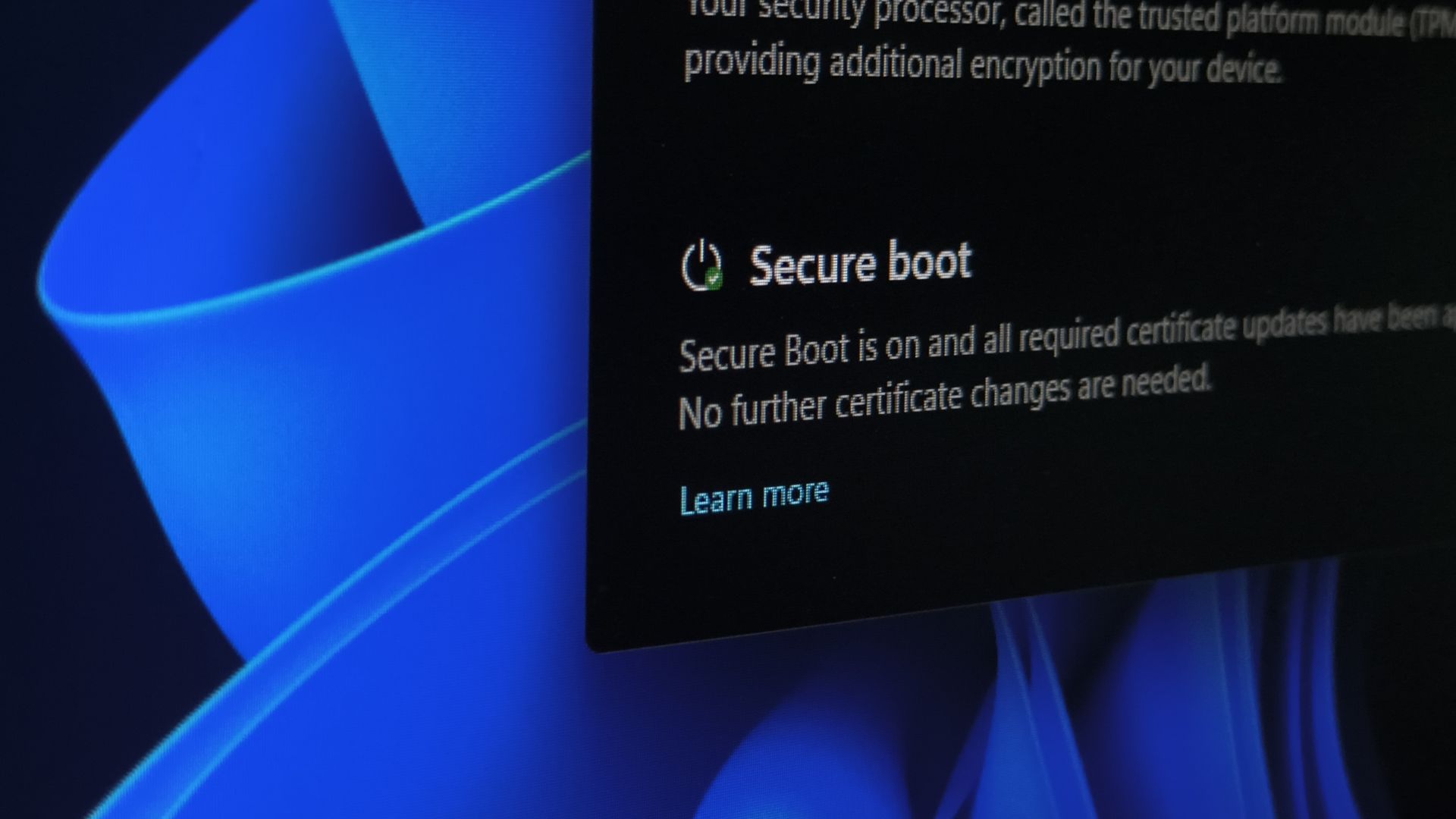
In a statement to Windows Latest, Microsoft recently told us that Secure Boot is still being rolled out, and most users do not need to panic. That means even if your PC says Secure Boot is not applied, you don’t have to freak out, as these monthly updates, including Windows 11 KB5101684, will unlock the certificate for more PCs.
Microsoft also clarified that it’s actively working with OEMs on unlocking Secure Boot certificates for more PCs.
5. New gesture controls for precision touchpads in Windows 11
Windows 11 KB5101684 also comes with new gesture controls for precision touchpads. If you have supported hardware, you can already scroll and zoom in using gestures.
After the update, you can adjust the baseline speed and enable new Accelerated Scrolling, where you can scroll faster if you keep repeating the gesture.
6. Improvements for Windows Hello, Taskbar, Lock screen and more
There are several other minor fixes and improvements for different areas of the OS. For example, taskbar notification badges currently use red, ignoring the system accent color. This has now been adjusted, and taskbar badging now reflects the accent colour, so apps do not abuse the alert system to grab your attention.
By default, the lock screen currently shows all supported widgets, and it often clutters the lock screen, particularly for those who are just getting started with Windows. Microsoft is now reducing lock screen widgets to just Weather, and you always have the choice to remove it or add more.
Here’s the full list of improvements and fixes in Windows 11 KB5101684:
- A bug has been fixed where keyboard navigation would not work correctly in the Apps list of the Start menu.
- Mouse cursor size is now persistent.
- Magnifier now works better on touch PCs, so the touch bars no longer obstruct magnified content because they’re turned off by default.
- Windows Hello has a feature called “Windows Hello Enhanced Sign-in Security (ESS),” which makes biometric logins more secure. After today’s update, peripheral fingerprint sensors are now supported. To get started, you can plug in a supported ESS fingerprint reader.
- The Start menu’s account control now reflects your subscription status if you have one.
- You can now remove the Image Generation AI component from AI PCs.
- Power settings are now applied to all power plans, and you can now set a threshold for Energy Saver in Settings > System > Power & Battery.
- Windows Update now cleans up unused update files and improves system performance.
- Windows in dark mode now supports better system sounds.

Right now, Microsoft is not aware of any known issues, but we’re still testing the update, and my only recommendation is to never rush to install an optional cumulative update when you don’t desperately need its changes.
All changes in today’s update will roll out to everyone with the Windows 11 August 2026 Patch Tuesday Update on August 11.