







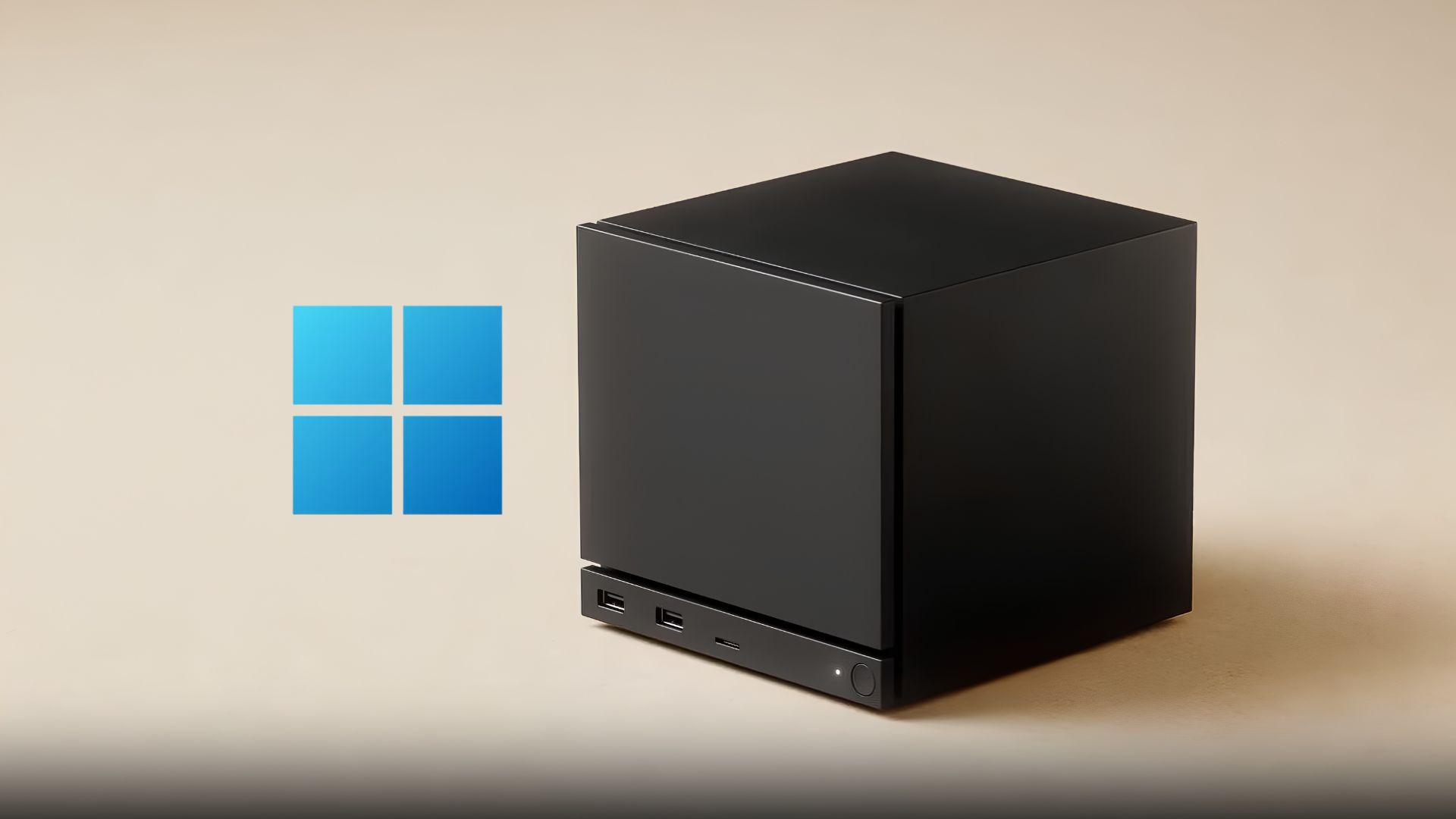
Windows 11 edges slightly better at gaming at 4K than SteamOS on the Steam Machine, where it won every game tested, and in benchmarks like Geekbench, where its multi-core lead was sizable. But if we count results across every resolution from 1080p to 1440p to 4K, installing Windows on Steam Machine could become an afterthought.
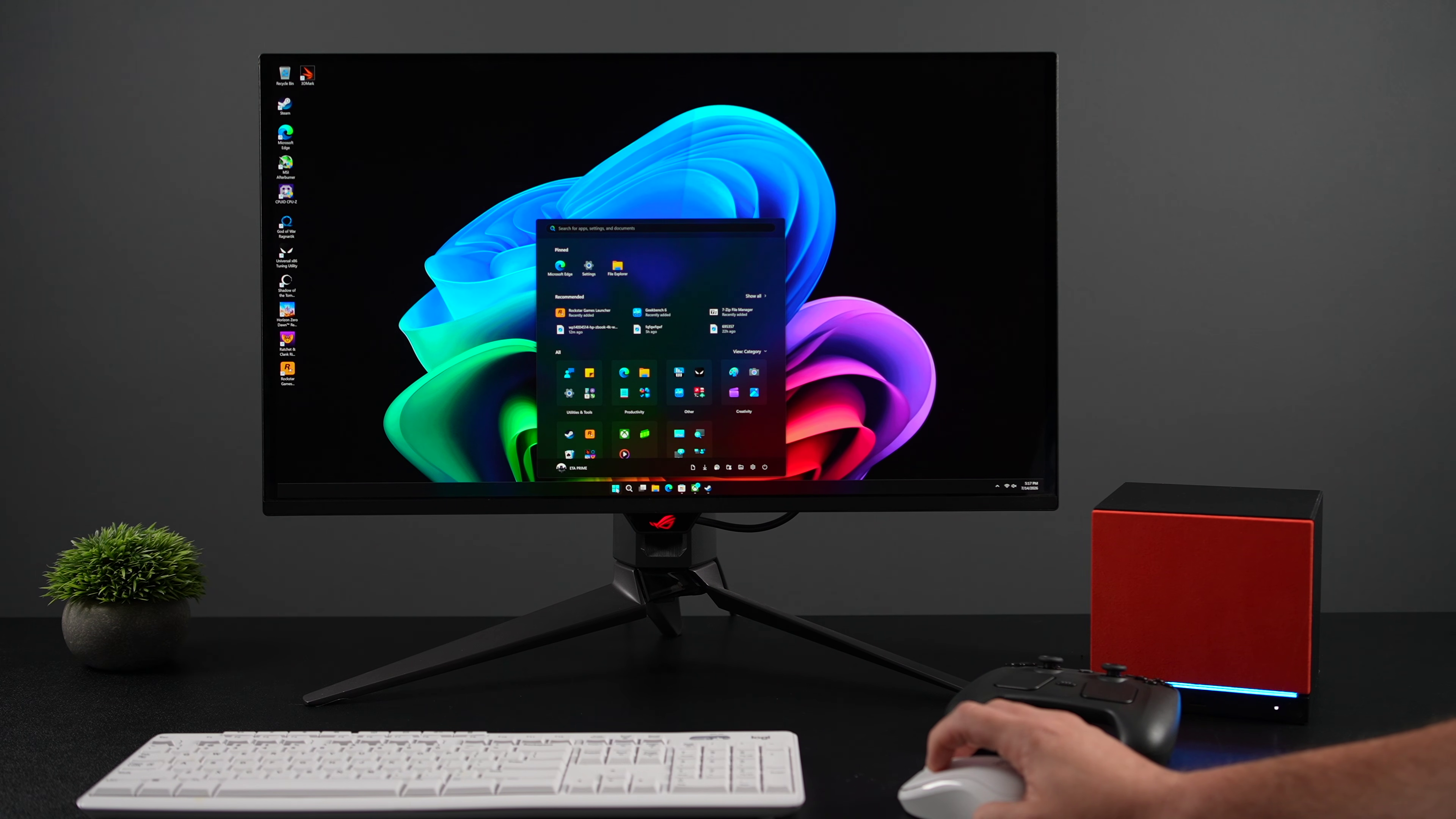
Valve’s Windows drivers for the Steam Machine have been out for a little over a week now, and YouTuber ETA Prime ran the full benchmark gauntlet comparing it against SteamOS. Those benchmark numbers only tell half the story, since Valve’s official Windows 11 drivers for the Steam Machine still ship without dual boot support, leaving SteamOS as the only fully backed option.
I went through the benchmark results, cross-checked them against other independent tests, and looked at what your options are if you’re thinking of installing Windows on your Steam Machine, or the opposite (SteamOS on Windows PC), and if Windows itself is the problem, maybe Xbox Mode fixes something, or does it?.
Valve already told not to expect much from Windows drivers for Steam Machine
The Steam Hardware Windows Resources page (the same one that covers Steam Deck) says that the company is “providing these resources as is” and is “unfortunately unable to offer Windows on Steam Hardware support.”
Four drivers are listed there for the Steam Machine, covering the GPU, Wi-Fi, Bluetooth, and SD card reader. There’s nothing for audio, since the machine uses a codec Windows already handles natively.
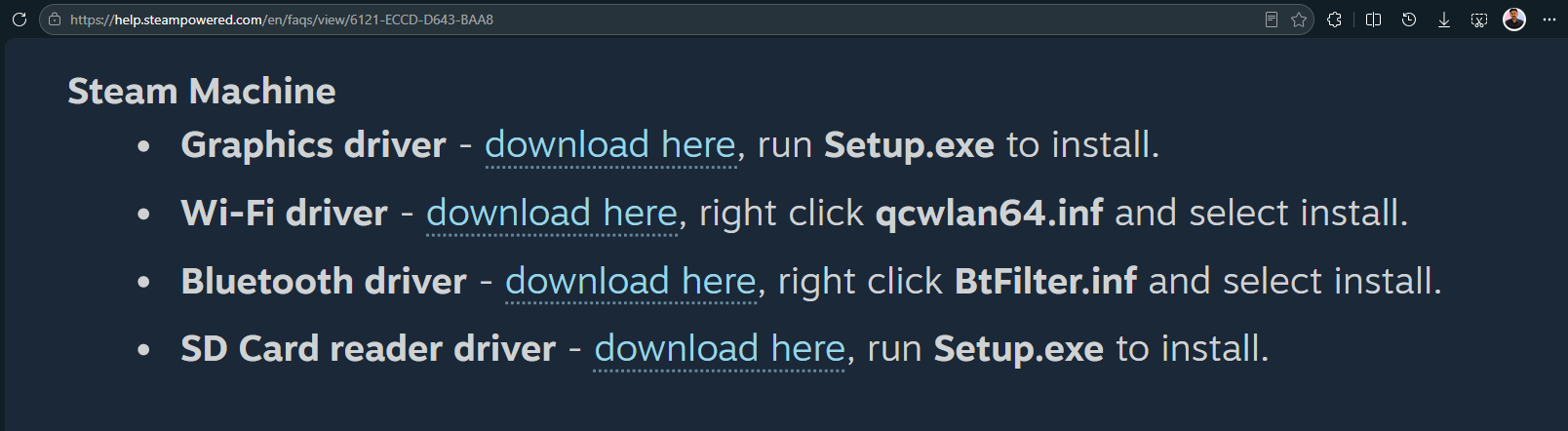
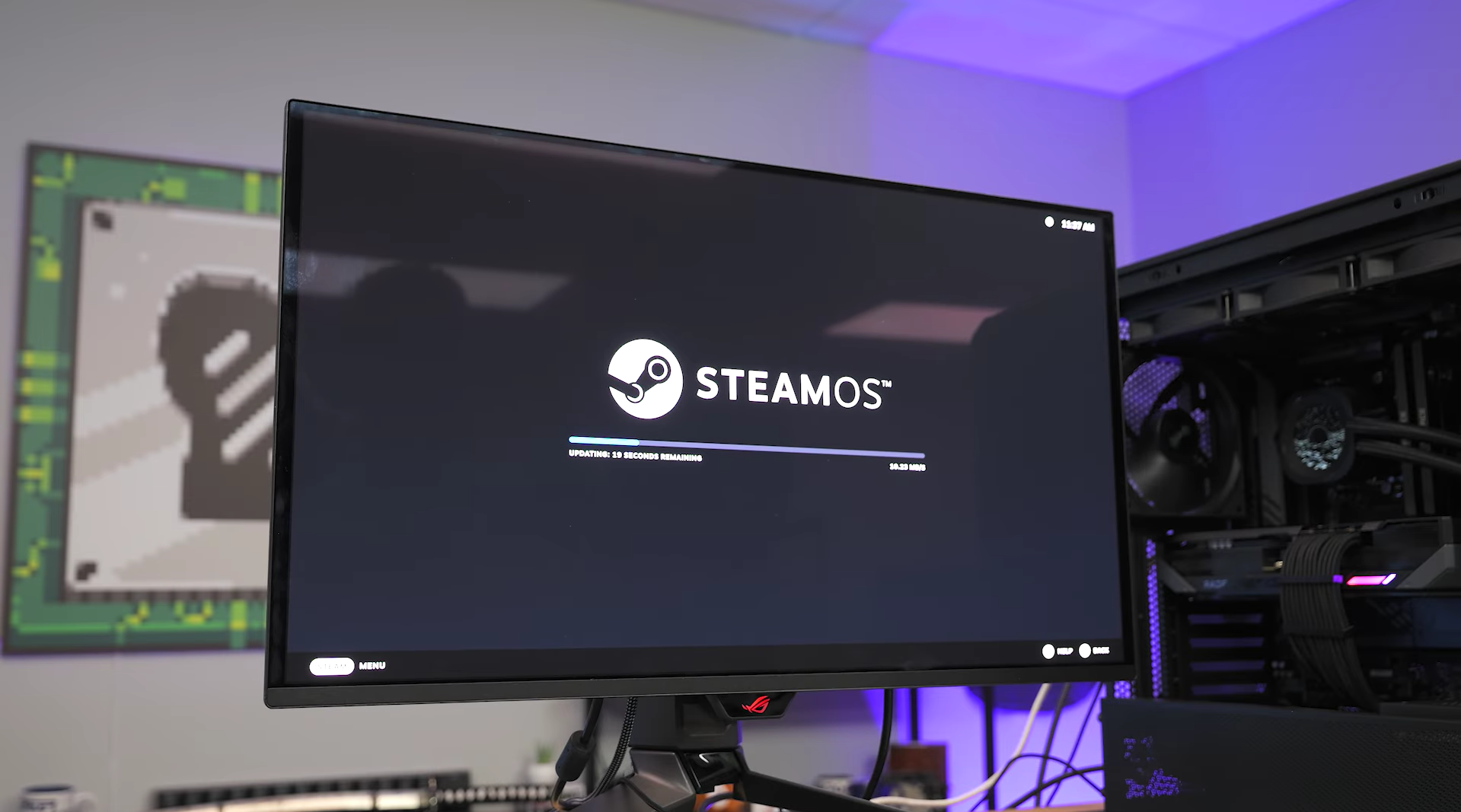
There’s also no dual boot. Valve says a proper SteamOS installer wizard for that is coming “once it’s complete,” but for now, installing Windows means wiping SteamOS off the drive. Going back requires reinstalling SteamOS from Valve’s recovery image. And because the Wi-Fi driver only installs after Windows is already running, an Ethernet cable needs to be connected during setup just to get past the product key screen and finish activation.
ETA Prime, whose channel has been documenting the Steam Machine since launch, including an earlier upgrade video on the same unit, tested anyway.
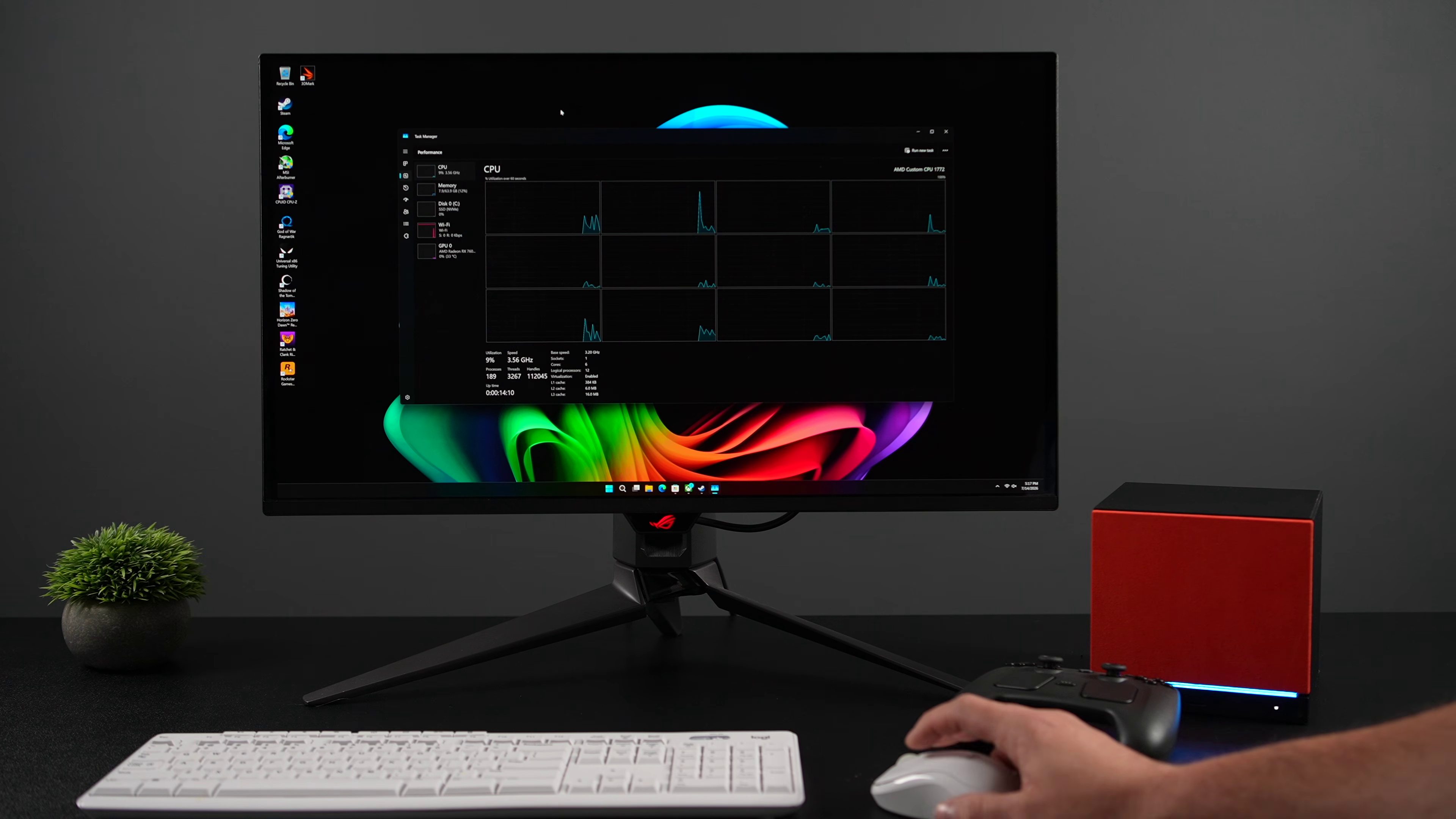
Windows 11 installed without much trouble, and the GPU, Wi-Fi, Bluetooth, and video playback all worked correctly through Valve’s drivers.
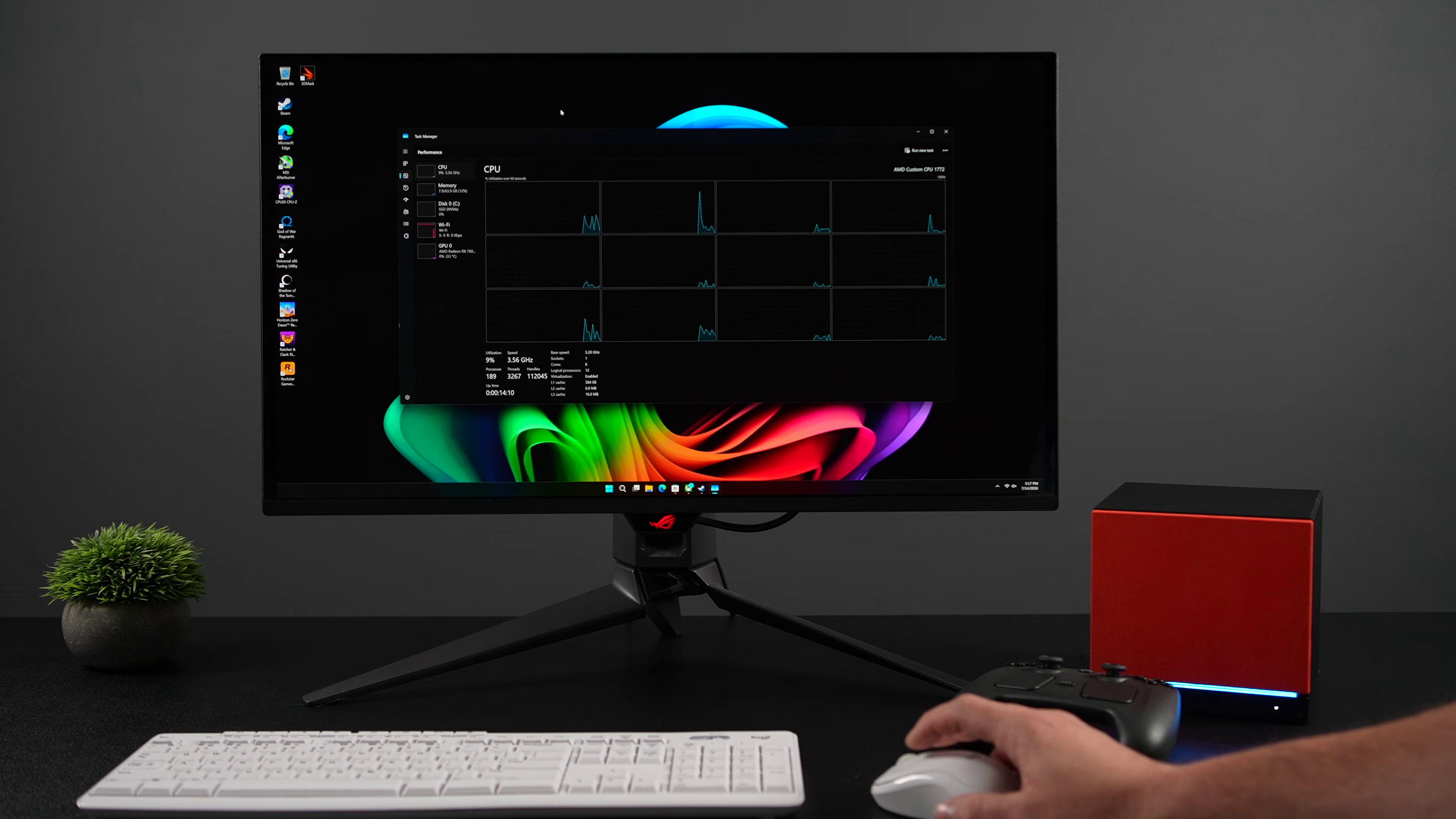
The test Steam Machine with Windows 11 had one big asterisk
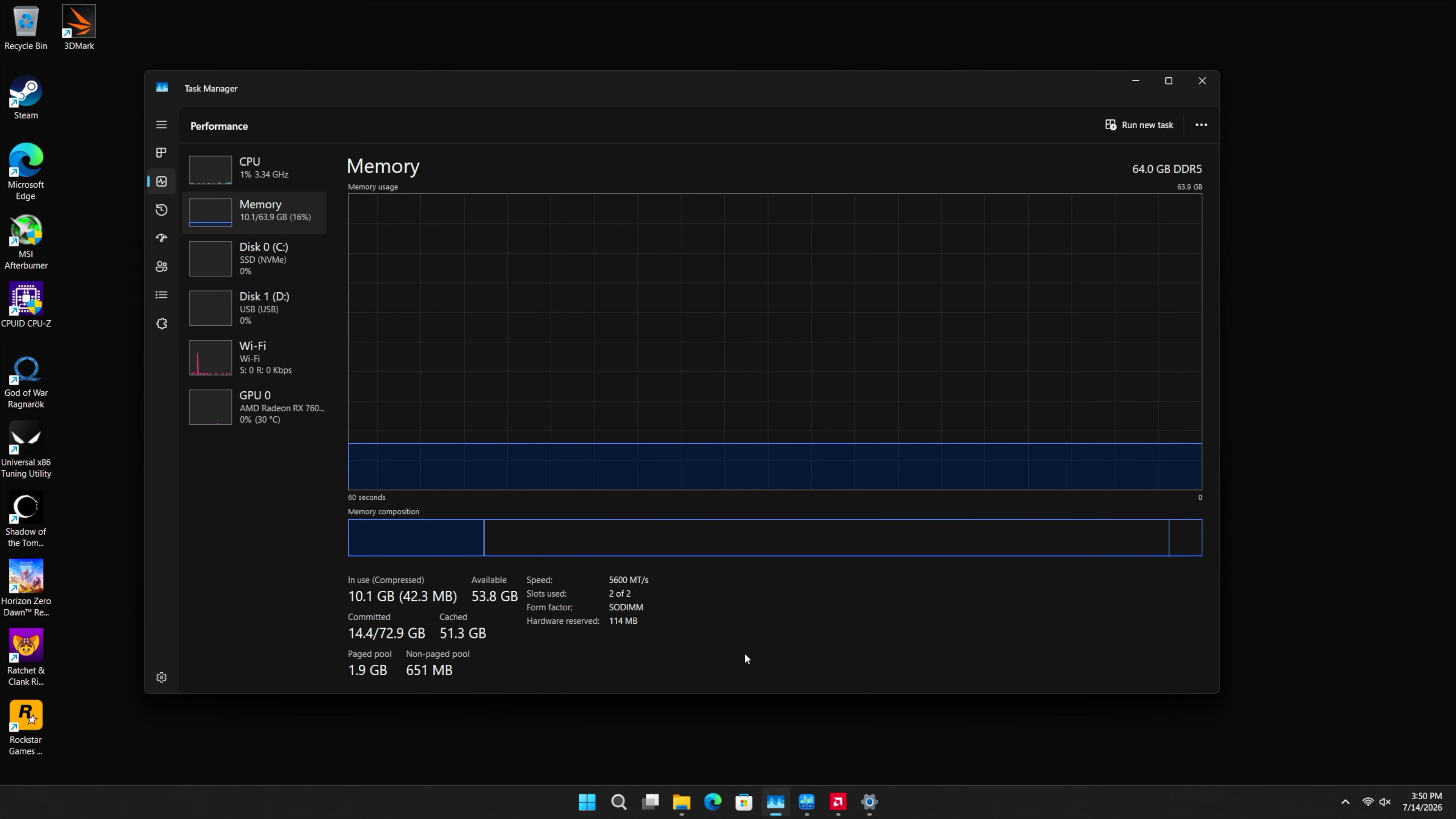
ETA Prime’s Steam Machine is not a stock unit. The RAM was upgraded from the default 16GB to 64GB running at 5,600 MT/s in dual channel, something covered in his earlier video on the same machine. The Steam Machine ships with single-channel memory out of the box. All benchmarks in the video, on both SteamOS and Windows, ran with 64GB RAM, so the operating system comparison is still apples to apples. Just don’t expect the same frates on a Steam Machine straight out of the box!
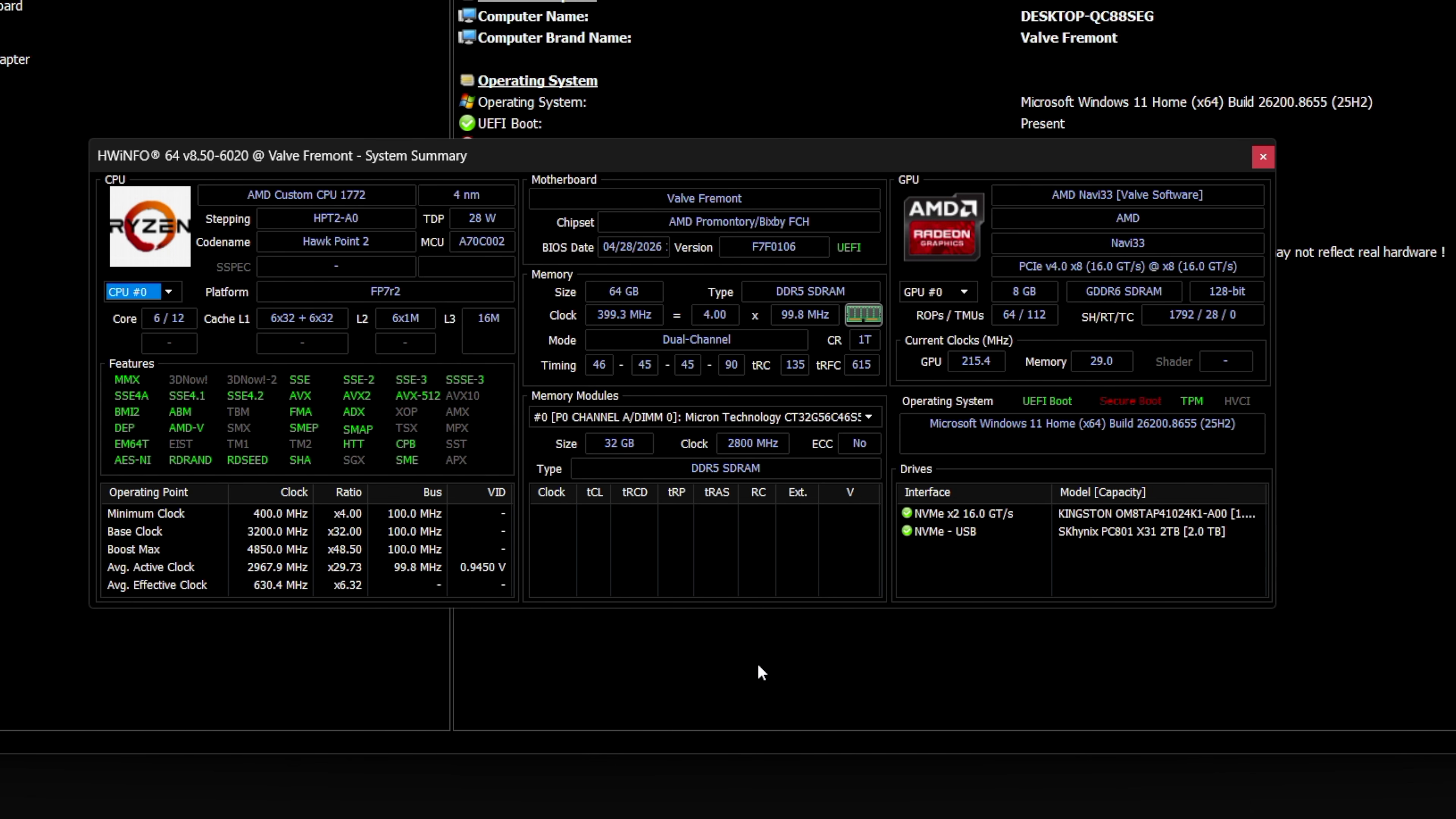
For reference, the Steam Machine’s semi-custom AMD chip is a 6-core, 12-thread part built on Zen 4, boosting to 4.85GHz and pulling around 28 to 30 watts. Windows identifies it as “AMD Custom CPU 1772.” The GPU is an RDNA 3 part with 28 compute units and 8GB of GDDR6, and both Windows Task Manager and AMD’s driver panel report it as a Radeon RX 7600 series card, even though the retail RX 7600 runs at a higher 165W TDP with 32 compute units.
Synthetic benchmarks show an easy lead for Windows 11 in Steam Machine
Geekbench 6 is where Windows stretched its muscles. Single-core scores were close with 2,503 on Windows against 2,424 on SteamOS, which is a 3.3% gap. Multi-core is where it got lopsided, with Windows hitting 9,750 against SteamOS’s 7,986, a 22.1% lead.
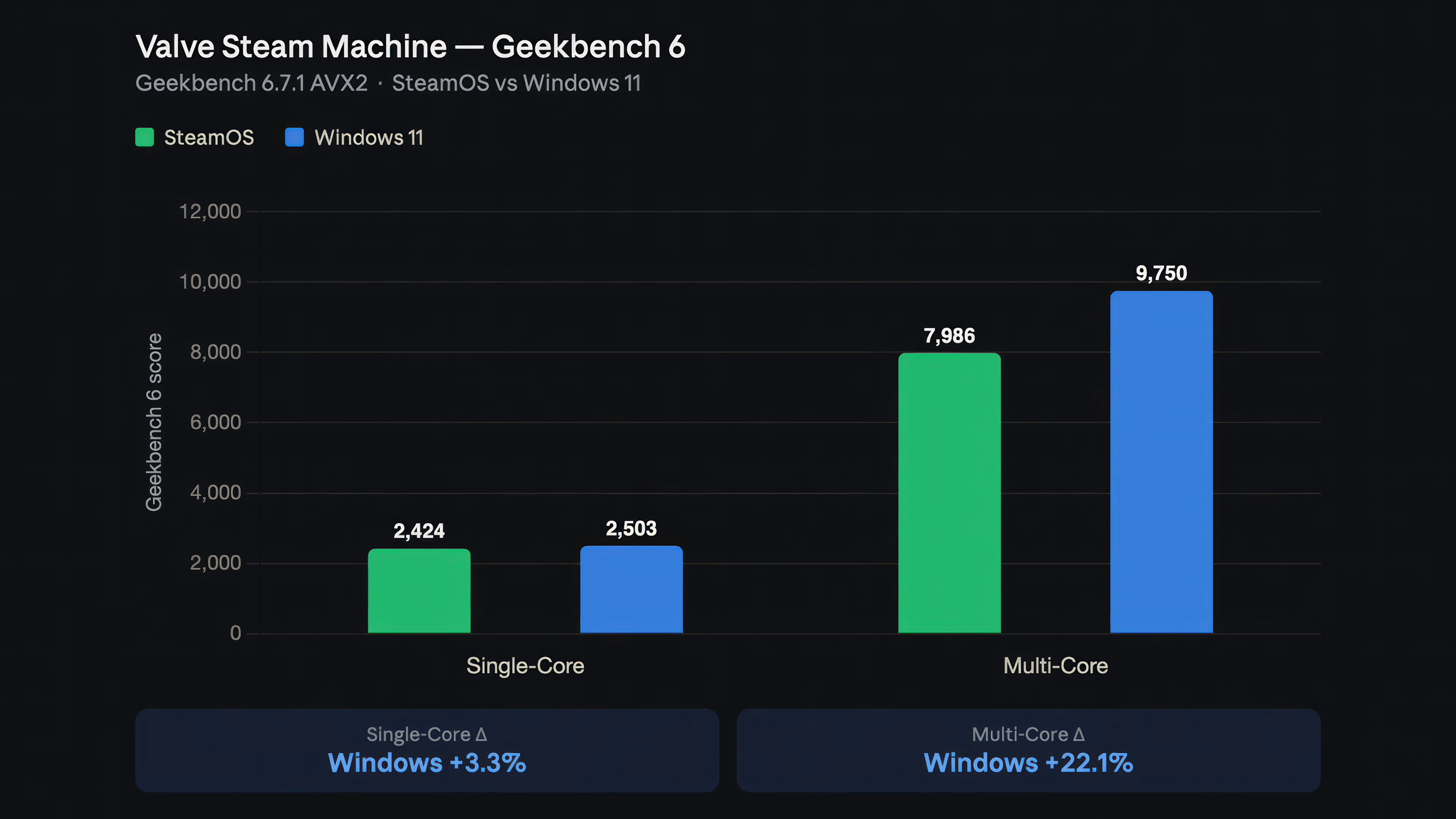
ETA Prime explains that SteamOS ran this test in desktop mode instead of a game mode, and desktop mode doesn’t push the CPU into its highest clock state unless something specifically demands it.
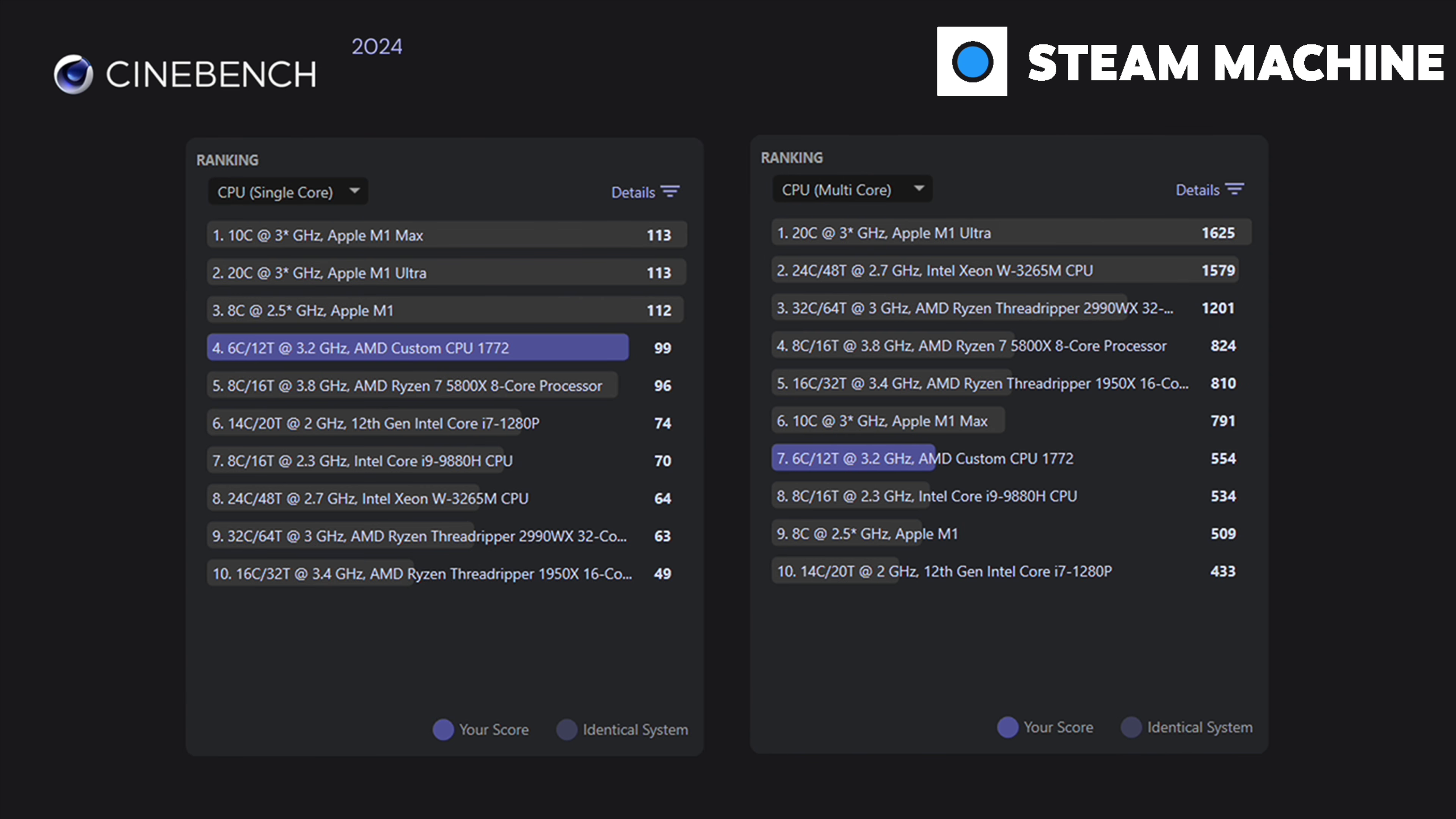
If you’re wondering how the CPU in the Steam Machine fares, in Cinebench R24, single-core was at 99 points, multi-core at 554. On the Cinebench leaderboard, that puts the Steam Machine’s chip just behind the Ryzen 7 5800X in multi-core and ahead of Intel’s 14-core i7-1280P in single-core, at a fraction of the power draw of either.
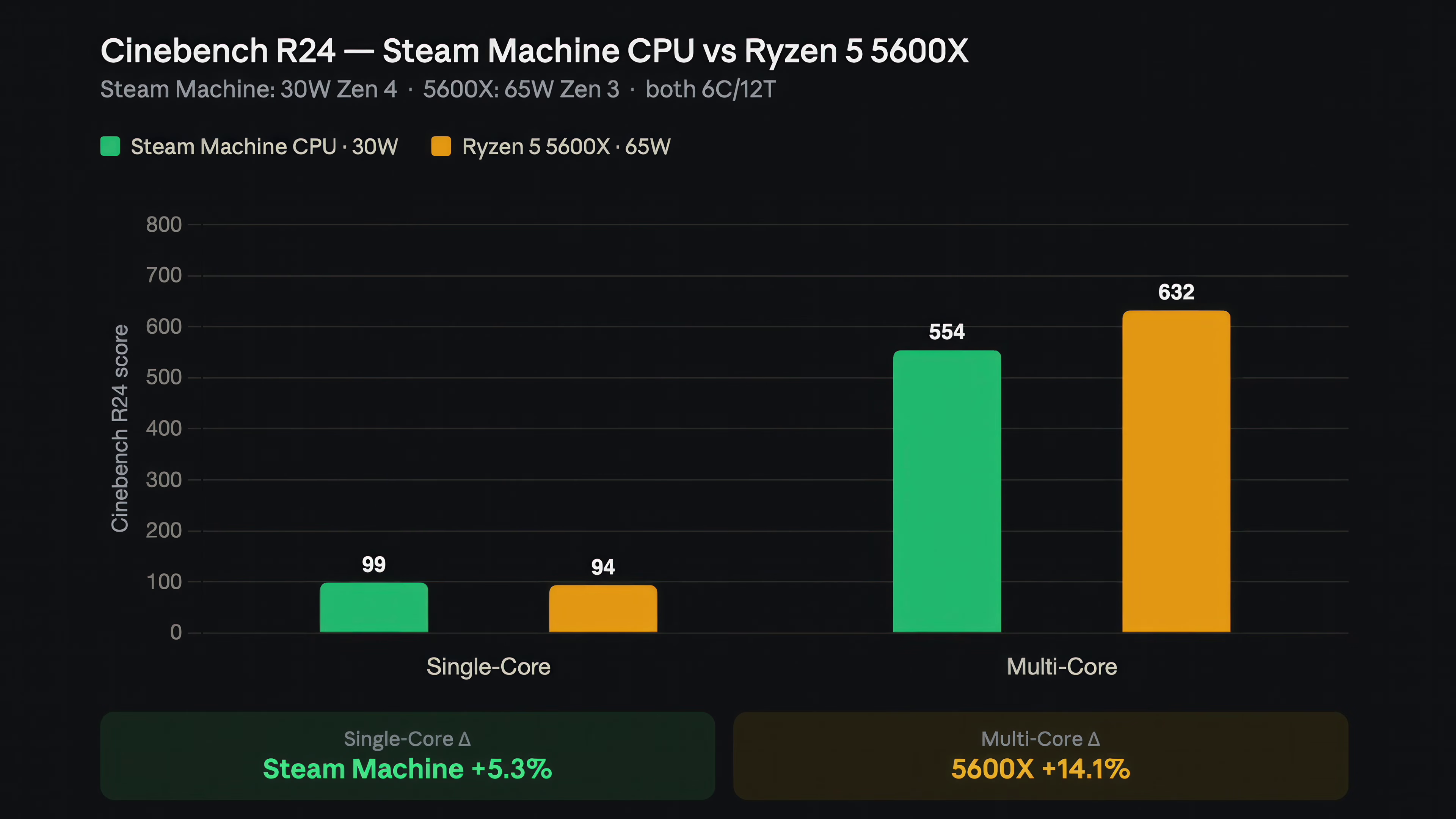
ETA Prime also ran the same test against a Ryzen 5 5600X, since a lot of Steam Machine clones and DIY builds use that chip. Both are 6-core, 12-thread parts, but the 5600X is Zen 3 running at up to 65W. The Steam Machine’s Zen 4 chip beat it by 5.3% in single-core despite running at less than half the power, though the 5600X pulled back ahead by 14.1% once all 12 threads were loaded.
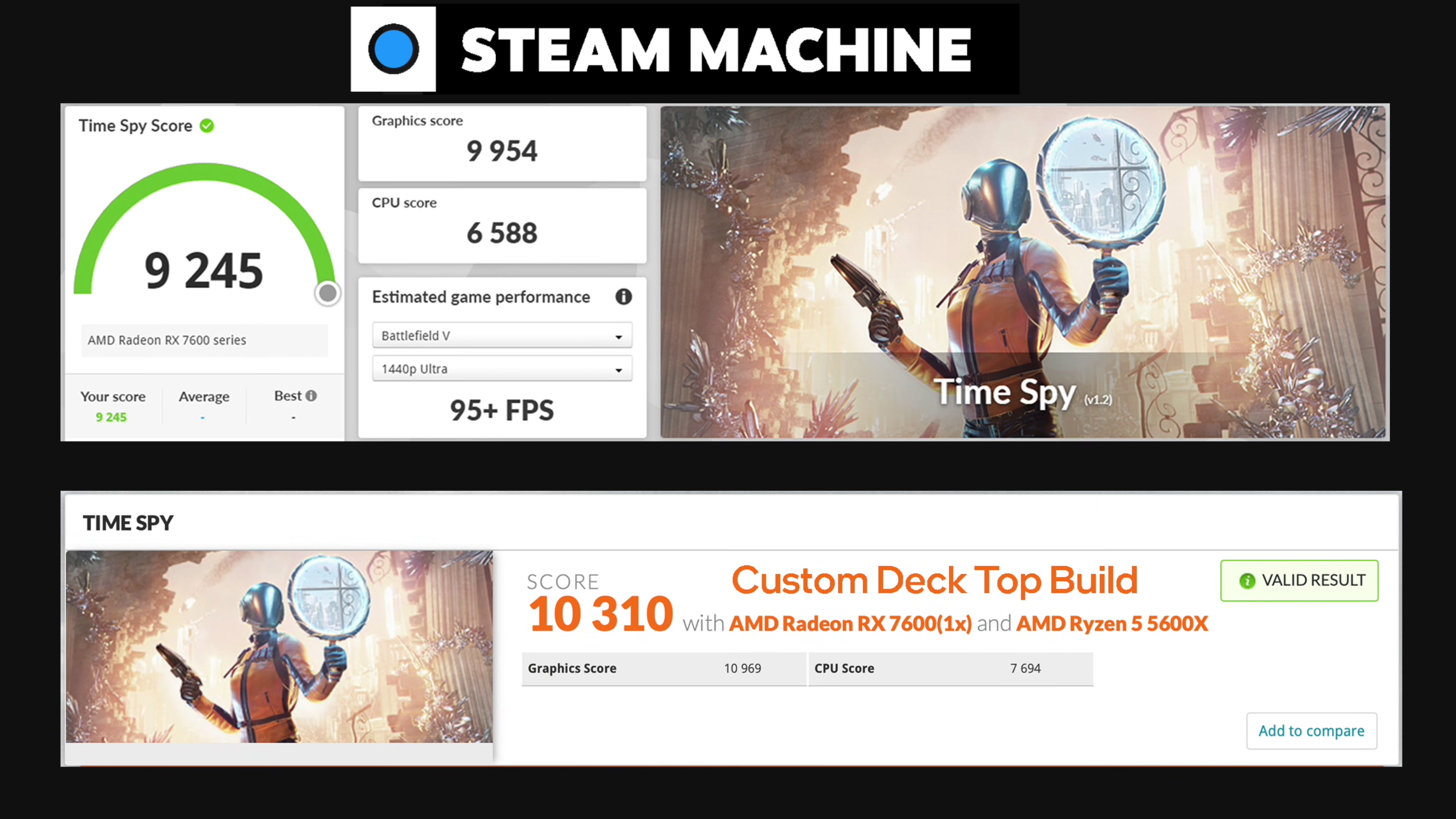
On Time Spy, the Steam Machine scored 9,245 on Windows, with a graphics score of 9,954 and a CPU score of 6,588. A custom desktop that ETA Prime tested months earlier, pairing 5600X with a desktop RX 7600, scored 10,310. Given the wattage gap between the two GPUs, a 10.4% deficit is a strong showing for a machine this small.
Gaming benchmarks are close enough that they barely count as a win
Three games got the full in-engine benchmark treatment at 1080p, 1440p, and 4K, all without FSR, so this is native rendering.
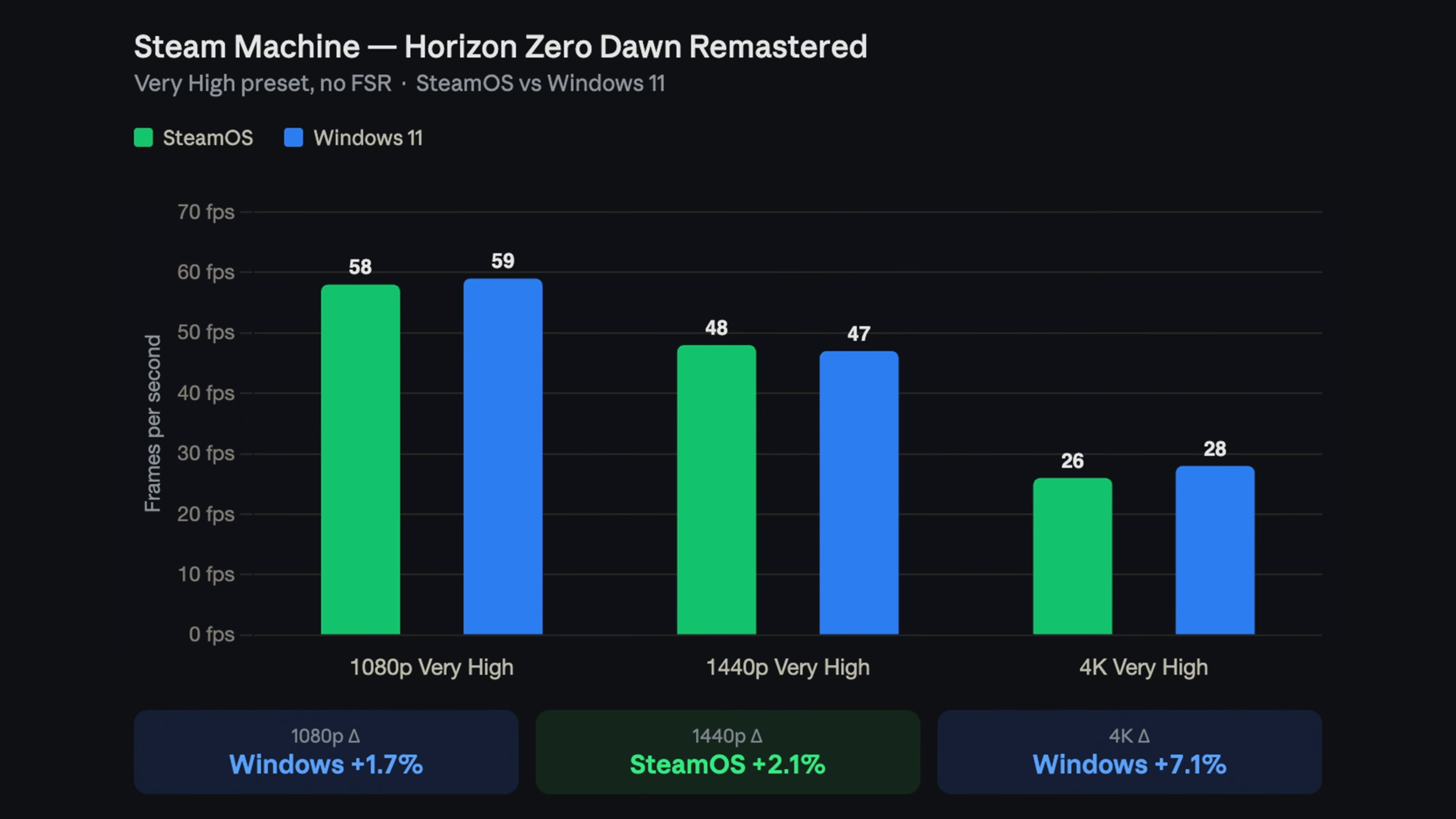
Horizon Zero Dawn Remastered on Very High came out closest of the three. SteamOS hit 58fps at 1080p against Windows at 59fps, essentially a margin of error. At 1440p, SteamOS edged ahead 48 to 47. At 4K, 28fps against 26fps, a 7.1% lead that’s still only two frames in absolute terms.
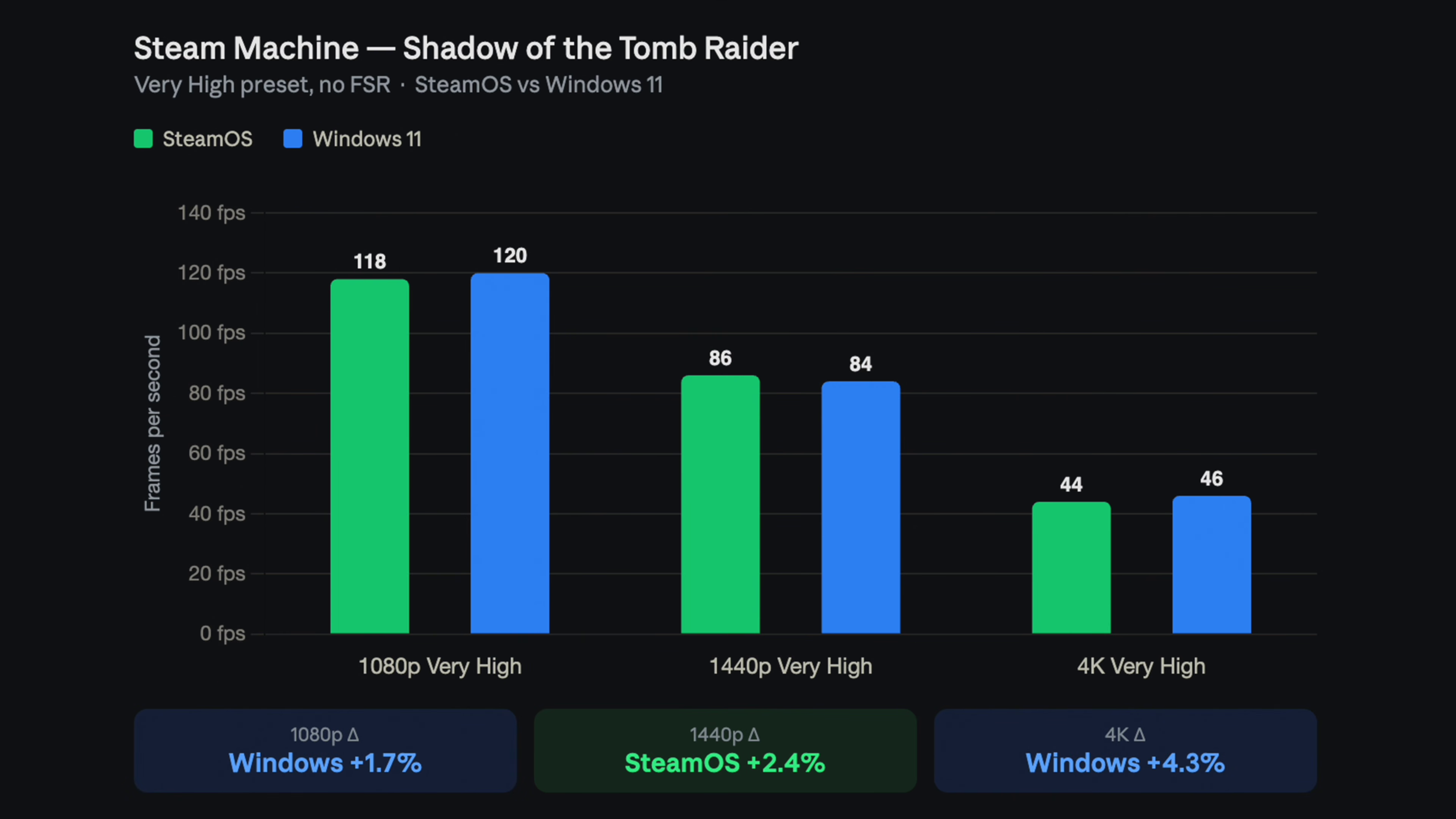
Shadow of the Tomb Raider on Very High results were similar. Windows led 1080p 120 to 118, SteamOS led 1440p 86 to 84, and Windows came back at 4K with 46 against 44. As you can see, every result in this game was within two frames per second of its counterpart.
Cyberpunk 2077 on the Ultra preset had bigger results, though. SteamOS won 1080p comfortably, 74fps to 68fps, an 8.8% lead, and held onto 1440p too, 45 against 43.
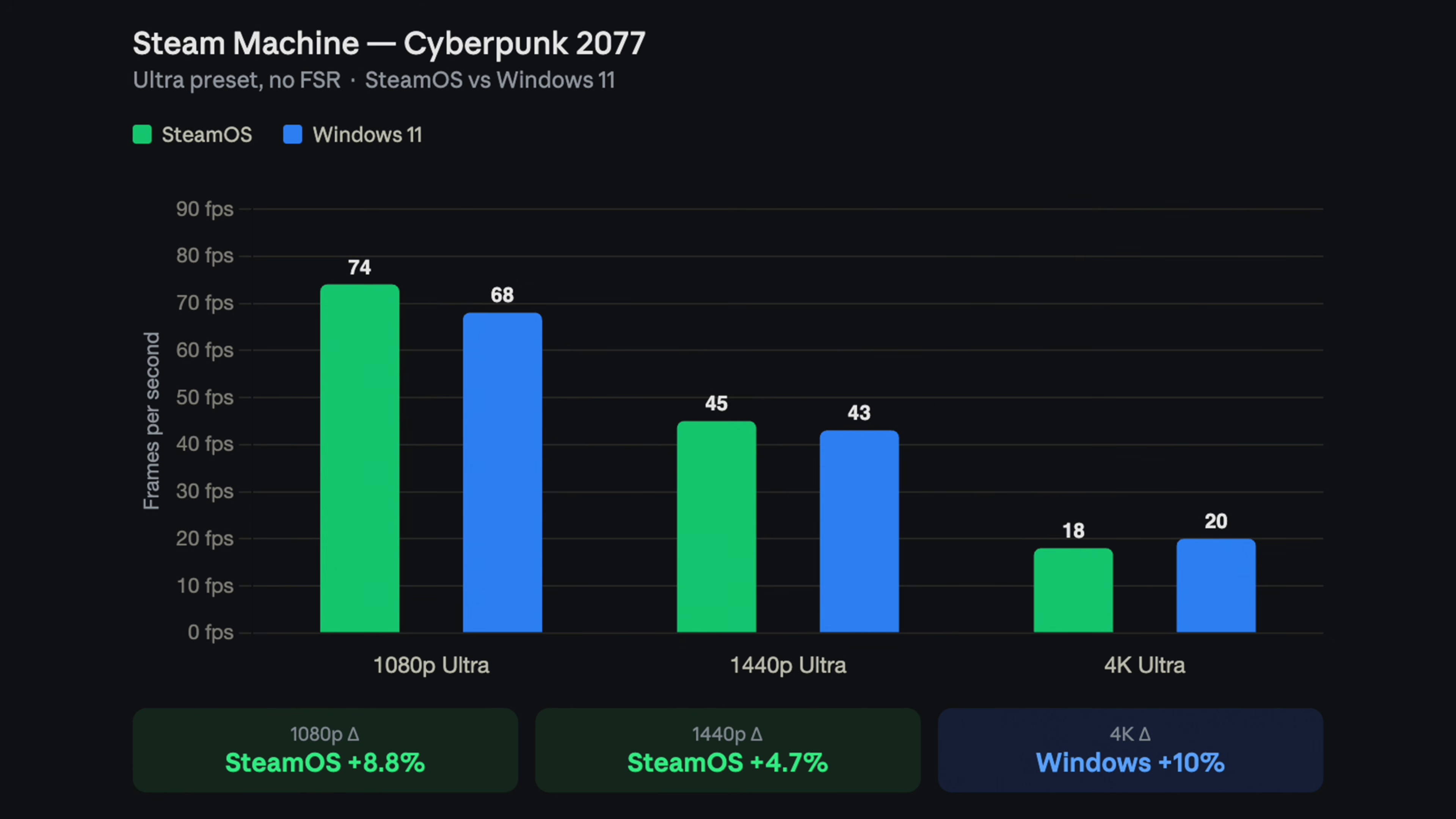
However, Windows flipped the result at 4K, hitting 20fps against SteamOS’s 18fps, a 10% swing in Microsoft’s favor. But, and that’s a big but, no one will play at 4K with these numbers without upscaling!
The summary of these game benchmarks, across all nine game and resolution combinations, is that Windows finished ahead in five, SteamOS in four. It’s almost a tie, with Windows showing minor improvements in 4K, also noted by VideoCardz.
Real-world gaming results with Windows 11 in Steam Machine
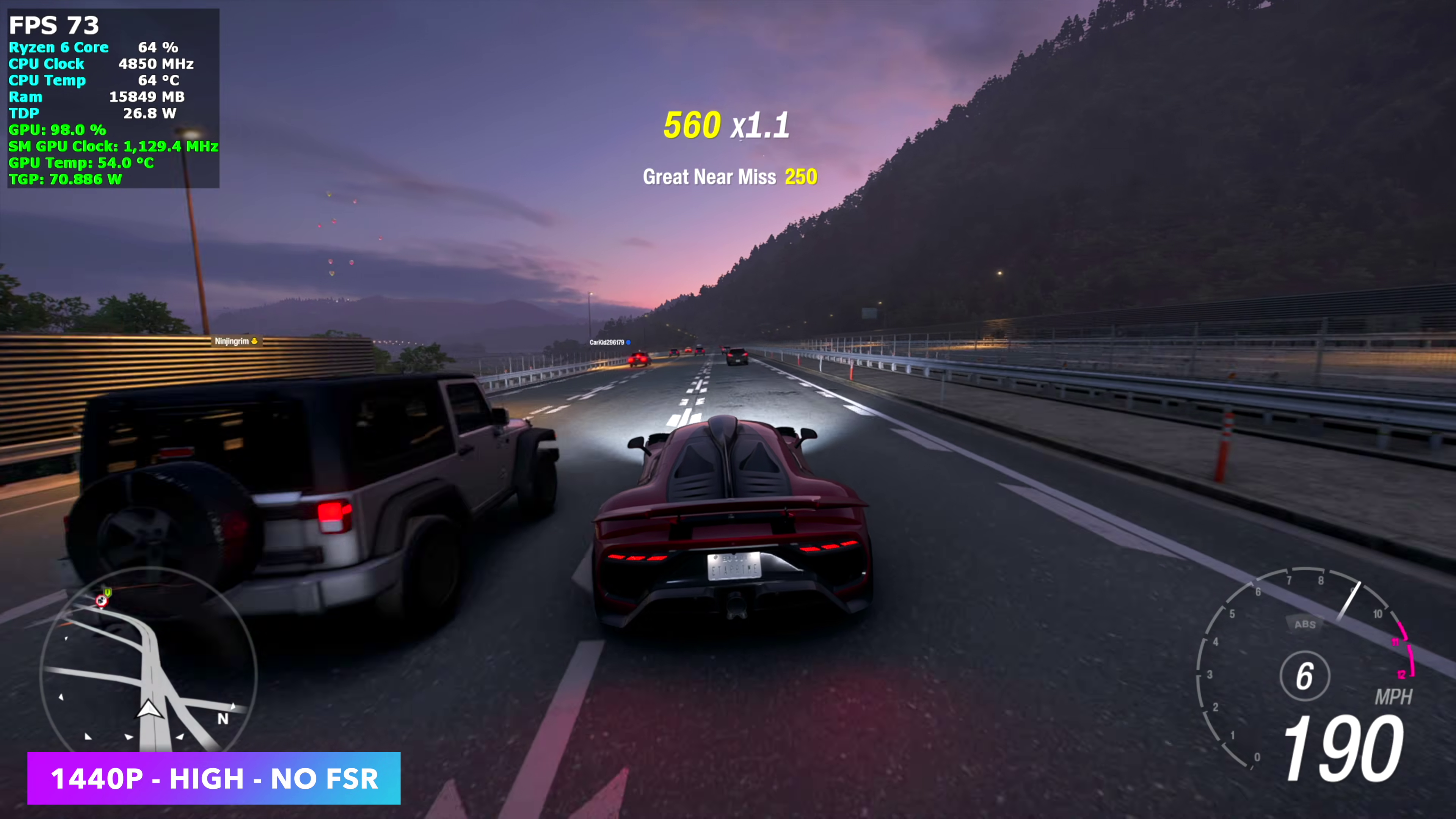
ETA Prime’s test results show Forza Horizon 6 at 1440p High with no FSR averaged around 74fps, which is understandable given it’s a Microsoft-published title.
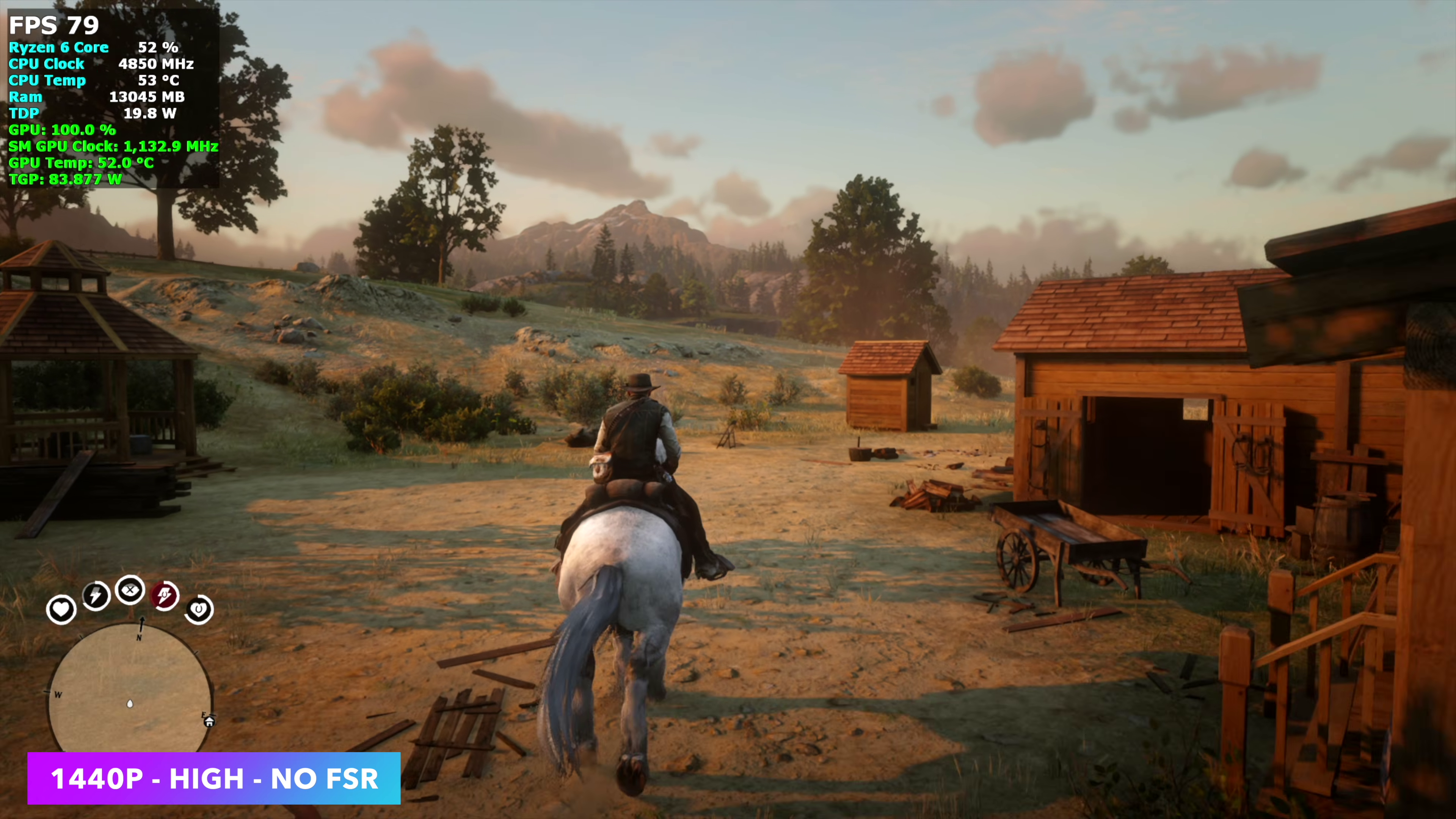
Red Dead Redemption 2 at 1440p High cleared 70fps on average, a respectable result for a 2018 game pushed to this resolution on a 7600-class mobile GPU.
Mortal Kombat 1 at 1440p High held a locked 60fps the entire time, unsurprising since fighting games rarely stress hardware this capable.

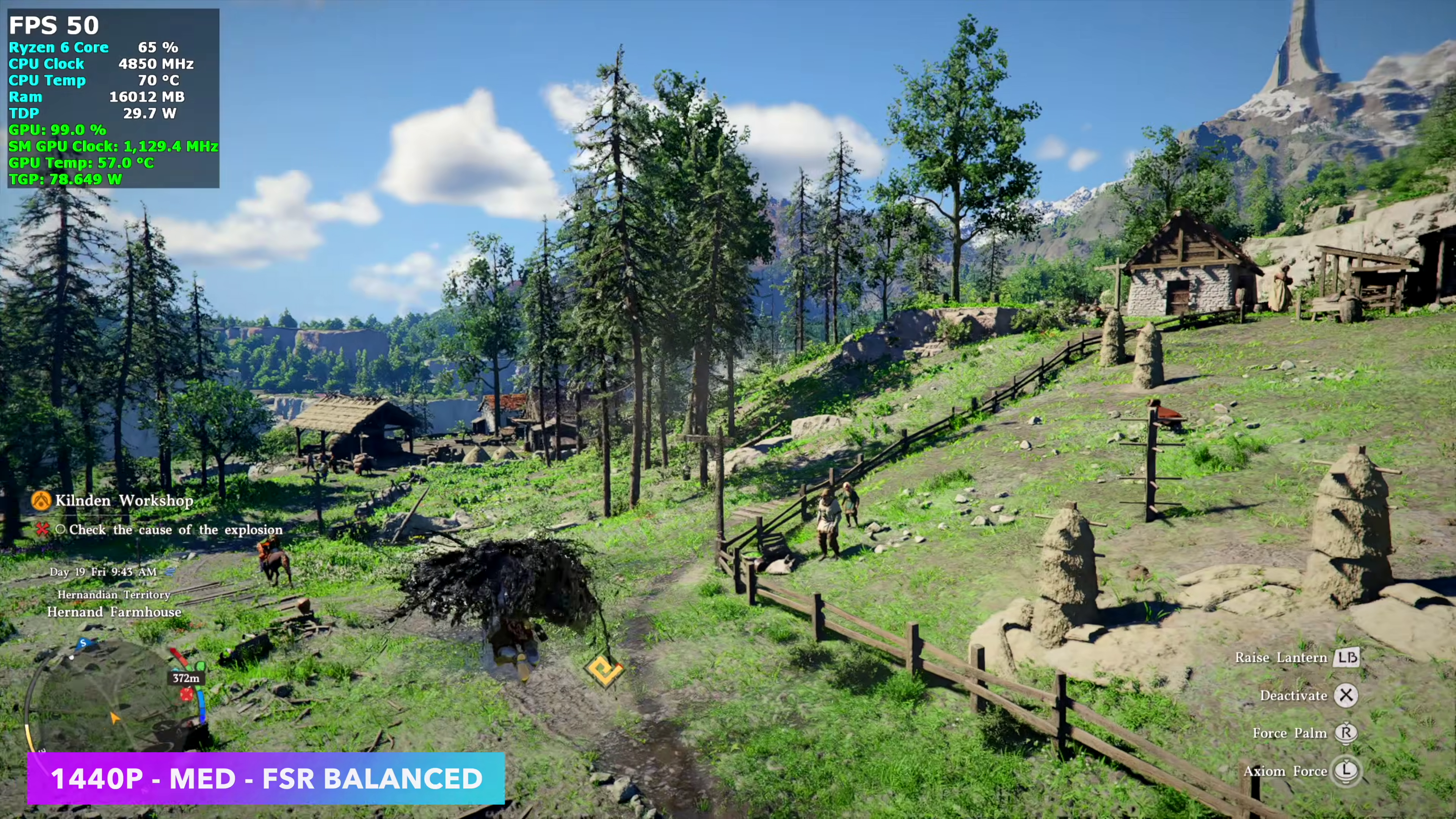
Crimson Desert was the outlier. At 1440p Medium with FSR set to Balanced, the Steam Machine couldn’t clear 16fps. Switching on FSR Frame Generation pushed it into the mid-80s, with the familiar hiccup that shows up with frame generation.
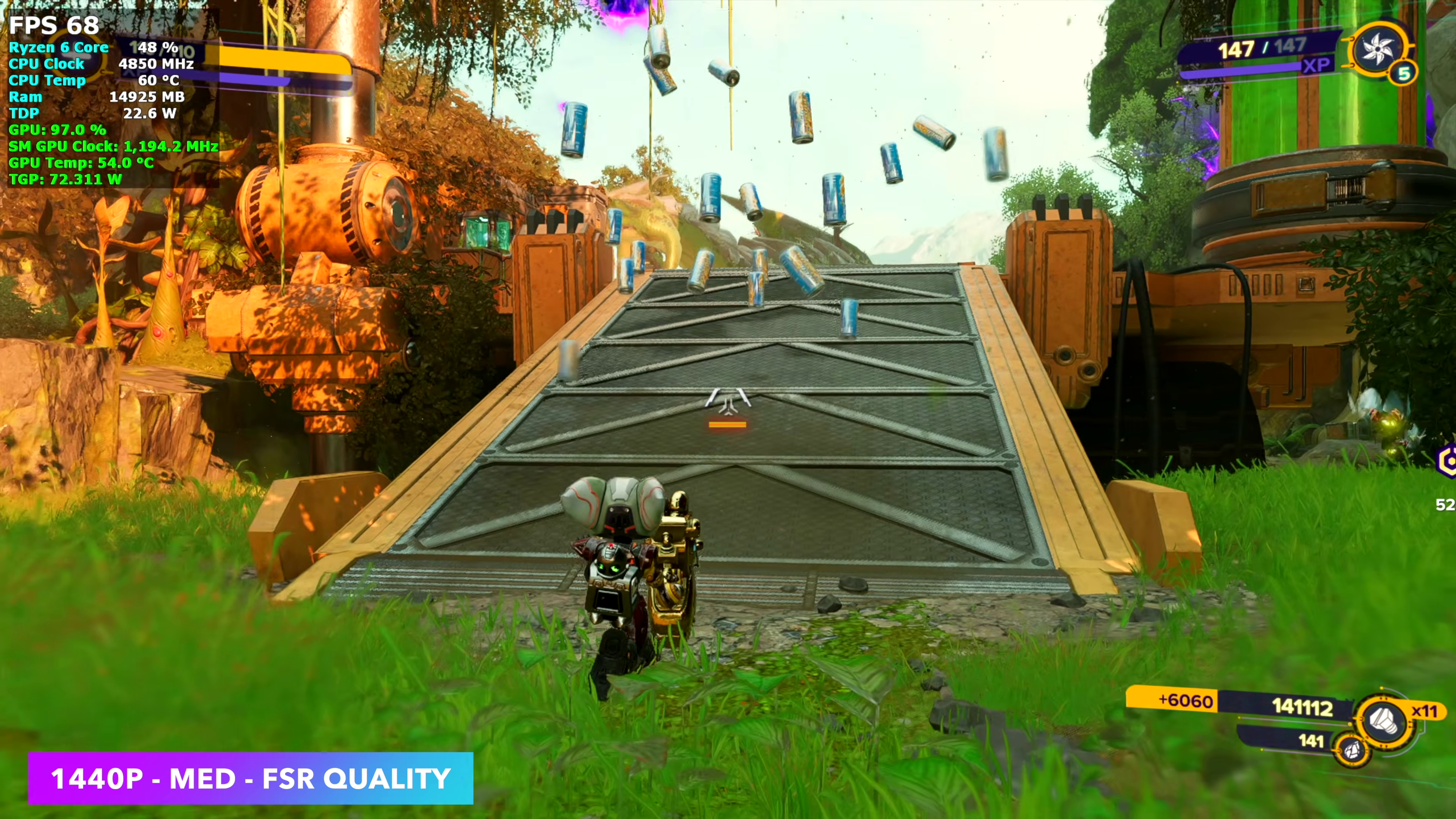
Ratchet & Clank: Rift Apart at 1440p Medium with FSR Quality ran a little better on SteamOS in ETA Prime’s earlier testing, mostly because FSR was set to Balanced rather than Quality for the Windows comparison, which isn’t quite apples to apples but is worth flagging anyway.
Why does Steam Machine with Windows show only marginal performance improvements in native games?
Windows should have the edge here since it runs games natively, while SteamOS routes everything through Proton, the compatibility layer that translates Windows game code to Linux.
But Valve’s Windows drivers for the Steam Machine work against that advantage. Because the CPU and GPU are a semi-custom Valve/AMD part instead of a retail Ryzen SKU, TechPowerUp reports the package Valve shipped sits on a locked, OEM-only build of AMD’s Adrenalin driver dated November 2024!
SteamOS graphics stack runs on Mesa, the open-source Linux driver project Valve directly funds and contributes to, according to PC Gamer, which ships updates with every SteamOS release.
But Windows posted its biggest lead in a synthetic benchmark because ETA Prime ran SteamOS’s Geekbench test from desktop mode instead of Gaming Mode.
Gaming Mode runs through Feral’s GameMode daemon, which pushes the CPU governor into a higher-performance state the moment a game launches, while desktop mode skips that boost and leaves the CPU idling at lower clocks unless something specifically demands more.
Should you install Windows on a Steam Machine
We wouldn’t recommend it. The performance case isn’t there. Windows wins some resolutions, SteamOS wins others, and the differences that show up almost always fall inside error margins.
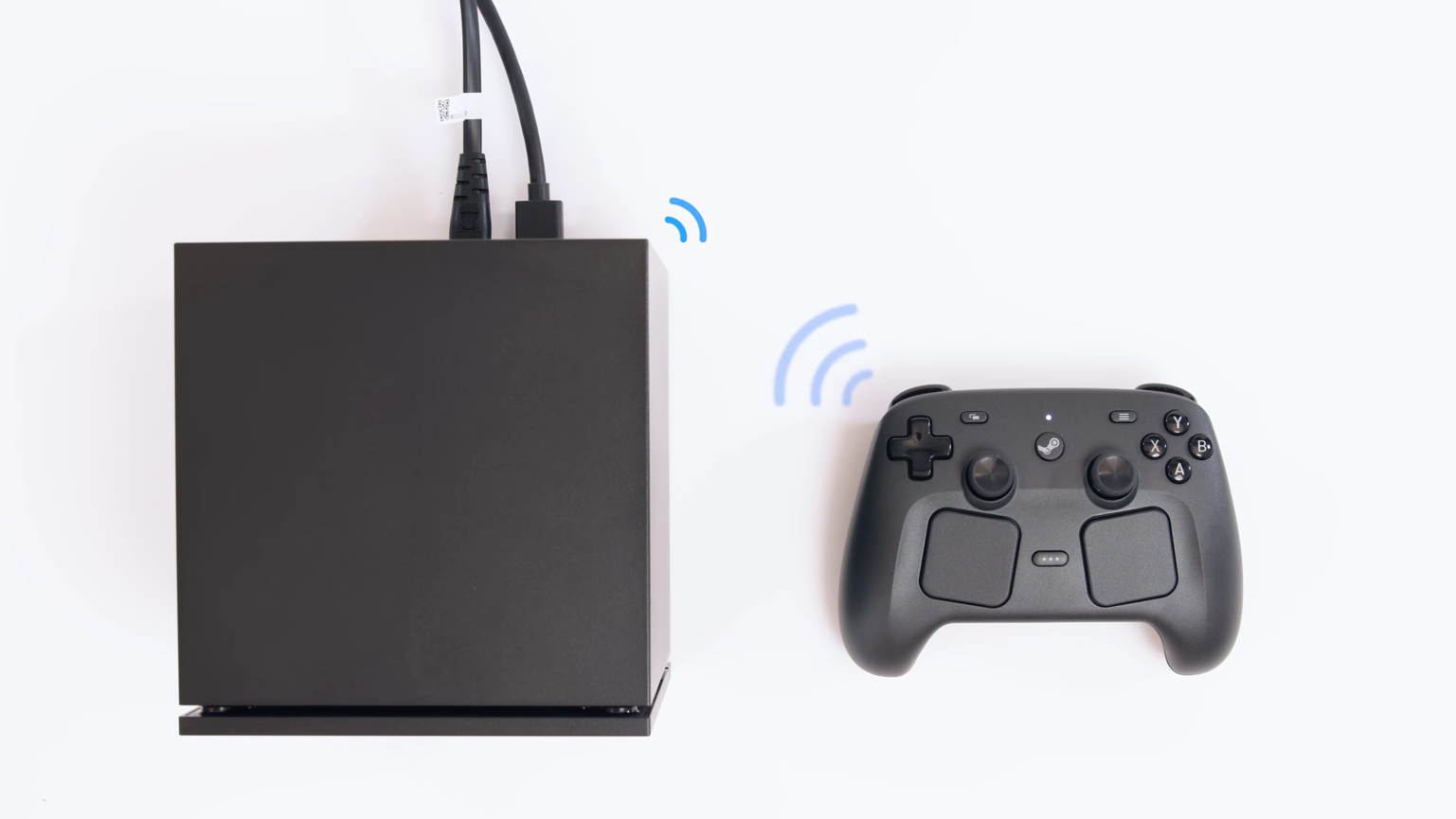
What you’re trading away is meaningful, including Valve’s HDMI CEC support, the Steam Controller’s dedicated antenna pairing, official support if anything breaks, and the ability to go back to SteamOS without a full reinstall.
There’s one exception, though. Riot’s Vanguard anti-cheat and Call of Duty’s kernel-level protections still don’t run on Linux, and if a specific game needs one of those, that’s a real reason to switch. But if the only item on the list is “maybe it’ll run a little faster,” the numbers from ETA Prime don’t back that up.
But the obvious reason is that for the price of a Steam Machine, it’s possible to build a Windows PC that beats it. A same-spec DIY build using a Ryzen 5 7600X or 7600 paired with an RX 7600 desktop card comes to around $850 to $1,050, before even counting the option of a bigger GPU with more VRAM for similar money.
The Steam Machine’s semi-custom silicon runs at roughly half the wattage of its desktop equivalents to fit inside that compact chassis, which is why a desktop build with looser thermal limits pulls ahead. A self-built Windows PC comes with more headroom and full upgradability, which brings us to the debatable topic of…
Is buying the Steam Machine worth it?
At its current $1,049 starting price for the 512GB model, that’s an almost no, if price-to-performance is what you’re looking for.
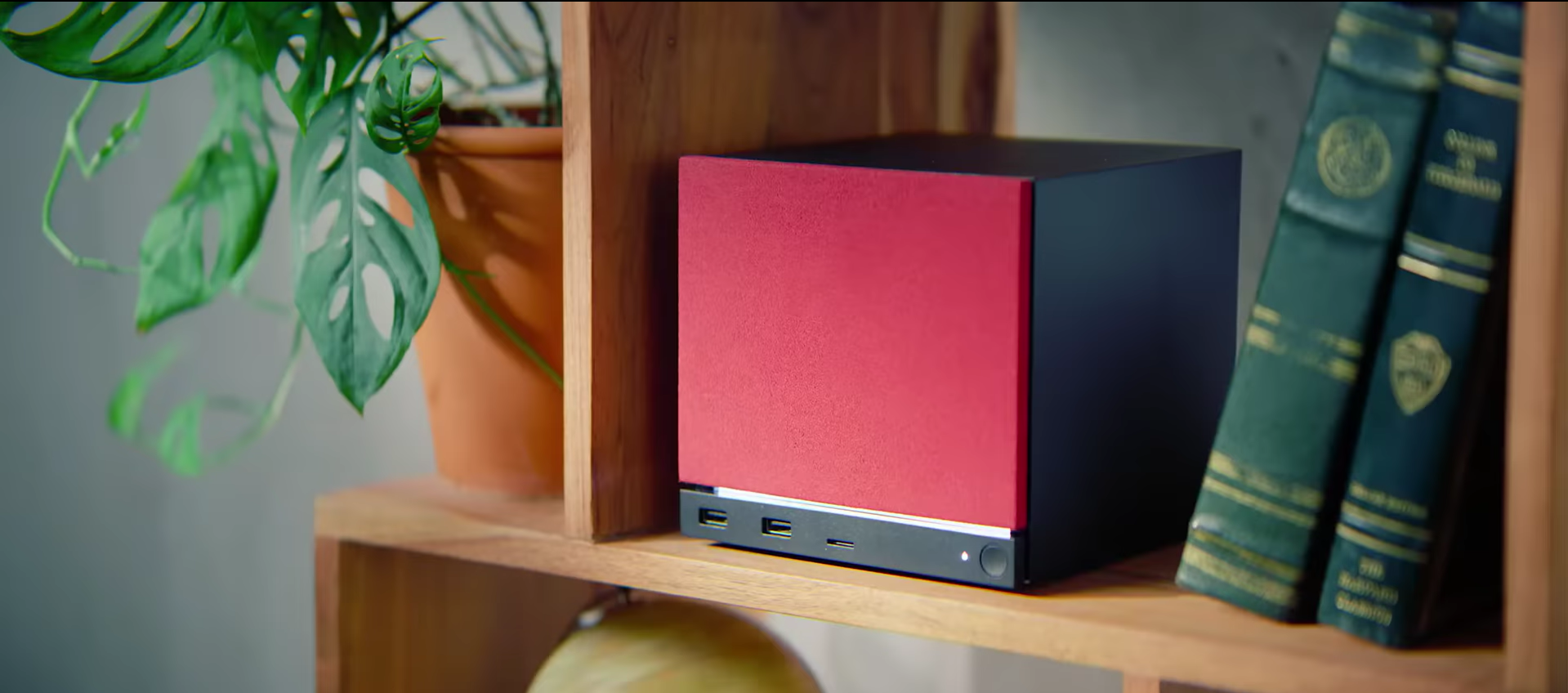
Valve has been upfront that memory and storage shortages through 2025 and 2026 pushed the price well past what it originally aimed for, and independent teardowns comparing it to equivalent DIY parts put the premium at roughly 7% over building the same specs from scratch. I believe it’s a reasonable markup for a machine this small with a built-in power supply, powerful antennas, and zero assembly. Not to mention it looks good in the living room.
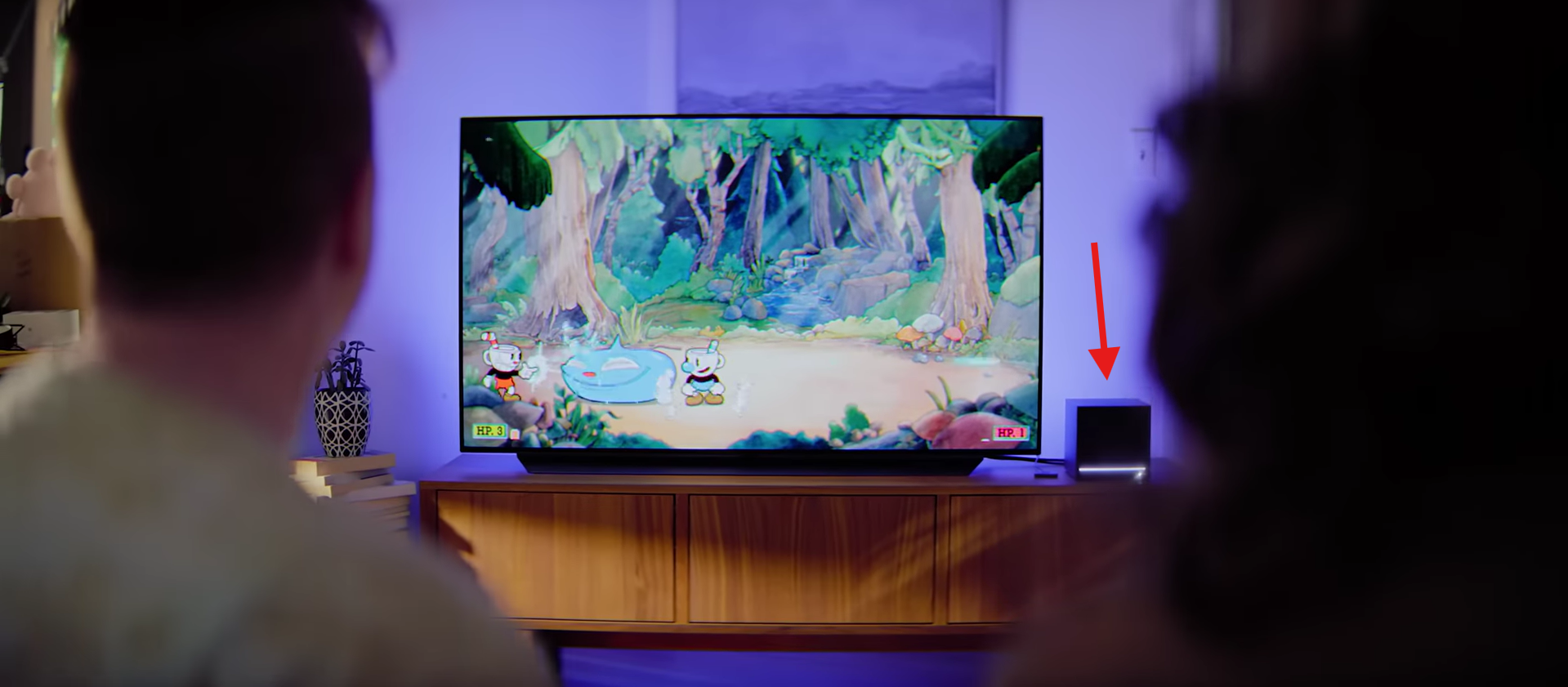
Where it gets harder to justify is that SteamOS itself isn’t locked to Valve’s hardware anymore. SteamOS 3.8 opened up beta support for generic AMD and Intel desktops, so the software experience the Steam Machine sells, including the gamepad-first UI, fast resume, and low overhead, can now run on a PC someone already owns or builds themselves.
Again, that doesn’t erase the appeal of a small, quiet, pre-assembled box that works right away. It does mean the Steam Machine’s real pitch has shifted toward convenience and form factor instead of exclusive access to SteamOS.
Should you install SteamOS on a Windows PC instead
YouTuber Toasty Bros spent about a week driving SteamOS daily on a personal AMD gaming PC (a Ryzen 9800X3D and RX 9070 XT with 32GB of RAM) after flashing it with the official SteamOS repair image via Rufus (the tool Valve recommends).
Every game he tried launched and ran, including older titles like Star Wars: Republic Commando and the original Killing Floor, both of which ran well past 100 fps once resolution was capped to what the OS supported.
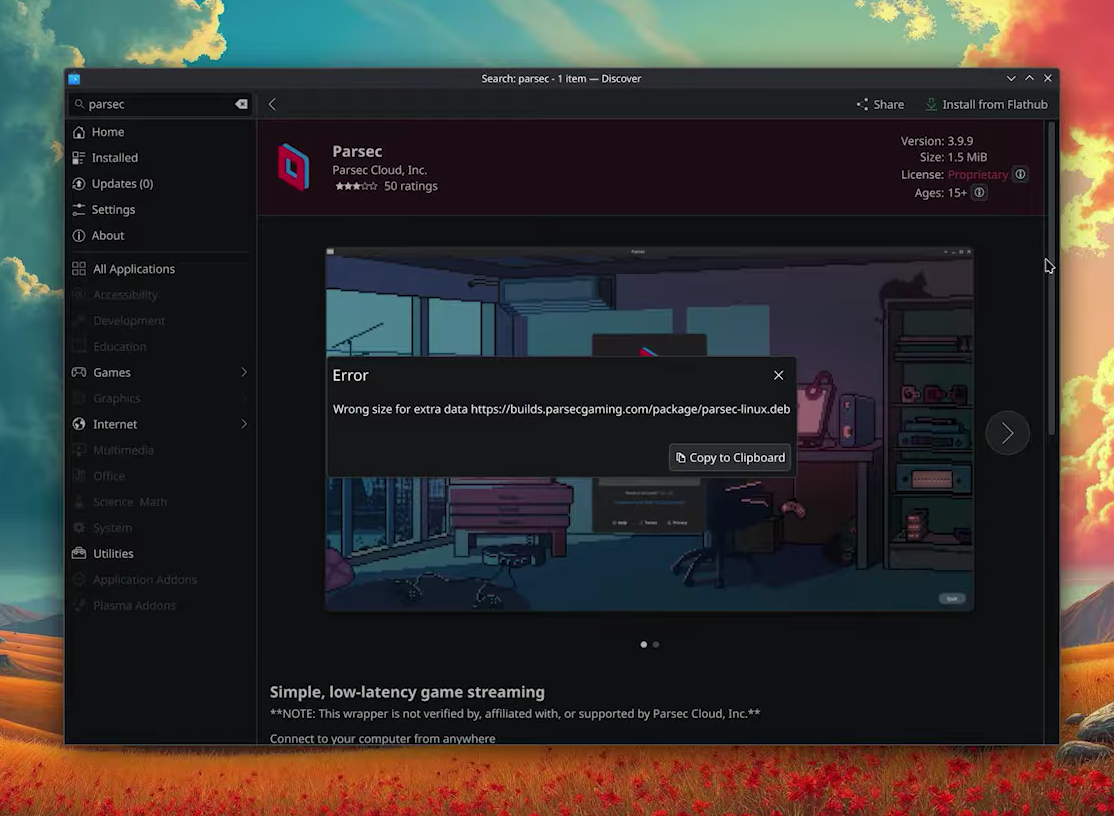
However, Desktop mode gave mixed results. Installing everyday apps through the Discover software center worked for some things, including Spotify and a rough version of OBS Studio; others, like Slack, only installed through the terminal.
Either way, what you need to know is that SteamOS games run well on the right hardware, but Windows still wins on software compatibility, especially when you need your PC to do anything besides play a Steam library.
If it’s Windows itself you don’t like, XBOX Mode might be the answer
Not everyone using SteamOS is trying to escape Windows. Some just want it to be less like a desktop and more like a console once a controller is in hand.
Fortunately, Microsoft’s XBOX Mode (formerly called Xbox Full Screen Experience) does that already. It started as a handheld-only feature on the ROG Xbox Ally before expanding to more Windows 11 devices as part of Microsoft’s push for gaming performance fundamentals. XBOX Mode is now out for all Windows PCs.
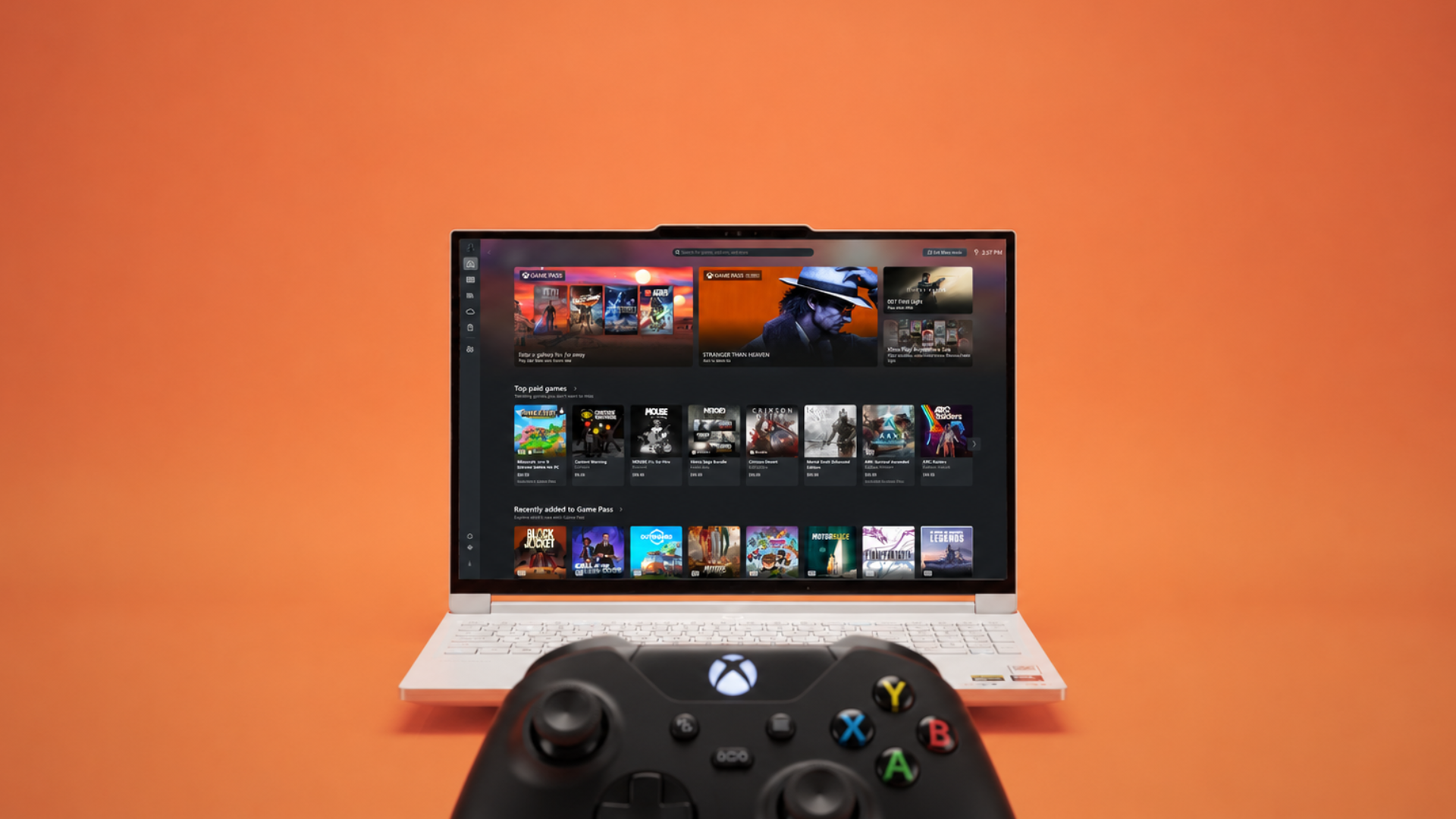
Lenovo, for what it’s worth, has already bet on the opposite approach for its own handhelds, shipping a SteamOS version of the Legion Go 2 alongside the Windows model for exactly this reason.
LTT Labs recently ran a detailed independent test of XBOX Mode. They built two identical PCs, a Ryzen 5 9600X paired with an RTX 5060 Ti, to test XBOX Mode against a desktop across Cyberpunk 2077, F1 24, Forza, and Doom: The Dark Ages.
In every title, at both 1080p and 1440p, they found no measurable performance advantage from XBOX Mode over the regular desktop. Microsoft didn’t promise a frame rate boost, but plenty of coverage implied one since XBOX Mode closes File Explorer and other background processes.
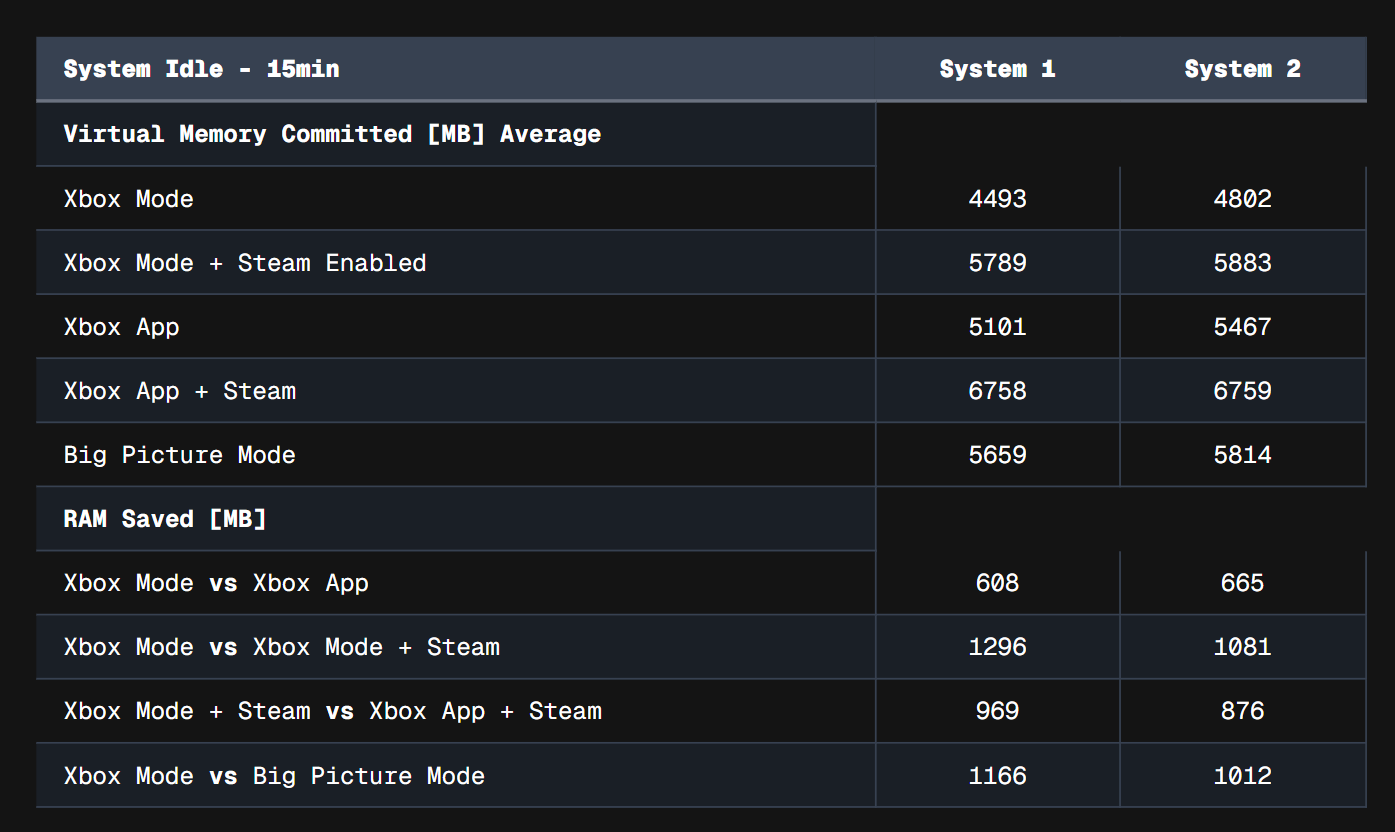
Where Xbox Mode did show a real benefit was memory and boot time. It launched 8 seconds faster than Steam’s own Big Picture Mode on one of the two test rigs (29 seconds against 37), though the gap shrank to just 2 seconds on the second rig. At idle, it also committed up to 665MB less memory than the desktop with the Xbox app open, and over 1.1GB less than Steam’s Big Picture Mode, mostly from keeping File Explorer closed.
However, before you make XBOX Mode the default launcher on your gaming PC, note that LTT Labs ran into several everyday usability issues.
Main usability issues with XBOX Mode:
- Connecting to Wi-Fi required manually forcing the on-screen keyboard to appear.
- Uninstalling a Steam game wasn’t possible from inside Xbox Mode directly, requiring a jump into Steam’s own interface using a feature called the Gamepad Cursor.
- Installing anything outside the Microsoft Store or Xbox app, like Cinebench or HWInfo, can only be done using that same Gamepad Cursor to dig through folders like a regular desktop, just with a joystick instead of a mouse.
Note that Microsoft has pushed updates addressing some of the rougher edges since LTT Labs first tested it, and also the feature is fairly new and might take a few more months of testing to make it intuitive.
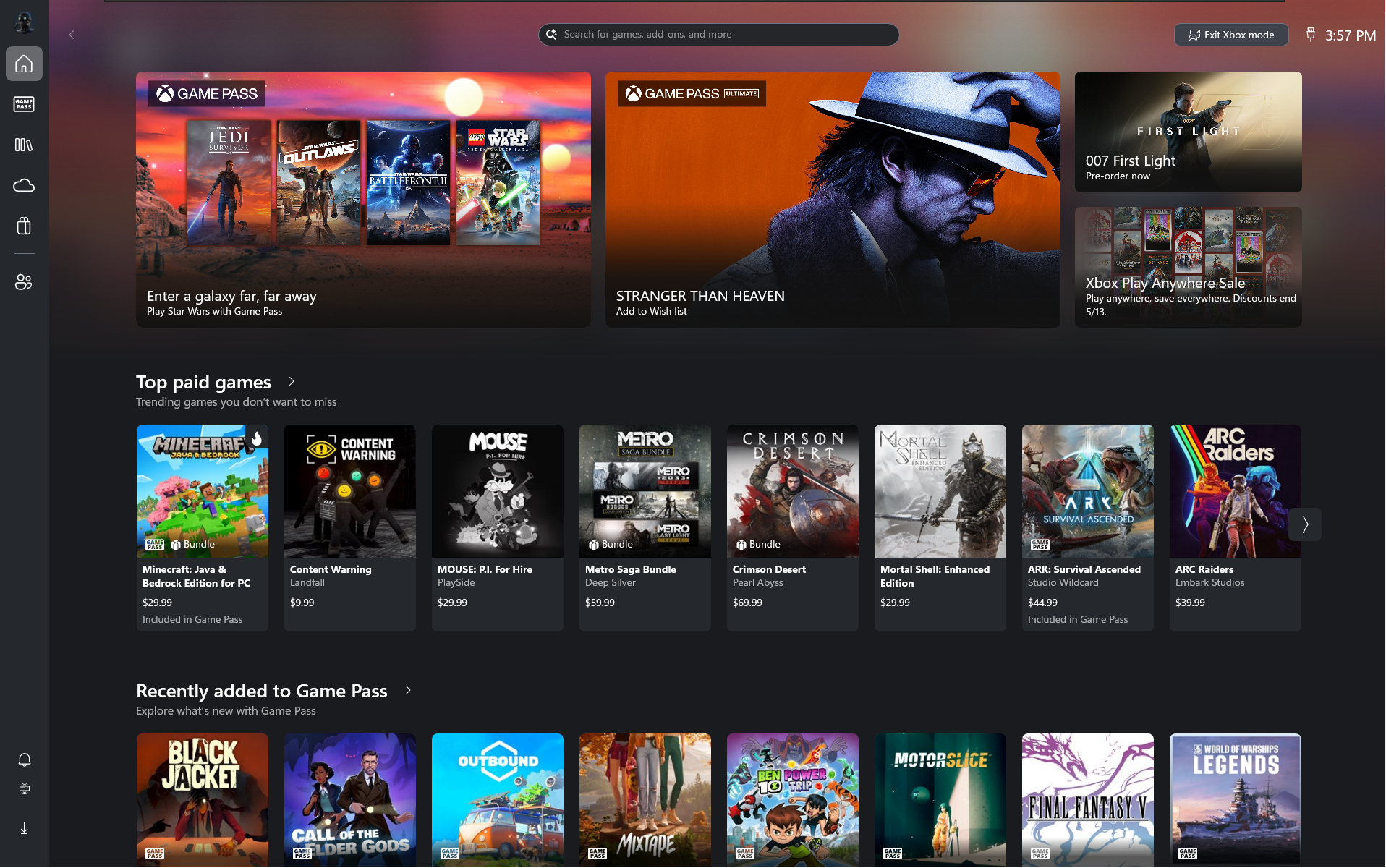
Anyway, as of now, XBOX Mode delivers a console-style front end, not console-style ease of use, and a mouse and keyboard still need to be in your horizon.
Windows 11 on Steam Machine shows how impressively compatible the OS is
Windows 11 runs on the Steam Machine without issue thanks to Valve’s drivers, and it edges out SteamOS in some tests while losing in others, but nothing in the results justifies wiping SteamOS to chase a tiny performance gain.
SteamOS remains the better fit for what the Steam Machine is built to do. Windows only earns a spot on it when a specific game or app can’t run any other way. That said, Windows still leads in sheer number of titles, and not to mention the customization that you can do with a Windows PC.