







Microsoft has confirmed it’ll provide you with greater control over Windows updates, including the ability to decide when an update should install on your PC. The company is now rolling out a new feature that finally allows you to restart or shut down your PC without installing pending Windows 11 updates.
I usually download Windows updates as they become available, but if I am traveling for a week or longer, I’d pause updates for 7 days and choose to shut down my PC normally, except that it doesn’t shut down.
Despite the fact that Windows Update is set to pause, and I am clicking ‘Shut down,’ Windows still proceeds to install important security updates. That’s because Windows 11 ignores ‘Shut down’ and ‘Restart’ to force-install important pending updates, especially if the updates have been pending for a while.
Microsoft says it has addressed the old behavior, and Windows will no longer annoy you with forced updates.
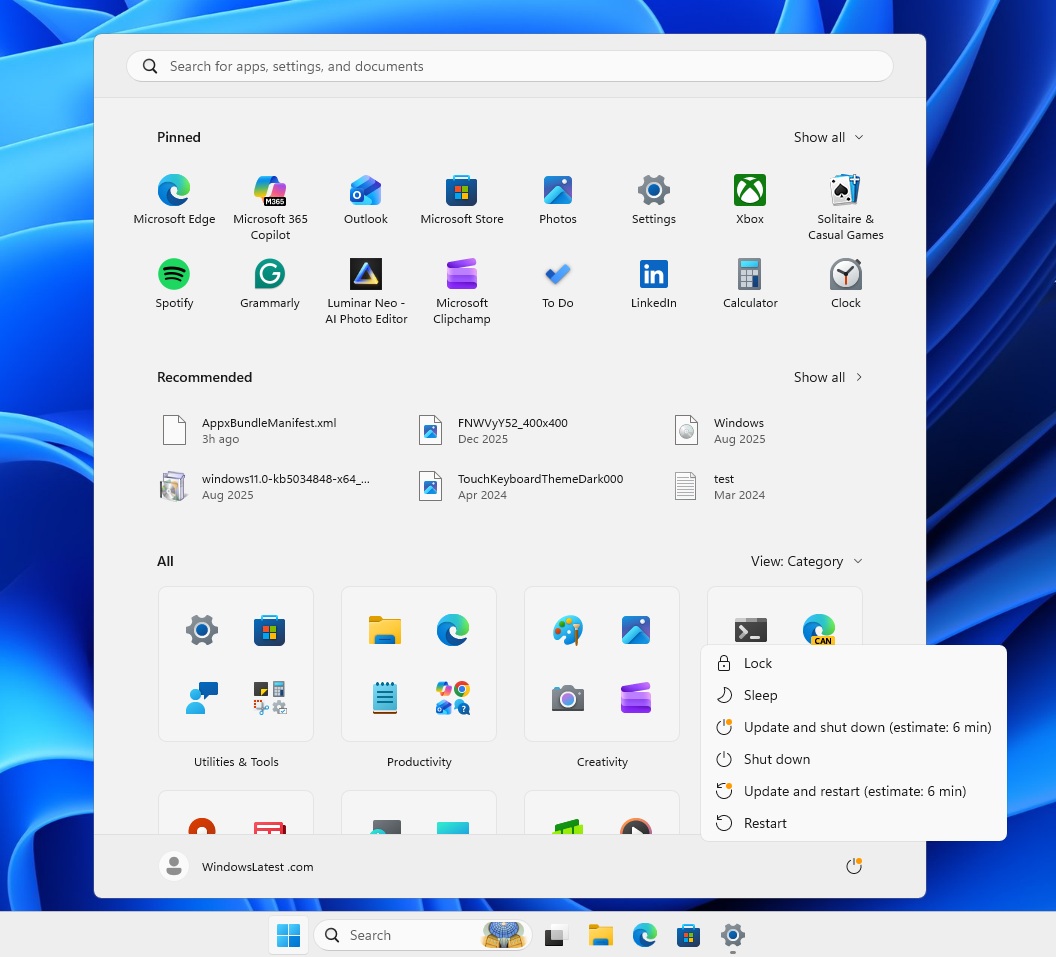
This change is live in Windows 11 Build 26300.8289, and I tested it on my virtual machine, where I forced my PC to download a driver update that requires a reboot. Then, I opened the Power options, and Windows offered me the following options:
- Shut down
- Restart
- Update & shut down
- Update & Restart
Shut down and Restart almost always appeared alongside the update options, but the behavior has changed. Previously, if I selected ‘Shut down’ or ‘Restart,’ Windows would still proceed to install the update, but that no longer happens. I can finally shut down and restart Windows without being forced to install updates.
“This change is about making the Power menu more predictable, so when you need a quick restart or want to power off before heading out, Windows does exactly what you expect,” Microsoft noted in a document.
Microsoft is still testing greater control over the Power menu, so the feature isn’t live outside the Windows Insider Program yet.
A similar improvement that deals with the ‘Update and shut down’ button has rolled out to everyone. In our tests, Windows Latest observed that Microsoft recently patched an issue where clicking ‘Update and shut down’ would not actually shut down the computer and instead reboot it.
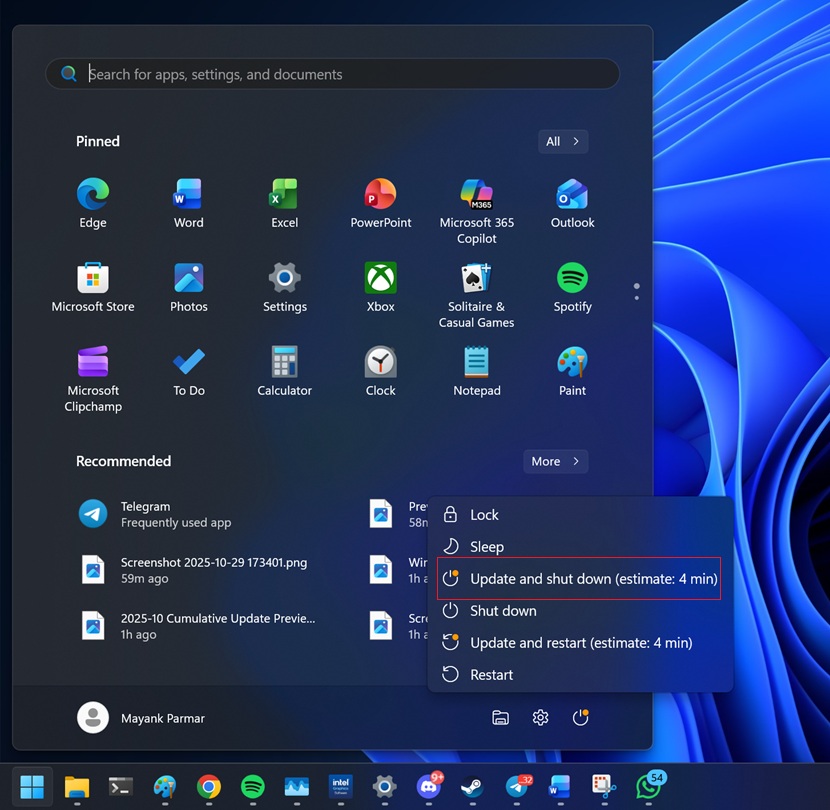
Update and shut down bug fix rolled out in October 2025. Now, Microsoft is patching ‘Shut down’ and ‘Restart,’ so the options actually work.
Microsoft is actually trying to fix Windows updates
Windows updates have become a meme lately, and it’s largely because Microsoft has always tried to decide when the right time is to install updates.
While Microsoft may be able to decide better for consumers who are not really familiar with Windows updates or the potential security risks of missing updates, the company upsets its prosumer base when it forces updates. This is why Microsoft is introducing new pause update controls for Windows updates.
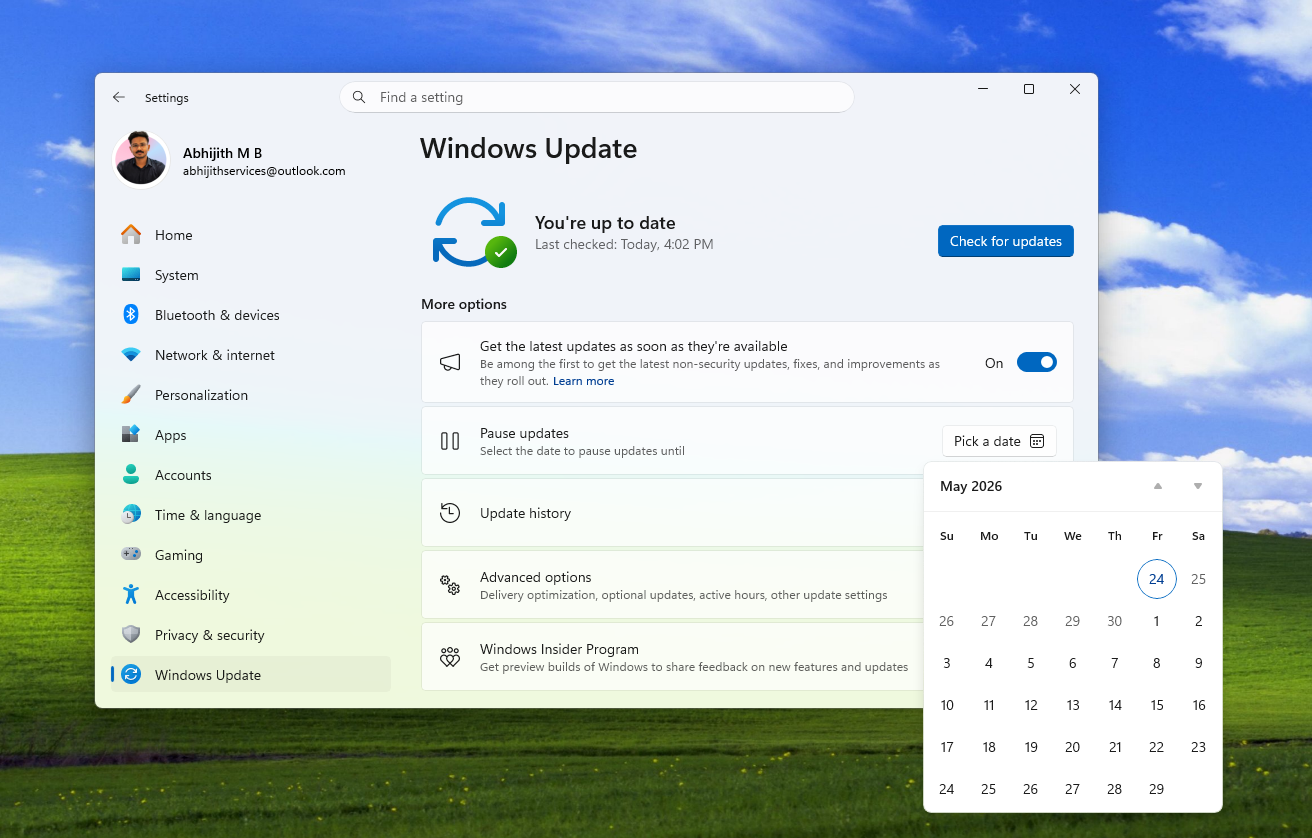
In our tests, Windows Latest observed that you can now pause updates for up to 35 days and choose any day within those 35 days from the calendar view. After 35 days, you can choose to extend the pause as many times as you want, effectively allowing you to pause Windows updates indefinitely.
Microsoft is also reducing download size and time, and is making the installer process less painful. These are some solid improvements, and I can confirm most changes are already live.
What do you want Microsoft to fix next in Windows 11? Let me know in the comments below, and I’ll forward feedback to the company.