







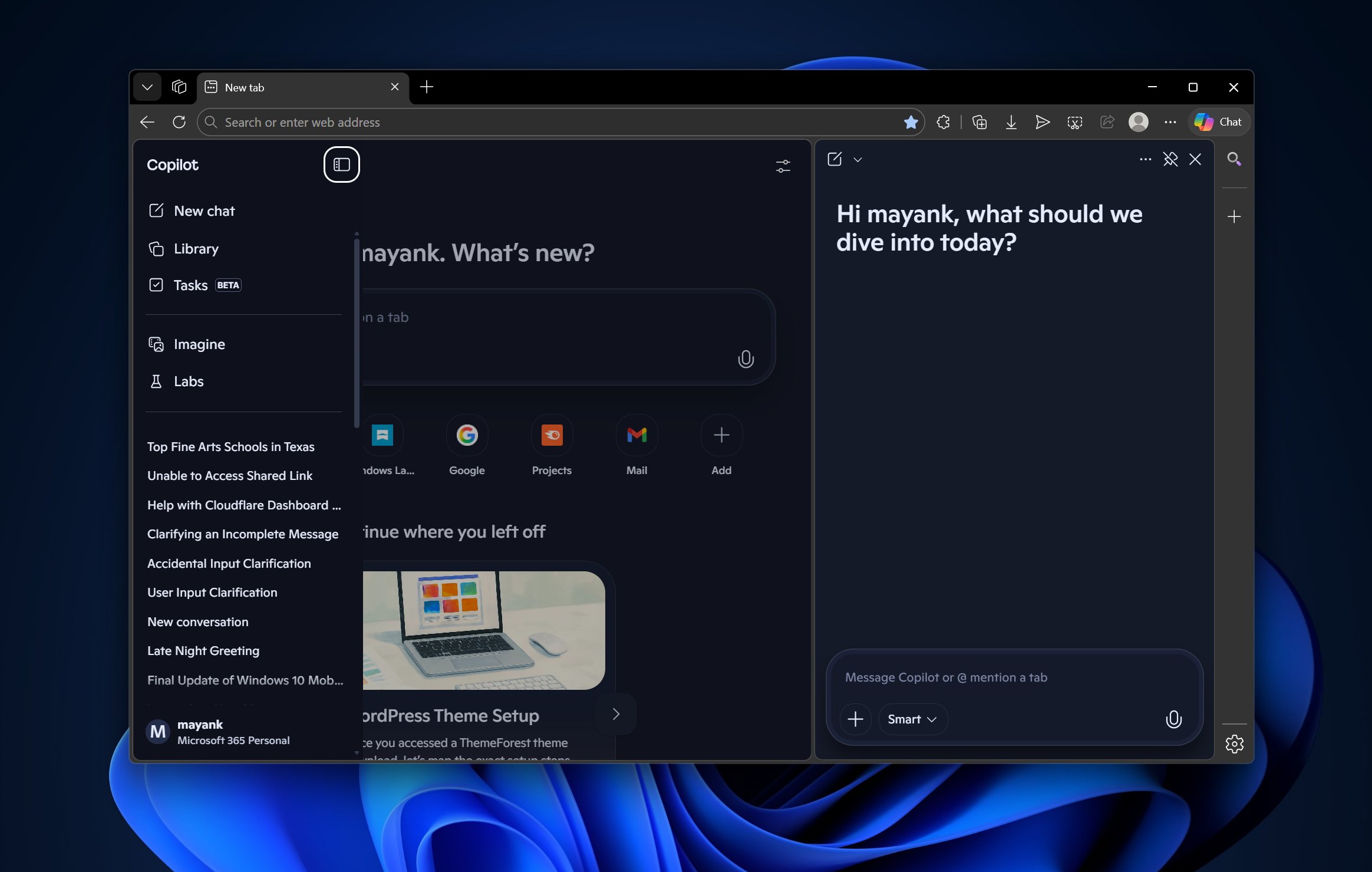
At this point, Edge has started to feel less like a browser and more like a home for Copilot, as the default experience literally opens Copilot, with its chat history on the left and a compose box in the center, including the ability to create images on the New Tab Page of what is supposed to be a browser.
It’s a fact that Microsoft hasn’t had much success with the Edge browser. It’s not even close to Google’s huge market share, but at the same time, Edge has been a great browser and a solid alternative to Chrome. Moreover, Microsoft’s embrace of Chromium has benefited Google more than anyone else, including Microsoft.
By switching to Chromium, Microsoft addressed compatibility issues while still maintaining Edge’s original design principles. Edge quickly gained some ground in the highly competitive browser industry with useful features like vertical tabs, Collections, and its own unique identity.
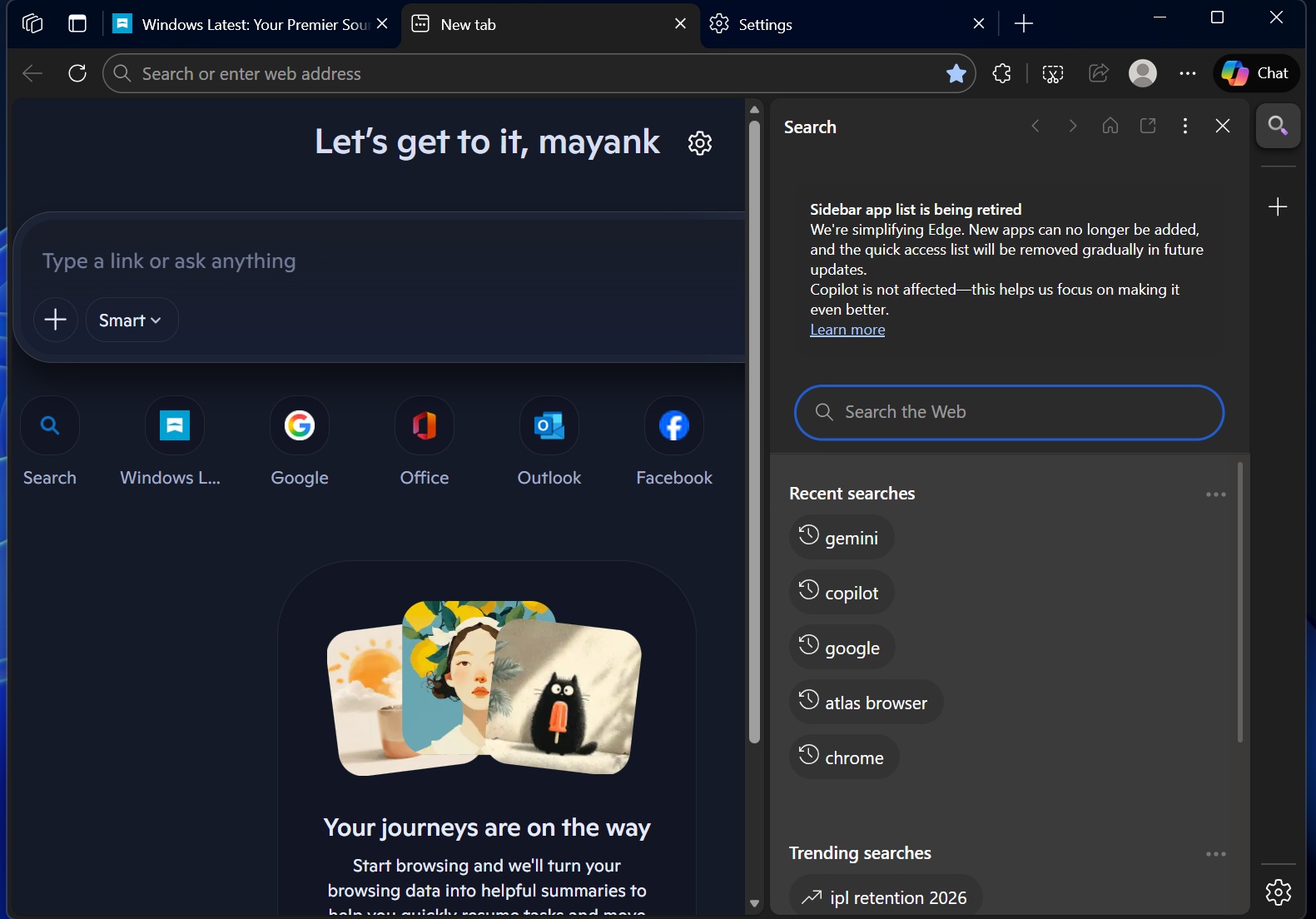
Fast forward to 2026, and Edge no longer feels like the browser some of us genuinely liked. The New Tab Page, where you would normally expect an address bar, shortcuts to frequently visited websites, and a nice wallpaper, has turned into a full-blown Copilot experience.
The default New Tab Page of Edge automatically opens a full-blown Copilot UI
Previously, Microsoft said it would add Copilot mode as an optional feature, but it doesn’t look like the company is really living up to its word.

Copilot in Edge is still optional, but it’s now turned on by default, and it almost feels like AI has hijacked the browsing experience.
For example, look at the above screenshot. It’s Edge’s home page with a Copilot compose box, and you can also access Copilot in the sidebar, so we have AI not once but twice. However, that’s not the worst part of the Copilotification of Edge.
I’m particularly frustrated with how the address bar sometimes sends me to Copilot rather than the website I am trying to open. Some of you should be able to reproduce this behavior. Open Edge, then immediately paste or type a URL, and the URL may be pasted into Edge’s Copilot compose box instead of opening the URL in a tab.

It doesn’t happen all the time, but if you do it enough times, you’ll run into this behaviour, and it’s likely a bug (or an edge case).
But can you completely disable AI in Edge?
You can’t permanently disable AI in Edge because the browser would still request Copilot in the background, but you can turn off some of the features so they don’t get in the way.
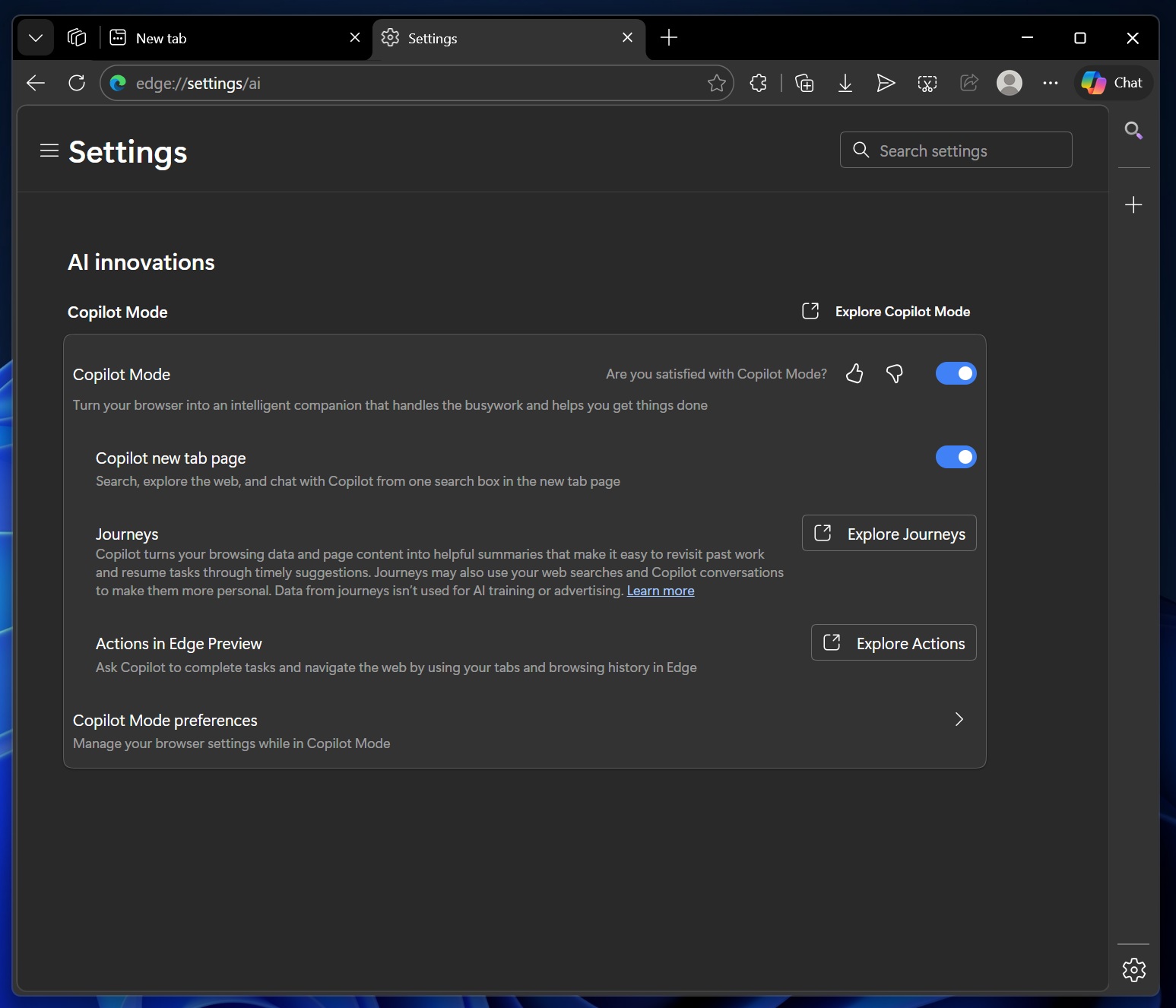
To disable some of these AI features, open Edge Settings, go to AI innovations, and toggle off Copilot mode.
Google Chrome also has Gemini integration, but it’s tucked into the title bar, which makes it less intrusive. Moreover, Google has spared the homepage, as AI only lives in the title bar.

Edge is still a good browser, but it’s just not the same anymore. It’s also losing its original design identity to Chromium/Chrome, as Microsoft continues to remove exclusive features such as the Edge sidebar, Collections, and even icons from the right-click menu, which now looks much more like Chrome’s.