






Microsoft rolled out a massive July 2026 Patch Tuesday update, patching a record-breaking 570 security flaws. If you’ve been following Windows development, you’d realize how big of a deal it is, but for those who are unaware, that’s a 316% increase from the 137 vulnerabilities fixed in July 2025 and a 185% jump from the 200 flaws patched in June 2026.
In fact, Windows 11’s July 2026 Patch Tuesday update is more than four times as large as the July 2025 release and nearly three times as large as last month’s update. I made a table that explains how massive the situation is, and as you can see, Patch Tuesday updates are more important than ever:
| Month | Flaws fixed in 2025 | Flaws fixed in 2026 | Year-over-year change |
|---|---|---|---|
| January | 159 | 114 | -28.3% |
| February | 55 | 58 | +5.5% |
| March | 57 | 79 | +38.6% |
| April | 134 | 167 | +24.6% |
| May | 72 | 120 | +66.7% |
| June | 66 | 200 | +203% |
| July | 137 | 570 | +316.1% |
| January–July total | 680 | 1,308 | +92.4% |
Does that mean Windows is now more vulnerable, or has Microsoft become more capable of identifying bugs? Well, the correct answer is neither, and it’s deeply tied to how AI is changing cybersecurity.
How to verify if your Windows 11 PC received the 570 security fixes
With the July 2026 update, Microsoft has bumped Windows 11 25H2 to Build 26200.8875 (KB5101650). If you are still on Windows 11 24H2, you’ll be getting Build 26100.8875, but nothing is really different.
You can verify that the update is installed by checking whether your PC is running Build 26200.8875 on Windows 11 25H2 or Build 26100.8875 on Windows 11 24H2.
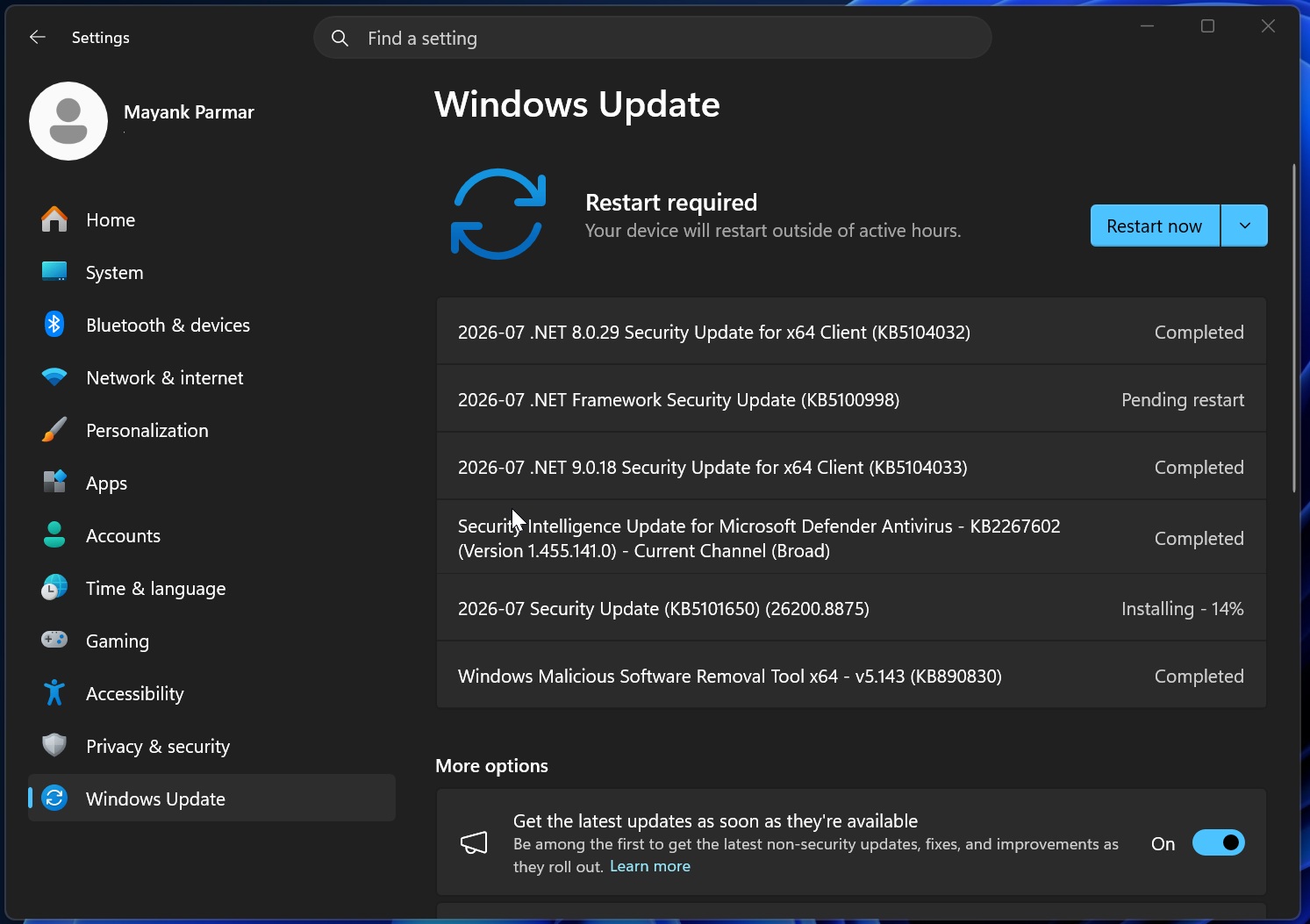
KB5101650 also adds multiple new features, including Point-in-time restore, faster Bluetooth for AirPods, and a more reliable File Explorer.
How big is the July 2026 update for Windows 11?
Patch Tuesday includes security fixes for all Microsoft products, but most of the changes are for Windows. For example, Microsoft fixed security issues in the kernel, Win32k, NTFS, Remote Desktop, DHCP, TCP/IP, Hyper-V, Secure Boot, BitLocker, File Explorer, Print Spooler, Media Foundation, USB drivers, SMB, and Windows Installer.
That’s nearly every core component of Windows under the sights of potential bad actors, which is quite rare and nasty.
Microsoft is also patching several critical flaws that could allow attackers to remotely execute code through networking, media, graphics, storage, or server components.
Microsoft officials recently confirmed that the number of addressed vulnerabilities is set to increase in the coming months, and that the risk is real, thanks to AI.
Do not pause Windows updates unless absolutely necessary
You shouldn’t pause Windows updates unless your PCs are taking a major hit due to these monthly updates.
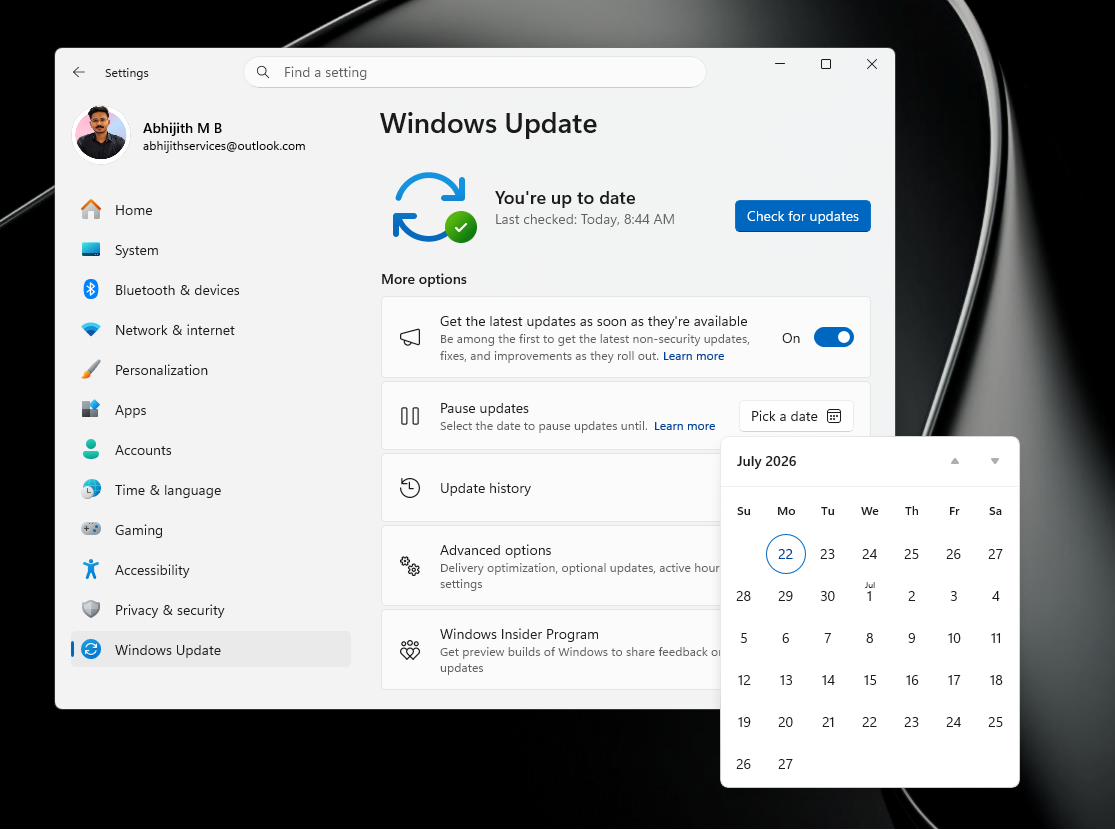
The Windows security situation is only going to get worse from here, and quite interestingly, Microsoft warned against pausing updates days before the massive July 2026 security update.
“There’s been a significant increase in security updates across the industry,” warns Jeremy, who is a director at Microsoft 365.
Microsoft found that bad actors are using AI to find bugs in Windows and actively exploit unpatched systems.
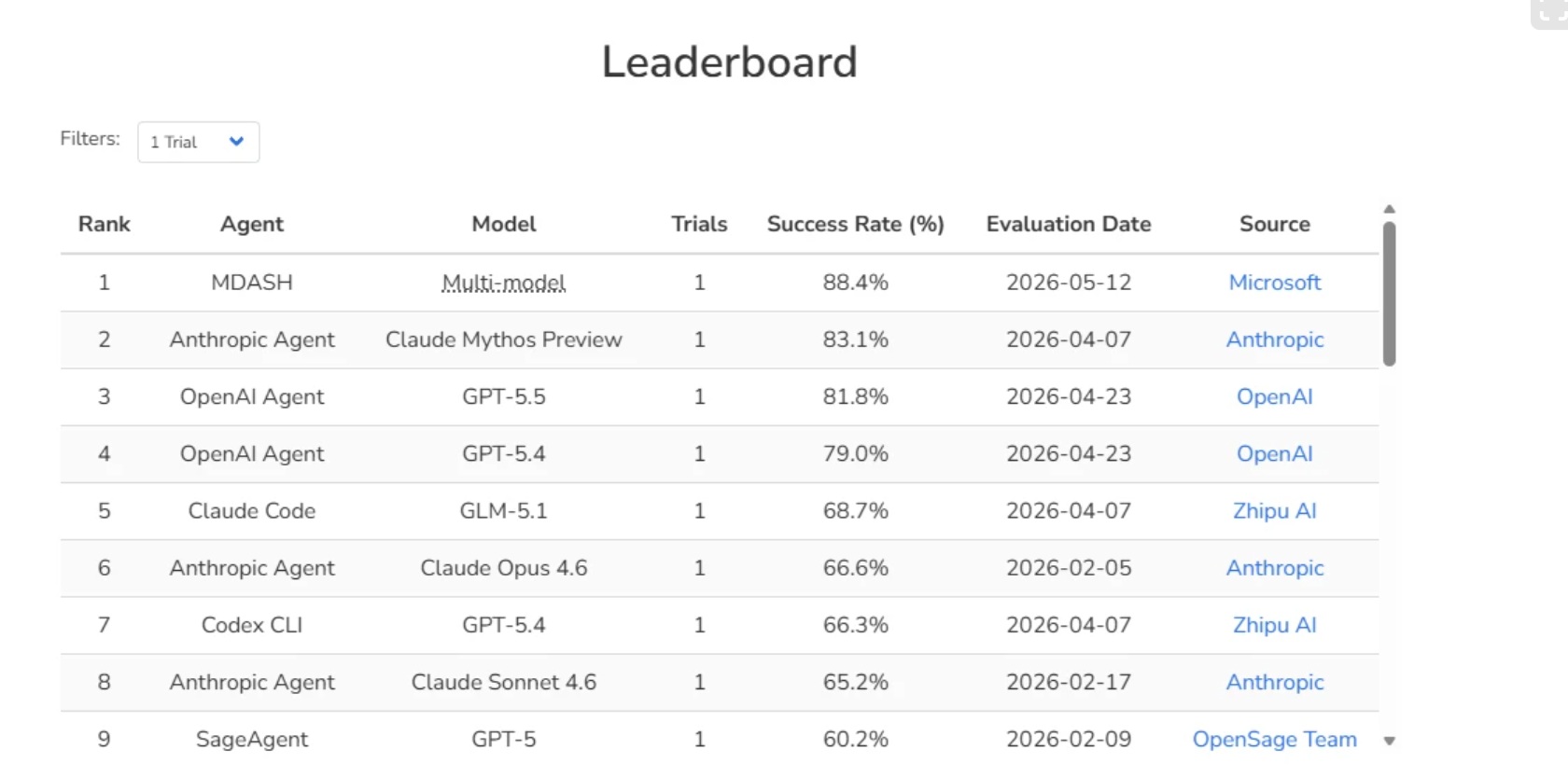
To combat this, Microsoft is using its own AI system called MDASH to identify bugs in Windows and patch them before attackers find their way through. As a result, you’re going to see larger Patch Tuesday updates going forward.
MDASH is a multi-model agentic scanner that identifies bugs, while agents debate among themselves to find the root causes.
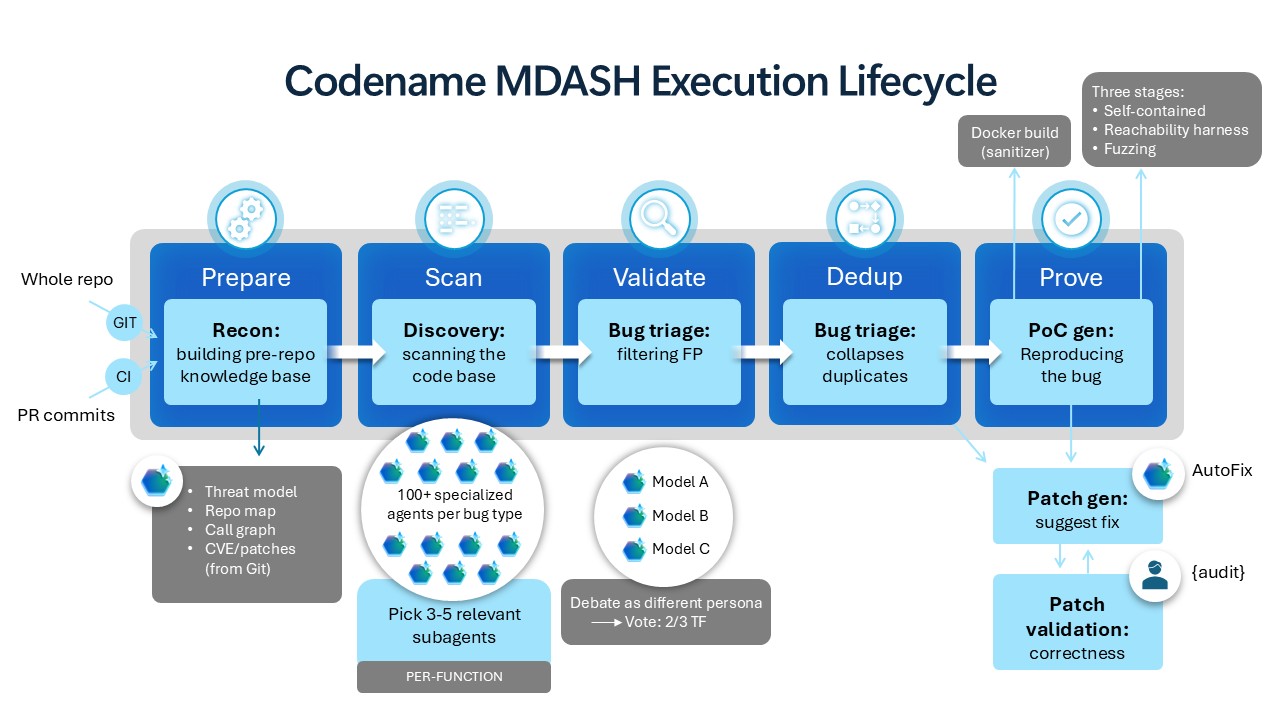
The company is not using any specific AI model here, as it’s a mix of different models, including powerful models made by Anthropic.
With MDASH, Microsoft found 16 major security issues in the Windows networking and authentication stack. If you think that’s bad, the total number of critical remote code execution flaws stood at four in MDASH’s initial scan.
It’s not just Windows, Microsoft says in defense of the growing number of bugs
Microsoft argues that Windows security issues aren’t an isolated case, as it’s an industry-wide problem.
“This is on par with the rest of the industry, with AI speeding up how quickly software vulnerabilities are found and exploited, often from weeks to hours, including zero days,” the company said in a statement.
As Windows Latest previously reported, Microsoft has warned against deferring updates beyond three days. The warning came directly from a Microsoft 365 director, and you can watch it below:
Microsoft is also updating its guidelines to encourage installing Windows updates as soon as they’re available.
“To address this, we’ve updated our recommendations for deploying Windows updates to less than three days as the deferral period for quality updates, setting deadlines for those updates to zero or one day, and the update grace period to a maximum of two days,” Microsoft explained.
Microsoft is advising IT admins to start using policy controls to ensure updates are deployed as soon as they’re available and consider moving to Windows Autopatch and Microsoft Intune.
It doesn’t matter if you are an IT admin or a regular consumer. The threat of AI is real, and Windows has never been the most secure operating system, contrary to what Microsoft claims. If anything, you should install these monthly updates and consider pausing Windows updates only in the worst-case scenario.