



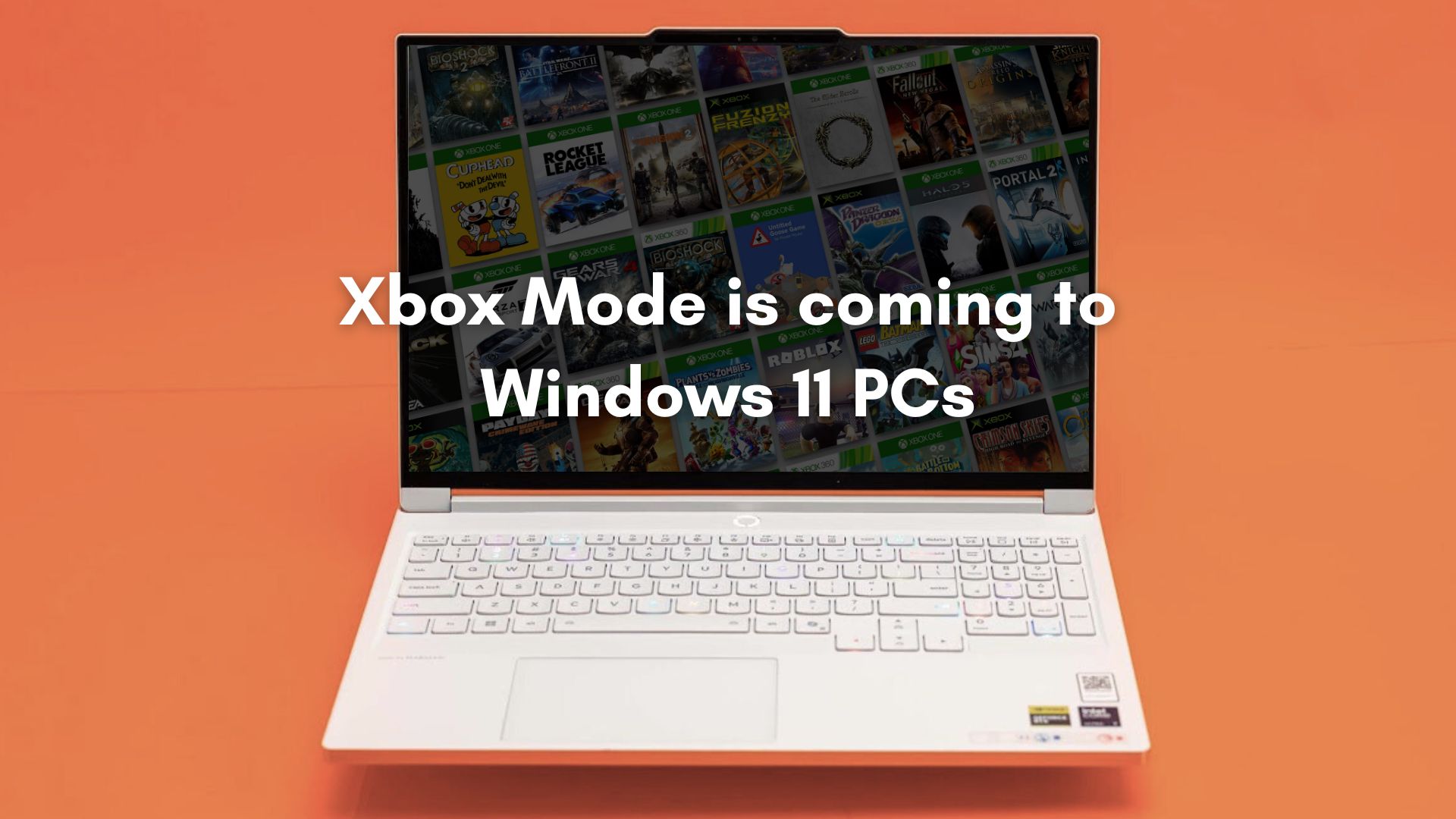
Microsoft has confirmed that Xbox mode is coming to Windows 11 PCs, heralding one of the biggest shifts in the company’s gaming strategy in years. The feature, announced ahead of GDC 2026, will begin rolling out in April 2026 and will work across all Windows 11 form factors, including laptops, desktops, tablets, and handheld gaming PCs.
Instead of launching games via the traditional Windows desktop workflow, Xbox mode introduces a controller-first, full-screen gaming interface devised specifically for playing with a gamepad. According to Microsoft, Xbox mode delivers a streamlined full-screen gaming experience with a controller-optimized interface, while still allowing users to switch back to the normal Windows desktop whenever they want.

From our tests, the new Xbox mode interface on Windows 11 is nothing like gaming from a regular desktop. Once activated, the system boots into a controller-optimized full-screen gaming dashboard. You can browse your game library, launch titles, open the Xbox Game Bar, and switch between apps without touching a keyboard or mouse. The experience is closer to using an Xbox console than a PC.
Microsoft has recently acknowledged that the Windows gaming experience needs improvement, especially as handheld gaming PCs, like the ASUS ROG Ally and Lenovo Legion Go, have surged in popularity. Devices like Valve’s Steam Deck and all Windows-powered handhelds have exposed the truth that Windows was never designed around controllers.
Also, note that Microsoft’s gaming strategy is expanding beyond traditional Xbox consoles, through Game Pass, cloud gaming, and PC gaming. With handheld PCs gaining momentum and competition intensifying, Microsoft is now working to reshape Windows into a platform that gives a console-like gaming experience while retaining the flexibility of a PC.
Microsoft announces Xbox Mode for Windows 11 at GDC 2026

Xbox mode was announced as part of Microsoft’s GDC 2026 platform updates for Windows PC game developers, where the company outlined several initiatives aimed at strengthening Windows as a gaming platform. Microsoft says its goal is to make Windows 11 the best place for developers to build, ship, and scale games. The company also highlighted its collaboration with major hardware partners such as AMD, Intel, NVIDIA, and Qualcomm, along with deeper integration with the Xbox ecosystem.
According to Microsoft’s Windows leadership team, these updates are meant to deliver faster load times, smoother gameplay, and a stronger technical foundation for the future of graphics and game development on Windows.
As part of these announcements, Microsoft confirmed that Xbox mode will begin rolling out starting in April 2026 across all Windows 11 PC form factors. Microsoft says the rollout will initially begin in select markets and gradually expand to more regions.
I tested Xbox Mode (Xbox Full Screen Experience) on a Windows 11 PC
Before Microsoft officially rolls out Xbox Mode, the feature already exists internally as Xbox Full Screen Experience (FSE) inside the Gaming Settings on Windows 11. Full Screen Experience is getting renamed to Xbox Mode when it officially launches this year. I enabled the feature on my PC and saw that it is exactly like a console-style dashboard running on top of Windows, but with some extra performance improvements.
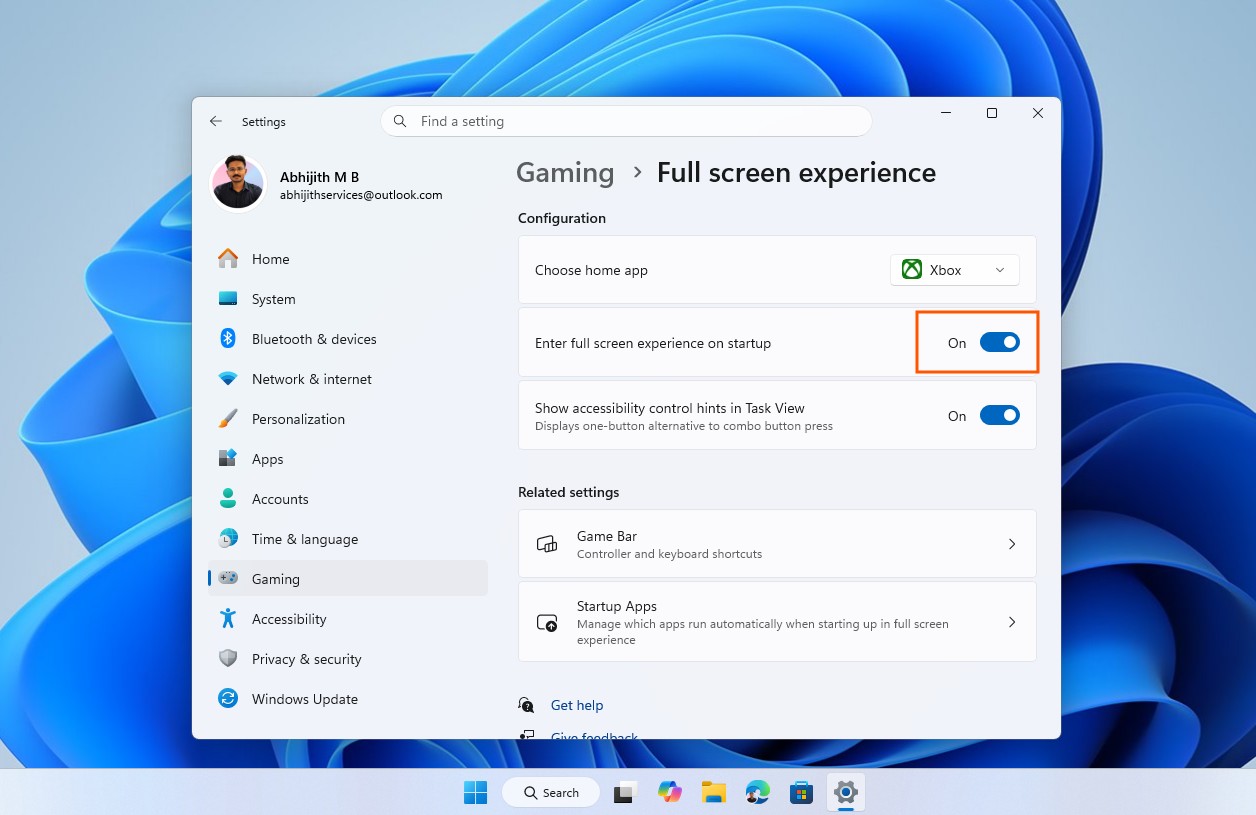
After turning on the toggle, you’ll have to restart Windows, and instead of launching all background programs in the OS, you’ll be directly taken to the Xbox Mode.
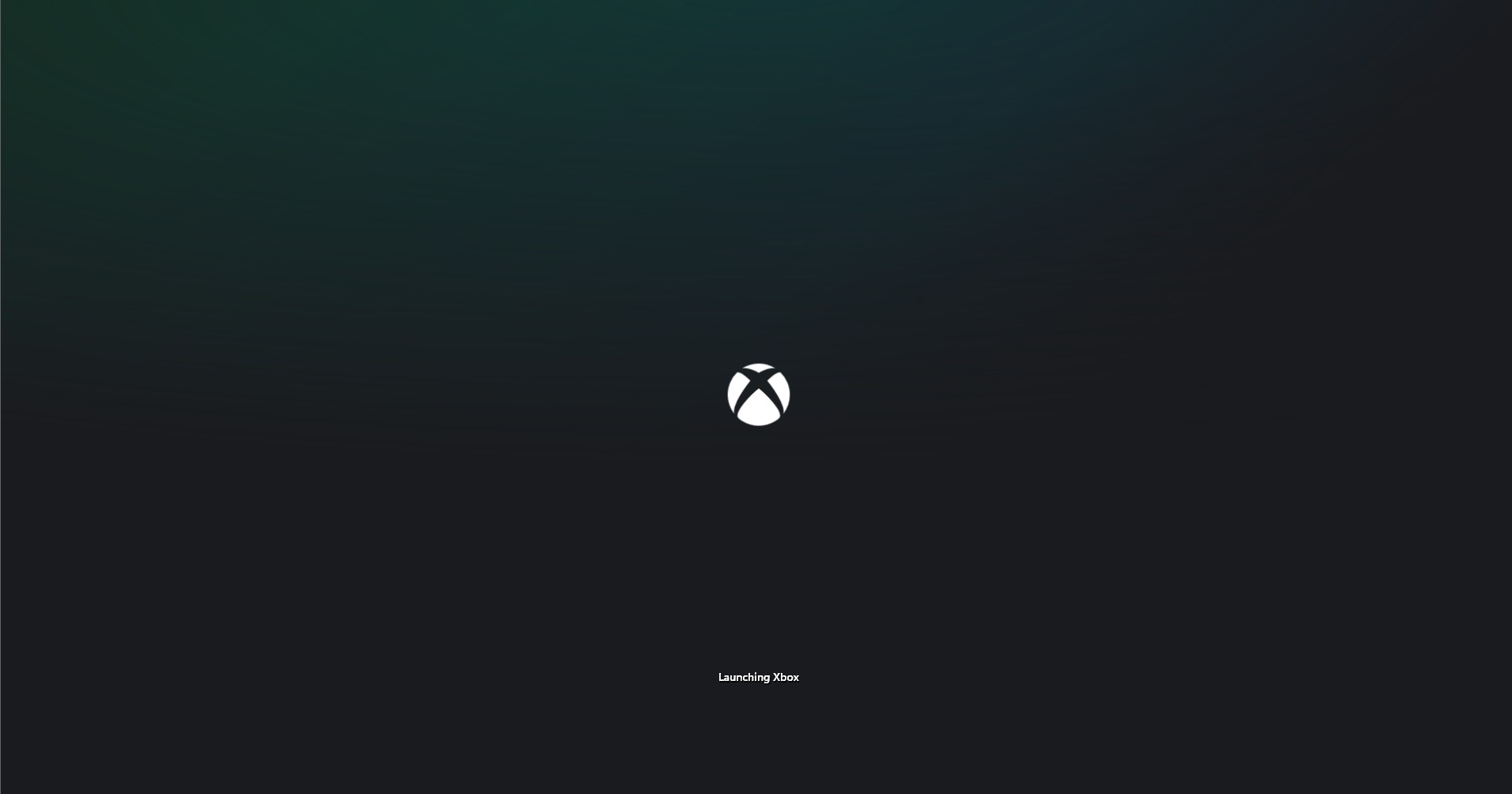
When Xbox FSE launches, the system transitions into a controller-optimized full-screen interface. The UI is built around large tiles, horizontal content rows, and simplified navigation that can be controlled entirely with a gamepad.
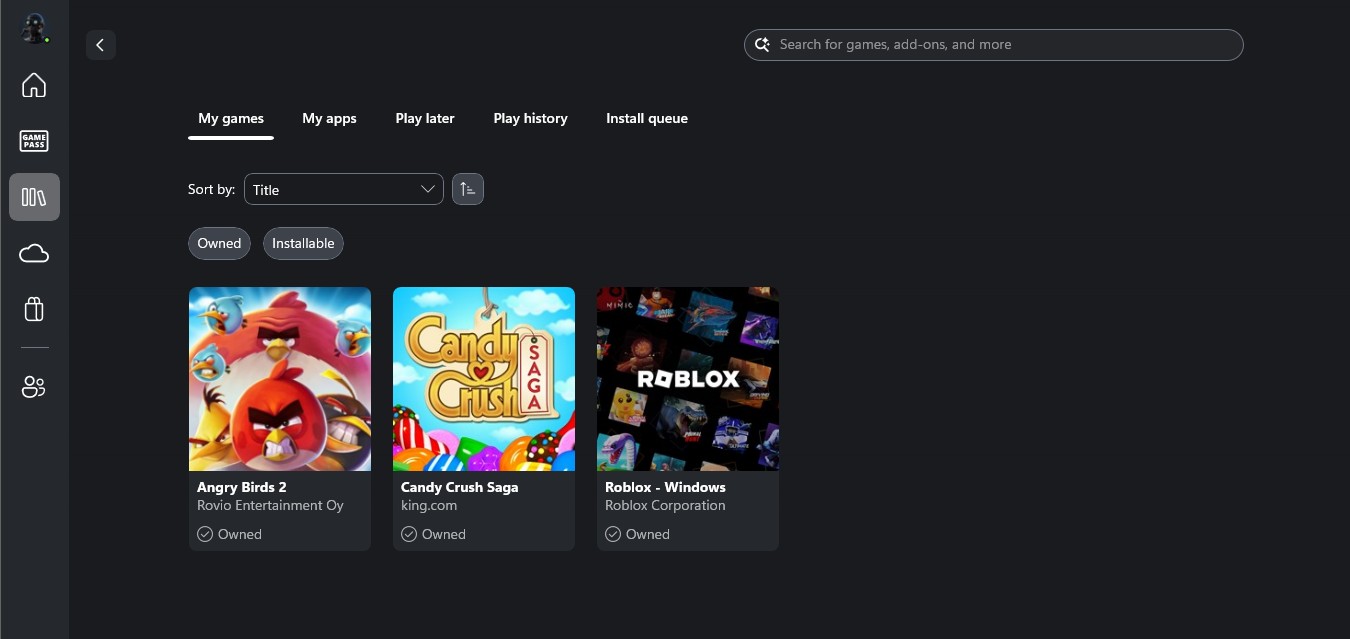
One of the first things you notice is that the interface reorganizes the Xbox app into a single unified gaming hub. The left sidebar provides quick access to sections like Home, Game Pass, Cloud Gaming, Library, Store, and Social features.

The Xbox Store works exactly like it does on console, showing featured deals, publisher promotions, and new releases in a controller-friendly layout.

You can also browse Game Pass recommendations, which appear in large carousel-style sections similar to the Xbox console experience. Microsoft even highlights handheld-optimized games, which suggests the interface is being designed with portable gaming PCs in mind, while this is, in fact, a full-fledged Windows 11 PC.

Cloud Gaming lets you stream Xbox titles directly on the PC through Game Pass. The interface clearly states that many of these games require a controller, although you can still use a keyboard and mouse.

The Library view also looks very different compared to the normal Xbox app. Games appear as large cards, and you can quickly filter by installed titles or owned games. When opening a game page, you can install it, view screenshots, or check store details without leaving the full-screen interface.
Social features are integrated as well. The Friends panel slides in from the side, allowing you to see what friends are playing, send messages, or start a party.

When I opened Angry Birds 2, the game launched normally while the system continued running the Xbox interface in the background. Switching between the game and the Xbox dashboard felt similar to how Quick Resume navigation works on consoles. There are practically zero visual elements from Windows 11.

Xbox Full Screen Experience also appears to reduce system overhead compared to running games from the regular Windows desktop. Early testing suggests the interface disables some background desktop components and frees up roughly 1–2 GB of system memory.
Switching back to the regular Windows Desktop mode from the Xbox Mode is easy, and all you have to do is press the Windows Key and Tab together, and then click “Windows desktop”.
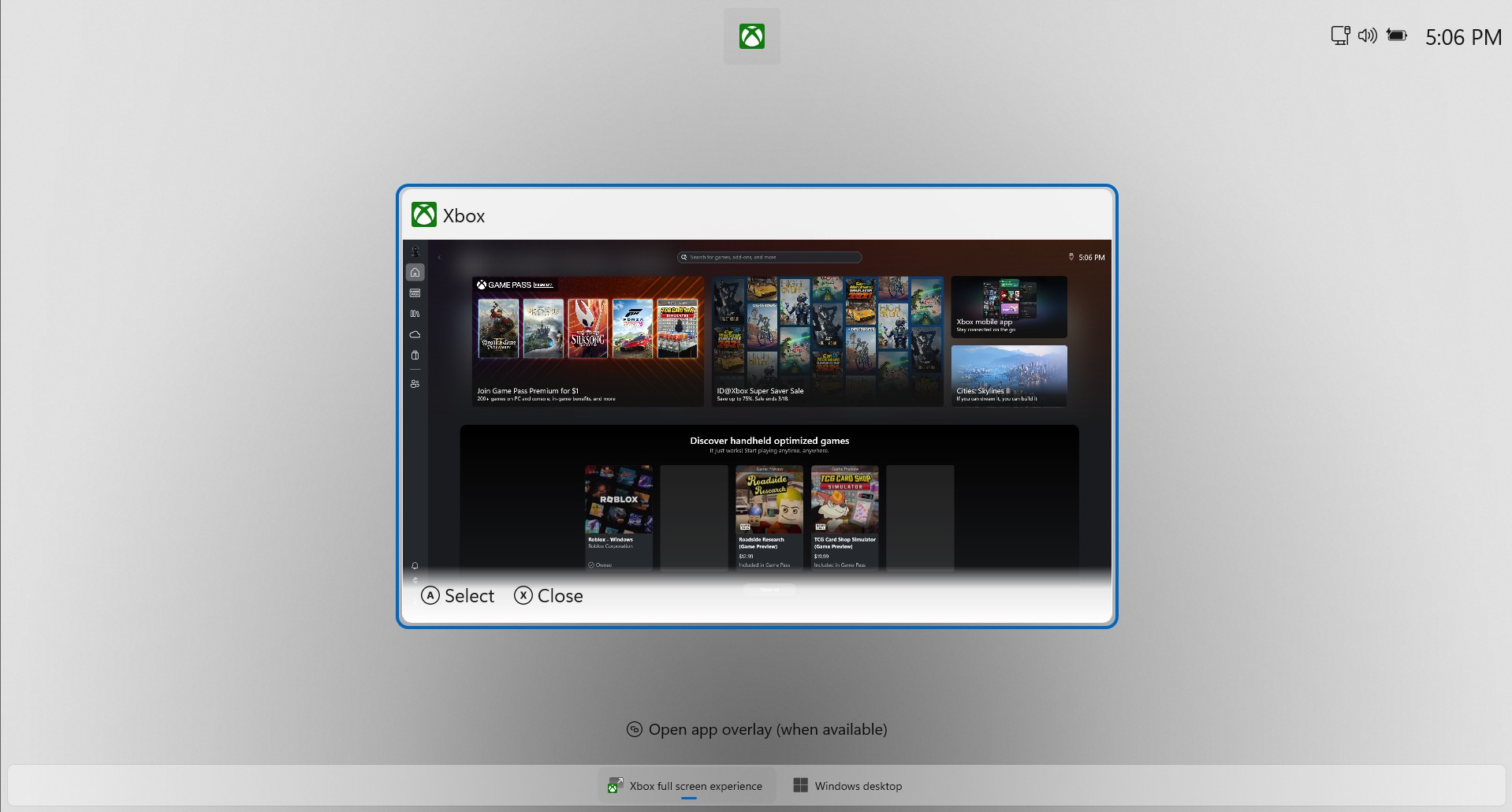
There is no restart involved, and the full Windows Desktop loads in a second.
Xbox Mode makes Windows feel closer to a gaming console when playing with a controller. Instead of juggling the desktop, launchers, and windows, everything is presented through a single full-screen dashboard designed for gaming from the couch. After a day of work, you can transform your Windows PC into a gaming console, and no parts of Windows 11 would come in your way.
And this is exactly the experience Microsoft now plans to bring to more Windows 11 PCs under the name Xbox Mode starting in 2026.
New Windows gaming technologies announced alongside Xbox Mode at GDC 2026
Microsoft also introduced a number of new technologies and developer tools to improve gaming performance on Windows PCs.
Advanced Shader Delivery (ASD) can reduce shader stutter
A constant annoyance in PC gaming is shader compilation stutter. Many modern games compile shaders when they are first launched or when new graphical elements appear during gameplay, which can cause performance drops during the first run of a game.
To address this, Microsoft introduced Advanced Shader Delivery (ASD), a system designed to reduce shader compilation problems at scale. With ASD, developers can collect and package shaders during development and distribute them directly with the game. When the game is published, these shader packages can be processed through Xbox Partner Center, so supported devices automatically receive them.

Microsoft says that the feature is currently under testing with trials for third-party studios set to begin in May.
The system is integrated into the DirectX Agility SDK and allows developers to enable the feature themselves, making it easier to deploy optimized shader data to players. Microsoft says this approach can significantly reduce shader stutter, faster startup times, and improve performance when launching games for the first time.
DirectStorage improvements for faster asset streaming
Microsoft also announced new improvements to DirectStorage, the technology that takes advantage of modern NVMe SSDs in gaming PCs. DirectStorage allows games to efficiently stream large assets directly to the GPU, which reduces load times and improves responsiveness, even in complex game worlds.
At GDC 2026, Microsoft revealed support for Zstandard compression, along with a new Game Asset Conditioning Library that helps developers manage and optimize game assets during production. These technologies can potentially increase compression efficiency and simplify asset preparation pipelines for game studios.
With improved high-throughput streaming capabilities, developers can move large amounts of game data more quickly, reducing I/O latency while enabling richer and more detailed environments without complicating development workflows.
DirectX evolving for the AI graphics era
Another major focus of Microsoft’s announcements is the growing role of machine learning in real-time graphics. As AI-driven rendering techniques become more common in modern game engines, Microsoft is evolving DirectX to support these new workloads.
The company is introducing linear algebra support directly inside HLSL shaders, which helps with hardware-accelerated machine learning operations within graphics pipelines. Microsoft is also working on future improvements to Windows ML, which could allow developers to integrate their own machine learning models directly into gameplay systems, helping them reduce reliance on manually written shader logic while enabling more dynamic rendering techniques powered by neural models.
According to Microsoft, these changes get the ball rolling for AI-driven graphics pipelines on Windows while preserving the flexibility developers expect from DirectX.
Major updates to DirectX and PIX developer tools
Alongside performance improvements, Microsoft also announced a significant expansion of its DirectX and PIX developer tooling. The company says this represents the largest set of new debugging capabilities for DirectX in more than a decade.
New features include DirectX Dump Files, a standardized system for capturing GPU crash data and system state information. Developers will also gain access to DebugBreak() support in HLSL, giving access to shader-level breakpoints that make debugging graphics code faster and more precise. Another new tool, Shader Explorer, provides deeper insight into compiled shaders and, later this year, will support advanced live analysis features.
Microsoft is also introducing improvements to PIX itself, including a Tile Mappings Viewer and hardware-specific GPU counters inside the System Monitor view, helping developers better analyze performance across different GPU architectures. Many of these new tools will become available in preview starting May 2026, with broader availability expected later in the year.

Xbox Mode is a drastic change in how Microsoft wants Windows 11 to function as a gaming platform. By combining a controller-first full-screen interface with deeper platform improvements like Advanced Shader Delivery, DirectStorage updates, and new DirectX tools, Microsoft is clearly trying to close the gap between traditional PCs and console-style gaming.
If the rollout goes smoothly in April 2026, Xbox Mode could make Windows far more comfortable to use on handheld gaming PCs and living room setups, while still preserving the openness and flexibility that make PC gaming unique.