






WhatsApp may soon let you continue Android conversations (and possibly calls) on Windows 11 via “Resume.” This feature appeared in Windows 11 preview builds and showed up automatically on my PC before disappearing on its own. However, it doesn’t appear to work (yet).
Microsoft has been trying to bring Android and Windows 11 closer ever since it killed off Windows Phone, and its latest attempt is ‘Resume.’
The idea of Resume is similar to Apple Handoff, where you could resume iPhone activities on a MacBook. For example, if you are drafting an email on your iPhone and switch to a MacBook, you can resume the activity instantly. Windows 11 has something similar, but the catch is that most apps, including inbox apps, do not support ‘Resume’ capabilities.
On Windows 11, if you open a document on Android, which is synced to OneDrive, and start your PC, the taskbar will nudge you to pick up from where you left off. It’s a sweet idea, but it doesn’t work most of the time because you need to meet certain conditions in order to see the ‘alert.’
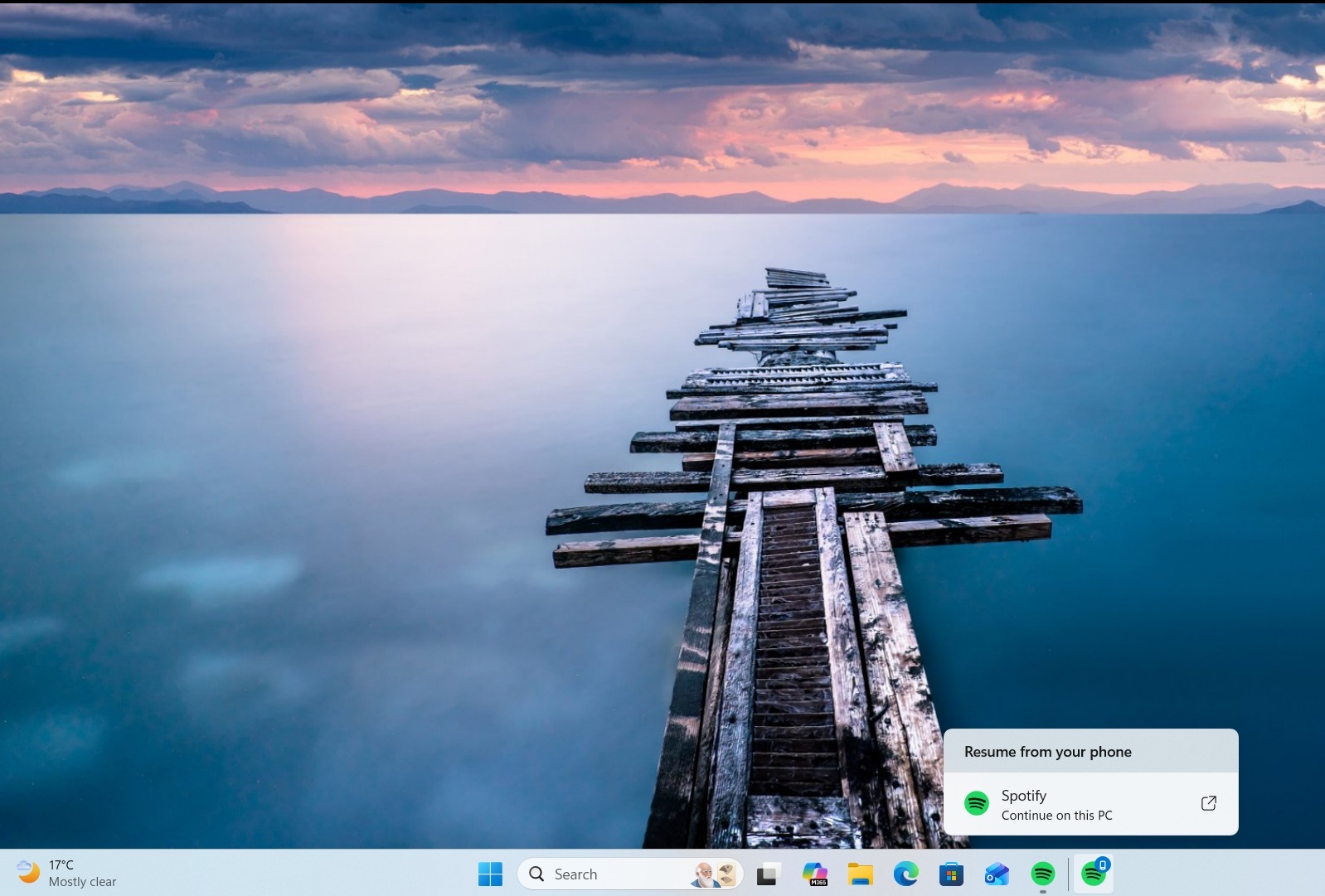
In the last update, Microsoft added support for Spotify, so you could resume music playback directly from the taskbar. That means if you are listening to a song on your Android phone and switch to your PC, the taskbar would instantly show a nudge to resume music playback.
In addition, Resume works with third-party browsers, including the Vivo browser. On your Vivo phone, if you use the Vivo browser, close the browser, and turn on the PC, the taskbar will ask you if you’d like to resume browsing on your PC, and open the default browser based on your preference.
Now, Microsoft is adding ‘Resume’ capability to WhatsApp for Windows 11. It’s unclear how the feature will work, but it was first spotted in January, and it appears to be rolling out (or showing up on more PCs now).
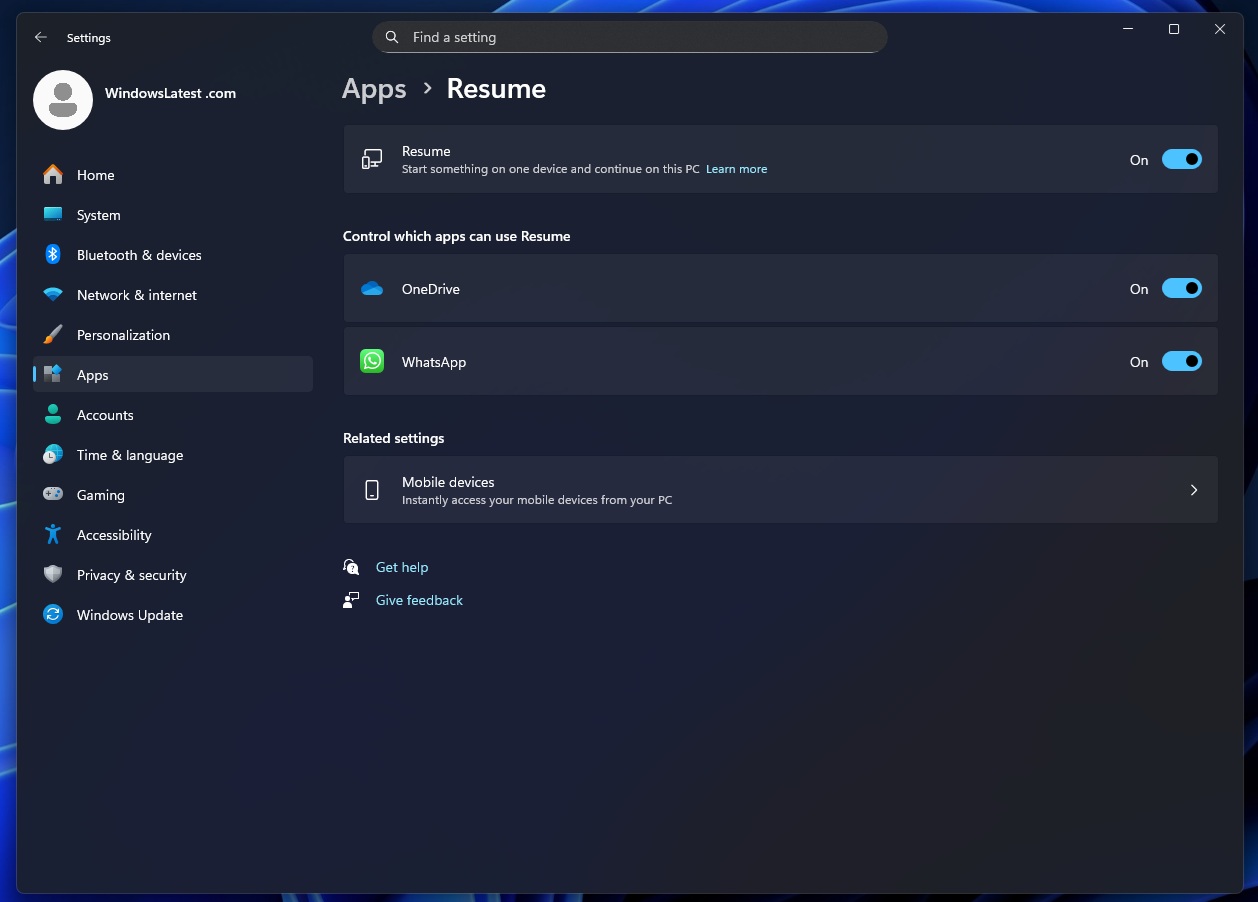
Regardless, even if you have the toggle, it’s pointless because it doesn’t work at the moment. You’ll find the toggle inside Settings > Apps > Resume when it rolls out widely.
Microsoft describes the idea of Resume as “start something on one device and continue on this PC.” But do we really need a Resume for WhatsApp? WhatsApp syncs in real time, so it doesn’t make much sense to ‘resume’ what’s already synced, right? It’s possible that Windows 11’s Resume for WhatsApp could help you get back straight into the context.
I don’t see any other potential use case for the WhatsApp resume feature. For example, if you’re reading a long chat, replying to someone on your phone, you can resume that chat directly instead of opening WhatsApp, searching the chat, and scrolling to find where you were.
It can also help with handoff actions, such as the ability to resume your draft. In theory, it could also work with calls, but we are not sure if you’ll be able to resume your calls, as that would be far more complicated than a simple “resume” activity.
More apps will soon support Windows 11’s Resume
As I noted, Windows Resume is a good idea on paper, but it doesn’t work most of the time, and support is also very limited. The feature has been around for a year now, and it only supports a handful of mobile browsers, Spotify, Microsoft 365 Copilot, and soon WhatsApp.
Most apps don’t support the Resume feature because it uses a ‘Link to Windows’ app-based solution, but now, Microsoft has promised that third-party apps can use the existing Windows Notification System (WNS) and resume their mobile app activities on the PC.
This move could unlock support for more apps, and finally make Resume feature more useful on Windows 11. But is it going to be as good as Apple’s Handoff? Only time will tell.