






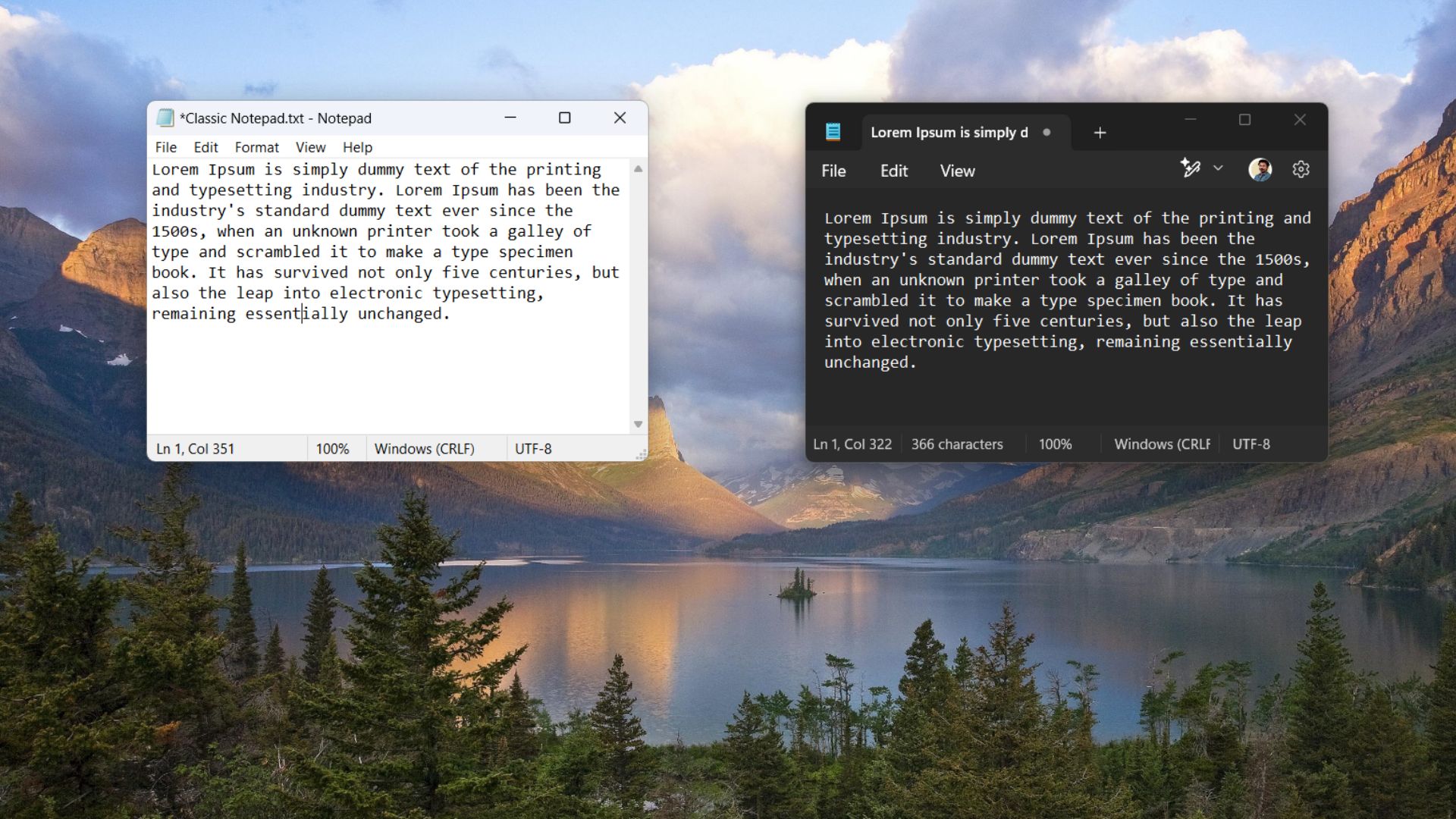
“Your essential text editor, elevated,” says Microsoft when you open one of the world’s once simplest text editors, Notepad, on Windows 11 after a recent update. Notepad now has a welcome screen, which is not a big deal, but it tells us the new direction for the default text editor. Microsoft wants AI in Notepad to help you enhance your regular notes.
The original idea of Notepad was to quickly jot down notes, random thoughts, or simply remove the formatting of text before copying it elsewhere. In theory, Notepad is still a text editor, but at the same time, Microsoft wants to cater to those who wish Notepad to be more than a simple text editor.
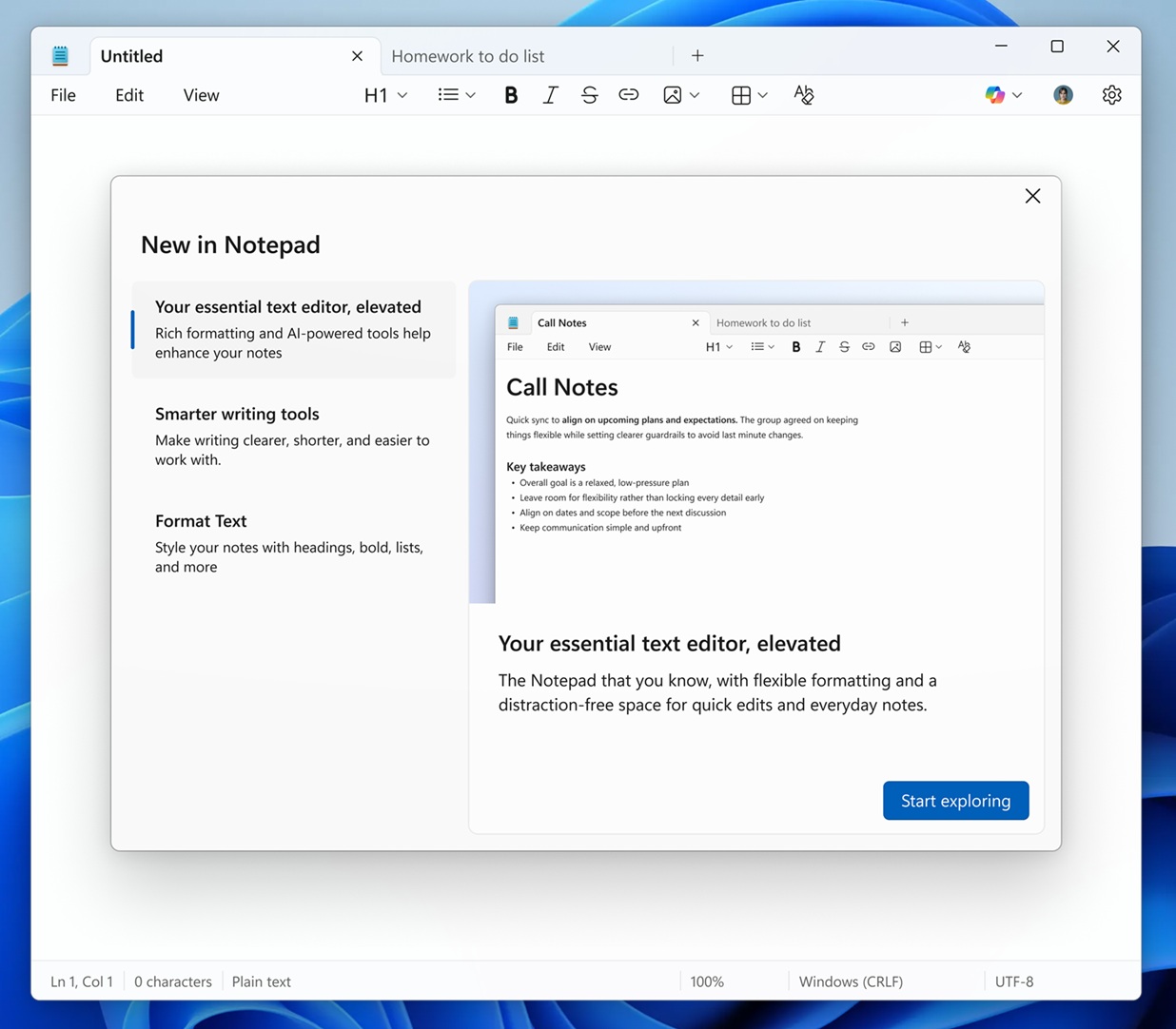
As you can see in the above screenshot, Notepad is no longer being positioned as just a plain text editor. In the welcome screen, Microsoft literally pairs “Your essential text editor, elevated” with “Rich formatting and AI-powered tools,” and points to advanced features such as “Smarter writing tools” and “Format Text.”
Notepad’s AI streaming result is now on all PCs
Windows Latest previously reported that Microsoft is rolling out AI text streaming on Copilot+ PCs, but as we speculated, the feature would eventually come to all PCs, and now it’s rolling out. Whether you have a Copilot+ PC or not, you’ll soon notice that when you use AI to generate text in Notepad, it streams the text, similar to how ChatGPT works.
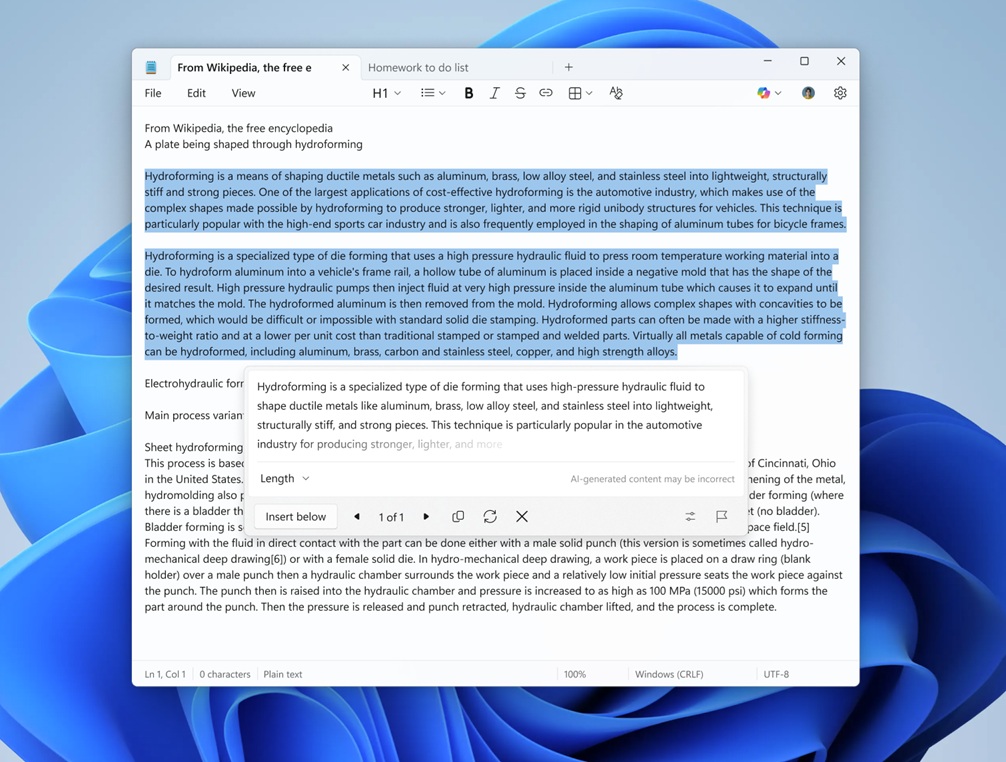
Streaming means Notepad’s AI output appears as it’s generated instead of making you wait for the whole response. Microsoft says you’ll need to sign in with a Microsoft account to use those AI tools.
I don’t exactly dislike Copilot in Notepad. Not because I use it, but because it’s completely optional. That means if you head to Notepad’s Settings and turn off Copilot, all AI features disappear, and you don’t have to restart the client. I think it’s a pretty good approach, but if Microsoft could turn off Copilot in Notepad by default, nobody would complain.
Notepad on Windows 11 also has support for Markdown, including tables and the ability to bold or italicize text. Now, Microsoft is testing new Markdown syntax, including nested lists, which means you can now have bullet points within bullet points, also known as a nested list. And it’s also possible to strikethrough text.
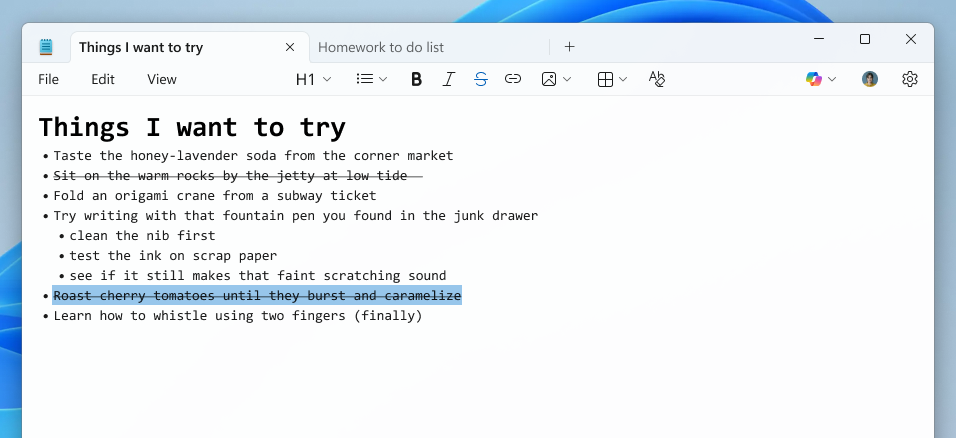
Microsoft says Markdown in Notepad is “lightweight formatting,” which means it won’t hurt performance. I can confirm that Notepad does not use additional system resources for these features.
If you want to go back to how things were, you can also turn off Markdown in Notepad from Settings.