








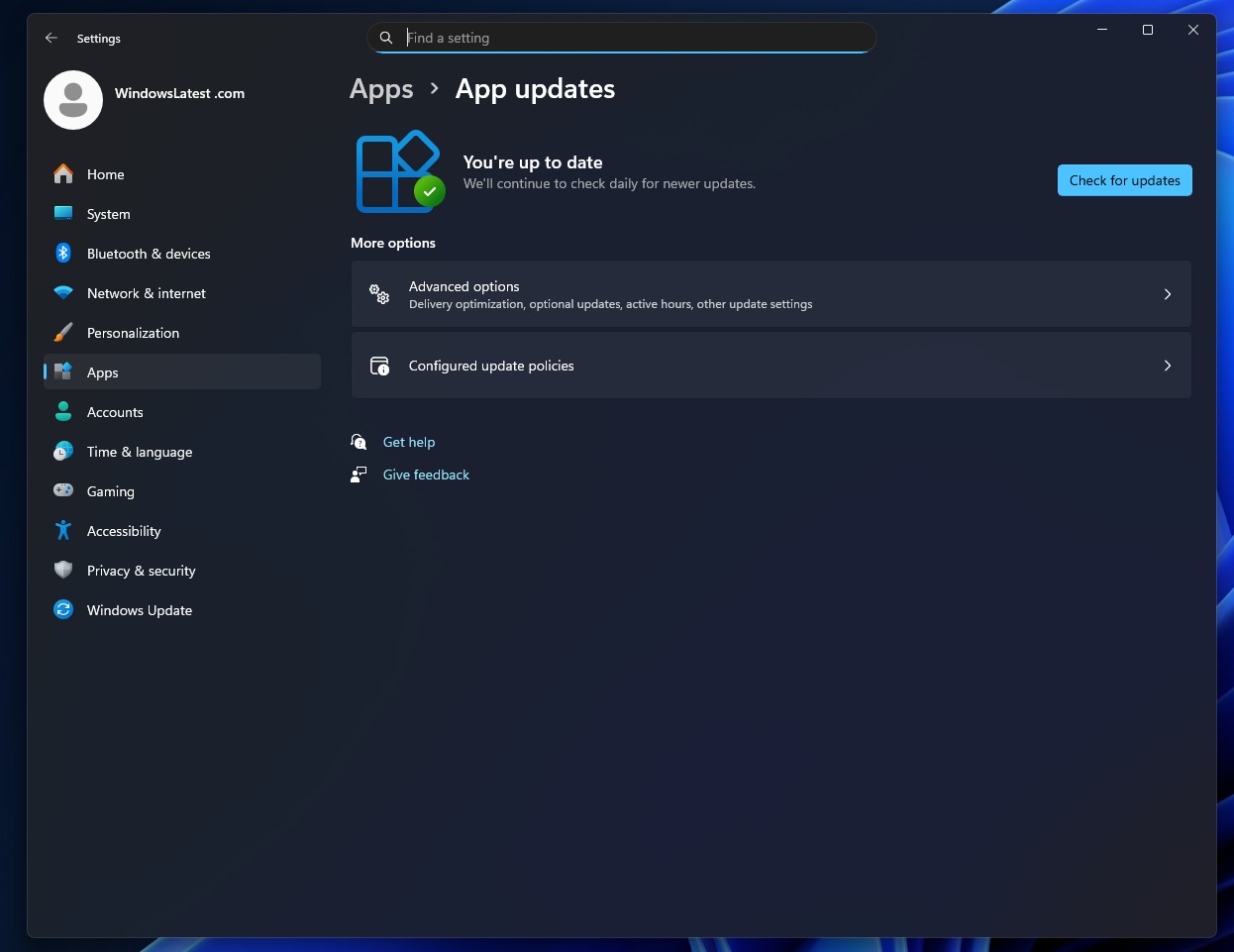
Microsoft wants to bring all your third-party app updates to one page under Settings > Apps > App updates on Windows 11. While we already have Library or Downloads in the Microsoft Store, it does not cover your other third-party apps, such as Microsoft Edge, Visual Studio, or any app that you can’t find in the Store or that has its own updater.
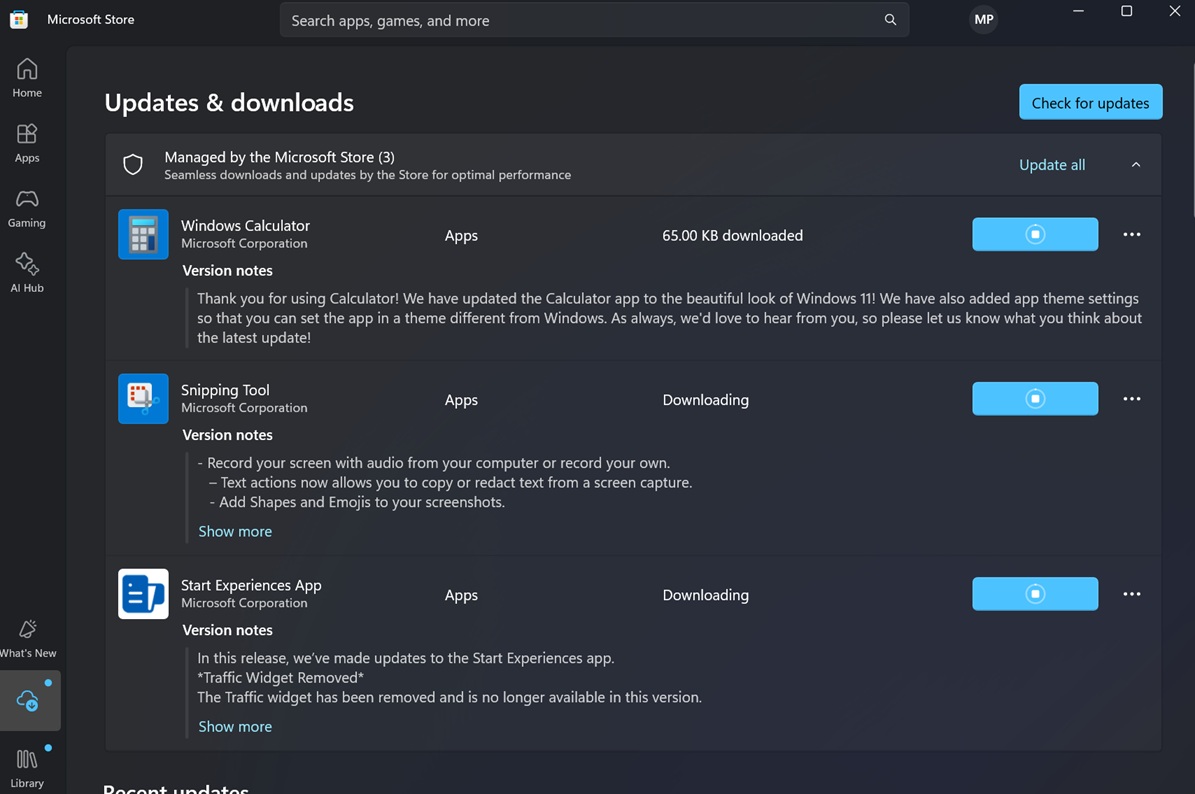
On Windows 11, you can get app updates via the Microsoft Store, or you can also use winget. For example, look at the screenshot below. I’ve dozens of updates for apps installed on my PC, and these are handled by the Microsoft Store server, as an individual updater is not provided by the developer.
However, most popular third-party apps, such as Edge, Chrome, and Visual Studio, have their own updater. Microsoft does not want to replace the built-in updater supplied by developers, but it wants to show all those updates on a single page. Right now, you don’t know if there’s an update available for a third-party app unless it pings you.
Microsoft wants to fix this mess and unify the update experience. The company also wants to automatically check for updates for your apps and even decide when an app update should be installed based on your usage pattern.
However, none of this happens unless the developer opts in by integrating the “Update Orchestration Platform (UOP),” which is part of a larger plan that extends beyond just app updates.
Windows is a cluttered mess for updates
Microsoft argues that Windows 11 has too many ways to update products. We’ve Windows Update that handles monthly security updates, and then we’ve the Microsoft Store updater for store apps. At the same time, we also have Windows components, developer tools, third-party drivers, and software that all scan, download, install, and nag you in their own way.
Microsoft is building a new Windows-side update system that allows an app or a developer tool to plug into using the Update Orchestration Platform (UOP) API. Even third-party driver releases, which are not offered via Windows Update, can use this API. Windows will decide when to update the app or driver using the updater provided by the developer.
For now, Microsoft is testing the UOP API for app updates, and it plans to share details for third-party drivers soon.
In our tests, Windows Latest found a new “App updates” page inside Settings > Apps, and it’ll have all your apps that use this new API. This means Windows will now automatically download or install updates for third-party apps that are not available in the Microsoft Store. You’ll be able to manage everything on the above page.
However, it will be an optional feature, as the developer must register the app as an “update provider” with the orchestrator.
Windows will not move app updates to its own servers. It’ll just ping the “updater” included in the app’s package
During registration, developers need to give Windows the path to an executable that knows how to scan for updates. Windows then runs that scanner on a regular basis. When the scanner finds a new update, it uses the Update Orchestration Platform (UOP) API to describe that update to the OS.
When an app that has integrated UOP reports an update, Windows can show it under the “App updates” section in Windows 11 Settings. Windows does this for apps that both have their own scanner or installer and have registered with the UOP APIs. As a result, “App updates” in Settings will cover all apps that use the Update Orchestration Platform API.
Windows also takes care of apps that use a custom Win32-style installer. The third-party app still uses its own backend and its own installer logic. Windows is not replacing those pieces, but it can decide when to automatically scan for and install an update for third-party apps based on your activity, performance, and power state.
For example, right now, when Visual Studio has an update, it shows that inside the app and then runs the Visual Studio installer (typically setup.exe under C:\Program Files (x86)\Microsoft Visual Studio\Installer). You can run the installer by triggering the update inside Visual Studio.
If an app like Visual Studio starts using the UOP API in the future, Windows can decide when that installer runs, while developers keep full control of the installer and backend.
However, it’s not going to be a dealbreaker, as the API is completely optional, so the developer would need to update their app to include it.