





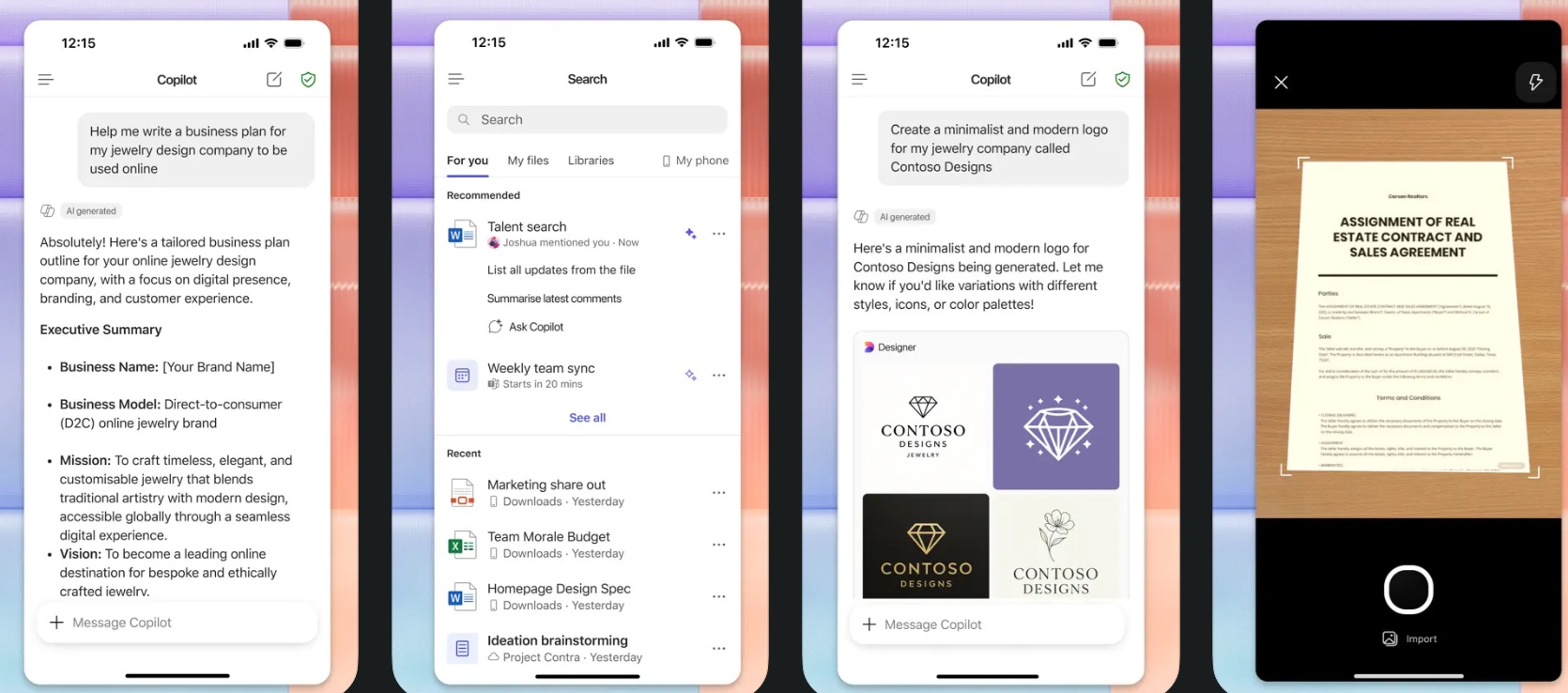
Microsoft has quietly changed how Microsoft 365 Copilot works on mobile, and it’s going to upset most users. If you use Microsoft 365 Copilot as your default viewer for documents, spreadsheets, and presentations, and try opening any file, you’ll notice that Microsoft 365 Copilot now sends everything to Copilot. Worse, it auto-uploads files to OneDrive.
The Microsoft 365 Copilot app was originally called “Office Hub,” and it was a simple document viewer before it was upgraded with editing capabilities. This app has been around for a decade now, but it has undergone two major rebrands.
First, Microsoft rebranded “Office Hub” as “Microsoft 365,” which became “Microsoft 365 Copilot” in early 2025. Later, Microsoft also confirmed that Microsoft 365 Copilot will live up to its name and focus on Copilot. While it can still open your documents, Microsoft said it would encourage you to use Copilot and create AI-generated images or documents.
In October 2025, Microsoft buried the document viewer behind extra taps and pushed the Copilot chat screen with a prompt box on Android / iOS.
Now, Windows Latest observed that Microsoft 365 Copilot no longer opens a document normally. Instead, it uploads everything to OneDrive for Copilot to analyze and answer your questions.
Yes, an app, which was designed to open your document, now attempts to summarize it using Copilot in a chat interface.
The new Microsoft 365 Copilot app update on Android is an absolute nightmare
I received a .docx on WhatsApp, and I had configured Microsoft 365 Copilot as my default document viewer. I don’t use the standalone Office apps, such as Word, PowerPoint, and Excel. Up until now, if I clicked on the attachment in WhatsApp, I would be redirected to Microsoft 365 Copilot’s document viewer.
This worked perfectly fine, and I couldn’t care less about the Copilot prompts. But after a new update, which appears to have started rolling out over the weekend, the Microsoft 365 Copilot app for Android and iOS no longer lets you view the local document, as it straight up goes to Copilot.
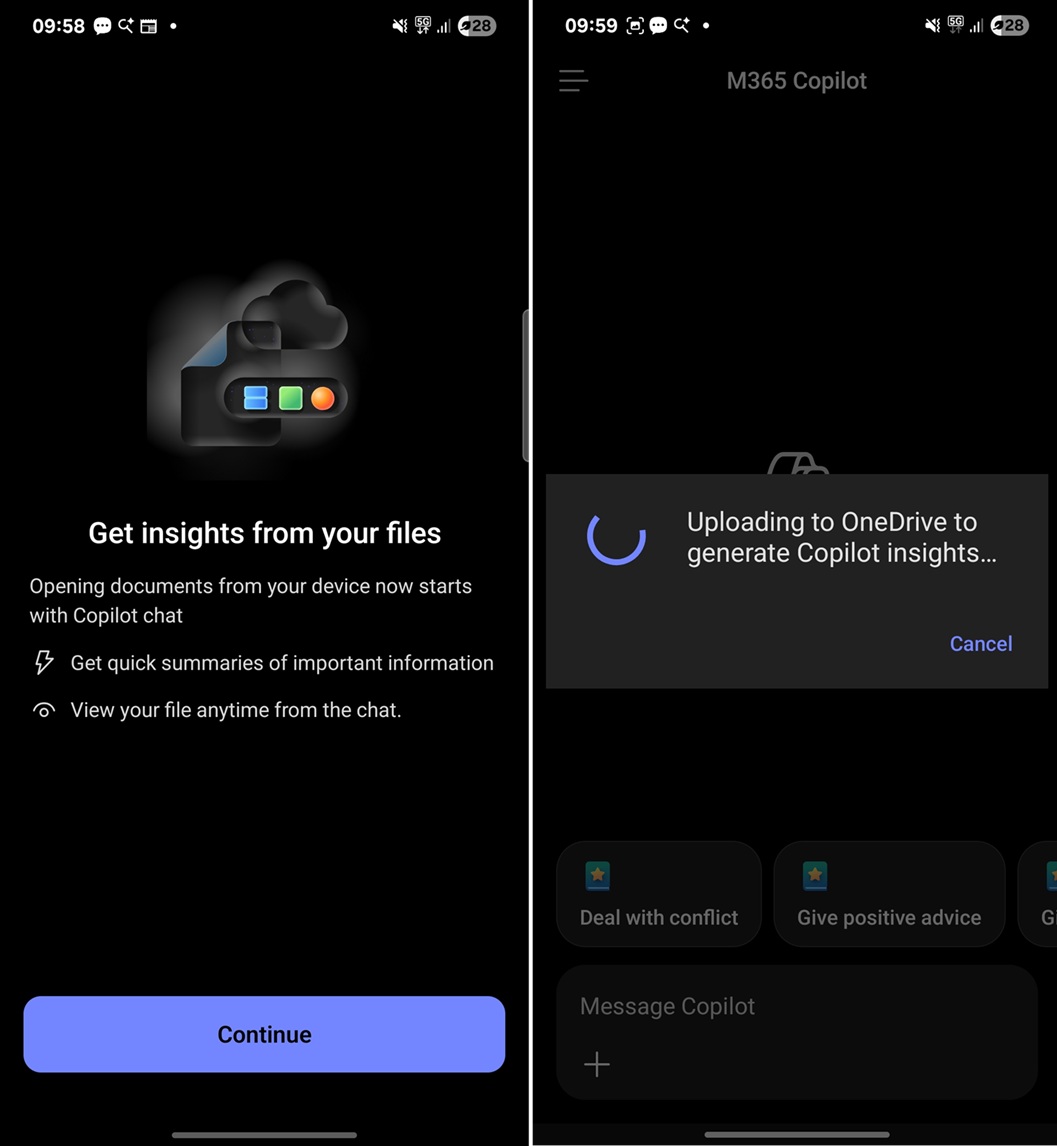
As you can see in the screenshot above, Microsoft says, “opening documents from your device now starts with Copilot chat.”
According to Microsoft, the Copilot hijack of the Microsoft 365 app has two benefits. First, you can get quick summaries of important information. Second, you can view your file anytime from the chat.
I went ahead and allowed Microsoft 365 Copilot to upload my local file to OneDrive for “Copilot-powered” insights, but it actually failed.
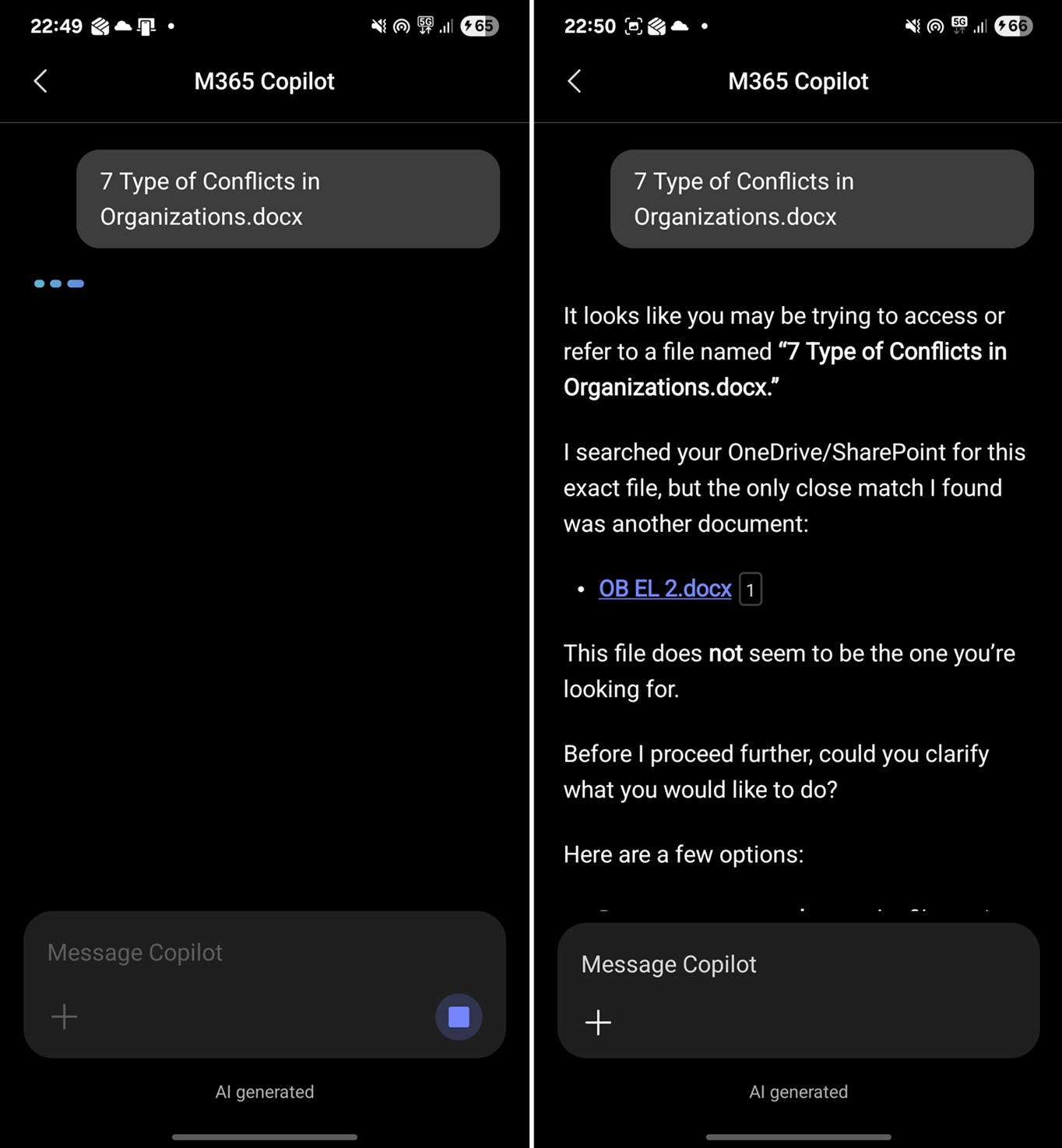
Copilot could not understand the document, and it tried to reference a totally irrelevant document from one of my old OneDrive uploads.
At this point, I can neither read the summary of my document using Copilot nor open the document itself, which is what I wanted to do with the Microsoft 365 app.
I tried opening another document using Microsoft 365 Copilot, and this time, Copilot finally processed the file.
In our tests, Windows Latest found that the Microsoft 365 Copilot app first uploads the local file to OneDrive. Then, Copilot attempts to search the file on OneDrive using file-name syntax and summarizes the content if it can read the document. Otherwise, it just straight up fails.
Windows Latest understands that if your document is processed correctly by Copilot, you should be able to open it in the traditional document viewer from Copilot’s references tab.
That means the document viewer is now buried inside Copilot’s references section.
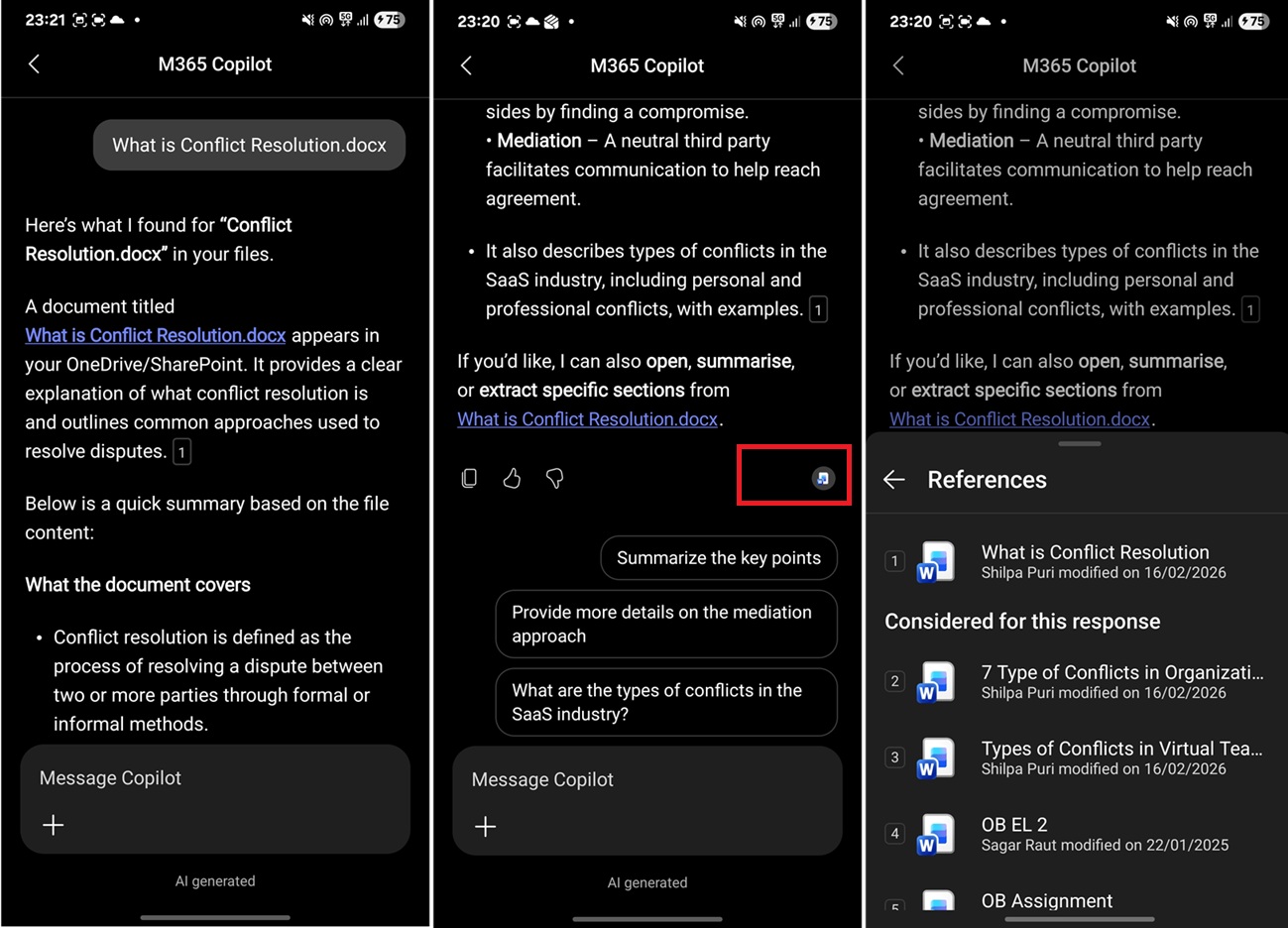
Is it impossible to open/read documents using the Microsoft 365 Copilot app?
I noticed that it’s still possible to open your documents using Microsoft 365 Copilot if they’re already uploaded to OneDrive.
This means that if you use the OneDrive app and sync everything to the cloud, you can open Microsoft 365 Copilot, head to the “Search” page from the menu, and you’ll find all your synced files that can still be opened in Microsoft 365 Copilot.
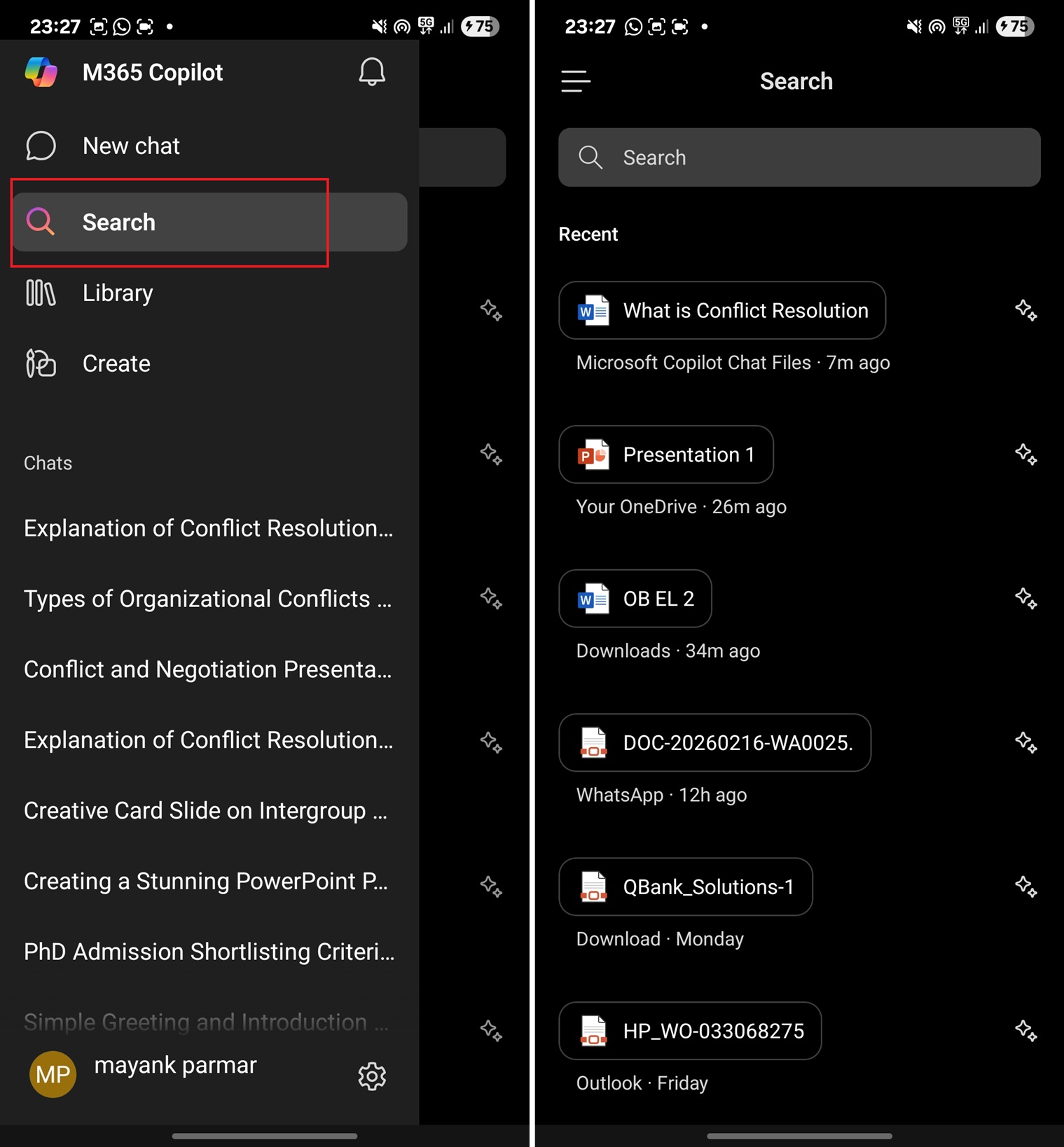
However, if your files are not in OneDrive and you try to access them using the Microsoft 365 Copilot app on Android or iOS, those files will first upload to OneDrive, then be processed using Copilot, and finally, you can read the summary.
If the file upload fails or Copilot is unable to understand the file, you won’t see the file under new uploads on the “Search” page in Microsoft 365 Copilot. You’ll need to manually upload files to OneDrive and use Microsoft 365 Copilot to find them.
At this point, if you want to view .docx, .xlsx, or .ppt files on mobile, I recommend downloading the standalone Office apps.
Microsoft 365 Copilot is not the best app anymore. It’s just another Copilot echo chamber, which is sad and the final nail in the coffin for the app, at least for me. What about you? Let me know in the comments below.