







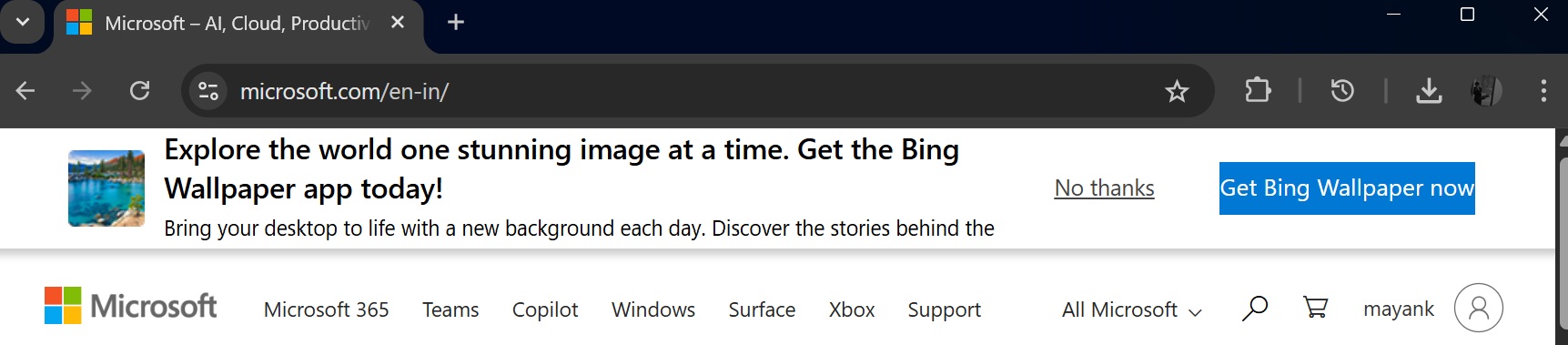
Bing Wallpaper is an optional app, but when you visit Microsoft’s websites, including the main website (Microsoft.com), you’ll be prompted to try Bing Wallpaper. Many people like Bing wallpapers, and they often end up downloading the app, which has a shady feature that opens Bing.com out of nowhere.
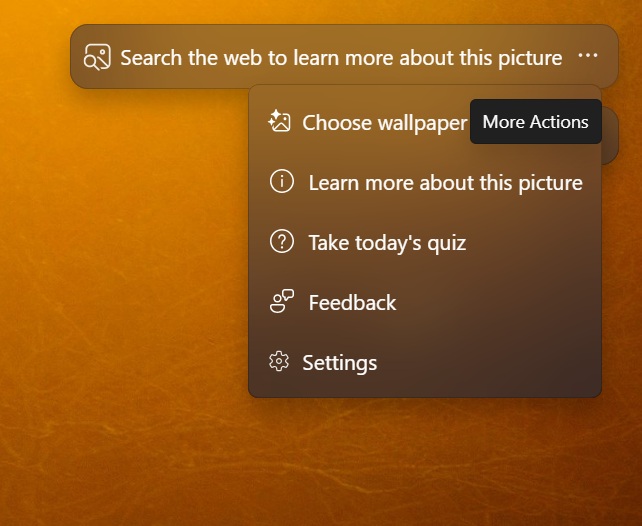
The Bing Wallpaper app is not new, as it has been around for almost a decade, and it’s similar to Windows Spotlight. The Bing Wallpaper app automatically rotates your desktop background. There’s a bubble at the top right corner of the desktop that lets you change the wallpaper or learn more about it on Bing.com.
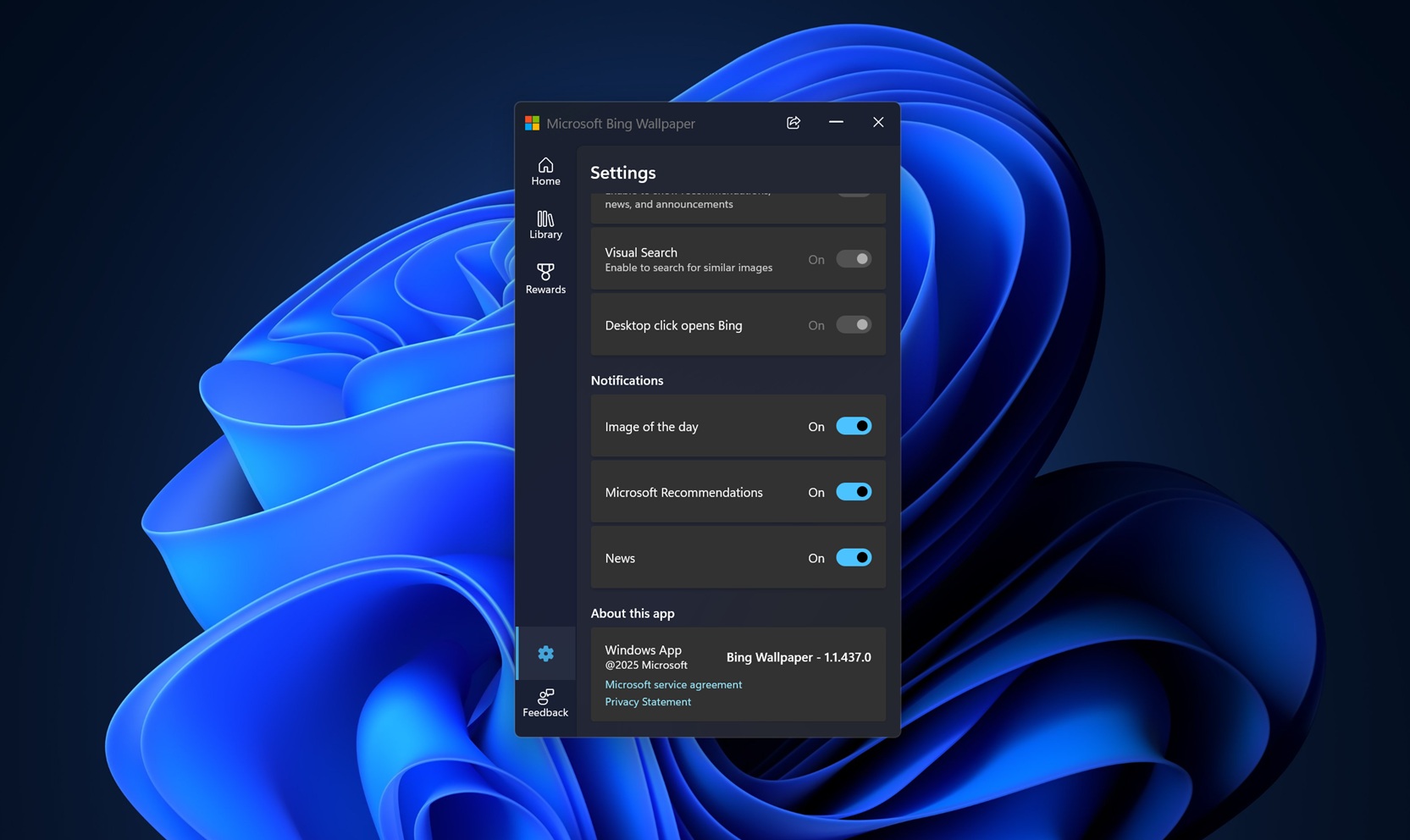
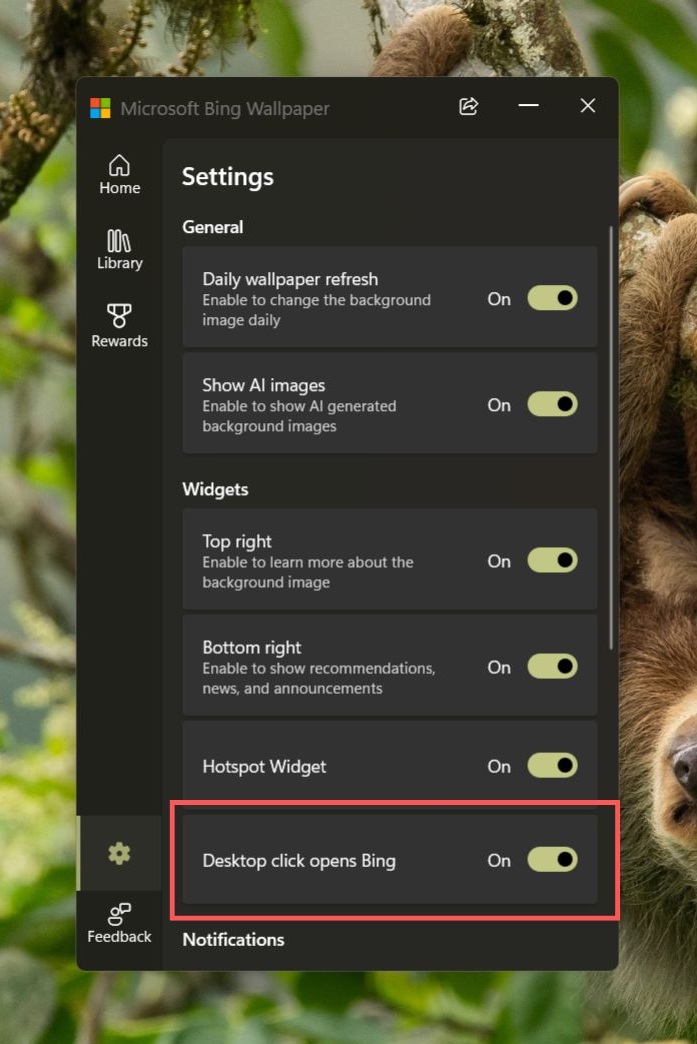
Nobody has a problem with the bubble like the above, but more recently, Windows Latest spotted that the Bing Wallpaper app quietly added a toggle “Desktop click opens Bing. It’s turned on by default.
This means if you click anywhere on the desktop, Windows will open Bing.com with more details about the wallpaper in your default browser. Windows Latest reproduced this behaviour across all our PCs with Bing Wallpaper app installed:
In our tests, Windows Latest observed that the Bing Wallpaper app opens Bing.com if you click anywhere on the desktop once every 24 hours. In other words, if you tap on the desktop with the toggle enabled several times, you won’t be redirected to Bing.com. That only happens once in 24 hours or sometimes even longer.
It’s a smart tactic, and Microsoft does not want to annoy you to the extent that you end up recognizing that it’s the Bing Wallpaper app that’s sending you to Bing.com when you tap on the desktop. This is why this approach is very well-regulated, and some of you might not even realize how you end up on Bing.com out of nowhere.
You can turn off “Desktop click opens Bing,” but there’s a catch
We noticed that the Bing Wallpaper app’s settings page does have a toggle that lets you disable “Desktop click opens Bing.” But some users told us that they don’t see the option to turn off this “feature.”
That means if you don’t have the toggle for some reason, you won’t be able to block the Bing Wallpaper app from sending you to Bing.com when you click anywhere on your desktop.
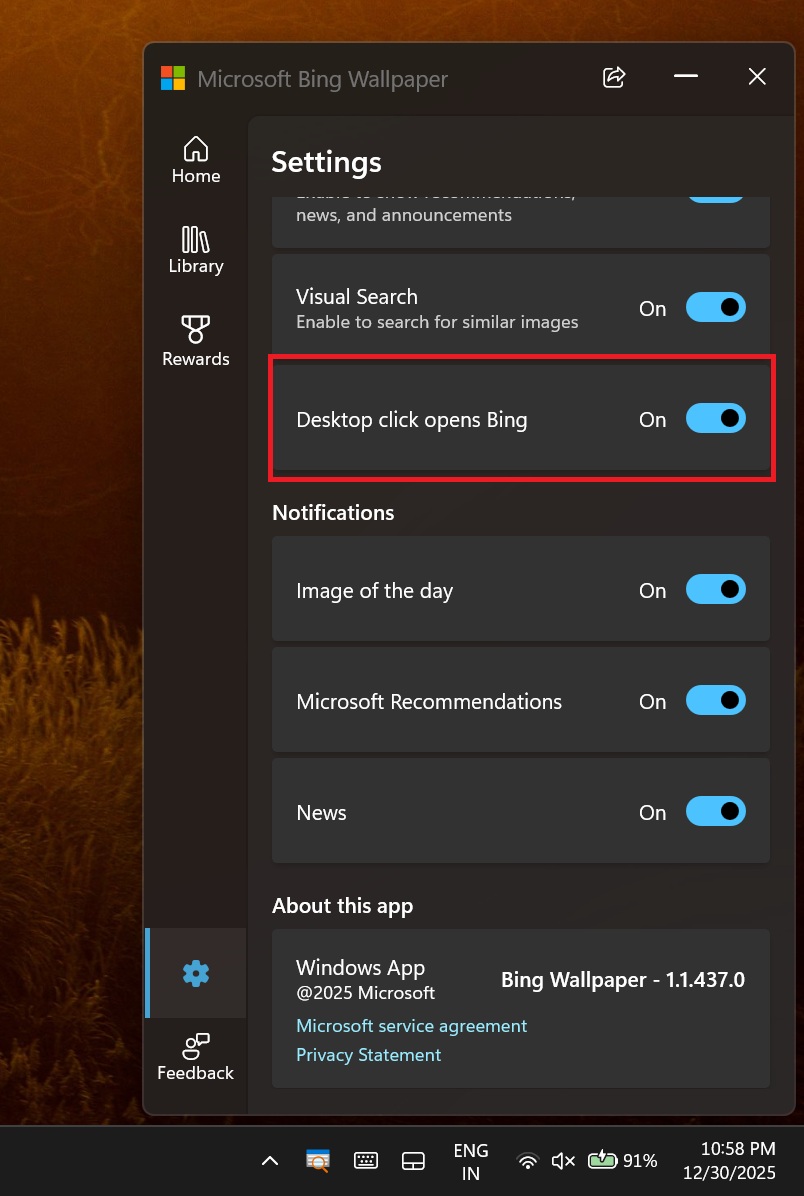
I don’t think Microsoft would intentionally hide the toggle that turns off “Desktop click opens Bing,” so it’s likely a bug. We’re also seeing reports on Reddit (1, 2), so it’s not isolated to just some of the people who got in touch with Windows Latest.
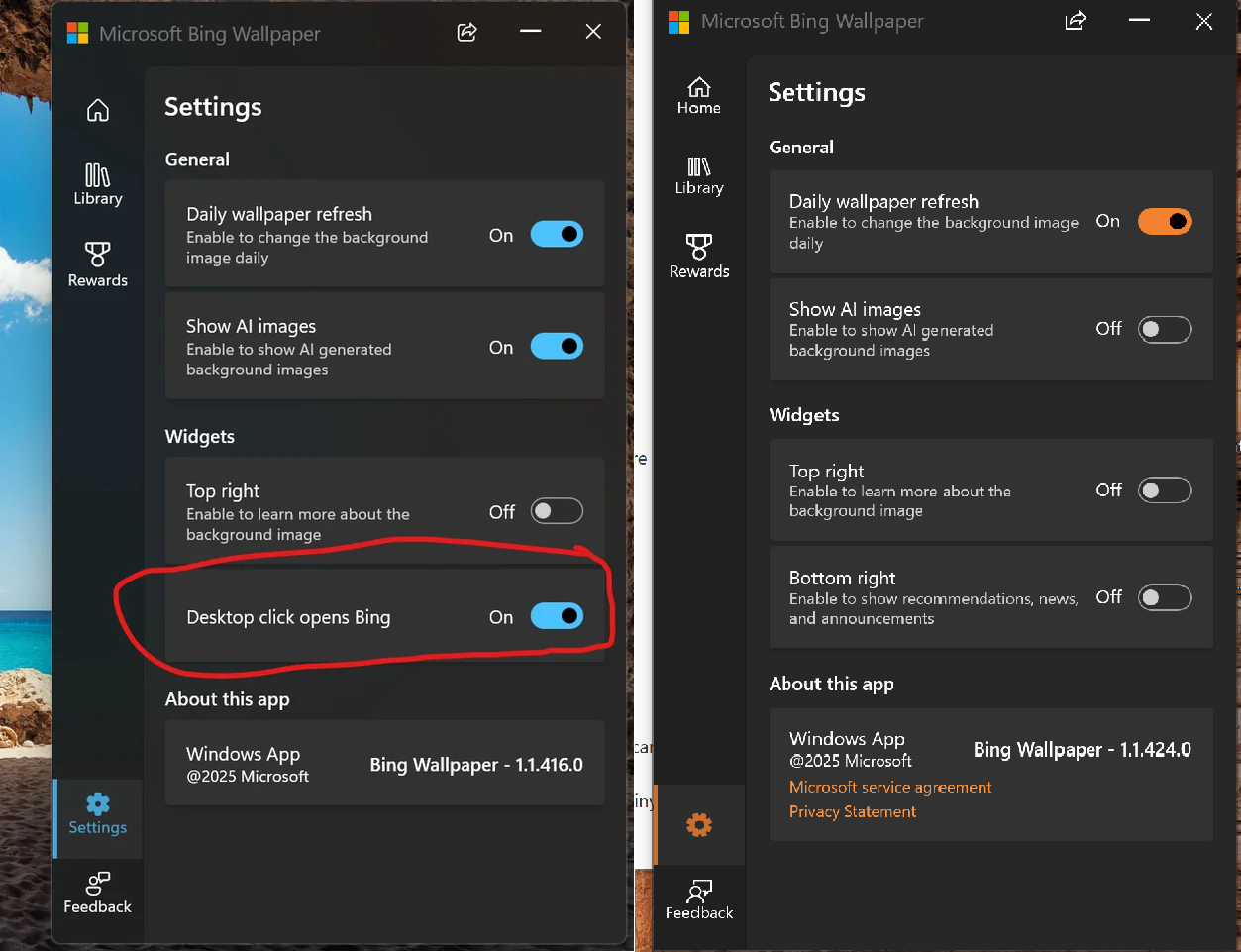
Microsoft may have already rolled out a fix, but if you don’t see the toggle, you will need to reinstall Bing Wallpaper, and that might help. Also, you don’t have to use the Bing Wallpaper app at all, as Windows Spotlight for the desktop is more than enough.
I use Windows Spotlight for the desktop, and you should switch to it as well
Windows Spotlight is also powered by Bing, and if you love Bing Wallpaper, you are going to like Windows Spotlight too. In fact, it’s better because it does not trick you into opening Bing.com in your browser.
To configure Bing-powered Spotlight, open Settings > Personalization > Background, and choose “Spotlight” under “Personalize your background.”
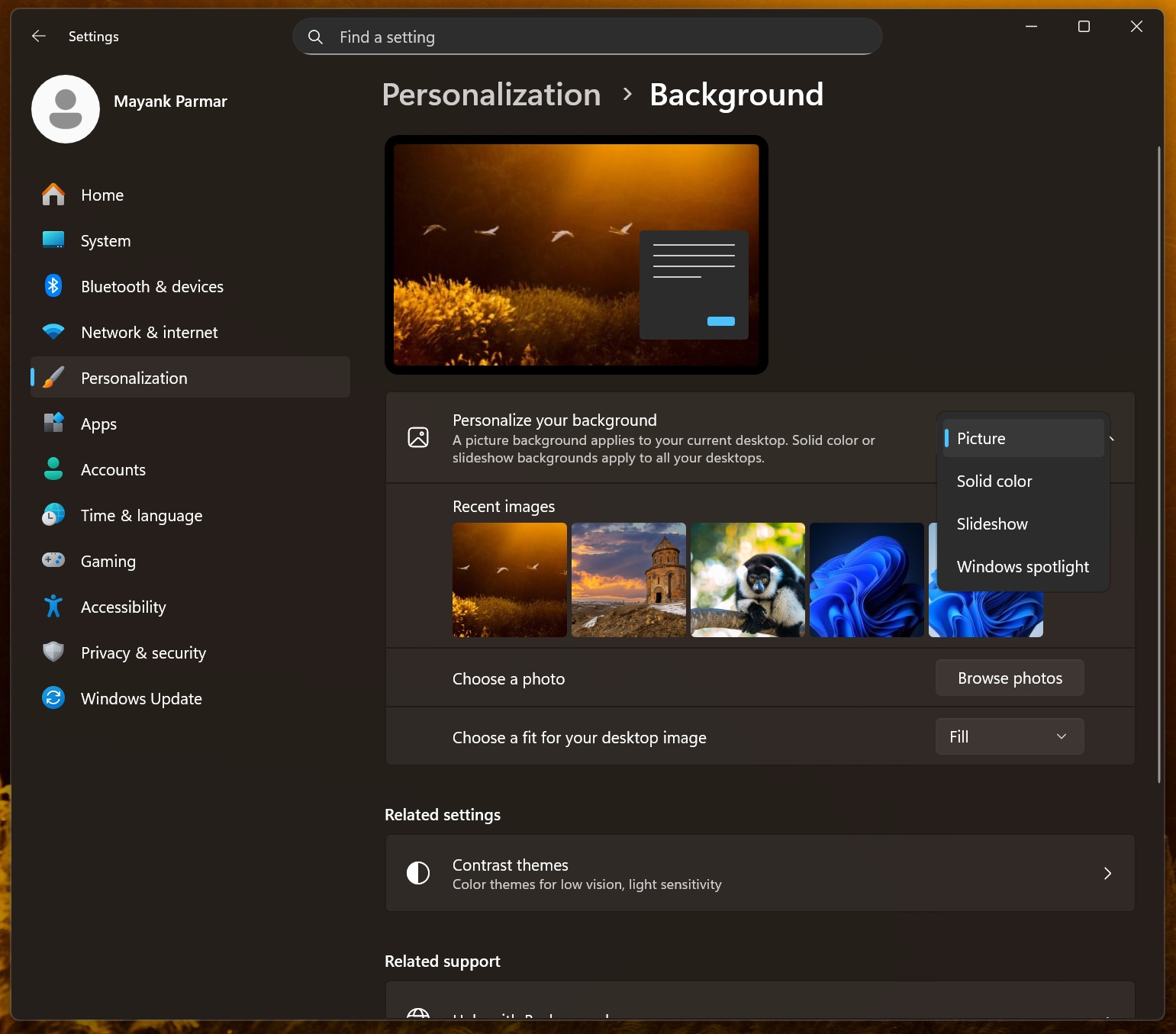
This will automatically switch you to a Bing Wallpapers-like experience without hurting your performance, sending MSN alerts, or tricking you into opening Bing.com.
The Bing Wallpaper app also wants to change the search engine in Edge, Firefox, and Chrome
Microsoft Bing Wallpaper also nags you to change the recommended settings across all browsers, including Firefox, Chrome, and Edge. The recommended setting is “Bing” as the default search engine, and we also noticed that a Bing extension with new daily wallpapers is applied to new tabs.
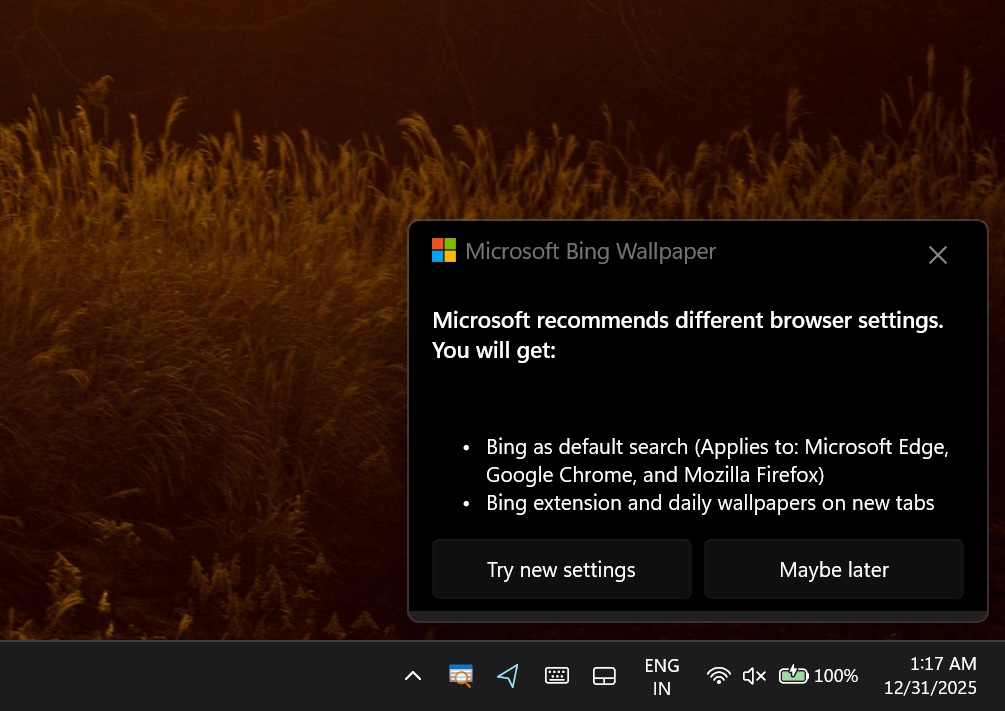
Microsoft has always been aggressive with its Bing and Edge push on Windows 11, and it keeps getting worse.