




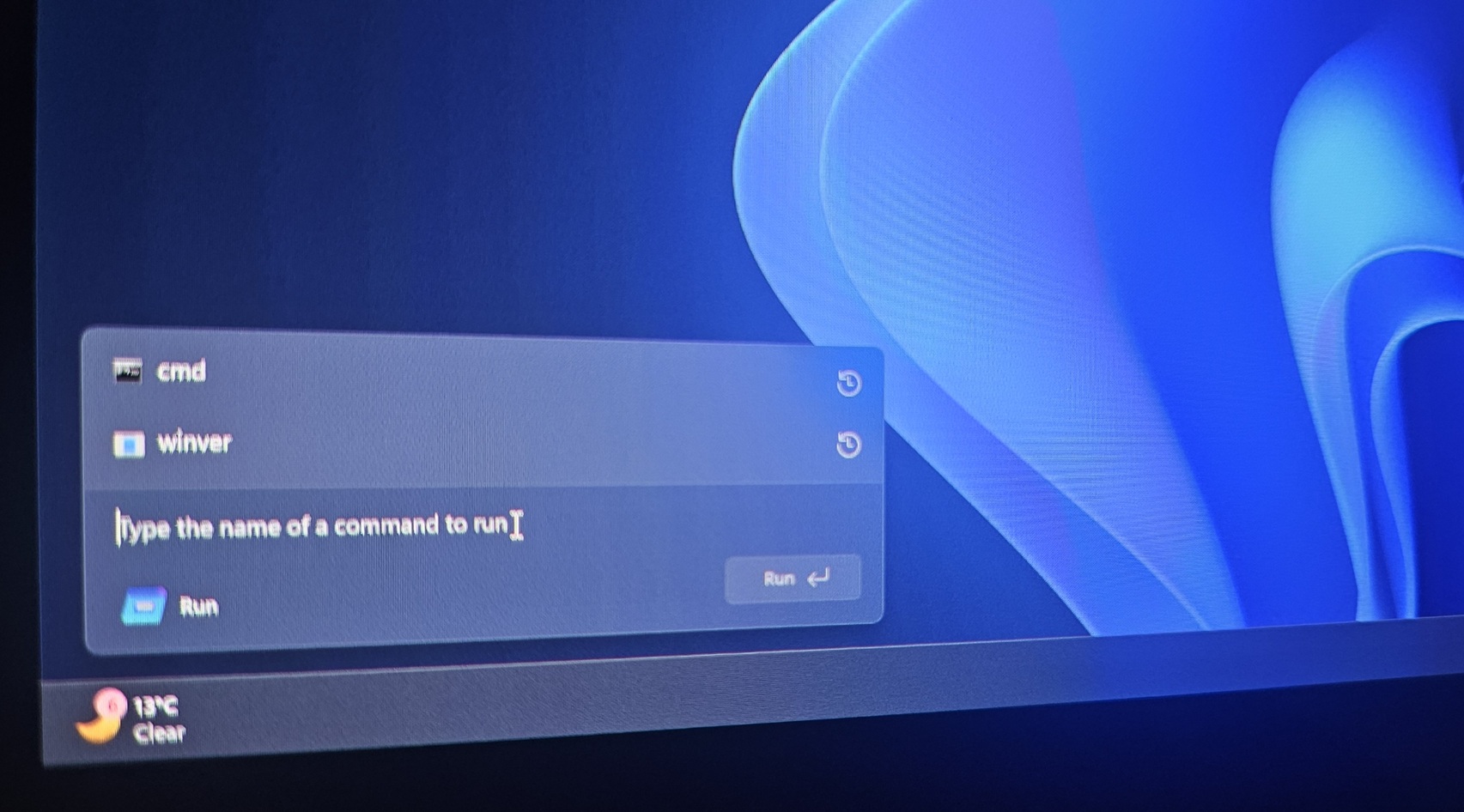
Windows 11 is secretly testing a new Windows Run, and it’s built using WinUI, which is Microsoft’s newer UI toolkit for building Windows apps. But if you are not a fan of fancy translucent effects or animations, don’t worry. Windows Latest can confirm that the new Windows Run dialog is completely optional… at least for now.
Windows Run is an old-school Win32 feature that does not use modern UI elements, such as Acrylic, Mica, smooth animations, or better spacing. A modern Windows Run addresses all of these concerns, but at the same time, Microsoft does not want to upset consumers or admins, fearing outrage.
Instead, Microsoft is building a modern Windows Run that runs alongside the legacy Run as an optional feature.
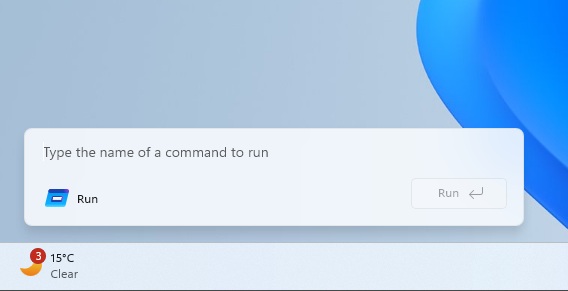
In our tests, Windows Latest observed that the new Run looks like a modern Windows 11 flyout instead of a dialog box. Unlike the legacy Run, it opens as a large and rounded card near the bottom.
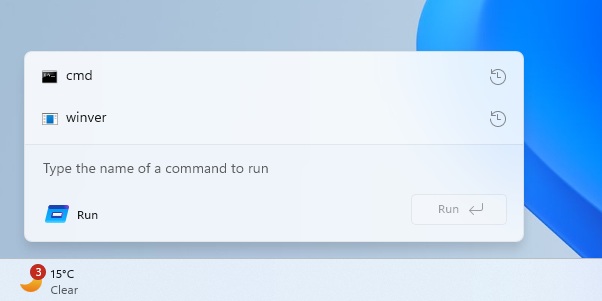
It adapts to dark and light modes, and the spacing and icons feel like the Start or Search UI.
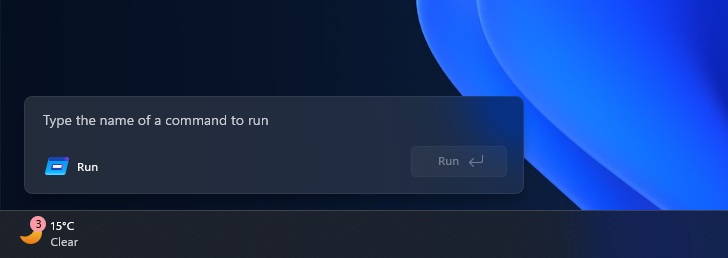
There’s also a Run button on the right, so it’s clearly built around the same approach as the existing Run.
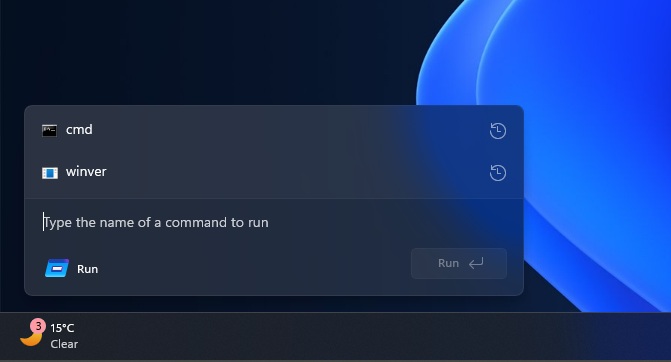
It has a simple history list above the input field. For example, I opened two items (cmd and winver) using Run, so they appear above the input area with a clock icon on the right.
What’s missing in modern Windows Run?
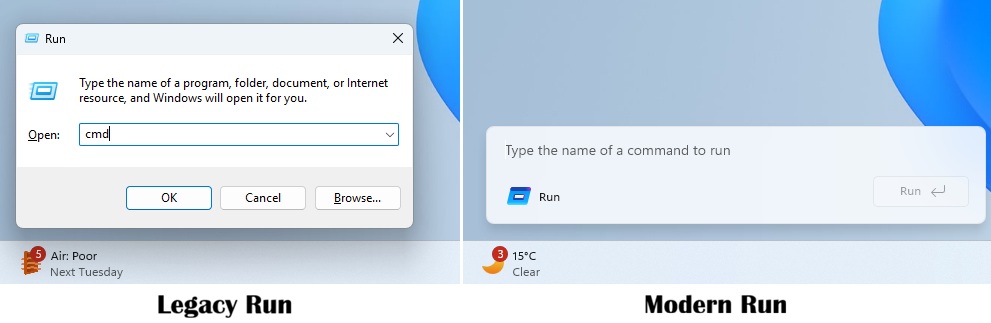
As you can see in the above screenshot, modern Run does not have a classic title bar, which is why it takes up less space. It also does not have the ‘Browse’ feature. Browse in Run allows you to find the file path, but this is no longer possible with the modern Run. Is that going to change in the future? We don’t know.
Another bummer is that the modern Run is locked to the bottom left of the desktop. This means it cannot be moved, just like the new taskbar. While Run might become movable in the future, Microsoft says the taskbar in Windows 11 will be locked to the bottom, as the company wants to focus on other areas.
Is the new Windows Run slower than the legacy Run?
This modern Run dialog is still in early development, and that explains some glitches you could observe in the video below.
We dislike Windows 11’s modern “upgrades” not just because of missing features but largely because of how slow they’ve turned out to be. I mean, File Explorer’s header is built using WinUI, and you might have noticed how it takes seconds to load the options, and it’s so bad that Microsoft has ultimately decided to preload Explorer.
This modern Windows Run doesn’t feel slow and is almost as instant as the legacy Run, plus it’s more touch-friendly and more consistent with Windows visuals.
Modern Windows Run is going to be an optional feature
Turns out the new Windows Run won’t replace legacy Run, which would remain the default experience.
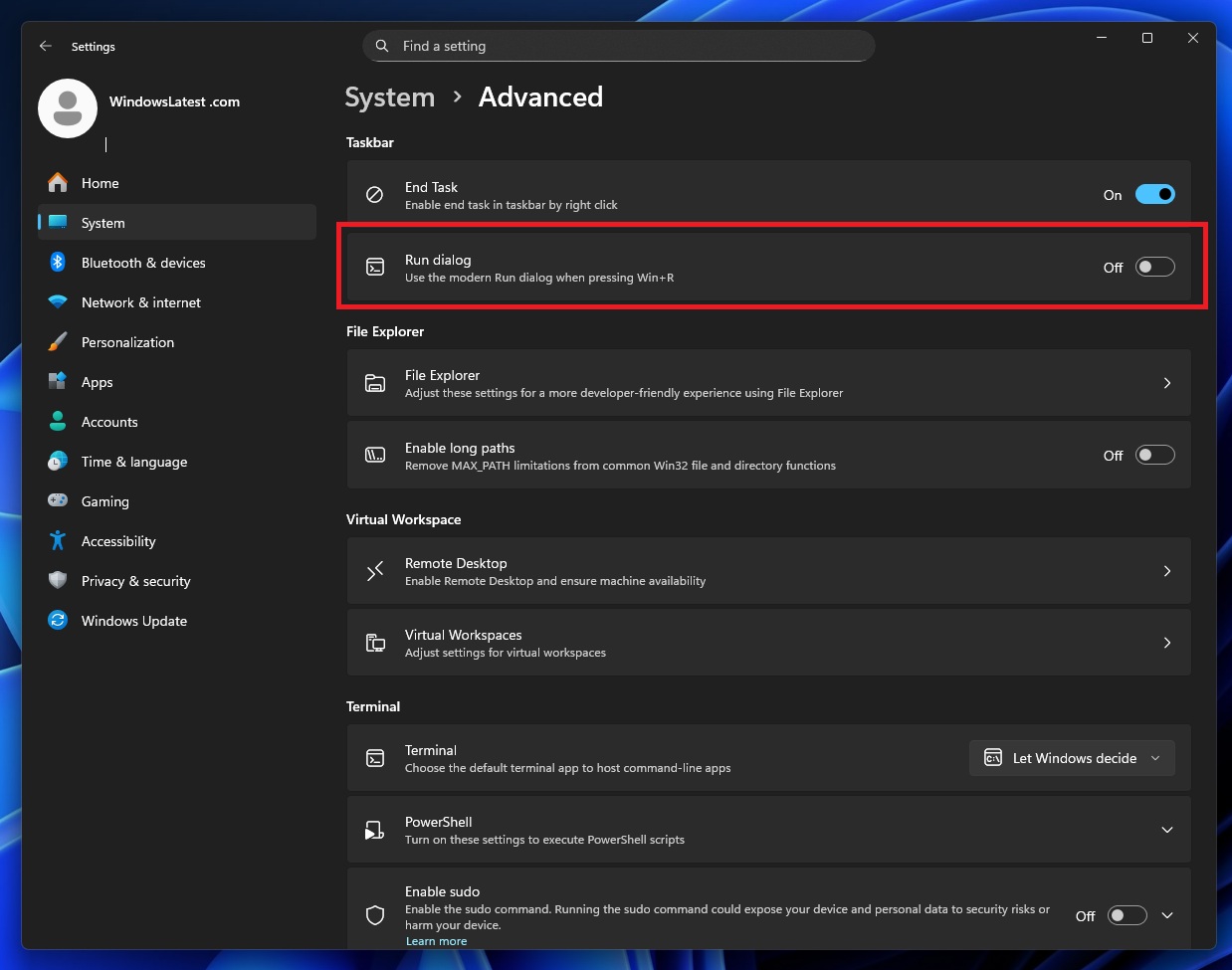
In our tests, Windows Latest observed that you need to turn on modern Windows Run from Settings > System > Advanced.
Since the modern Run lives under the Advanced page, there’s a chance Microsoft could add new features to it over time. I also don’t think Microsoft would bother touching or replacing the legacy Run and maintaining a separate Run under “Advanced” settings unless there was a bigger reason behind it.
What do you think? Let me know in the comments.