






As someone who has no problem spending hours renaming files and folders so that they’ll match the contents, I always found it frustrating that Microsoft defaults to the first 5 letters of my MS email address as the User folder name while setting up my Windows PC.
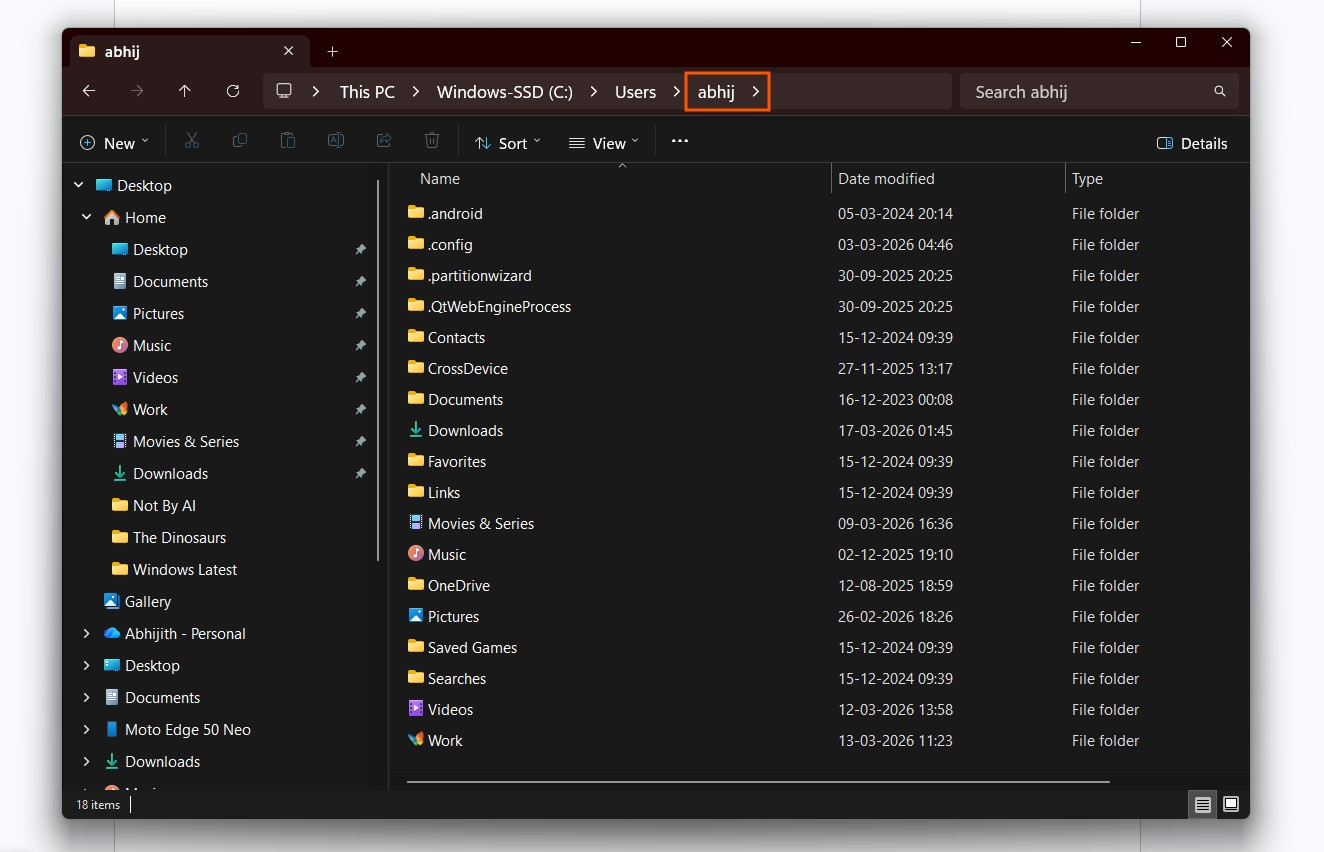
For context, if your name is Pat Rickson and your email address is [email protected], after setting up your Windows PC, your user folder directory would be C:\Windows\Users\patri, which doesn’t make any sense unless your name is a perfect 5 letters.
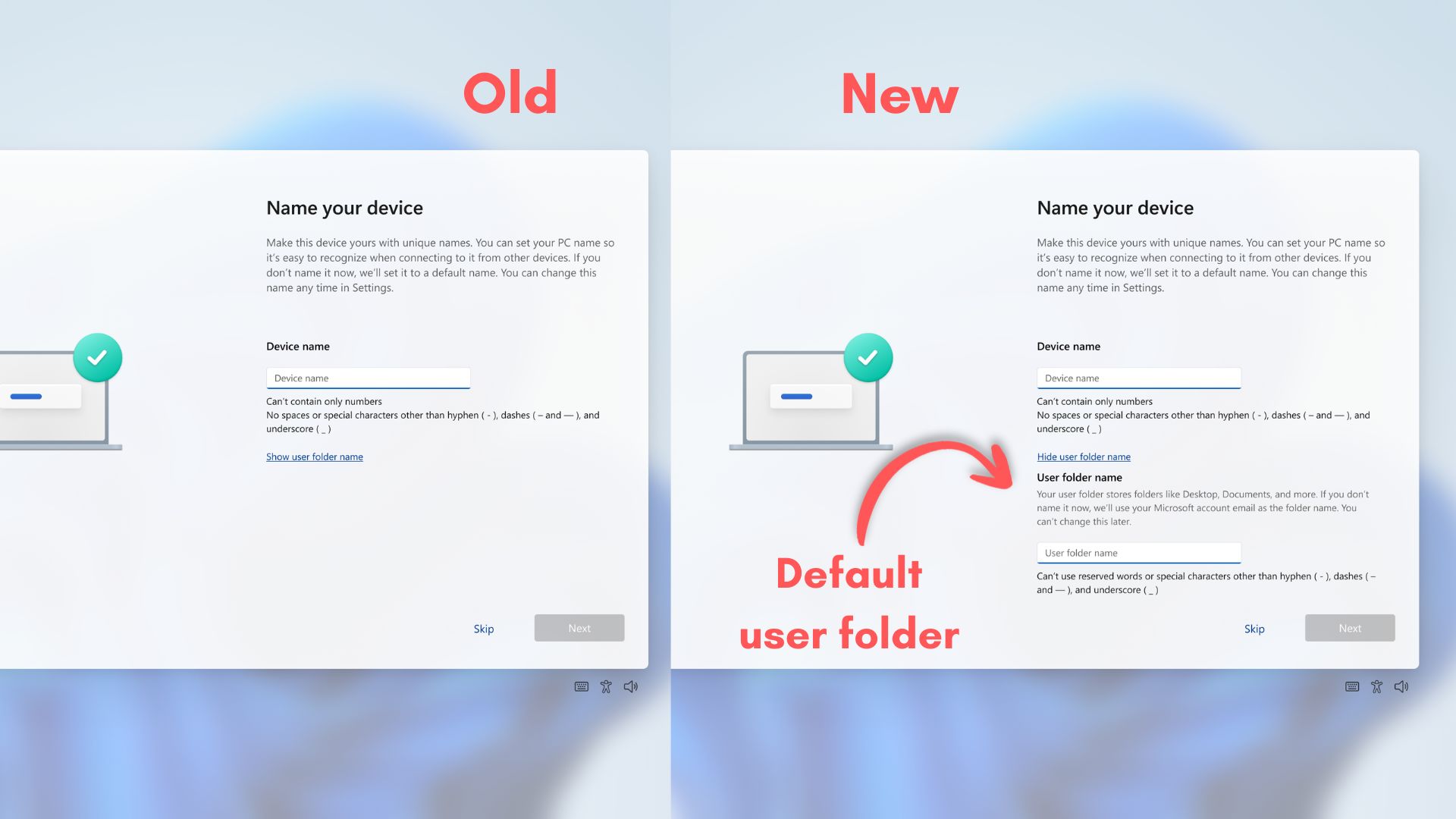
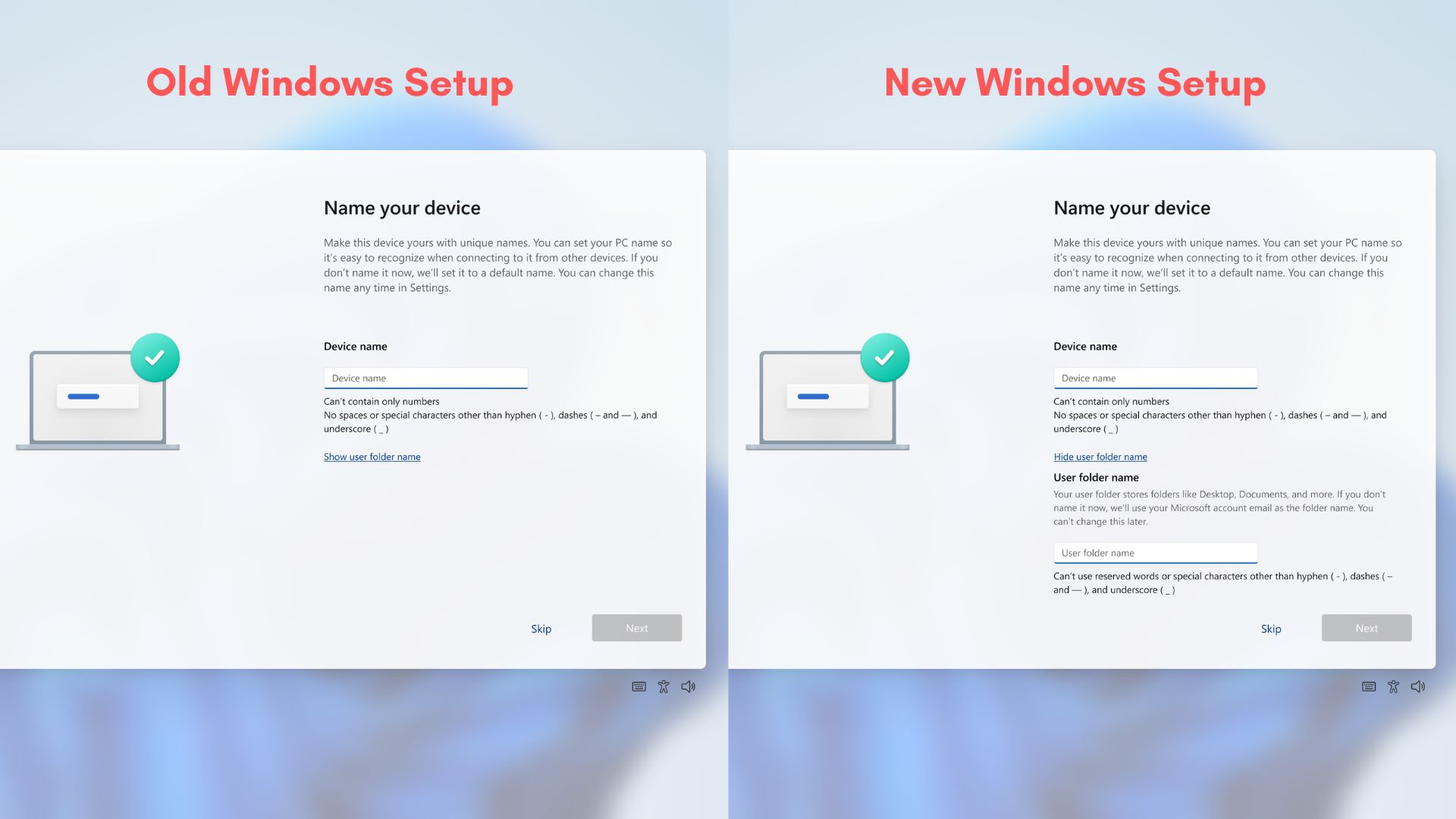
Fortunately, with the recent Windows 11 Insider Preview Build 26300.8068 for the Dev channel, Microsoft updated the Windows Setup Experience, also called out of box experience (OOBE), to include a new “User folder name” option on the Device Name page.
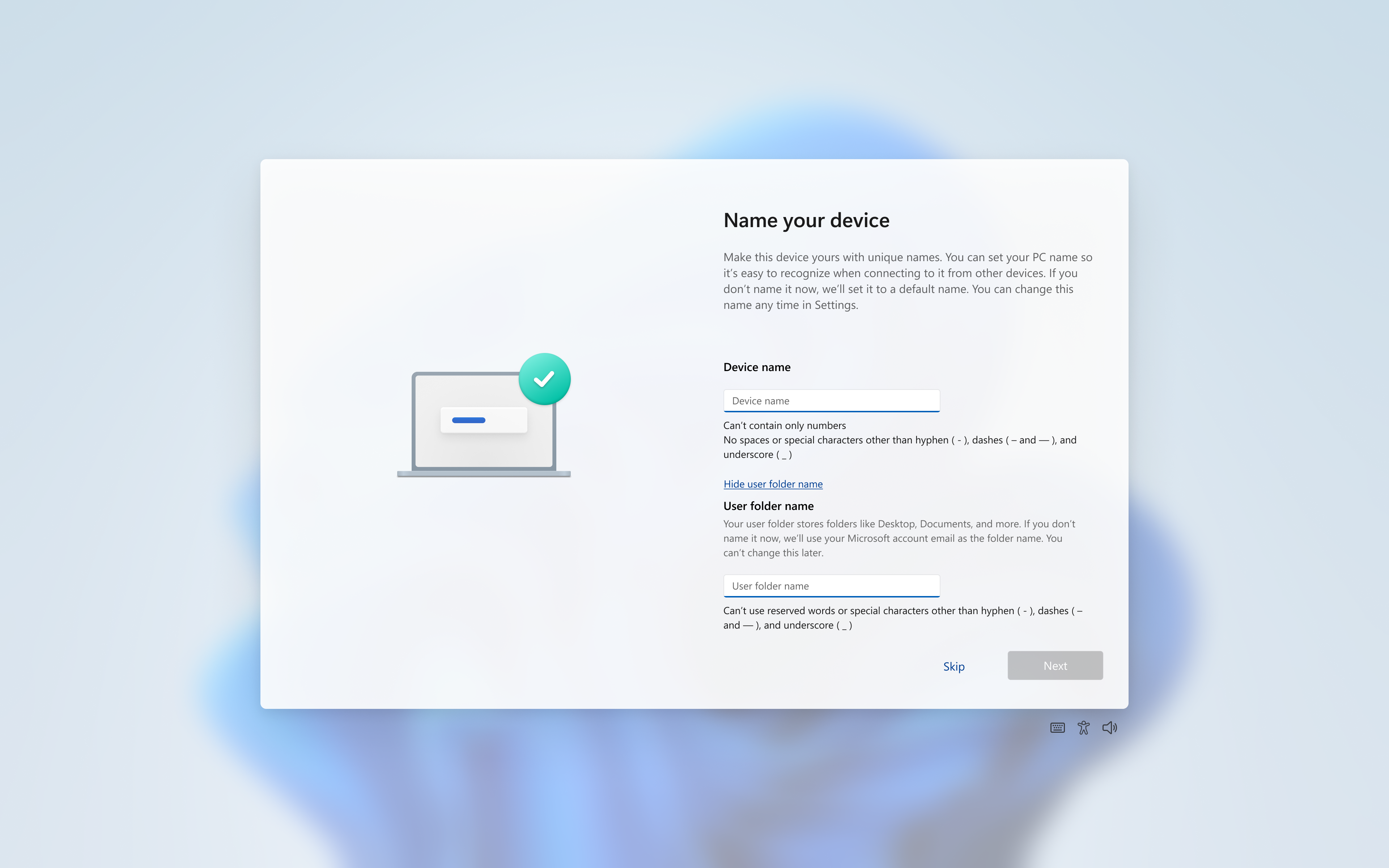
With this new update, you can type a folder name of your choosing on the same page where you’d normally type the Device name. Of course, you’ll still have to follow Windows naming requirements.
This new change in the OOBE isn’t just for aesthetics, though, as many users who access files from the Command Prompt have a hard time remembering the User folder name, especially if they use an email address that has a username different from their own name.
That said, this update just added an extra step in the already tiresome Windows OOBE, which is in dire need of a strip down. Apart from the typical annoyances of a mandatory internet connection and lack of local account option, we have to test our patience until it downloads and installs a new Windows update, and only then are we allowed to enter the desktop.
Windows 11 OOBE now allows to change User folder name
Soon, anyone who buys a new Windows laptop or those who reinstall Windows 11 will be able to choose their own User folder names while setting up the OS.
It’s the same folder that contains your most-used folders like Documents, Downloads, Desktop, Pictures, and Videos.
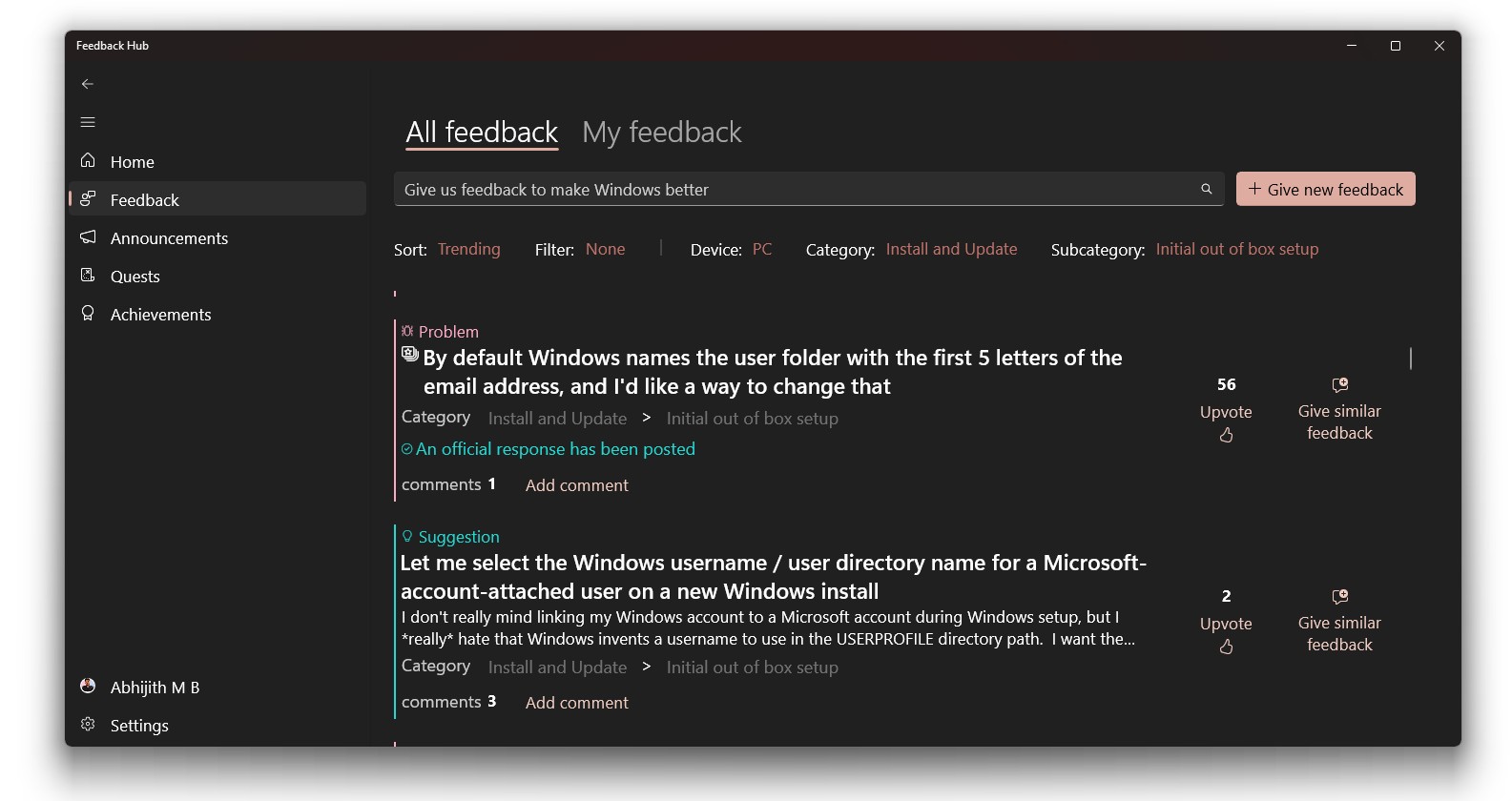
The feature has been requested by users for a long time.
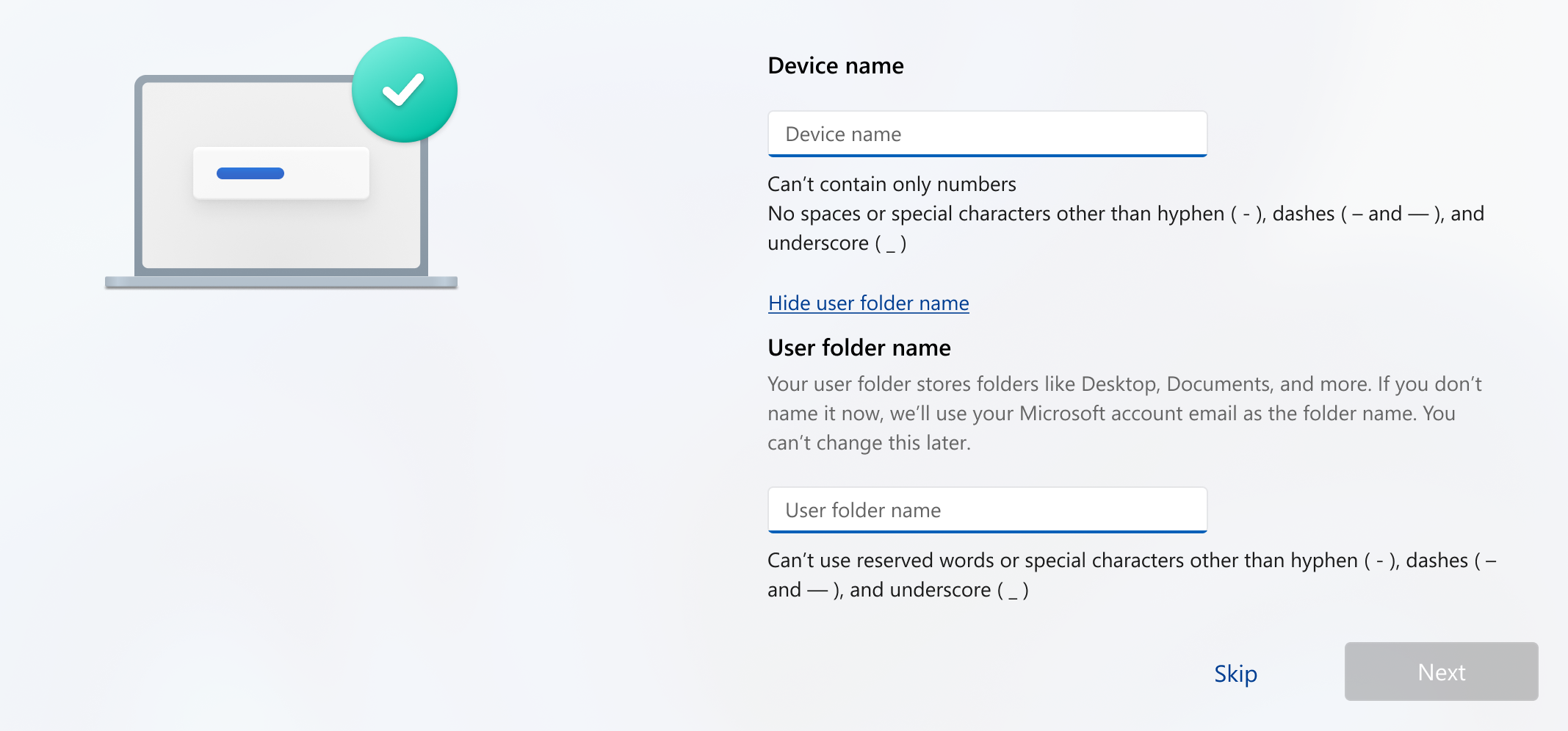
“Expanding on our work which started rolling to Insiders last fall, you can now choose a custom name for your user folder on the Device Name page when going through Windows setup,” Microsoft said in a blog post announcing Windows 11 Insider Preview Build 26300.8068 (KB 5079464) for the Dev Channel.
The option now appears below the Device name text box. You can have a name with up to 16 Unicode characters. Strangely, Microsoft also provides a “Hide user folder name” option. Nevertheless, if you skip naming the User folder, Microsoft will use the default naming scheme, which is the first 5 letters of your Microsoft Account email ID.
The ability to name your default user folder in OOBE was originally announced a few months ago, but back then, you would need to use the Command Prompt, which isn’t intuitive for the average Windows user. So, the feature being available during the initial setup is very welcome, especially considering that both macOS and Linux already had the feature for a long time.
As the feature is currently in the testing phase for Dev insiders, we don’t expect it to roll out immediately. But if you wish to change the default folder name, you can use the command prompt method given below:
- In the sign-in page, press Shift + F10 to open Command Prompt
- Type the command: “cd oobe”. Press Enter
- Type “SetDefaultUserFolder.cmd <YourFolderName>”
- Now sign in with your Microsoft Account.
It’s good to see Microsoft slowly adding user-requested features into Windows 11, and we hope the company continues doing so, as the OS’s reputation is at an all-time low. However, there’s a lot of work left to be done with the Windows setup experience.
The Windows 11 Setup experience is exhausting
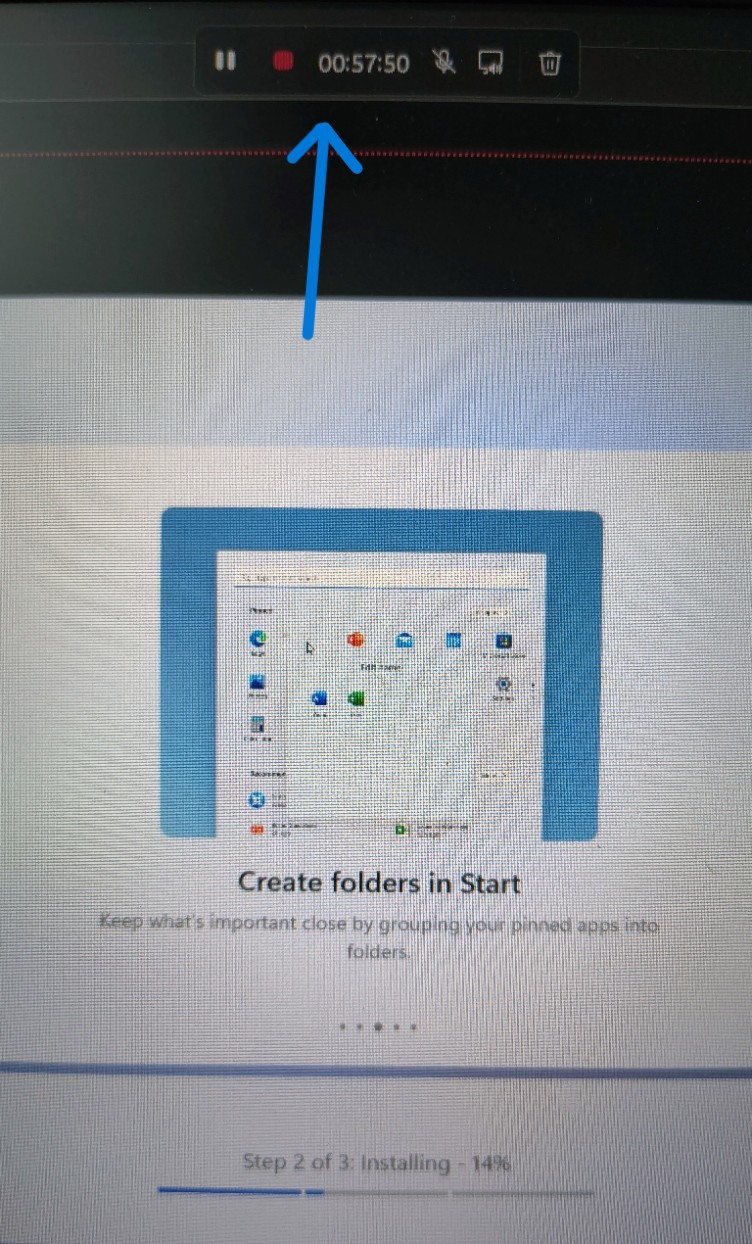
I recently installed Windows 11 on one of my test PCs, and the setup process took about an hour, and it wasn’t because my PC was slow; it’s just that Windows had to get the latest update before taking us to the desktop.
Sure, it’s always a good idea to be on the latest feature update, but downloading and installing combined takes so much time that the excitement of someone who bought a new Windows laptop would just wither away.
Then there is the myriad of subscriptions that we have to reject during setup. Microsoft 365, OneDrive, GamePass, honestly, it’s very annoying as people just want to finish setting up the OS as fast as possible.
While Microsoft tries to make the user go through tough times to use Windows, Apple, on the other hand, makes it a joy for a user to see macOS boot for the first time.
As the MacBook Neo is slated to sell in the millions, a lot of PC users who know about the Windows experience will be tempted to switch to macOS, unless Microsoft keeps its promise to fix Windows in 2026, which also includes such quality-of-life improvements.