







Windows Latest previously exclusively reported that Microsoft is internally testing image support in Notepad for Windows 11. A month later, Notepad’s image integration is now being quietly teased in an email sent to the Windows Insiders ahead of the rollout. But it’s unclear when the update will roll out to everyone.
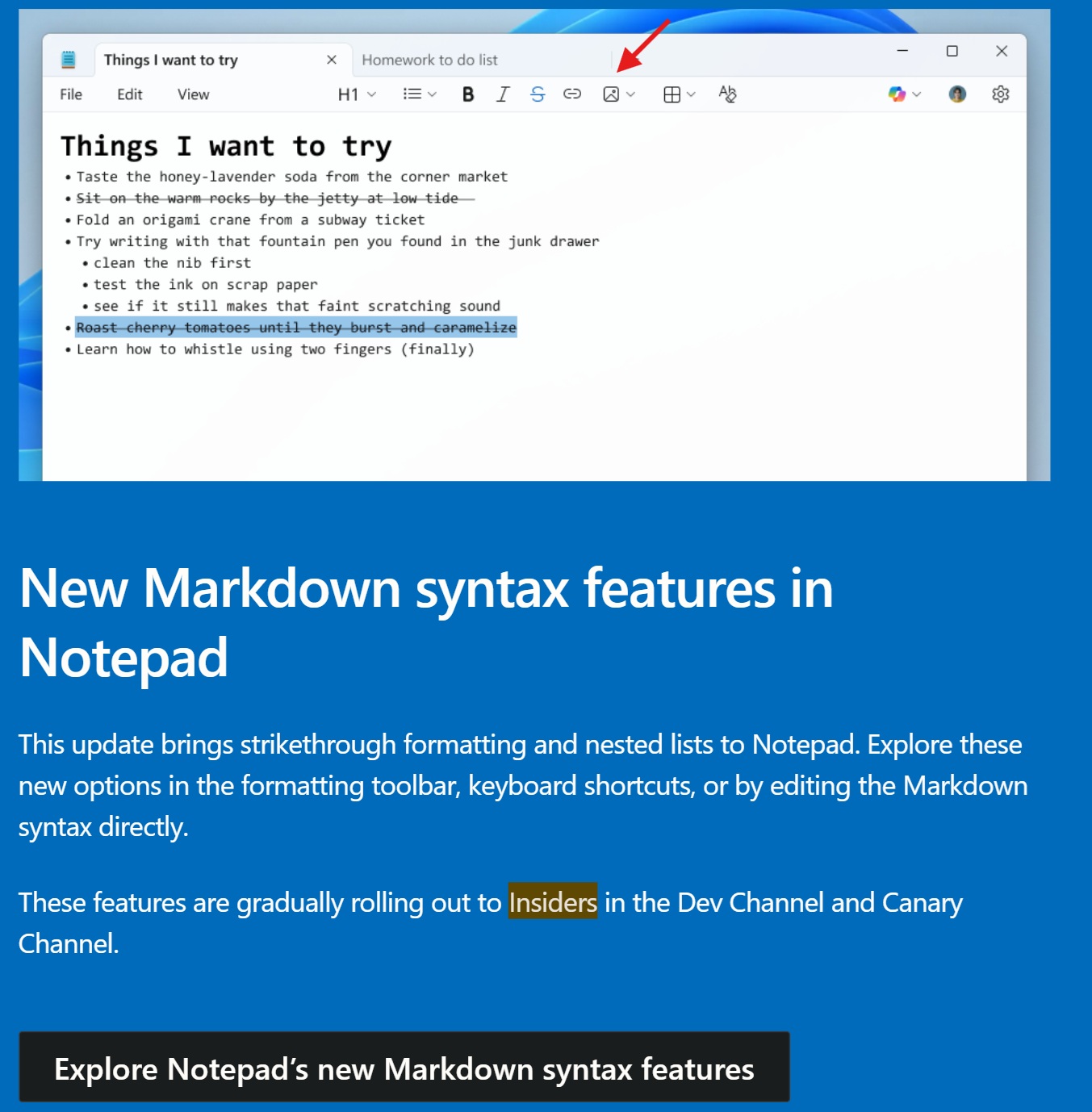
In an email spotted by Windows Latest, there’s a screenshot of an unreleased Notepad version, and it has a toggle to insert images.
We don’t know how the feature works, but you should be able to insert multiple images in Notepad. It’ll be similar to how WordPad handled images.
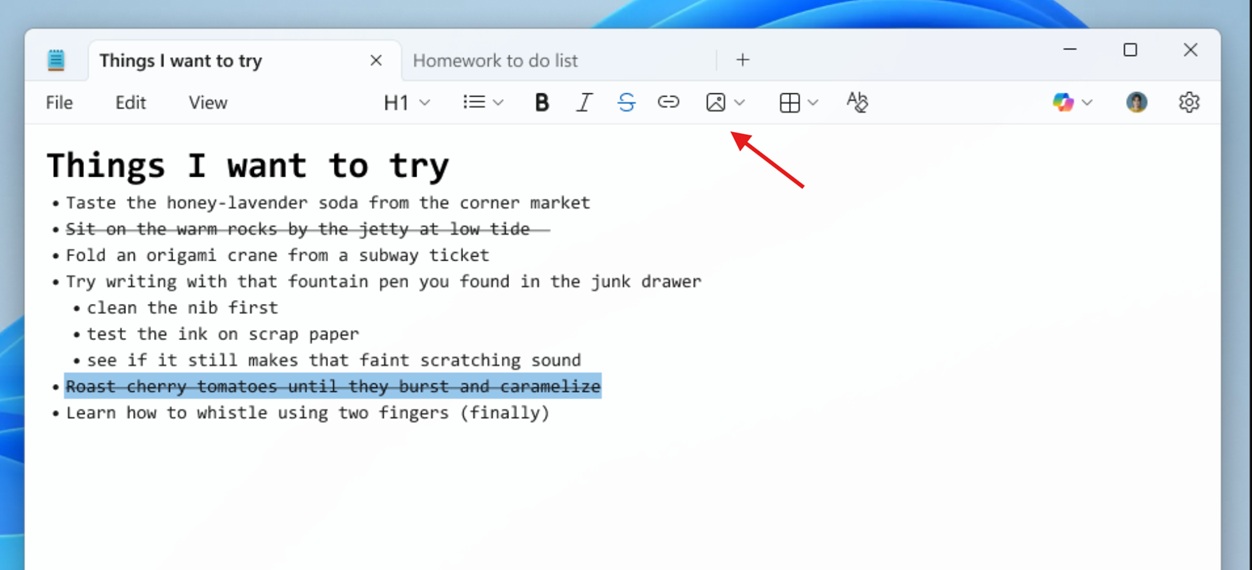
Microsoft sources have already told Windows Latest that Notepad’s image support is real and has been in the works for the past few months. Some of you might argue that Notepad is a text editor and it doesn’t need image support, which is a fair point. However, it’s part of the company’s efforts to fill the gap left by WordPad.
Like the rest of the formatting options, Windows Latest has learned that Notepad’s image support does not use a lot of resources, and it’s barely noticable in most cases.
Microsoft is bridging the gap between Notepad and WordPad at the cost of Notepad’s simplicity
Microsoft has always maintained multiple text editors on Windows, including MS Word, WordPad, and Notepad.
While Microsoft Word is a flagship software and paid, Notepad has always been a simple text editor that only allows you to type text. This changed after Microsoft retired WordPad, as the company decided to bring WordPad-like text formatting to Notepad.
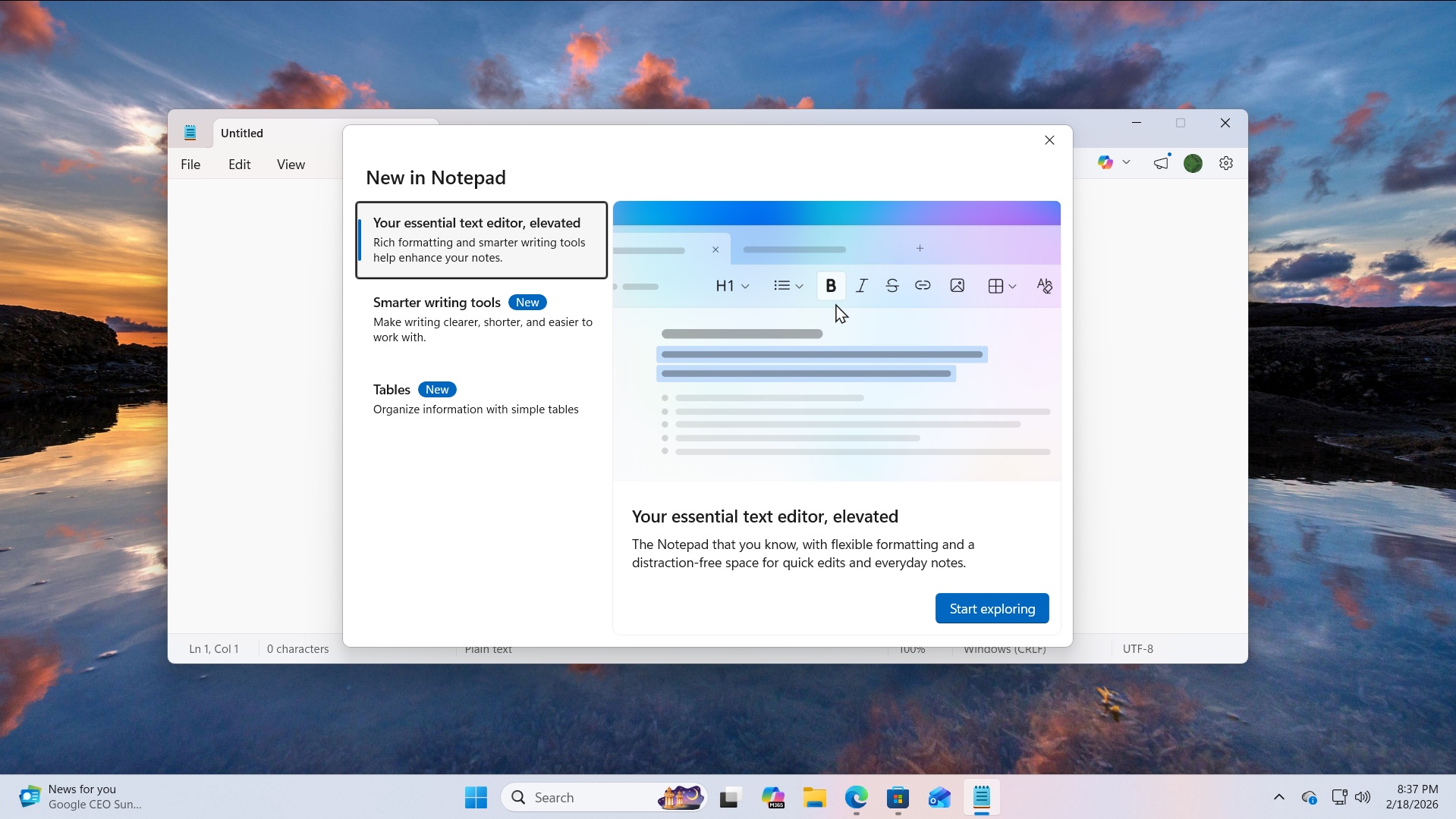
Notepad is no longer a simple text editor, and it’s always getting new features, including full-fledged support for markdown.

Microsoft argues that markdown in Notepad is lightweight, and it allows applying text formatting, such as italics, underline, bold, links, and even creating a table.
Notepad also has other formatting syntax, including strikethrough and nested lists, so you can make cleaner notes without switching to toher. You can use the toolbar, keyboard shortcuts, or just type the Markdown symbols directly.
Finally, tables are available more widely after recent update. You can insert a table from the toolbar and pick the size using a small grid, then type inside the cells like normal text.
Because it’s Markdown-style, the table is still stored as plain text with separators, which keeps it lightweight and easy to edit even in a basic .txt file.
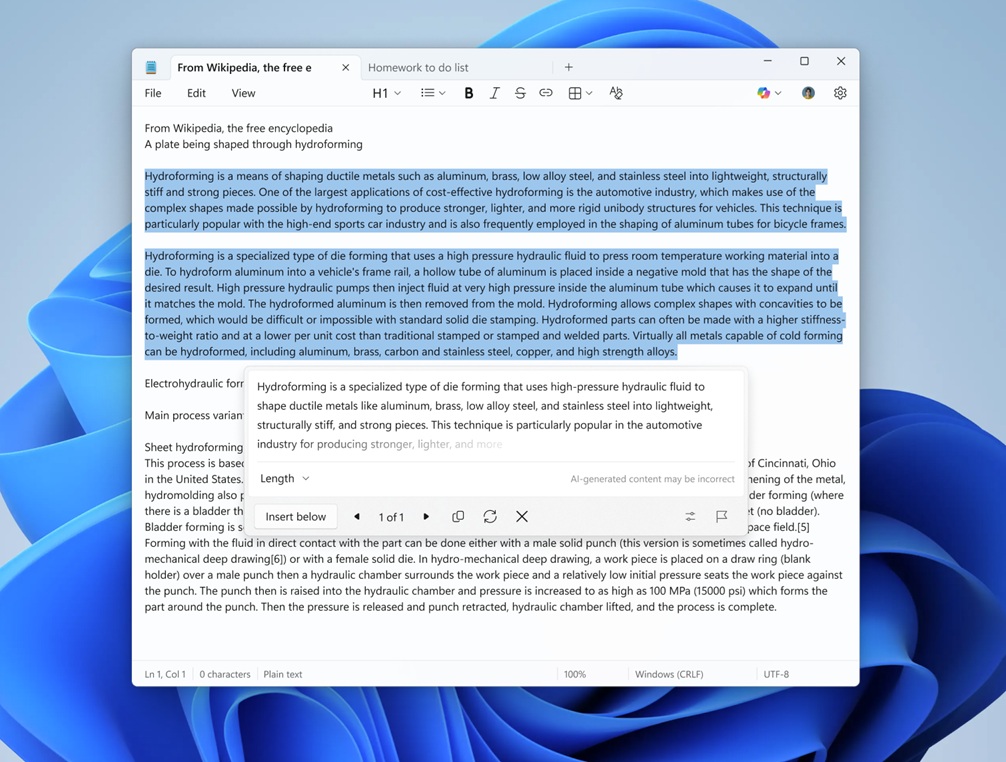
Another change is how Notepad handles AI text tools like Write, Rewrite, and Summarize. Instead of waiting for the full result to finish, Notepad now starts showing text sooner, line by line, similar to ChatGPT.
As always, if you dislike one of these features, you can turn them off from Settings in Notepad.