





Windows 11 has a new policy called “Make Print Screen key yiedable,” which allows third-party apps to intercept the keyboard shortcut. This means third-party apps can easily use the ‘Print’ screenshot, which typically opens Snipping Tool or Windows 11’s built-in screen capture interface.
There are many ways to capture a screenshot in Windows 11, but the most popular shortcut remains the Print key. That’s given because the key itself is called “Prntscr,” which stands for Print Screen. On most PCs, when you press the Print key, it opens the Snipping Tool.
As noticed by Tero and verified by Windows Latest, Microsoft is testing a new Group Policy, which enables third-party apps to override the default screenshot key.
In Build 26300, if you open Group Policy Editor, which requires Windows 11 Pro, and go to Computer Configuration > Administrative Templates > Windows Components > File Explorer, you’ll find a policy called “Make Print Screen key yieldable.”
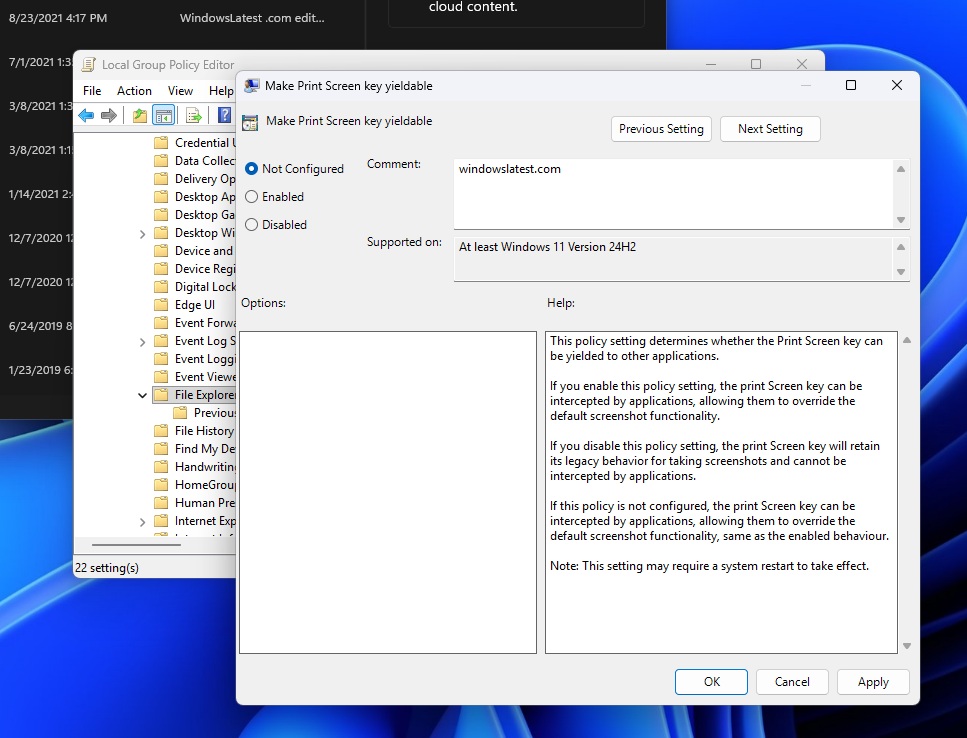
By default, this policy is set to “not configured,” which means third-party apps can use your Print key whenever they want, replacing ‘Snipping Tool’ as the default app.
“This policy setting determines whether the Print Screen key can be yielded to other applications,” Microsoft noted in an explanation seen by Windows Latest.
“If you enable this policy setting, the Print Screen key can be intercepted by applications, allowing them to override the default screenshot functionality. If you disable this policy setting, the Print Screen key will retain its legacy behavior for taking screenshots and cannot be intercepted by applications.”
If you don’t want third-party apps to take over the Print key, you should set the policy to “Disabled”. In all other cases, you should leave it as it is. Third-party apps randomly do not hijack your Print key, and if they do, you can always remove the app or simply use the Group Policy.
In our tests, Windows Latest observed that the Group Policy that gives you greater control over the Print key requires a reboot to fully apply the changes.
It’s not the first time Microsoft has tried to change how the Print Screen key works
Back in 2023, Windows Latest spotted a new toggle “Use the print screen key to open Snipping Tool” under Settings > Accessibility > Keyboard that lets you block Print Screen from opening Snipping Tool by default.
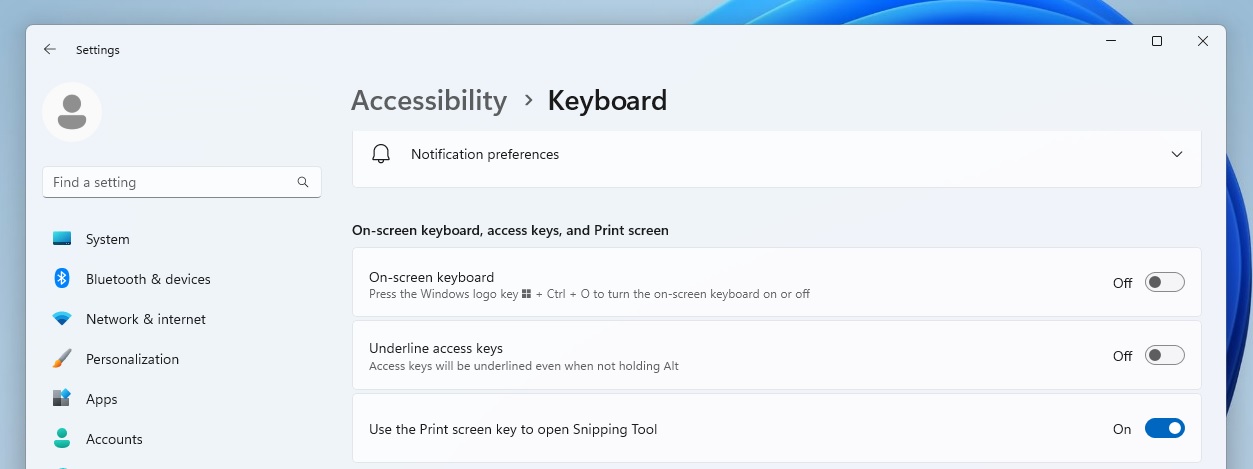
Microsoft even called it out in a 2023 blog post: “Pressing the print screen key will now open Snipping Tool by default. This setting can be turned off via Settings > Accessibility > Keyboard. If you have previously modified this setting yourself, your preference will be preserved.”
That toggle showed up in preview builds at the time, but it’s effectively gone now. On Windows 11 24H2 (and 25H2), heading to Settings > Accessibility > Keyboard doesn’t show any option to control Print Screen behaviour when Snipping Tool is installed.
What makes it more confusing is that Snipping Tool still points you to Accessibility settings to change the Print Screen shortcut, but the setting it references isn’t there anymore.
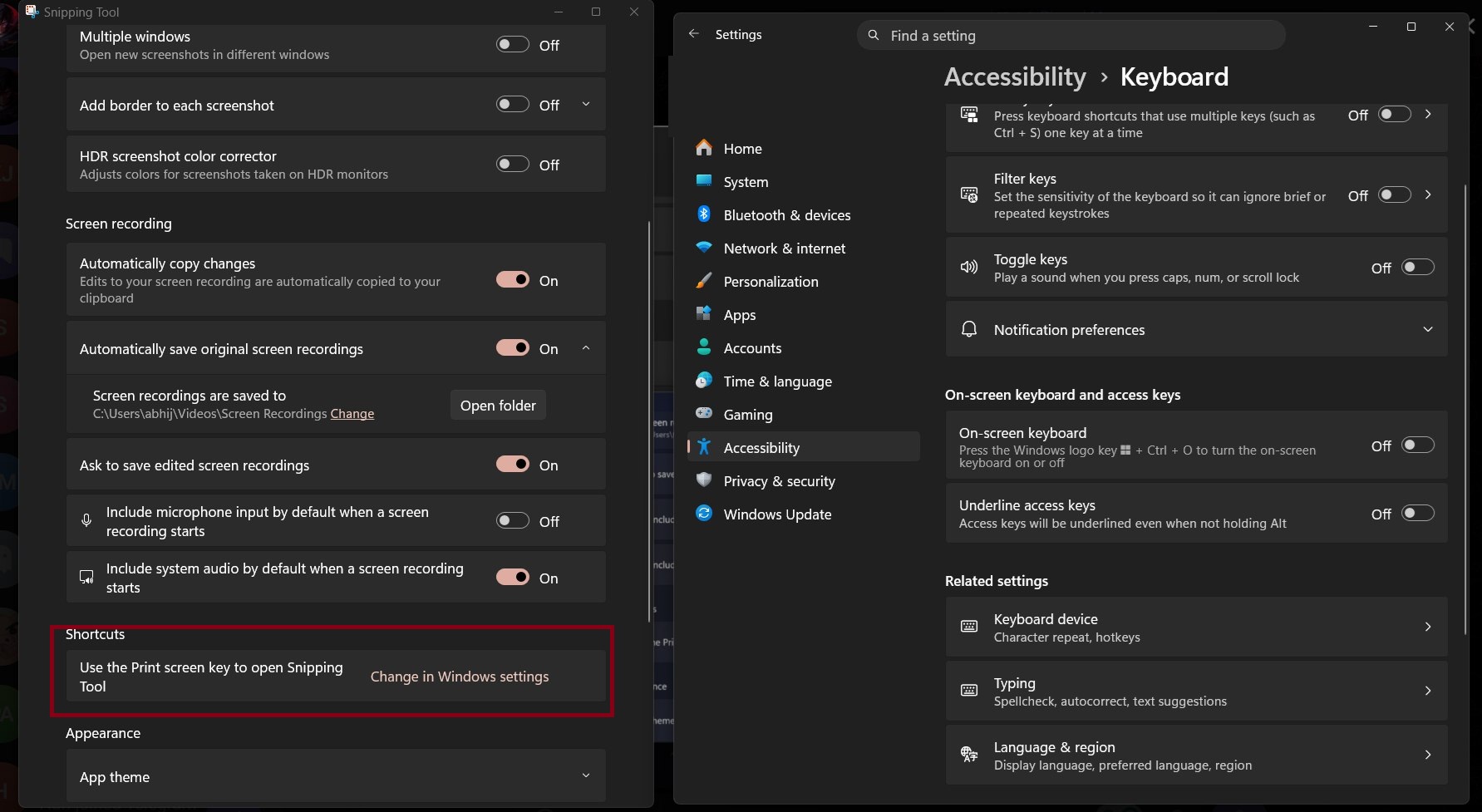
So you get sent to the “right” place, only to hit a dead end. Either way, the new Group Policy is more powerful for managing the Print Screen key, and it’s now rolling out to users.