




For the past few years, Windows 11 update naming scheme has had a predictable rhythm. We got version 22H2, then 23H2, then 24H2 and 25H2, all as part of Microsoft’s decision to have a single major update each year, usually in the second half. So when news about Windows 11 26H1 broke out, it understandably raised eyebrows. After all, H1 releases used to mean something very different in the Windows 10 era.
Windows 11 26H1 is indeed a real release, but it is not a feature update meant for PCs already in use. Microsoft has confirmed to Windows Latest that this version is shipping only on new ARM devices launching in 2026, specifically the Snapdragon X2 series, and maybe the yet-to-be-announced NVIDIA N1X. If you are running Windows 11 today on Intel or AMD hardware, you will not see 26H1 in Windows Update.
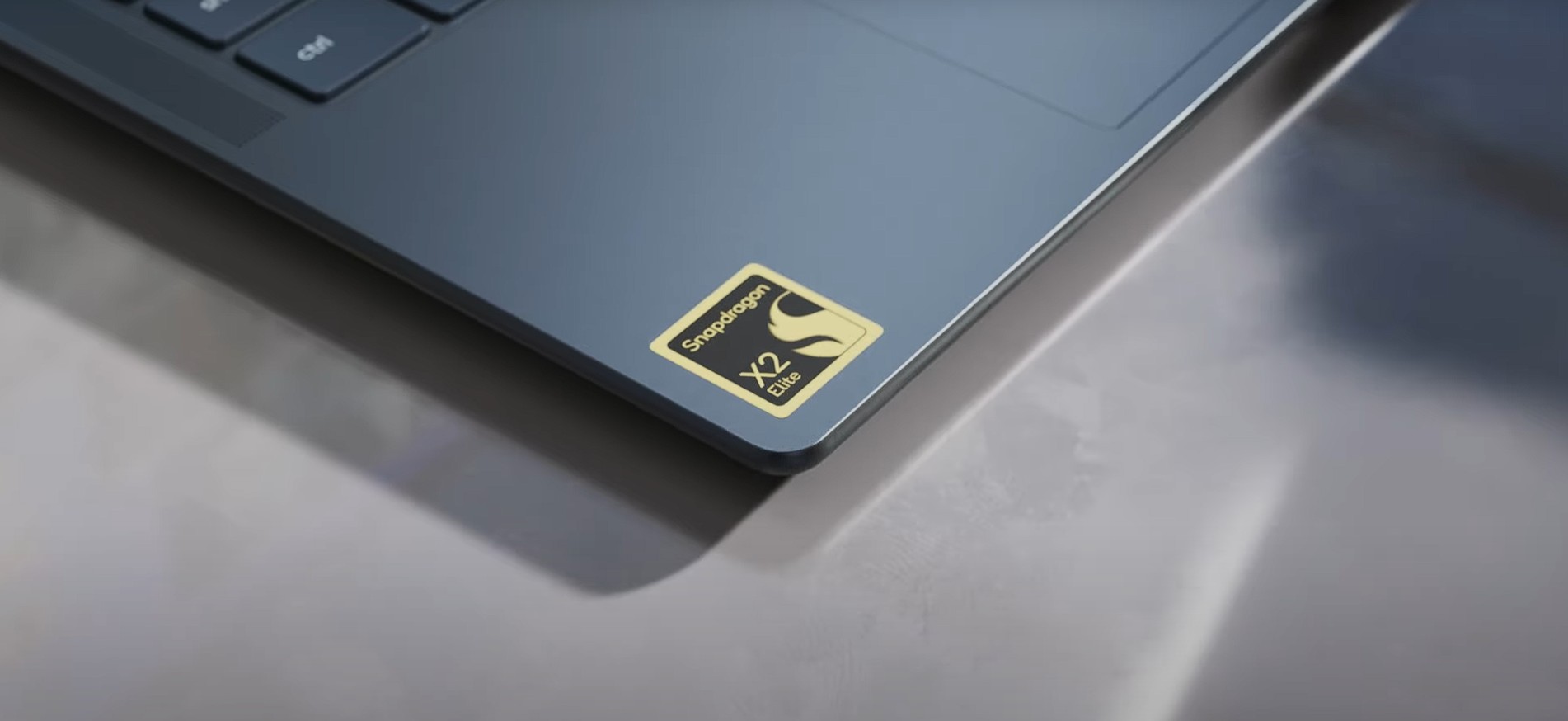
This also means 26H1 is not replacing versions like 24H2 or 25H2, nor is it the next step in the upgrade path. Microsoft is still sticking to its once-per-year update strategy for existing PCs, and that update is expected to arrive later in 2026 as Windows 11 26H2.
In many ways, this is like the specialized builds OEMs used to preload for new hardware generations, only now Microsoft is giving it an official version label. It exists to support new silicon coming to market.
So if 26H1 is not bringing visible changes, what exactly is different? Windows Latest installed 26H1 on our PC to find the answer. And it lies deep inside Windows itself, in something Microsoft calls the platform core.
Windows 11 26H1 runs on a different core built for ARM silicon
Microsoft is using the 26H1 release to introduce a new internal base for upcoming ARM chips, starting with Qualcomm’s Snapdragon X2 lineup, which currently appears to be the only officially supported silicon. Support is locked to new devices shipping with these processors, and Microsoft itself calls 26H1 a “hardware-optimized release” created in partnership with silicon vendors.
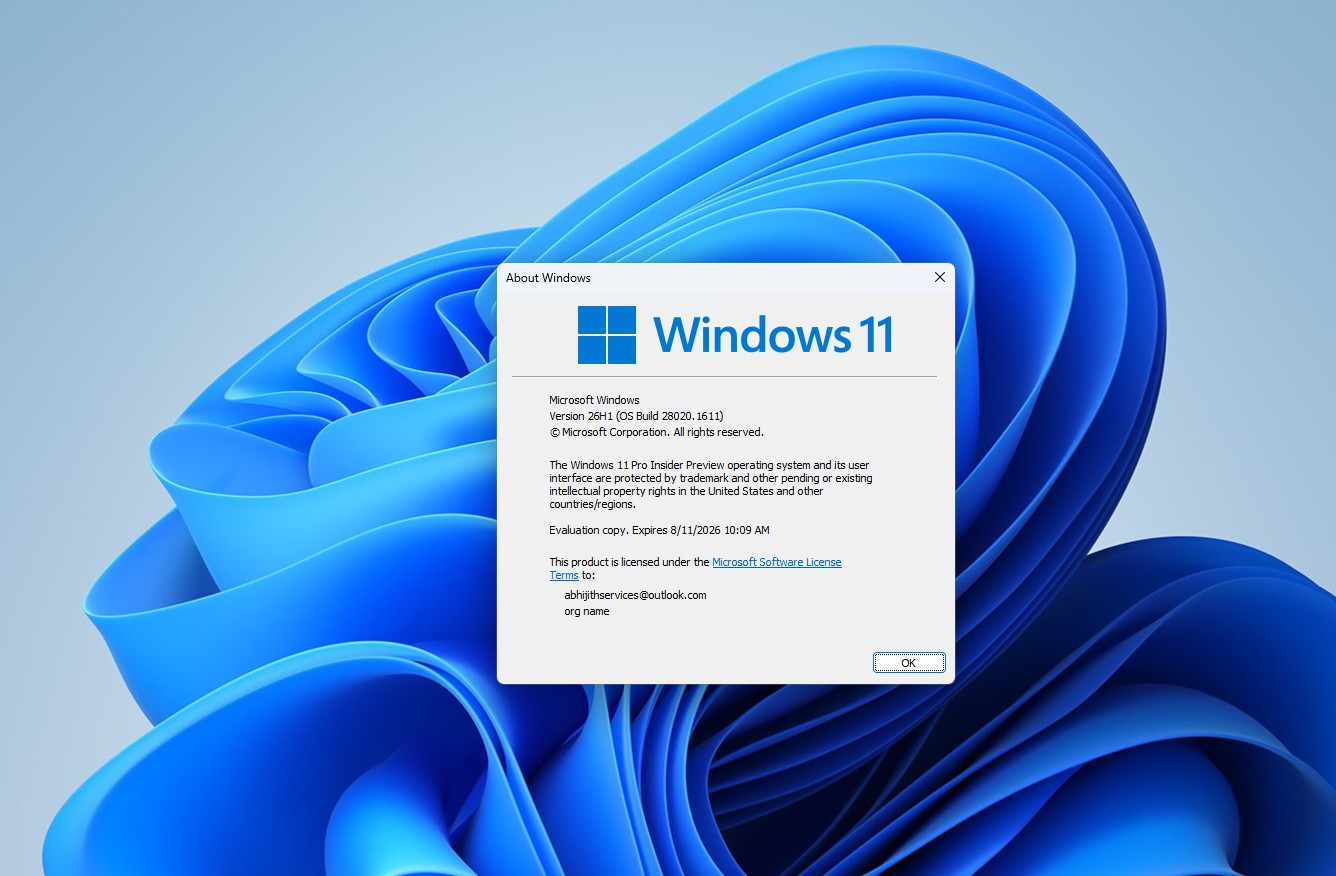
“26H1 is based on a different Windows core than versions 24H2, 25H2, and the upcoming feature update.” – Microsoft
What is the Windows platform core?
The “core” here means the underlying platform codebase that allows Windows to run. It includes the kernel, driver model, scheduler, hardware abstraction, and power and security frameworks. For years, these platform bases had codenames such as Cobalt (21H2), Nickel (23H2), and Germanium (24H2 and 25H2). Some reports suggest that the new 26H1 base may be codenamed Bromine.
Every platform release replaces or significantly evolves this foundation, while enablement packages (eKB) like 23H2 or 25H2 unlock features already present in the same base system.
Why 26H1 needed a different platform base?
Windows 11 24H2 and 25H2 both run on the Germanium platform. The upcoming 26H2 update for existing PCs will stay on that same base using the familiar enablement package model.
As Windows 11 26H1 is built on a newer internal platform branch developed alongside next-generation ARM processors such as Snapdragon X2 and other upcoming designs, these chips use increasingly heterogeneous architectures with different types of cores handling different workloads, which requires updates to scheduling logic, power management frameworks, and how Windows balances performance with battery life.
How we think the 26H1 platform would be different for ARM SoCs:
- Heterogeneous Thread Scheduler: The 26H1 core will likely be tuned specifically for “Big.LITTLE” architectures (like the Snapdragon X2), with a much smarter way of deciding which tasks go to performance cores and which for efficiency cores.
- Deep NPU integration: In the 26H1 core, AI workloads may be better routed through the system NPU layer, allowing local AI to run with significantly less latency and power draw.
- Power & thermal governors: The core may include new ACPI (Advanced Configuration and Power Interface) states that allow the OS to control the silicon’s energy consumption at a granular level, which will likely help with the “exceptional battery life” Microsoft mentioned.
These details are not fully documented publicly, so they should be read with a grain of salt. Either way, because these architectural updates differ from those in Germanium, Microsoft cannot offer an in-place upgrade path from 25H2 to 26H1. The two builds are designed around different hardware expectations.
This split is temporary and will unify later
Right now, Windows 11 development is running on two tracks. The existing Germanium line continues with Intel, AMD, and current PCs through 26H2, while 26H1 for new ARM systems will be supported through March 2028. Microsoft has already indicated that both paths are expected to converge again around the Windows 27H2 timeframe.
So what happens when you actually use 26H1 on supported hardware? In our hands-on with Windows 11 26H1, the experience is almost indistinguishable from today’s Windows builds.
Hands-on with Windows 11 26H1
Although 26H1 is not available for regular PCs, you can still download the ISO and try it out on a virtual machine, as we did. But, just like us, you’ll be disappointed because it’s virtually the same as 25H2, and that too without the new features that gradually rolled out to your 25H2 PC over the last few weeks.
Everything new in 26H1 is under the hood, and unfortunately, we weren’t able to test if there is any performance difference, as it requires a Snapdragon X2 series-powered PC.
Either way, here are the subtle changes in Windows 11 26H1:
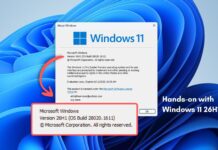
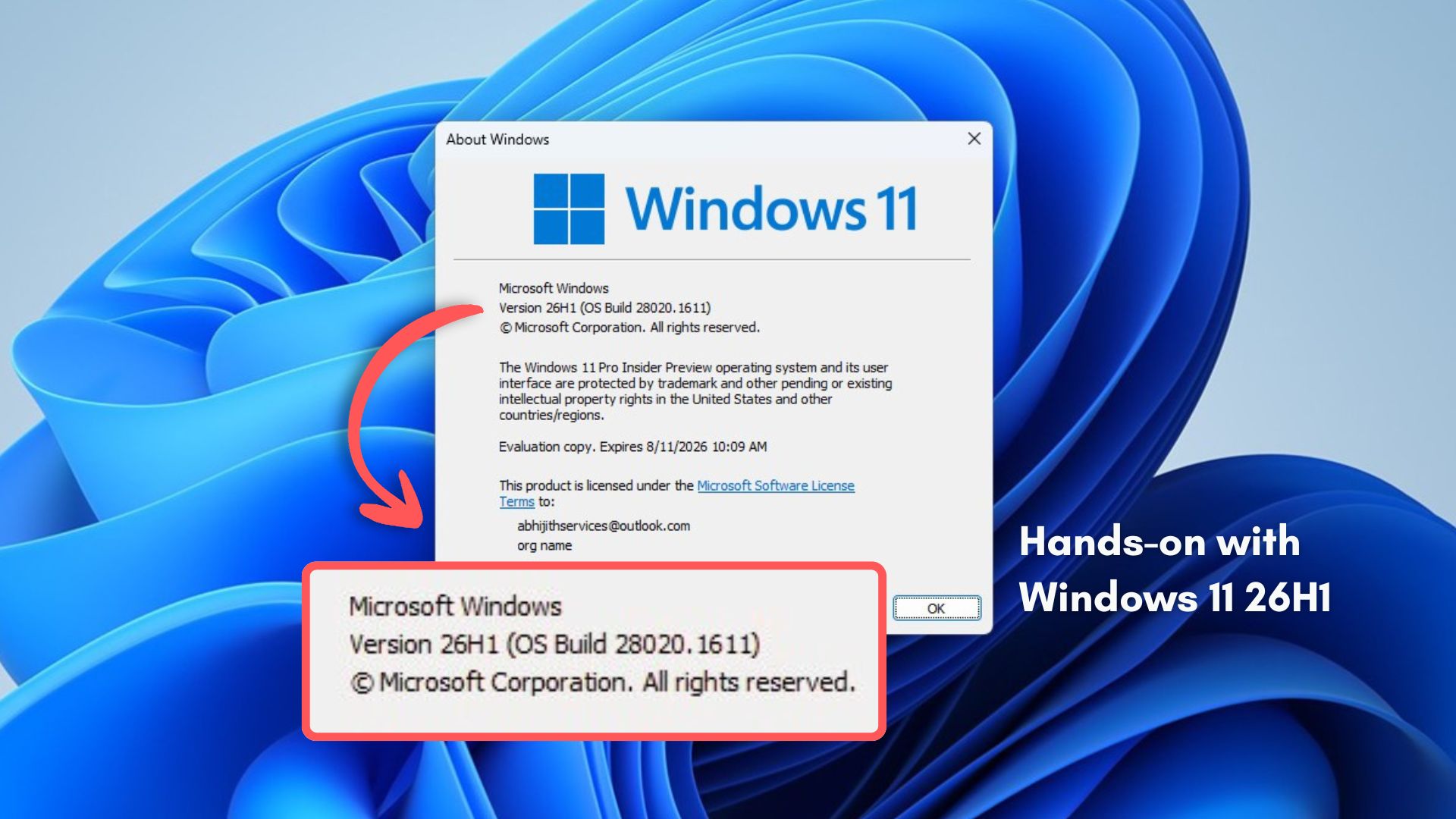
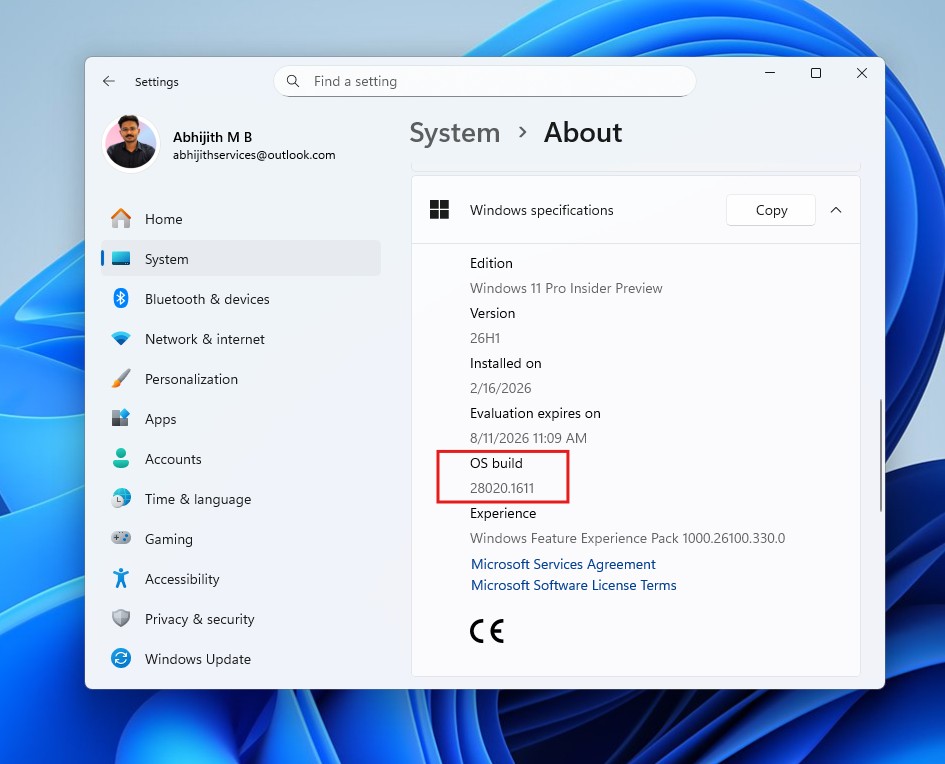
Upon booting into Windows 11 26H1, the first thing we checked in Settings > System > About was the OS Build number jumping to 28020.1611. This confirms the new “Bromine” platform, distinguishing it from the 26xxx builds of the Germanium-based 24H2 and 25H2 updates.
Search in natural language
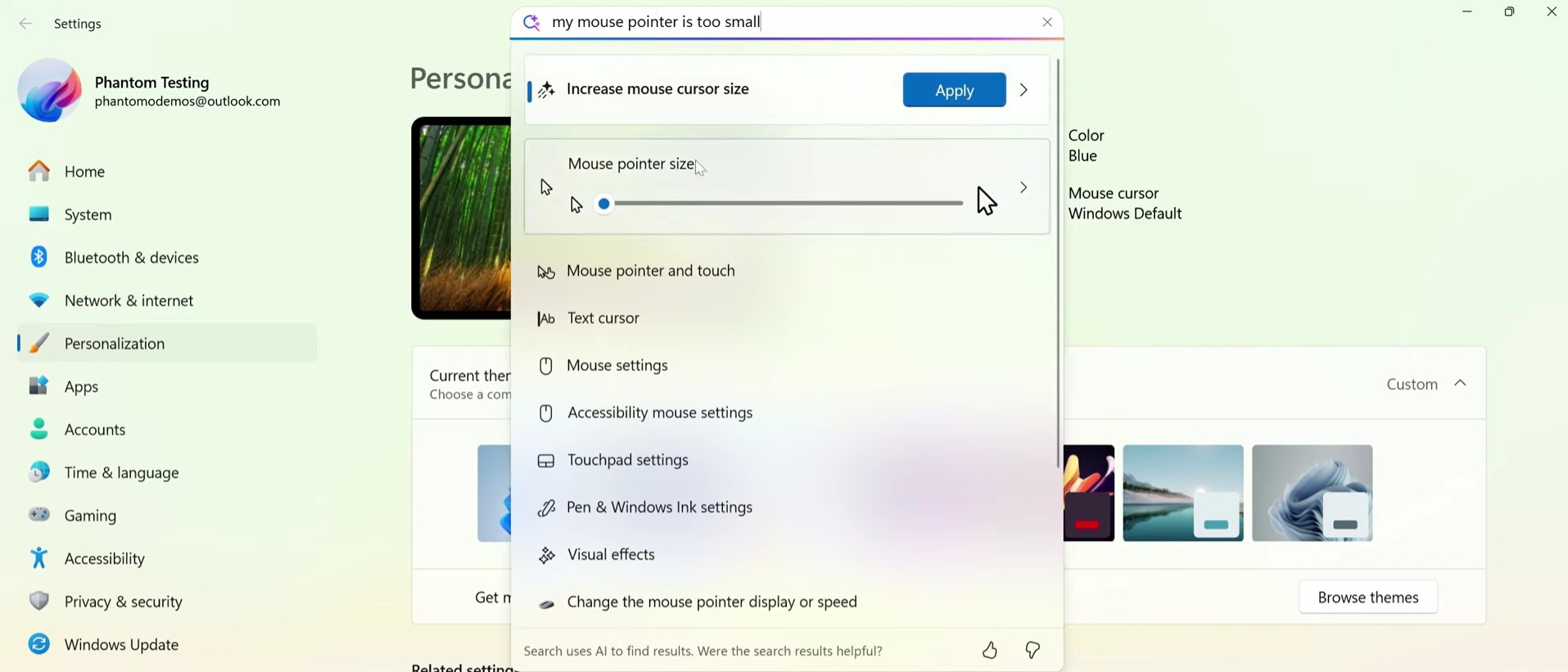
One of the standout features in 26H1 is the full availability of semantic, natural-language search within the Settings, with no gradual rollout like in 25H2 and 24H2 Copilot+ PCs.
The Settings search experience has become more “agentic.” On typing “my mouse pointer is too small” into the settings search bar, Windows didn’t just point us to a menu. Instead, it surfaced the actual “Mouse pointer size” slider directly in the search results. This allows you to adjust settings manually right from the search dropdown without ever navigating to the specific page.
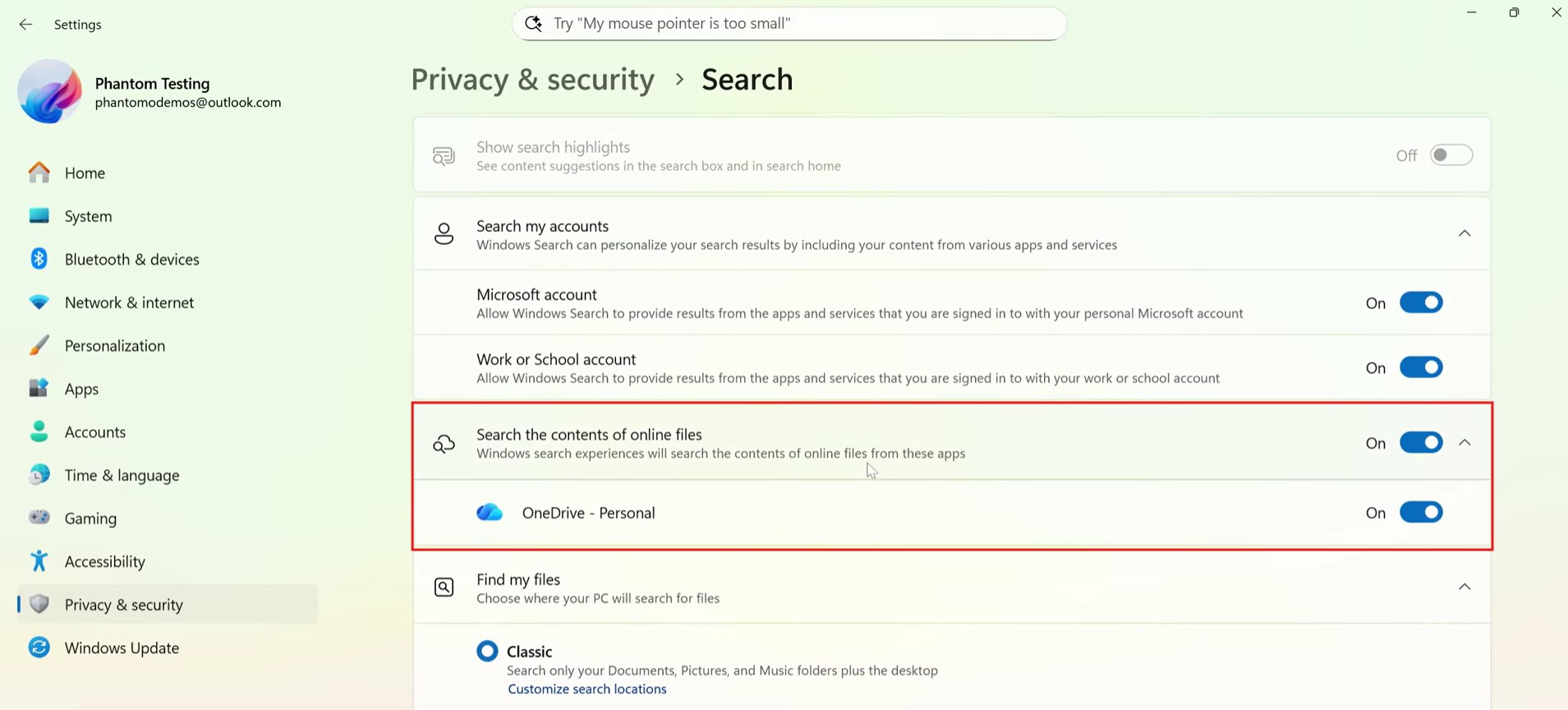
Additionally, a new option has appeared under Privacy & security > Search titled “Search the contents of online files”. This toggle gives users granular control over whether Windows Search can index the actual content of cloud-based files (like those in OneDrive Personal). You can now explicitly choose to include these cloud providers or leave them alone.
FAT32 Format limit finally increased
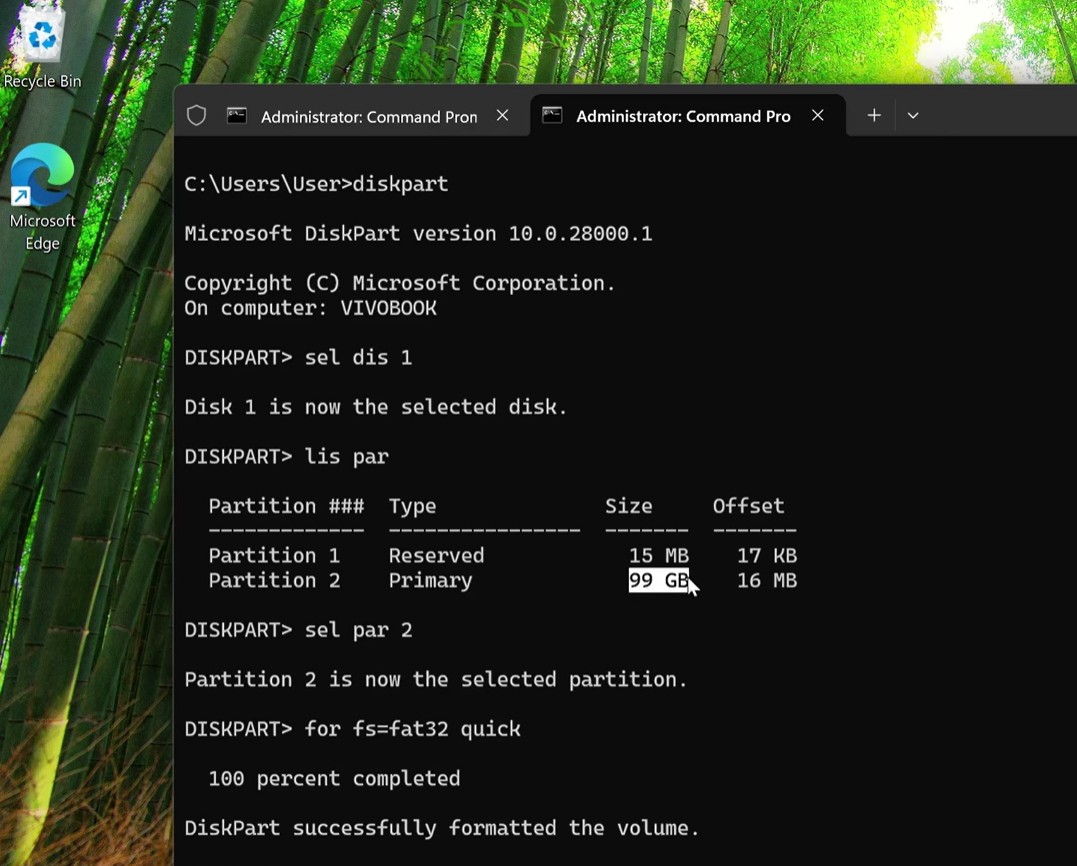
After decades of arbitrary limitations, 26H1 finally addresses the FAT32 formatting cap. In previous versions of Windows, the command line interface restricted FAT32 partitions to 32 GB.
The screenshot below shows the Command Prompt running format F: /fs:fat32 /q on a 100 GB partition. The operation completed successfully without the “volume is too big for FAT32” error. Essentially, the limit has been raised all the way to 2 TB for both the standard format command and diskpart. This change eliminates the need for third-party tools when formatting large SD cards or drives as FAT32, which is a very welcome update.
UI Refinements in Storage and Setup
Microsoft has used this release to polish specific areas of the legacy UI that were previously overlooked:
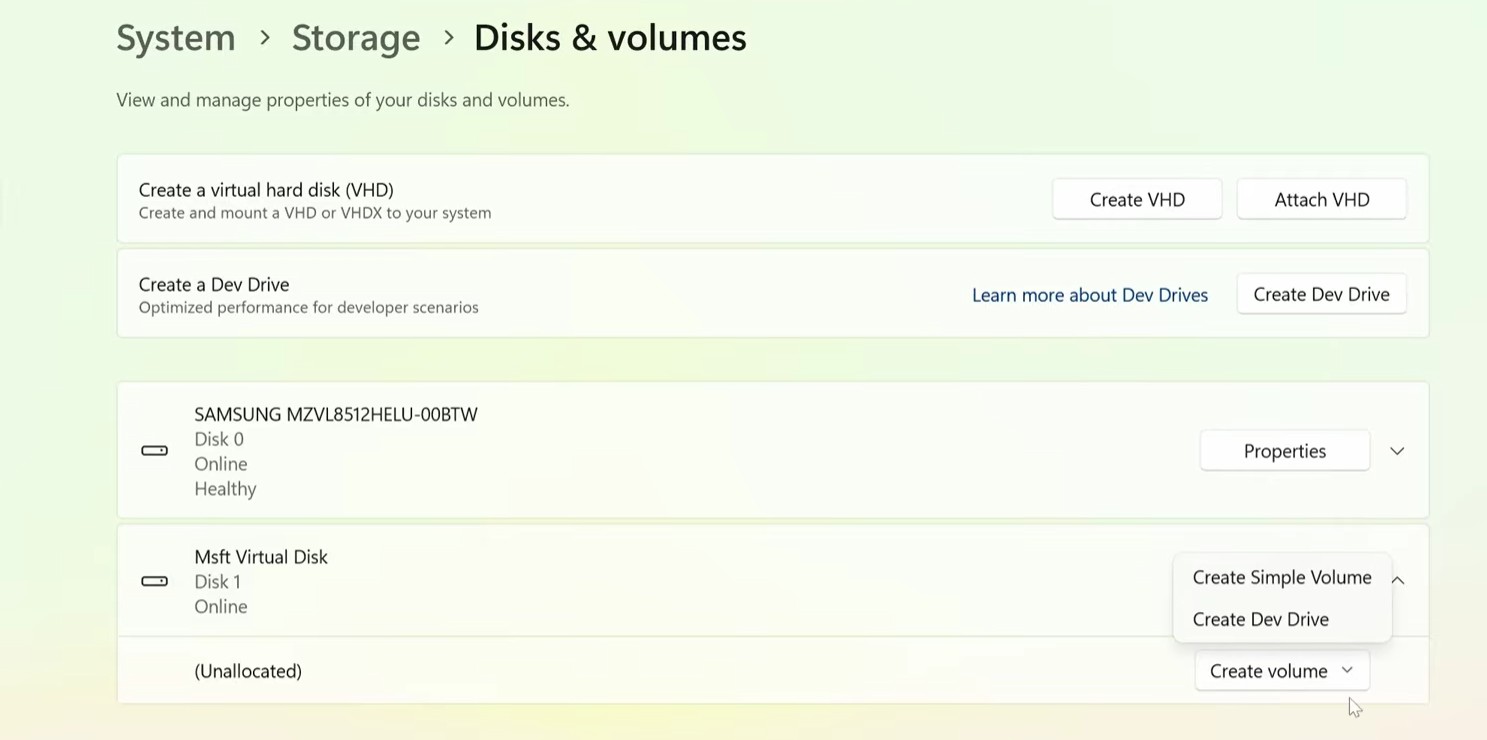
- Modernized Storage Settings: In Settings > System > Storage > Disks & volumes, the “Create a virtual hard disk (VHD)” and “Attach VHD” buttons now feature proper padding and spacing. Furthermore, the “Create volume” button has been updated with rounded corners and an animated chevron (arrow), bringing it in line with the Windows 11 design language.
Source: Phantomofearth via YouTube - Setup Dialogs: If you do manage to boot into the Windows 11 Setup (clean install) screen with 26H1 media, you will notice new safety rails. Clicking “Delete Partition” or “Format Partition” now triggers a confirmation dialog warning, a surprising omission from 24H2.
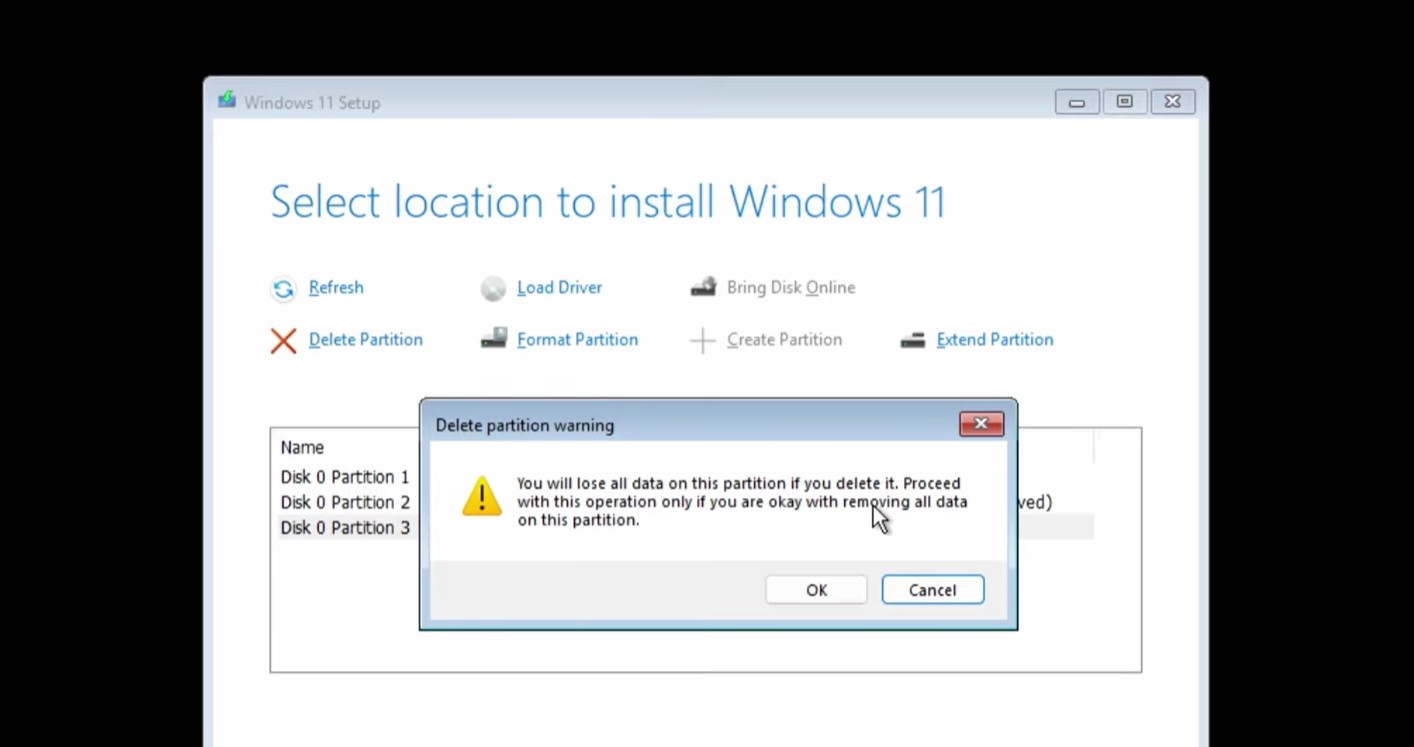
Source: Phantomofearth via YouTube
Deprecations and safeguards
There are also changes to what is not included or allowed:
- .NET Framework 3.5 Removal: We observed that .NET Framework 3.5 is no longer listed as an optional feature (FoD) in the “Turn Windows features on or off” menu. Microsoft is pushing for modern .NET versions, though a standalone installer is available for those who absolutely need the legacy framework.
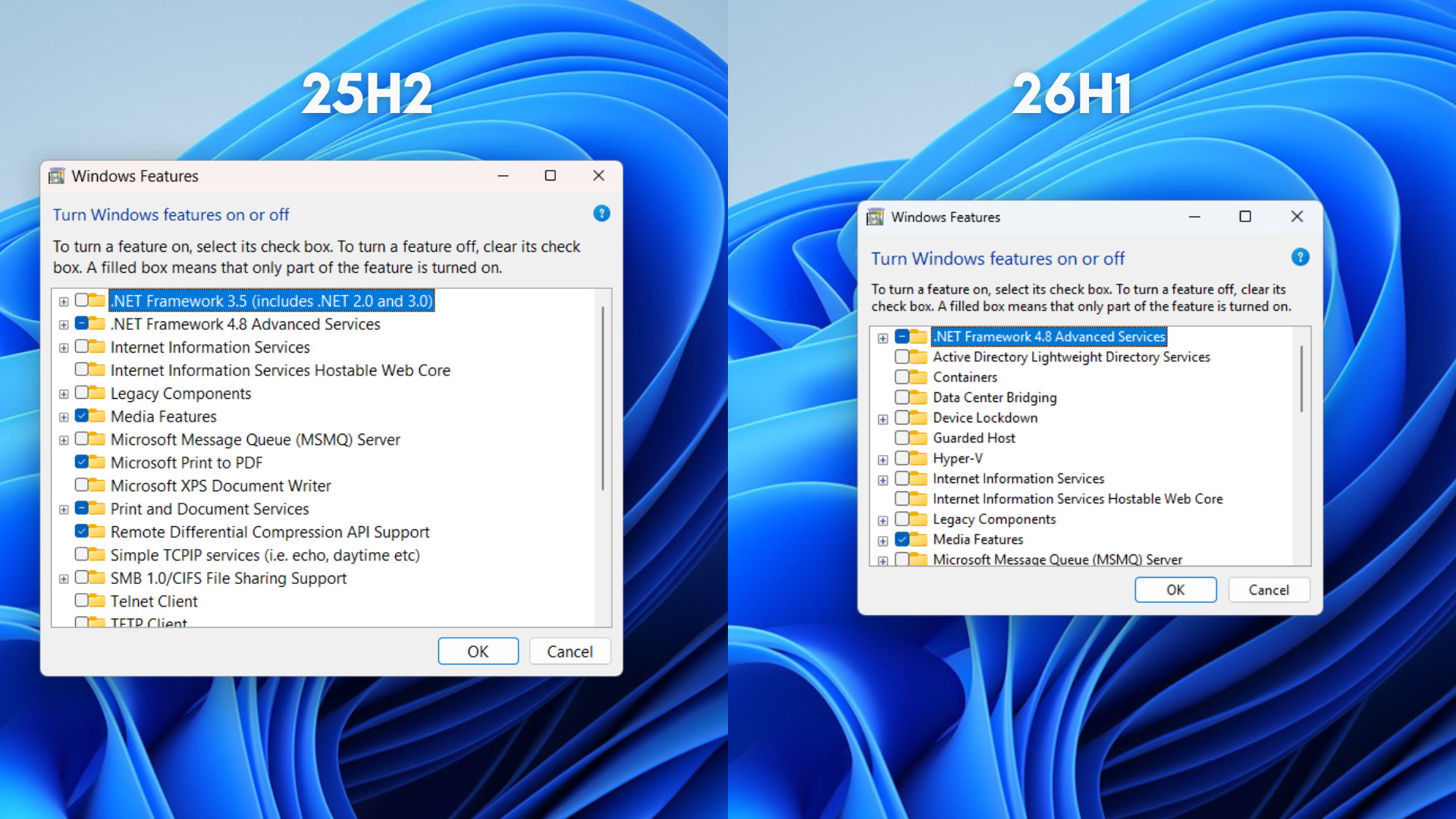
.NET Framework 3.5 is unavailable in Windows 11 26H1 - Sysprep in Safe Mode: A new safeguard prevents the System Preparation Tool from running in Safe Mode. Attempting to do so now throws the error: “You can’t sysprep while running in Safe mode,” so that the tool is only used in its intended Normal or Audit modes.
Windows 11 26H1 is not an update you need to chase, or even think about, unless you are buying a brand-new device with Snapdragon X2 silicon. Microsoft has positioned this release as a hardware-optimized version designed to light up the capabilities of next-generation ARM platforms, while existing PCs continue on the familiar servicing track with monthly quality updates and the upcoming Windows 11 26H2 feature update later in 2026.
For most users and businesses, nothing changes in the short term. Your current Windows 11 installation remains fully supported and will receive the same security fixes, features, and lifecycle commitments as before.
The split between 26H1 and the mainstream branch is temporary, with Microsoft planning to bring both paths back together in a future release cycle.
Thanks to Windows enthusiast Phantomofearth for some screenshots.