






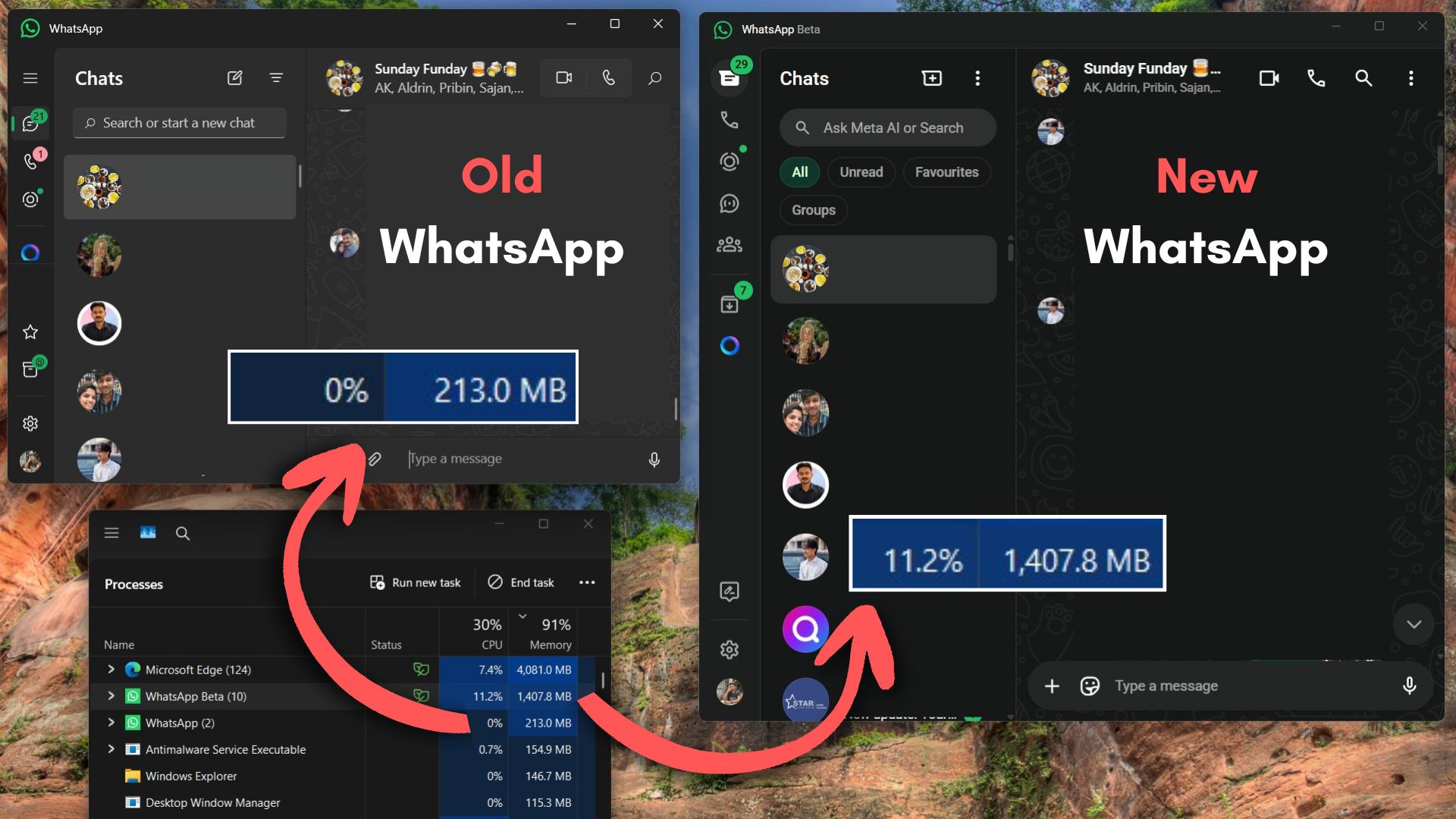
WhatsApp is in a sorry state on Windows 11 after it dropped the native code for WebView2, a Chromium-based web wrapper. After the update, WhatsApp’s RAM usage skyrocketed to 2GB. However, it turns out that if you install an older version of WhatsApp, you can still use the native version, as long as it works (and does not expire).
This new web-based WhatsApp requires significantly more resources than a regular app and offers no advantage over using WhatsApp web. It’s rolling out to everyone, and it’s bad news. Not everybody hates the new WhatsApp, but some of us do, particularly because of high RAM usage.
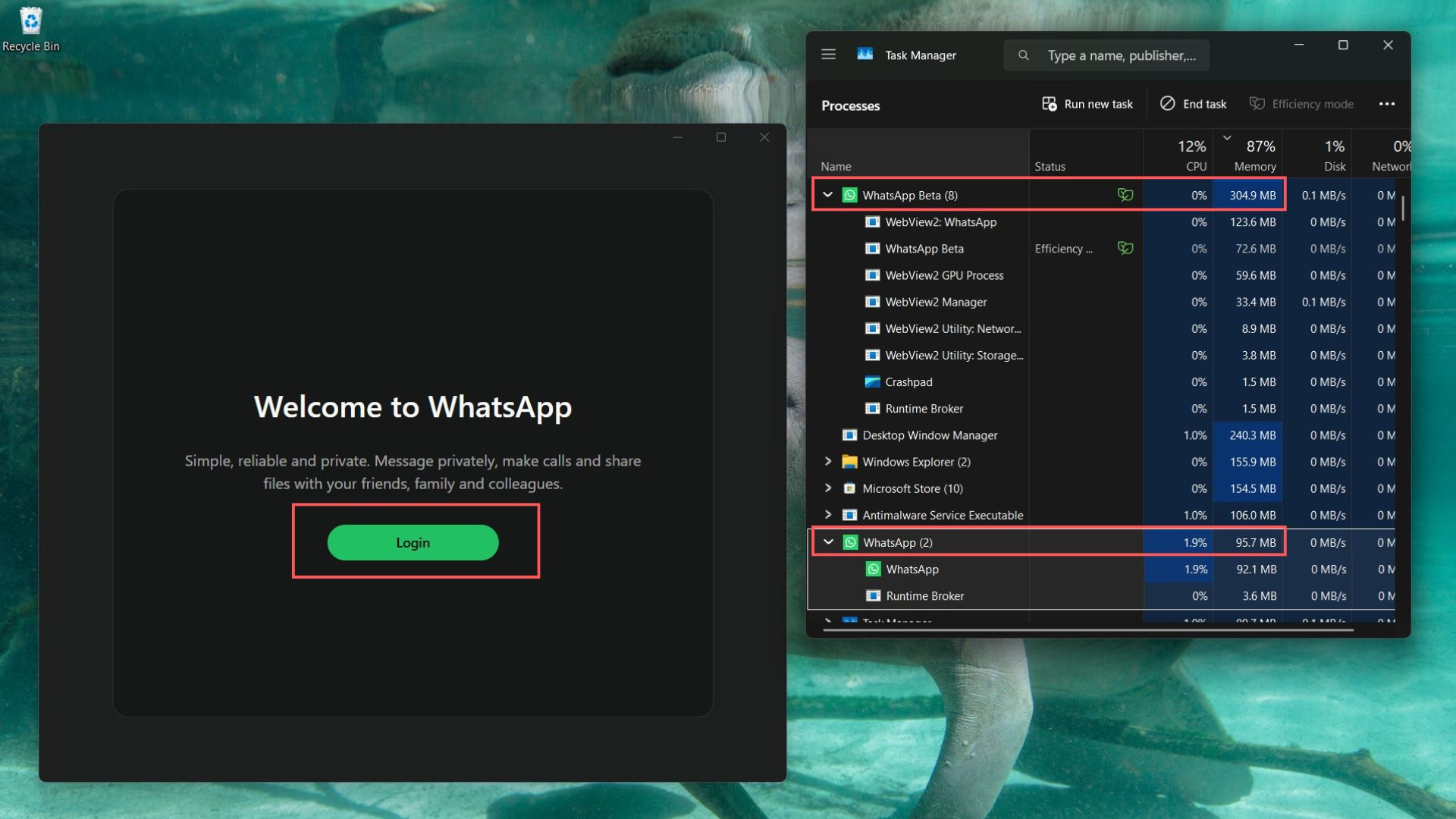
To use the old WhatsApp again, you need to download the old WhatsApp version 2.2546.3.0 from November 2025 and block newer updates.
Note: Before we begin, it’s important to know that you’re trying to download an old version of WhatsApp, and it could stop working at any moment:
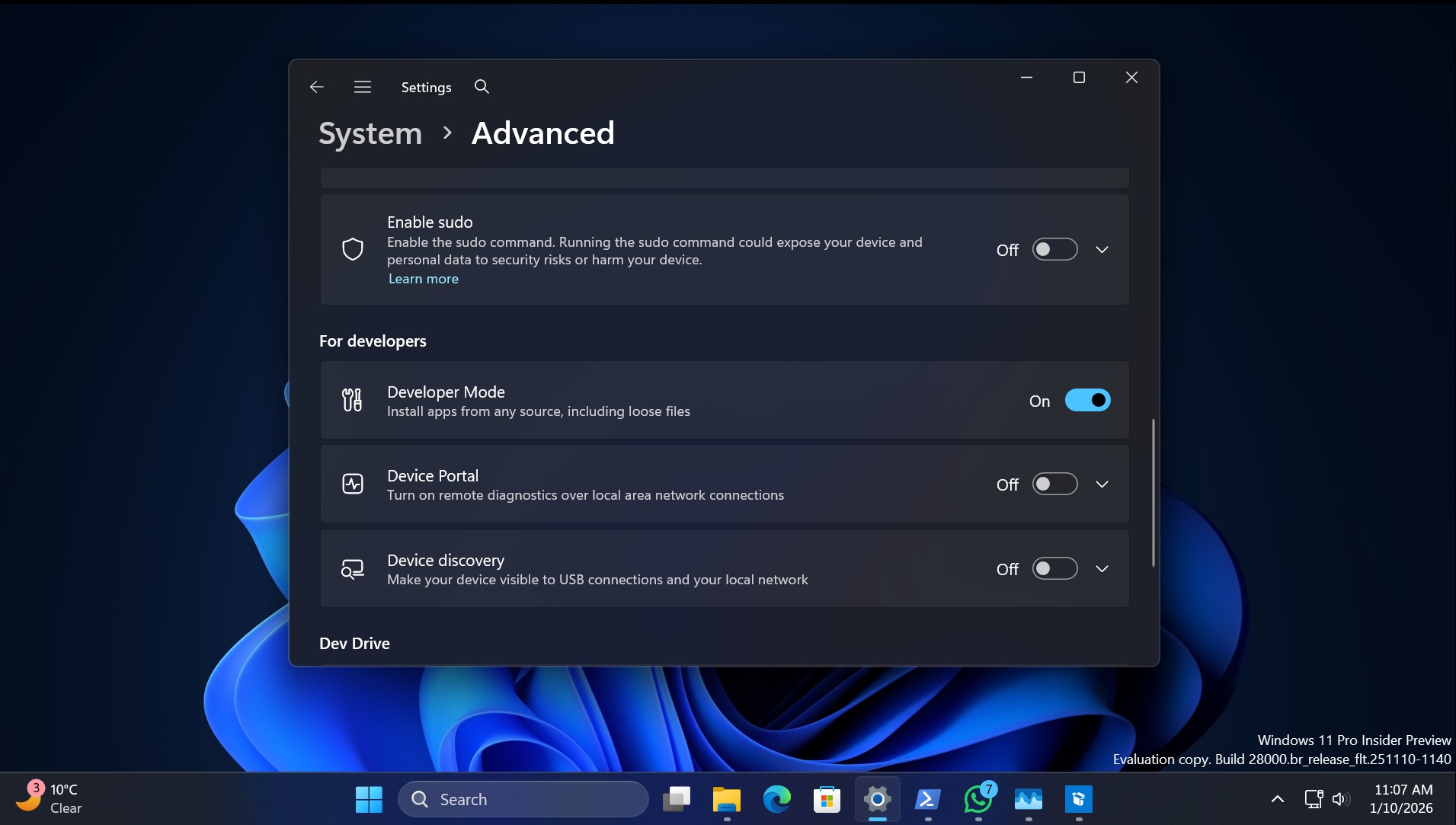
- Go to Settings > System > Adavnced and enable the Developer Mode toggle.
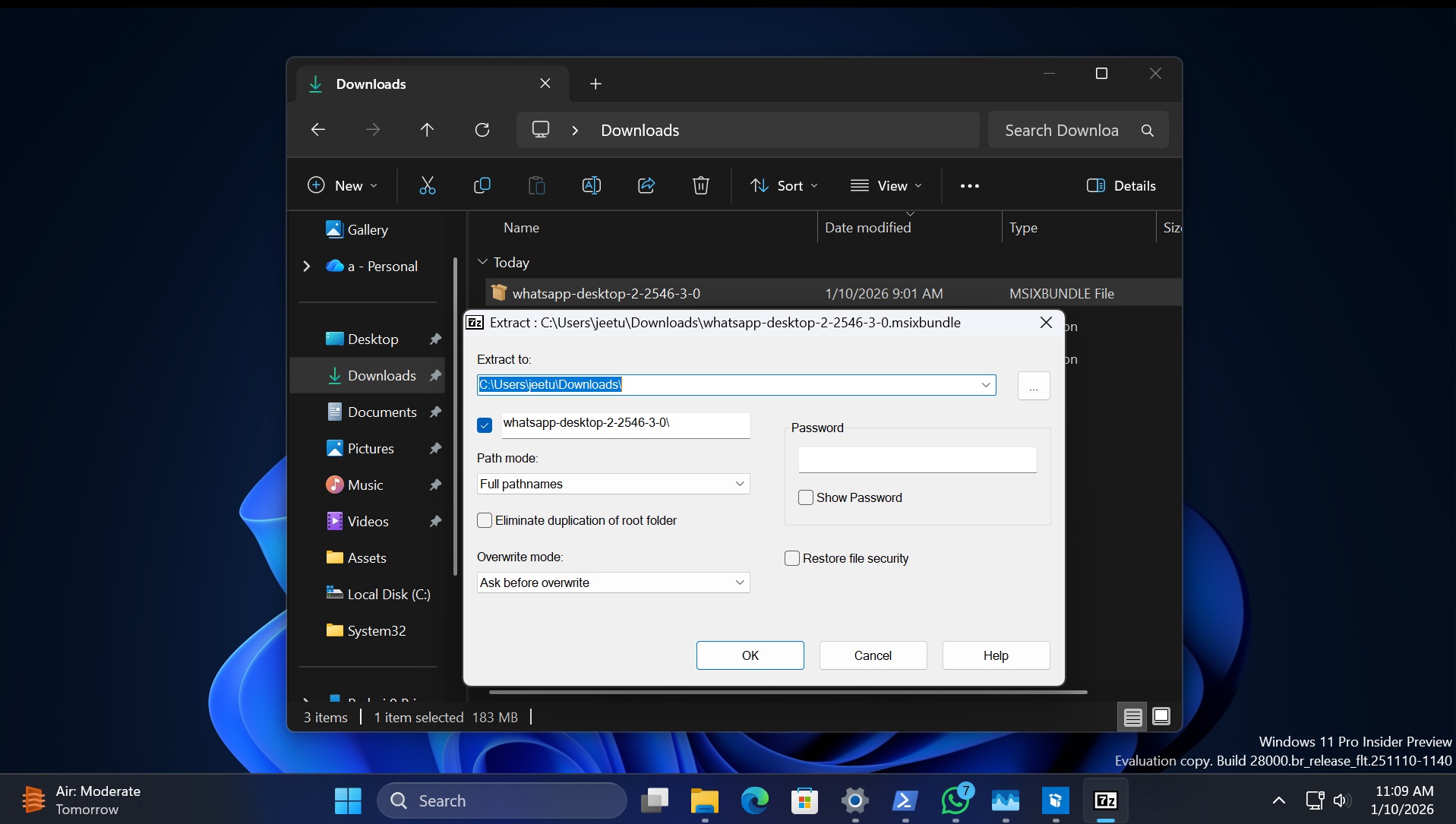
- Download the 2.2546.3.0 package from Mega drive and extract it using 7-Zip software. Also, download the MSIX Packaging Tool app from the Microsoft Store.
- Right-click on the 2.2546.3.0 package, choose the 7-Zip option from the context menu, and extract the package contents to a folder.
- Open the extracted MSIX package file with the tool you downloaded from the Microsoft Store.
- Change the Package name to wha.wa and then change the Version to 10.20000.300.0.
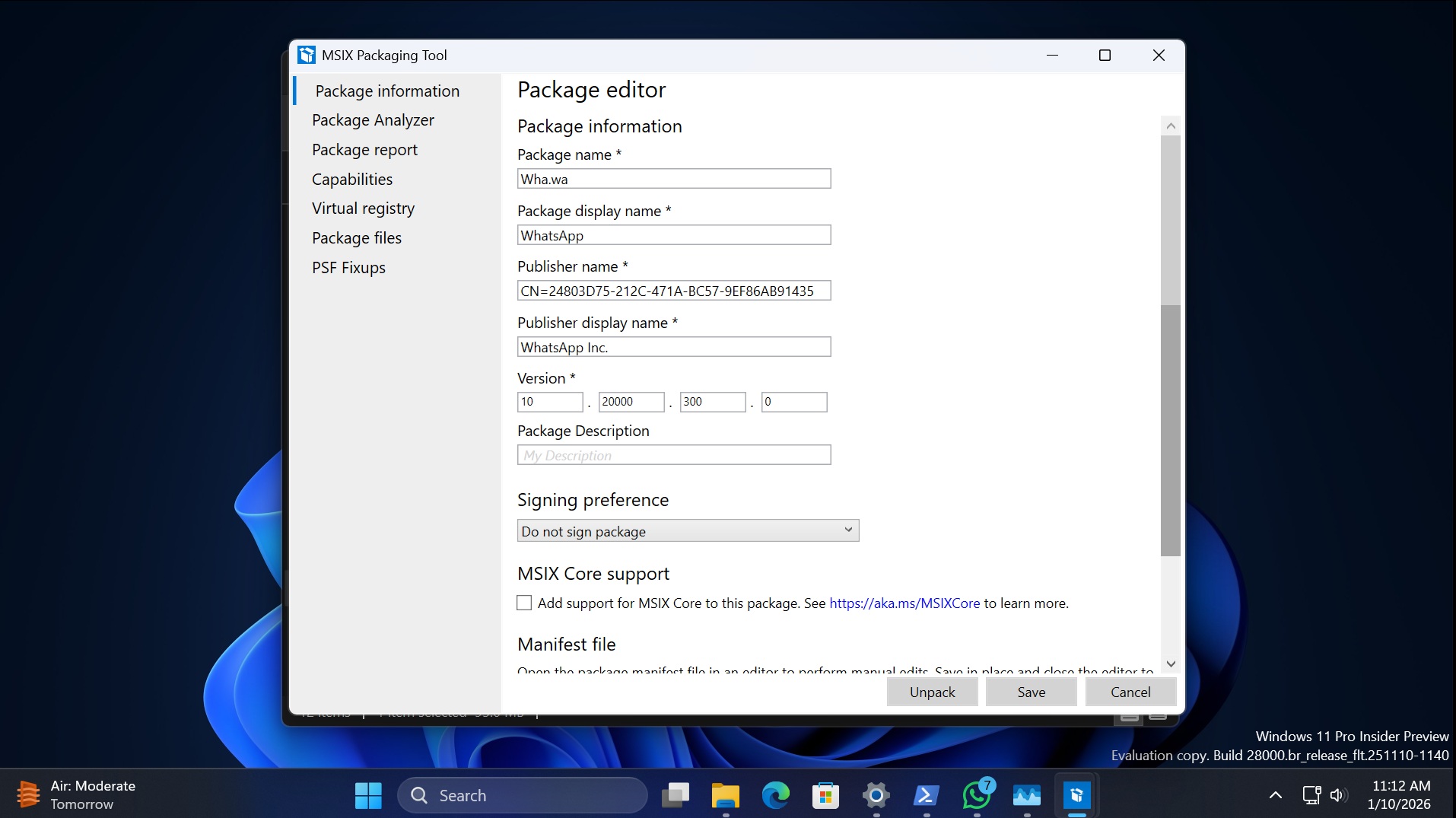
- Select the Do not sign packages option and then click on Save. The tool will create a new package file on your system, and the next step is to register it.
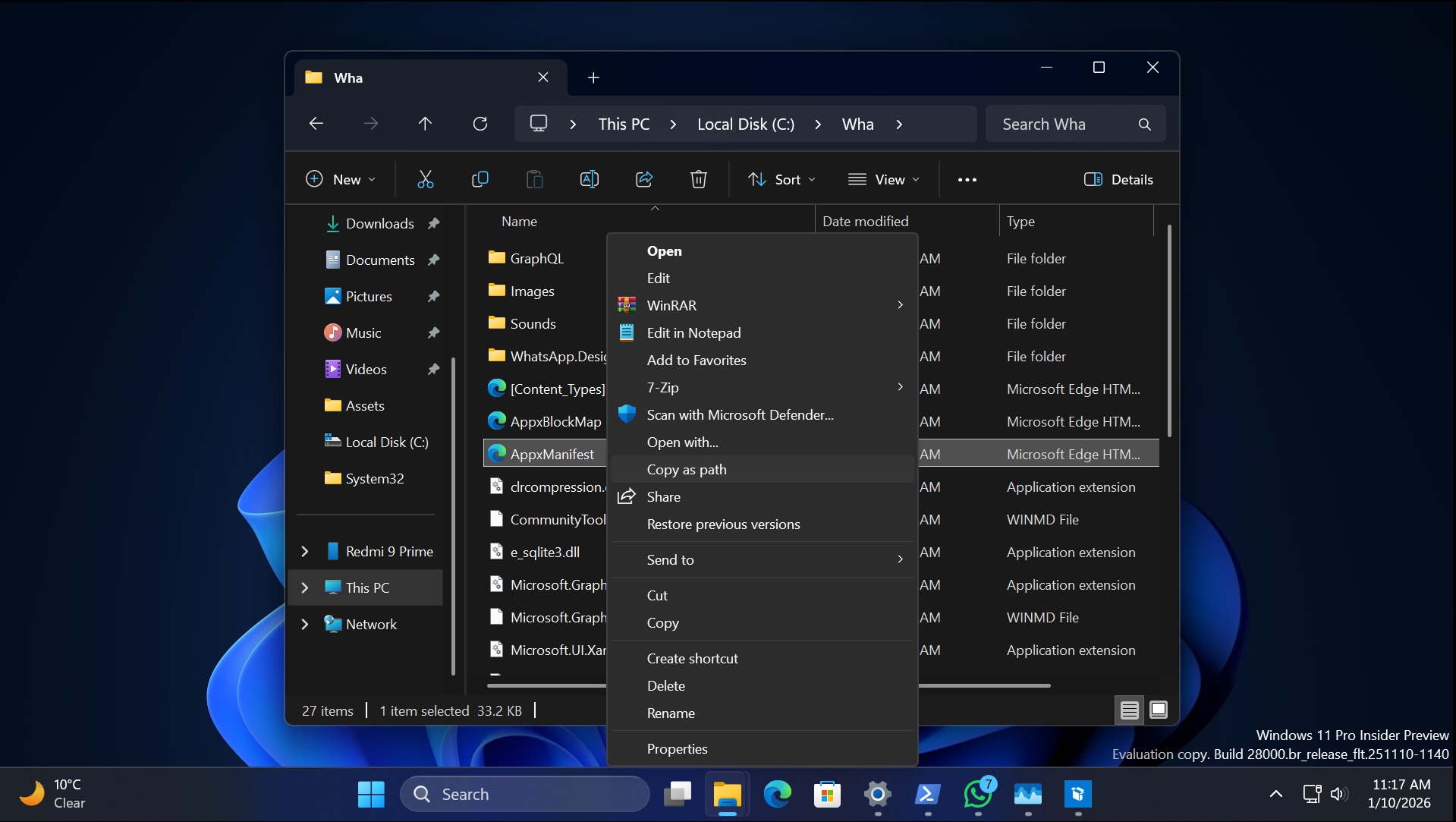
- But before that, extract the new MSIX package with 7-Zip once again and locate the AppManifest.xml file. Right-click on the file and select the copy as path option.
- Type Add-AppxPackage -Register command in an elevated PowerShell window. Paste the copied path after it. For eg, my command is Add-AppxPackage -Register “C:\Wha\AppxManifest.xml” because I placed it in the C drive.
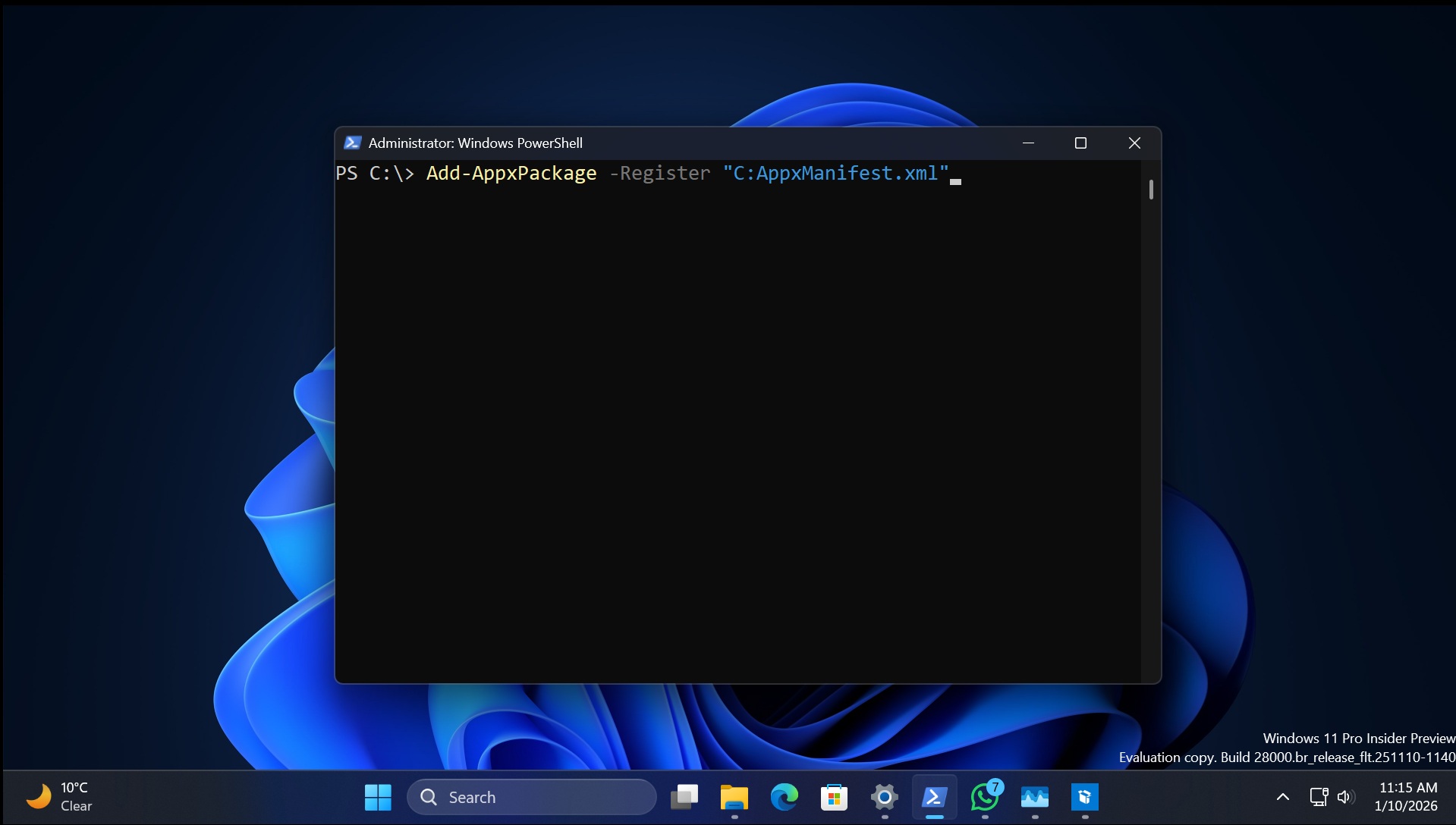
- Run WhatsApp after closing the PowerShell window.
How does the old WhatsApp perform?
It’s a night and day difference between the old and new app. Windows Latest already demonstrated the stark difference in memory consumption between the old and new WhatsApp versions. The new one reached a 3GB memory consumption during peak activity, while the old one rarely exceeded the 1GB mark.
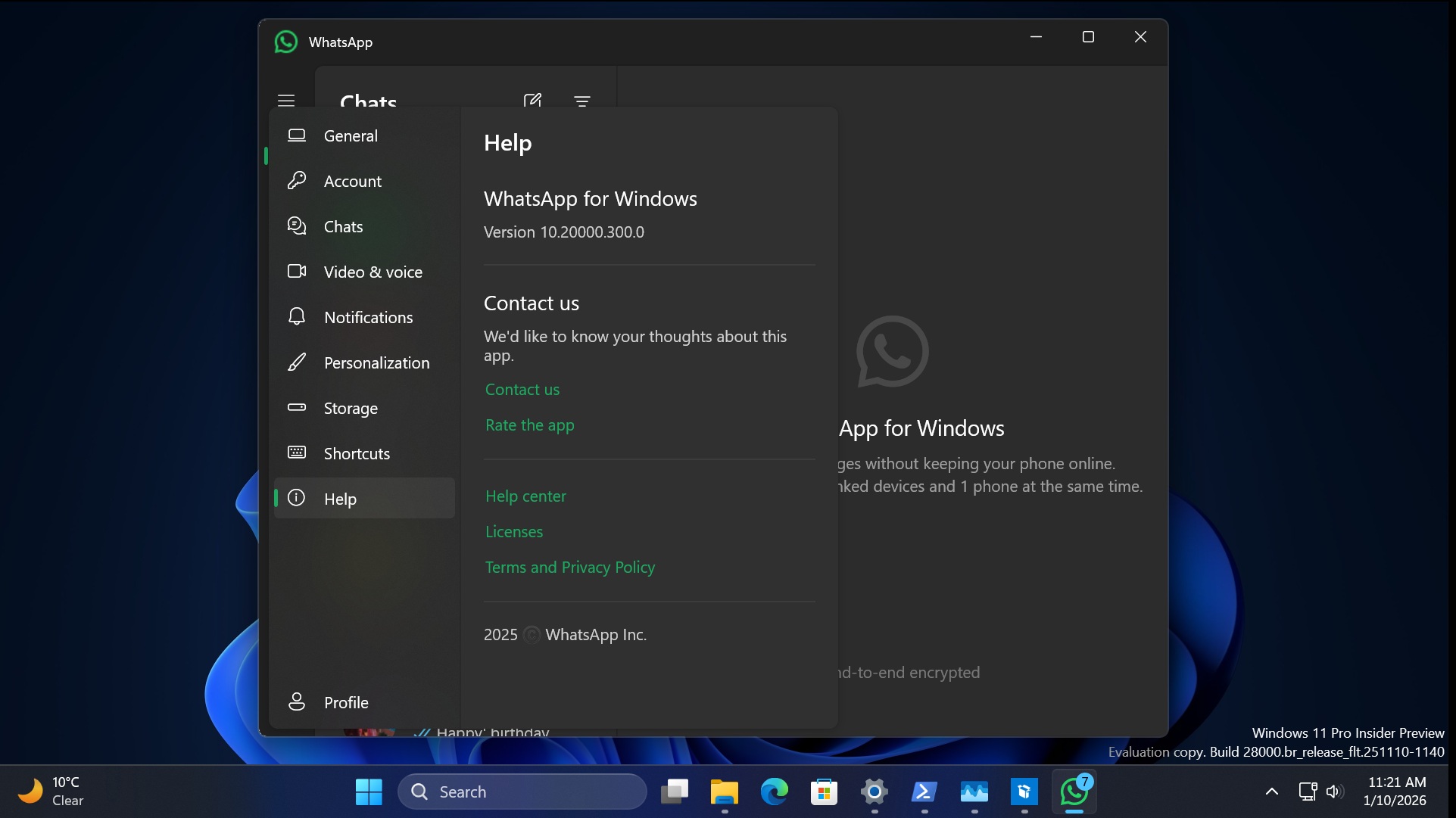
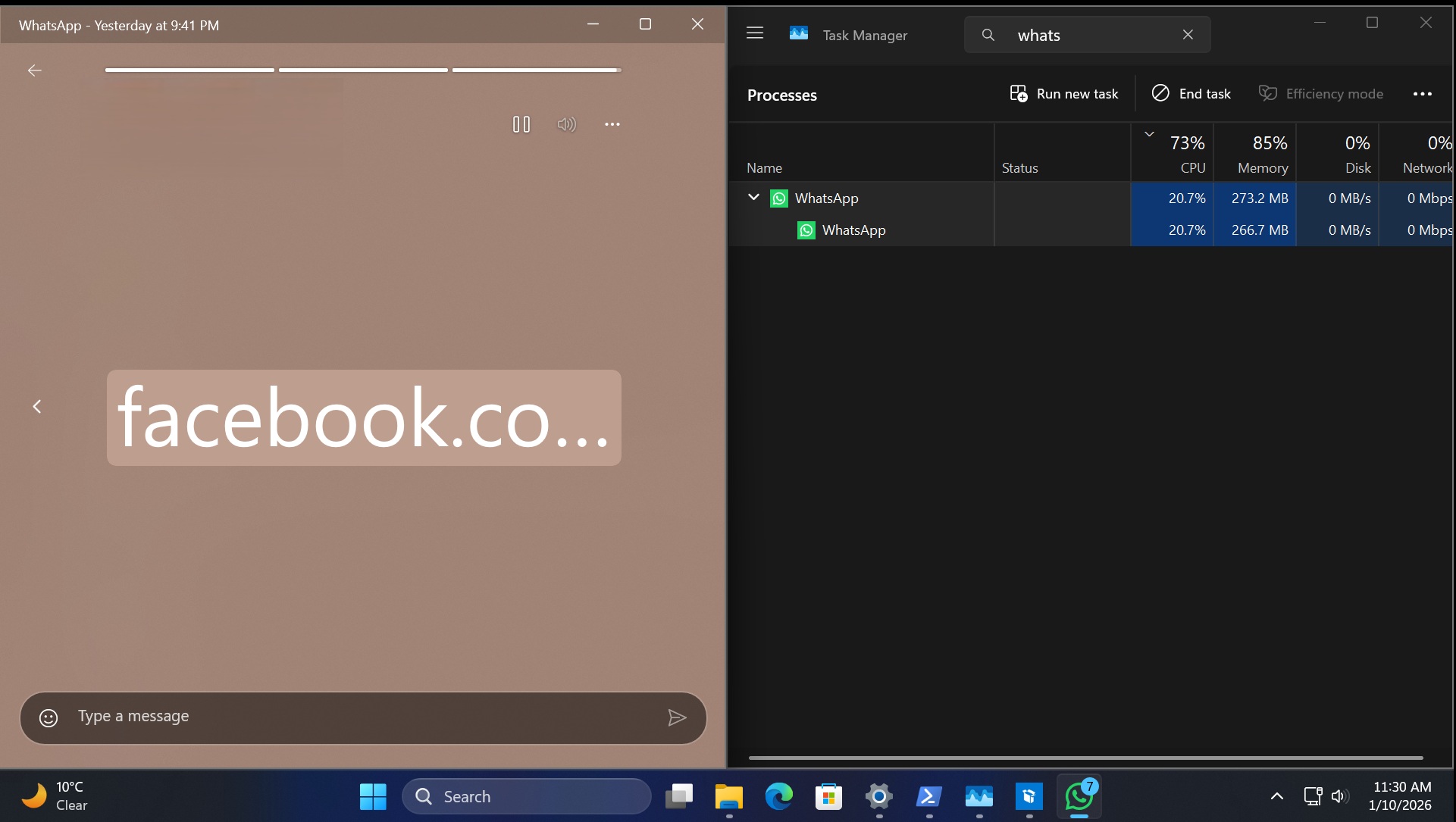
I tested it for a long time, communicating with my colleagues, and there wasn’t any spike in resource usage when using old WhatsApp. The old app jumped to the 400 MB memory usage mark only when I viewed status (mostly videos). I revisited those videos, and WhatsApp RAM usage dropped to 300mb, as the old app is good at caching.
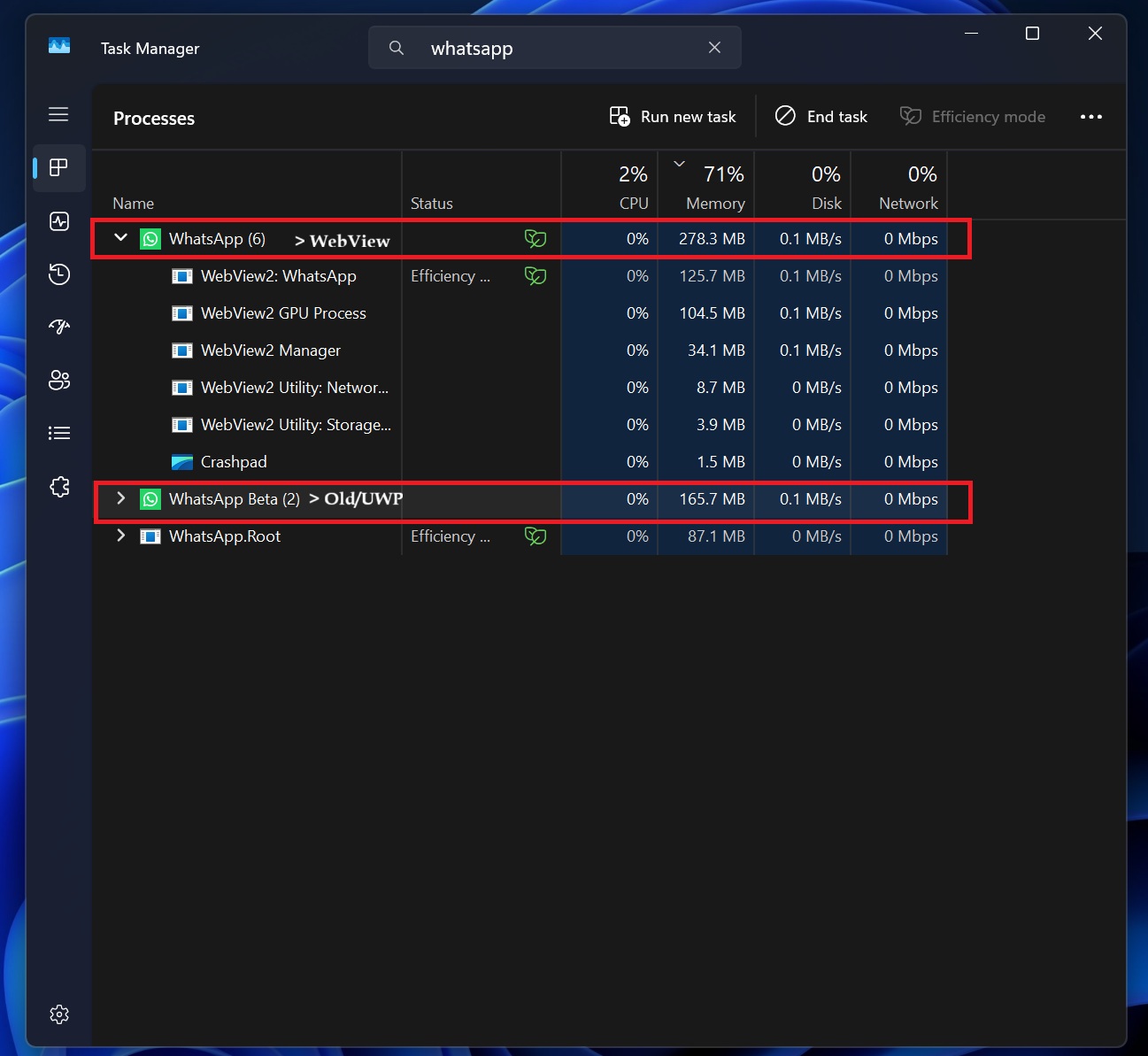
Moreover, Windows Latest observed that the new WhatsApp (WebView2) uses up to 700MB of RAM when it’s idle. On the other hand, old WhatsApp usage is below 200mb most of the time. However, it’s not just about performance.
If your friend sent a PDF, and you use the new WhatsApp to download it, you’ll notice that the app never recognizes that you’ve already saved the file. This means, if you click the file again, WhatsApp will redownload the PDF, as it cannot relocate the files you already downloaded.
Moreover, the new WhatsApp does not cache your conversations, so if you close it or even switch to another conversation, you’ll need to give it time to reload all your older texts, especially media files.
New WhatsApp is a mess, which is why I blocked it and switched back to the native (WinUI/UWP) version of WhatsApp. I am going to use it as long as it works, but given the past trends, it’s only a matter of weeks or months before native WhatsApp stops working completely.
Meta will likely phase the old app out soon. What about you? Do you prefer new WebView2-based WhatsApp or old native WhatsApp? Let me know in the comments below.