







WhatsApp’s native app for Windows 11 is likely being killed off in favour of a new “app” that opens web.whatsapp.com in a Chromium container. According to a new hint/alert within WhatsApp, this change begins rolling out starting November 5, 2025. Meta won’t explicitly confirm it’s switching to Chromium, as that would confuse regular users.
Meta’s plans to dump WhatsApp’s native code in favour of a Chromium-based wrapper shouldn’t surprise anyone, as we saw this coming earlier this year. In our tests, Windows Latest previously observed that WhatsApp beta had already moved to Chromium-based for some users, and now the stable client will also make the switch.
As first spotted by Windows Latest on Friday morning, the migration means you’ll be logged out of WhatsApp and asked to log in again.
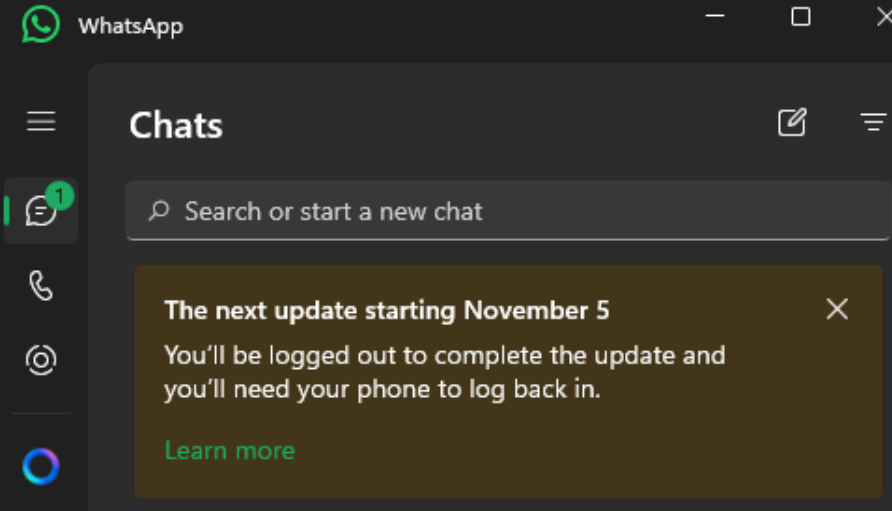
WhatsApp’s alert for November 5 won’t say “we’re switching to Chromium” because most users don’t know what that means, and it can cause confusion. Instead, Meta calls it an “upgrade” and says users will be logged out. That doesn’t happen when apps are typically updated.
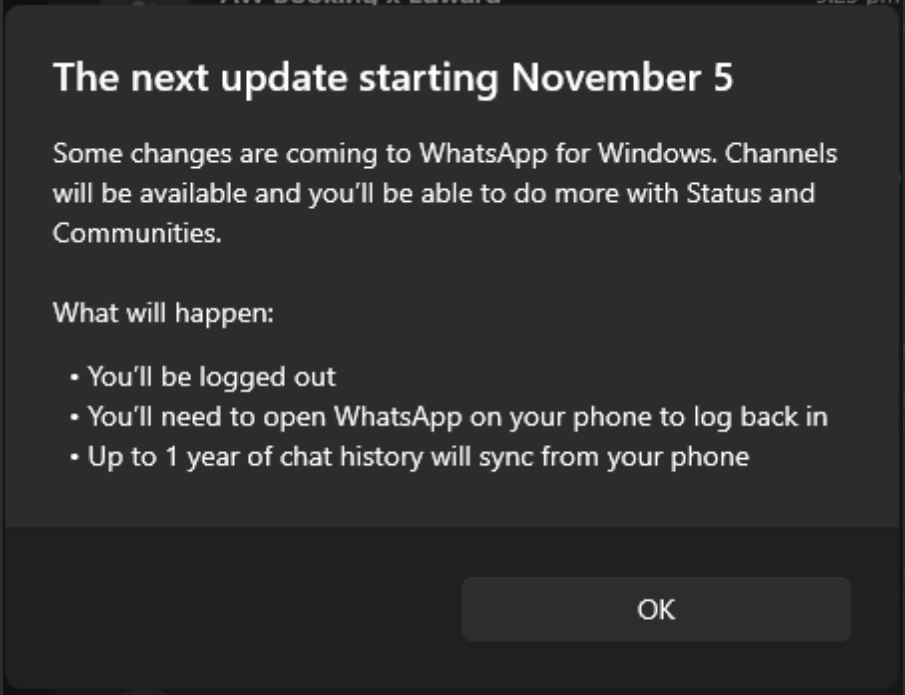
You will be logged out because WhatsApp is switching to a new framework, which is Chromium, and a move like this will reset the authentication/login session.
“You’ll be logged out to complete the update, and you’ll need your phone to log back in,” Meta warns. “Some changes are coming to WhatsApp for Windows. Channels will be available and you’ll be able to do more with Status and Communities.”
WhatsApp will use more RAM and feel slower on Windows 11, thanks to Chromium
WhatsApp’s switch to Chromium means it’ll use more of your system’s resources because of the simple fact that Chromium itself is a resource hog. For example, Chrome is built directly on Chromium (Blink + V8), and we already know how bad it is. Discord is another similar app, which uses Electron and is a resource-heavy client.
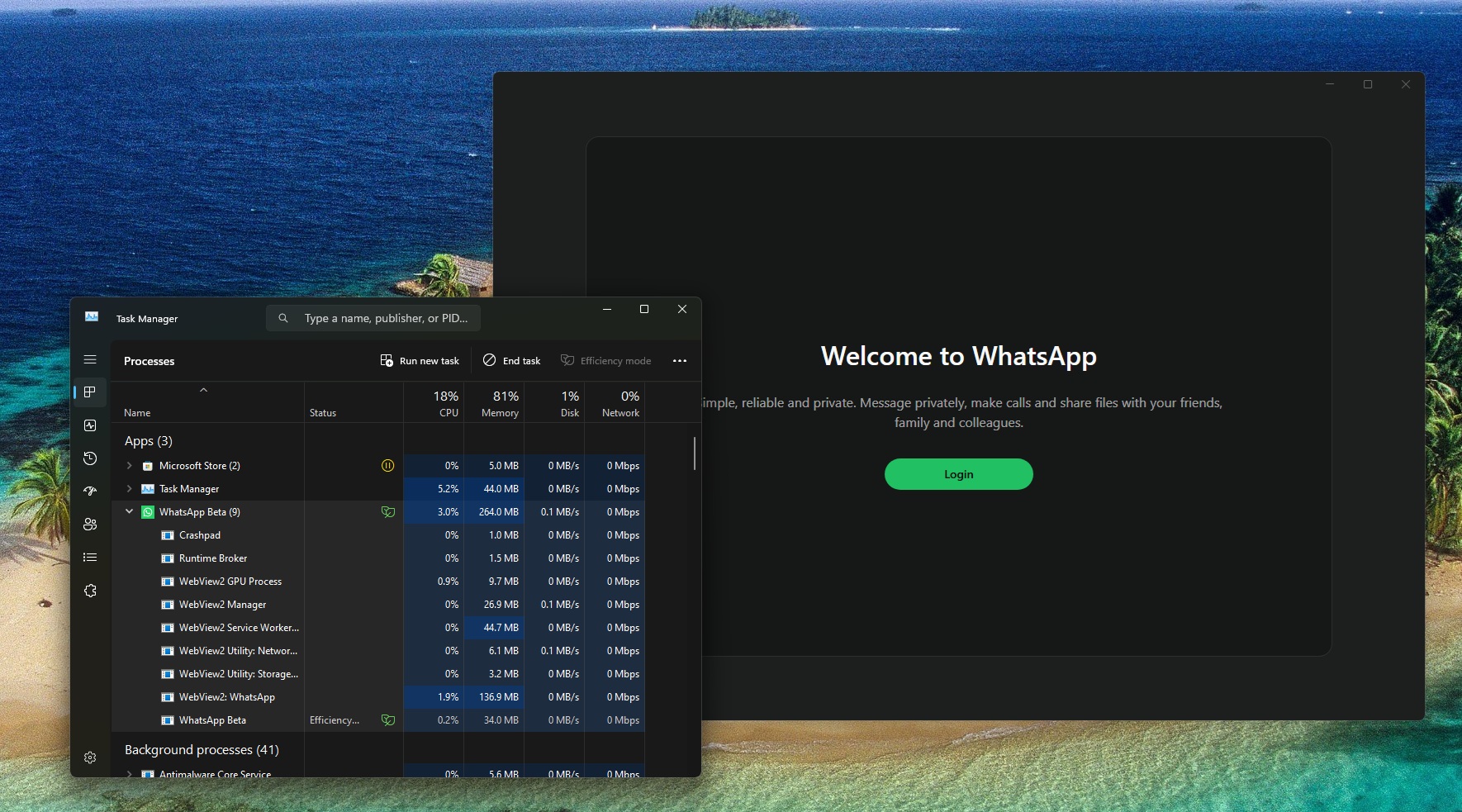
I’ve been using the Chromium-based WhatsApp on Windows 11 for a while now, as it was shipped to some beta testers earlier this year. As you can see in the screenshot below, WhatsApp’s Chromium client RAM usage is 200MB in the background, and there are several WebView2-based processes.
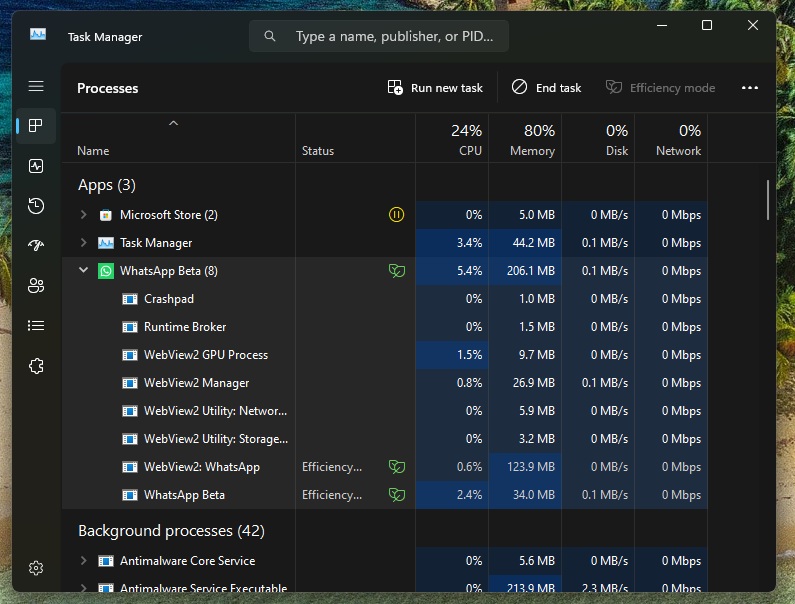
For those unaware, WebView2 is developed by Microsoft Edge, but it’s based on the open-source Chromium.
In our tests, we observed that this new WhatsApp Chromium wrapper on Windows 11 just calls web.whatsapp.com and loads HTML, JS, and CSS to compile the app’s interface. It also needs Edge’s GPU Process, Manager, and Utility. All of these add up to the additional RAM usage.
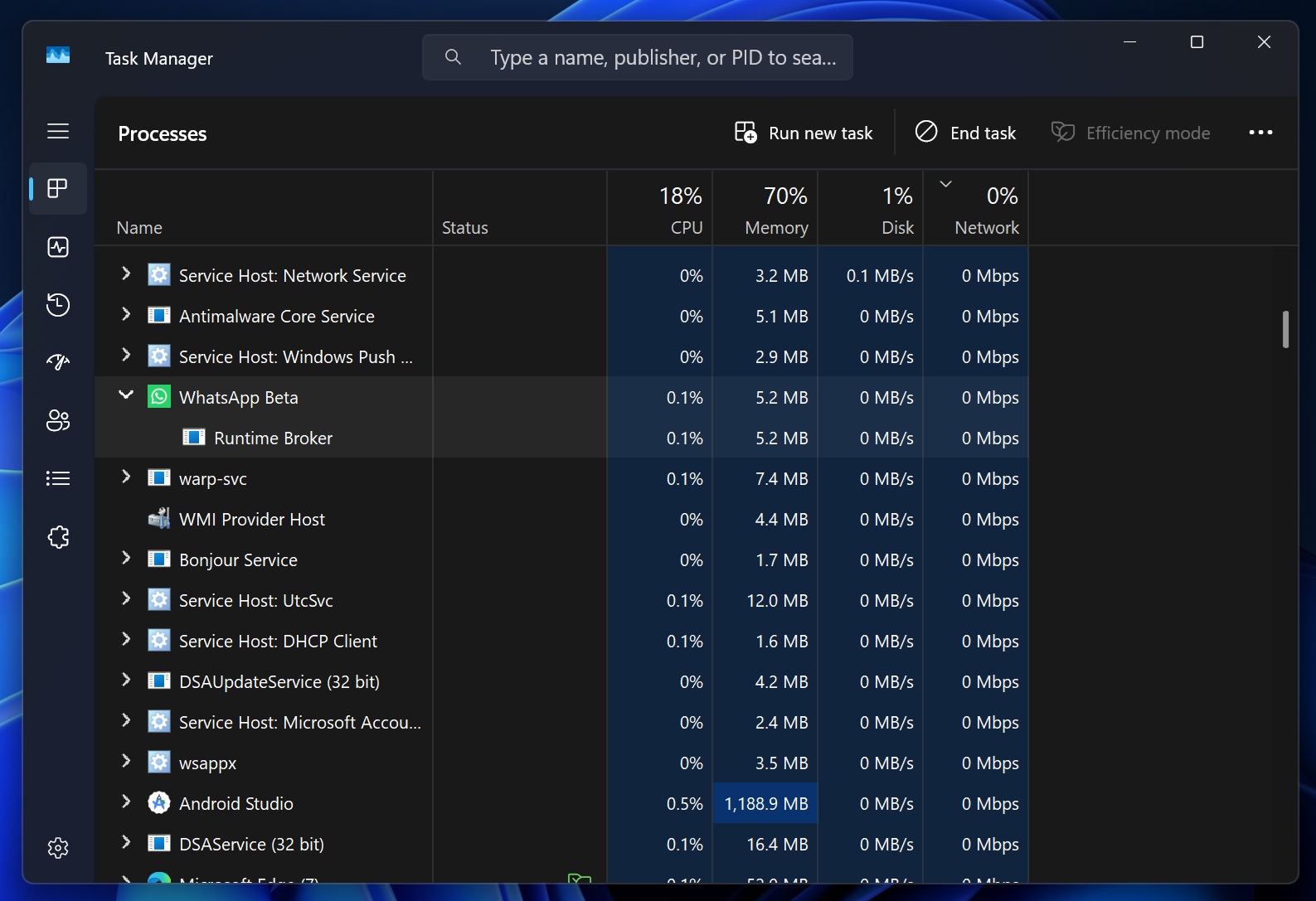
For example, look at the screenshot below. I’ve the old/native WhatsApp, and it uses less than 10MB of RAM on the login screen. On the other hand, Chromium WhatsApp is using 206MB of RAM for the same page.
A sad state of affairs
WhatsApp UWP/WinUI wasn’t a perfect app, as it had performance woes, but it at least felt native, integrated with Windows features, and used less memory.
On the other hand, Chromium WhatsApp is pretty terrible when used offline, does not really work well with Windows notifications, and feels slower in its current state.
Meta also agrees with my observation. WhatsApp’s support document clearly says native apps “provide increased performance and reliability.” But the company still made the decision to use Chromium.
Meta is switching back to Chromium for the WhatsApp Windows app because it reduces costs for the company. The same web code works everywhere. I wouldn’t be surprised if Meta disbanded the entire Windows team working on WhatsApp as part of its recent layoffs.
Regardless, there’s nothing we can do about it. Starting November 5, this change begins rolling out in stages. You’ll be asked to log in again on any day, and up to 1 year of chat history will sync from your phone.