




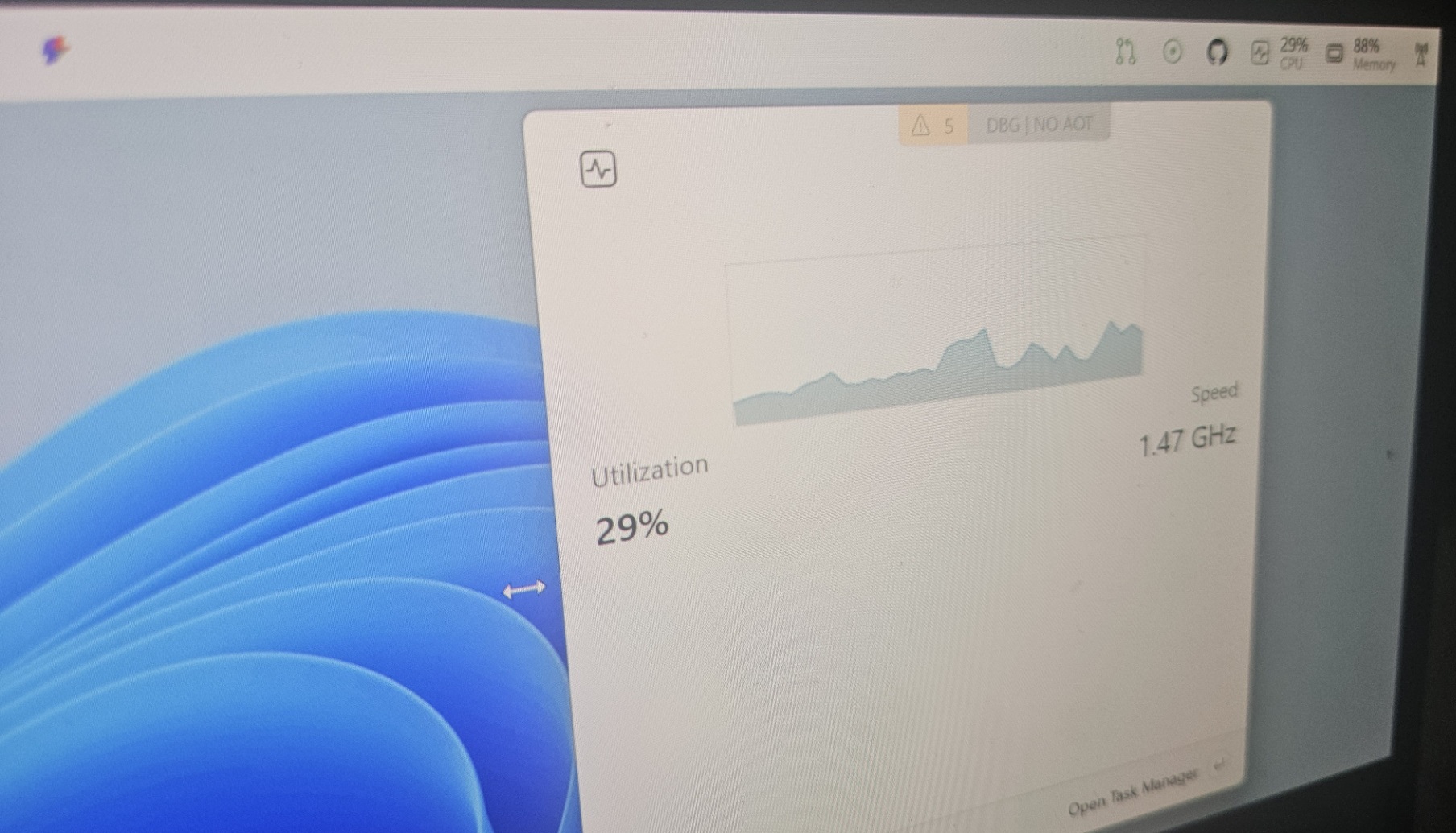
While you can’t move the taskbar around on Windows 11, you might soon have an extra taskbar-like dock, similar to Linux or the Status bar on macOS. The new “Dock” is an optional feature shipping via Microsoft PowerToys, and it’s basically an extra bar that can sit on the edge of your screen with access to your tools, such as music playback control.
Windows 11’s taskbar is quite limited in nature. You can’t move it to the top or sides, and you can’t really customize it unless you use third-party apps. With “Dock,” Microsoft is adding an extra taskbar-like feature to Windows 11, so you can access your tools, which were previously offered only via PowerToys Command Palette.
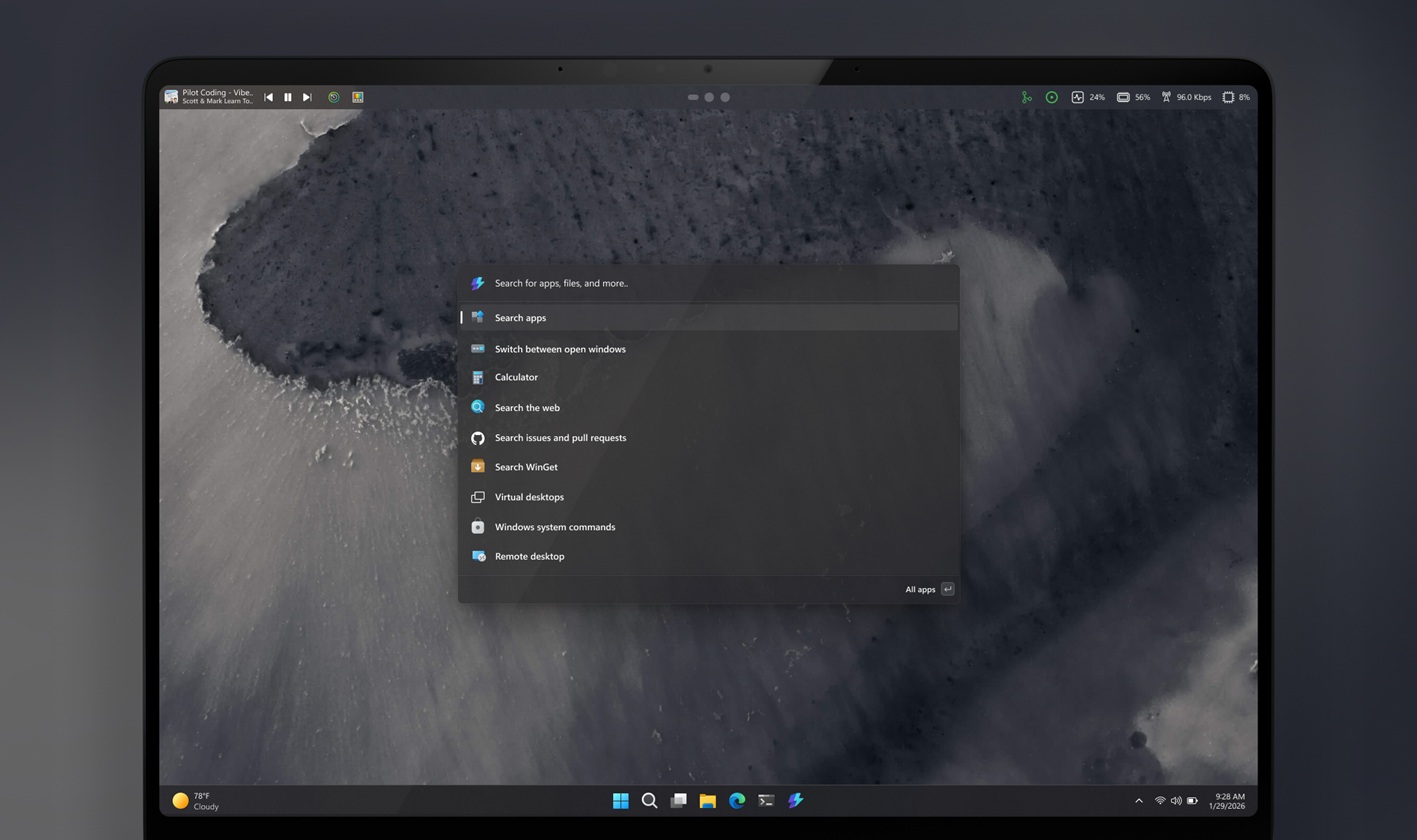
If you follow Microsoft’s development, PowerToys doesn’t need an introduction. But for those unaware, PowerToys is an open-source suite of small utilities, including “Command Palette, which offers a macOS Spotlight-like experience on Windows 11. Unlike Windows Search, which is cluttered and slow, Command Palette makes it easier to find your apps.
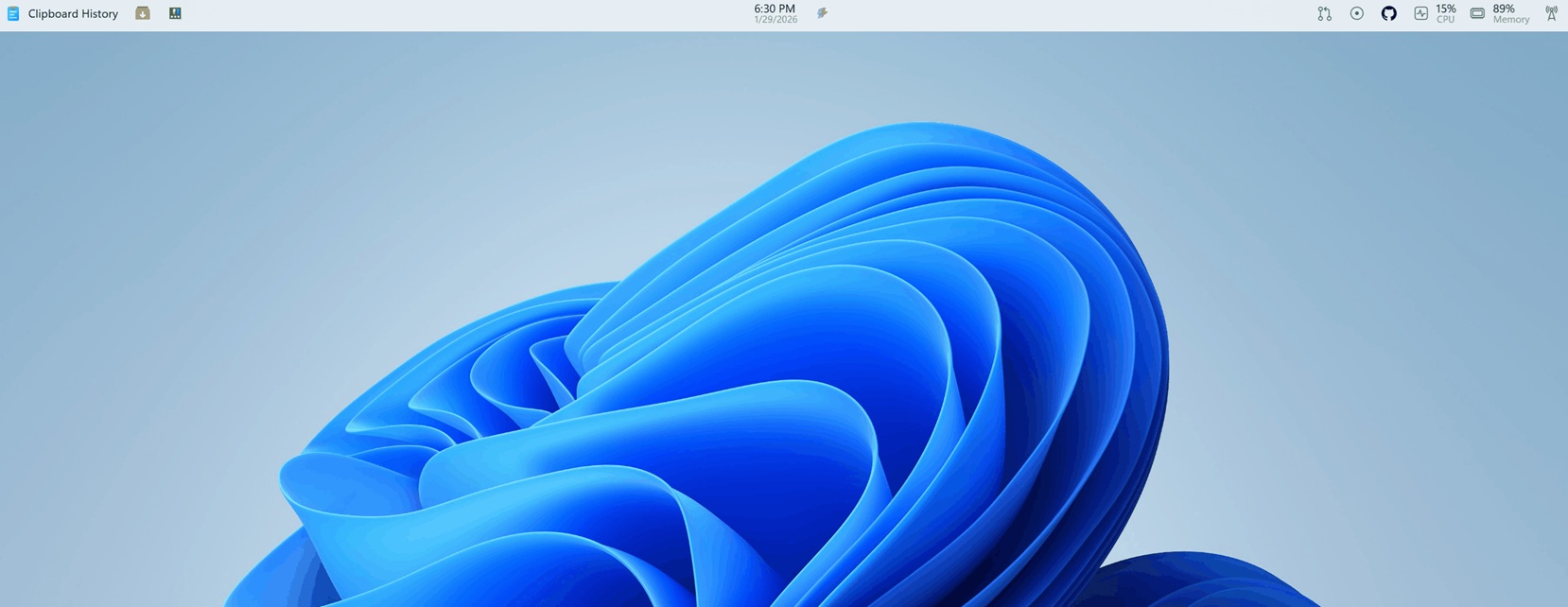
In Command Palette, you can search your local files or find your apps, but it goes beyond just a “search engine” for Windows. It has all your PowerToys extensions, and now the Dock makes it easier to find your extensions or tools directly on the desktop.
In a 3-hour Twitch stream, the Microsoft PowerToys developer confirmed that you’ll be able to pin “tools” to the “Dock,” which appears at the top, bottom, and sides of the screen (you can choose!).
What’s so exciting about the “Dock” feature for Windows 11?
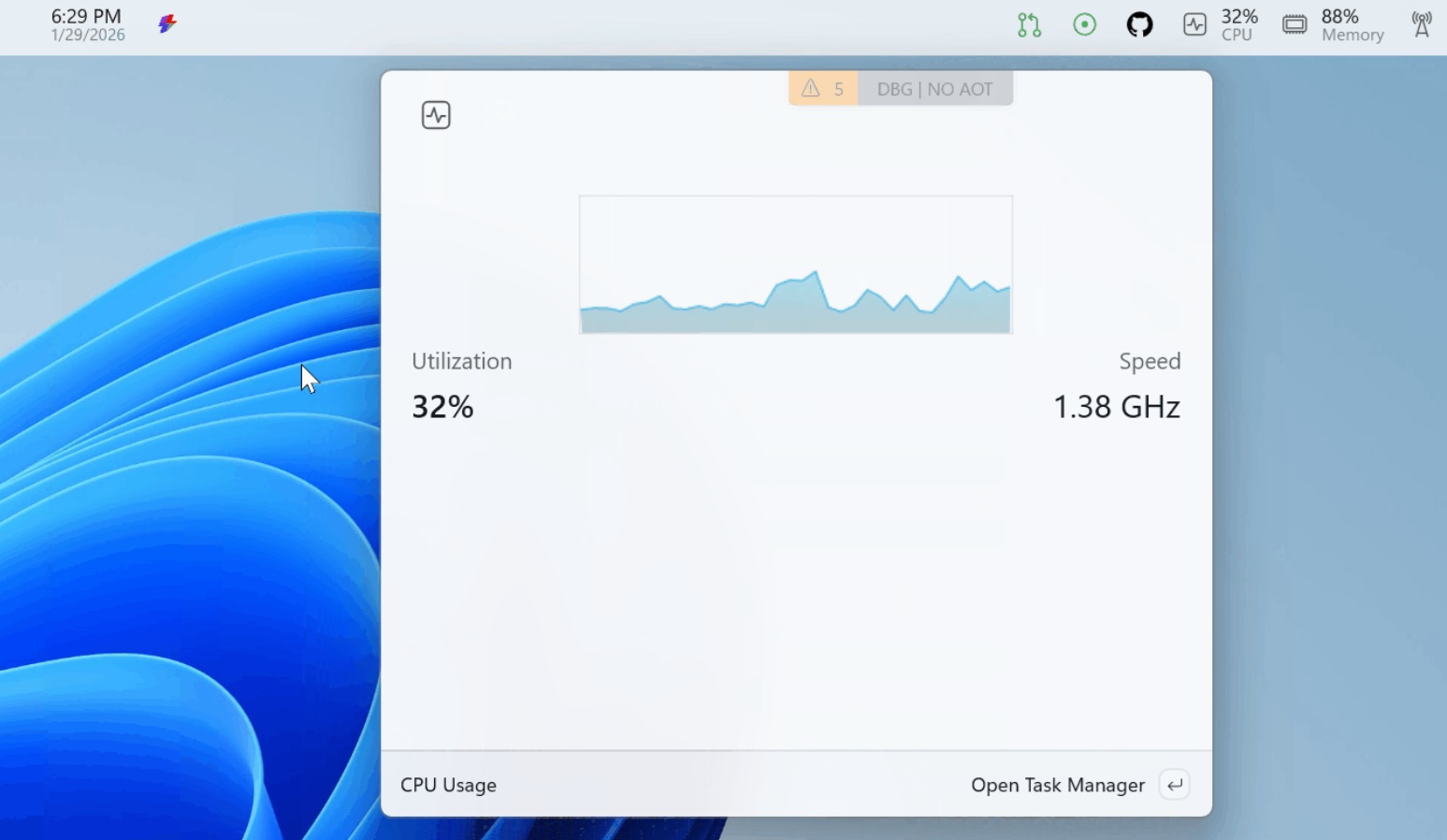
By default, Windows 11’s new Dock pulls data from Task Manager, so that means you’re going to see CPU, RAM, GPU, network, battery, temperatures, etc, without opening Task Manager.
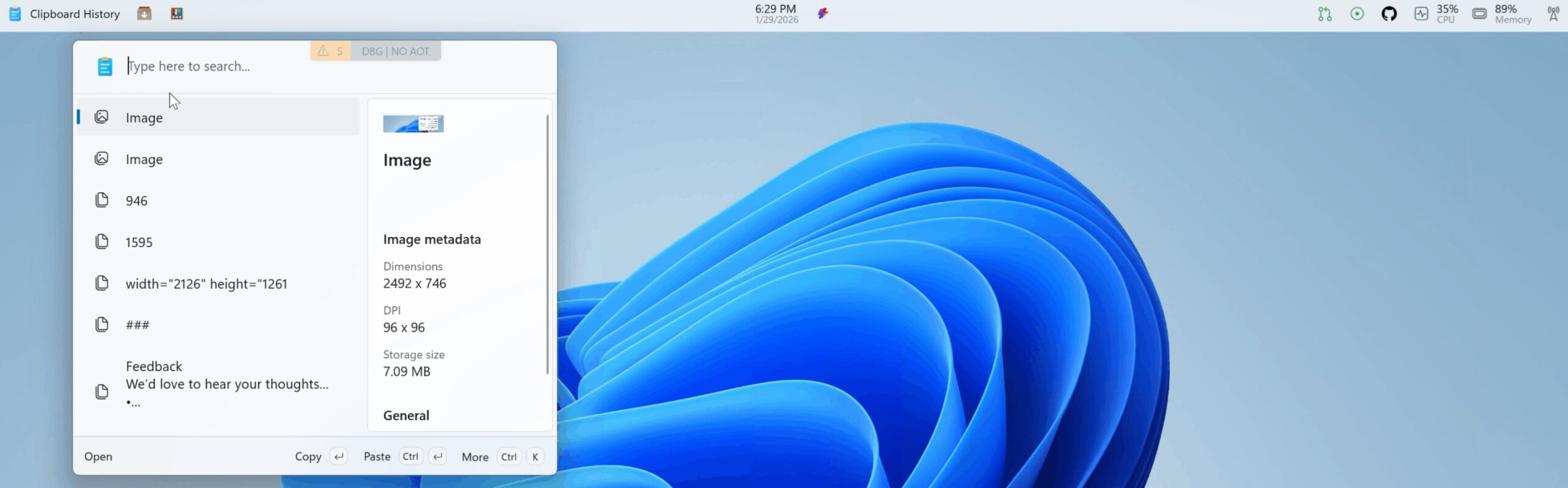
As I mentioned, it’s also possible to quickly play/pause or change the track of the audio playing on your system via apps like Spotify or Apple Music. This is my favourite addition, but you might also like the ability to quickly view the clipboard history panel, set timers or reminders, and more.
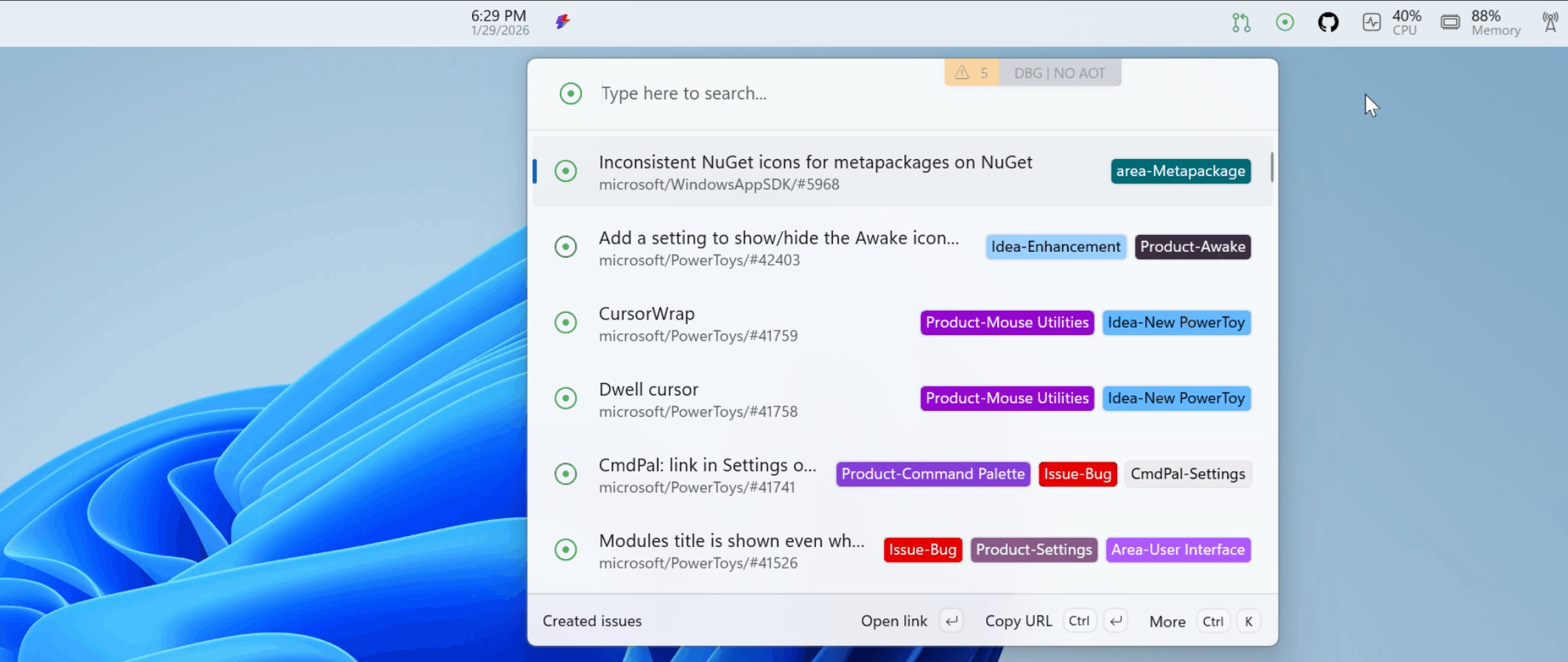
If you’re a developer like me, you can also link your GitHub and track Repo status or pull requests. When you click on those items, Dock sends you to GitHub.
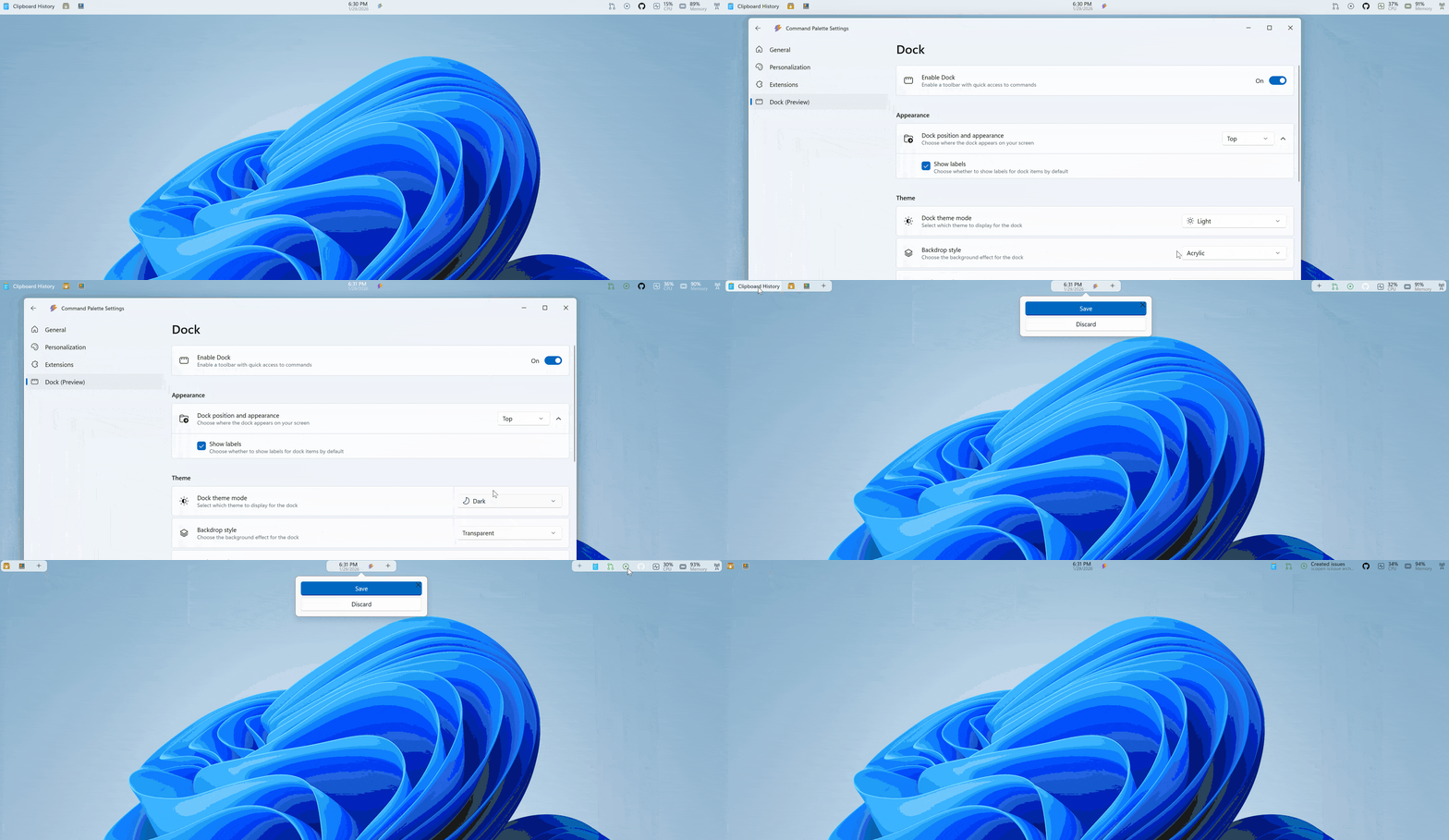
Microsoft says Windows 11’s optional Dock is highly customizable
PowerToys is not exactly for beginners. It’s a fairly advanced tool, which is why Microsoft also wants the Dock to be as advanced and customizable as possible.
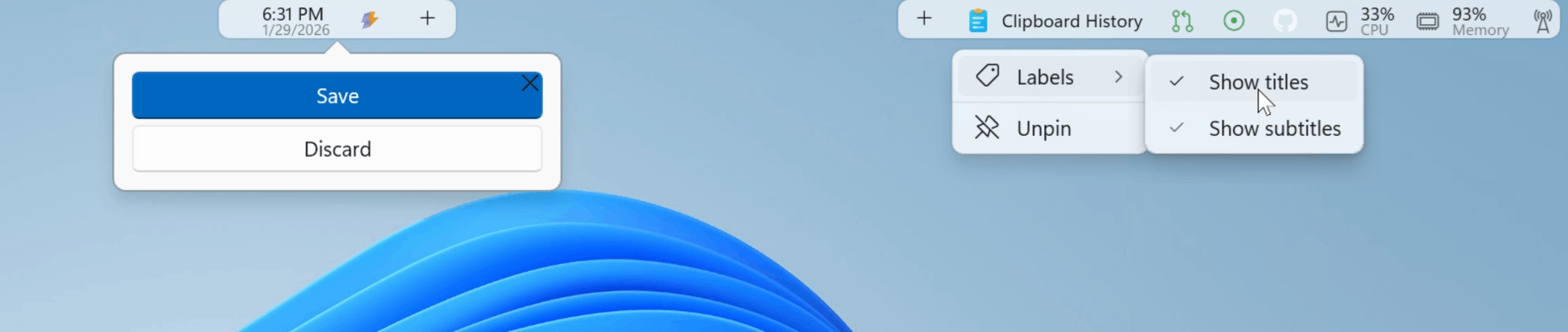
I captured a screenshot from Microsoft’s demo video. In the above example, you can place extensions (additional features) on any side of the screen. Microsoft also confirmed that you can pin extensions to different “zones” (start, center, end). There is an edit mode where you drag and reorder items.
You can also choose to show tool titles or subtitles. For example, if you add Clipboard history, you can choose to show “Clipboard history” or hide it if you can recognize it by looking at the clip icon.
Moreover, you can change the look (background, styling, or theme behavior). For example, you can make the Dock transparent or enable rounded corners, so it appears as “floating.” Or you can also use it in a light theme when the system is set to dark mode.
Can you install the PowerToys Dock feature on Windows 11 today?
Right now, you cannot use PowerToys Dock unless you’re willing to compile the project in Visual Studio.
In a GitHub post, Microsoft says it’s still working on Dock for Windows 11, and it’ll share more details soon, but by the looks of things, Dock would work alongside the taskbar, and it’s not being touted as a replacement.
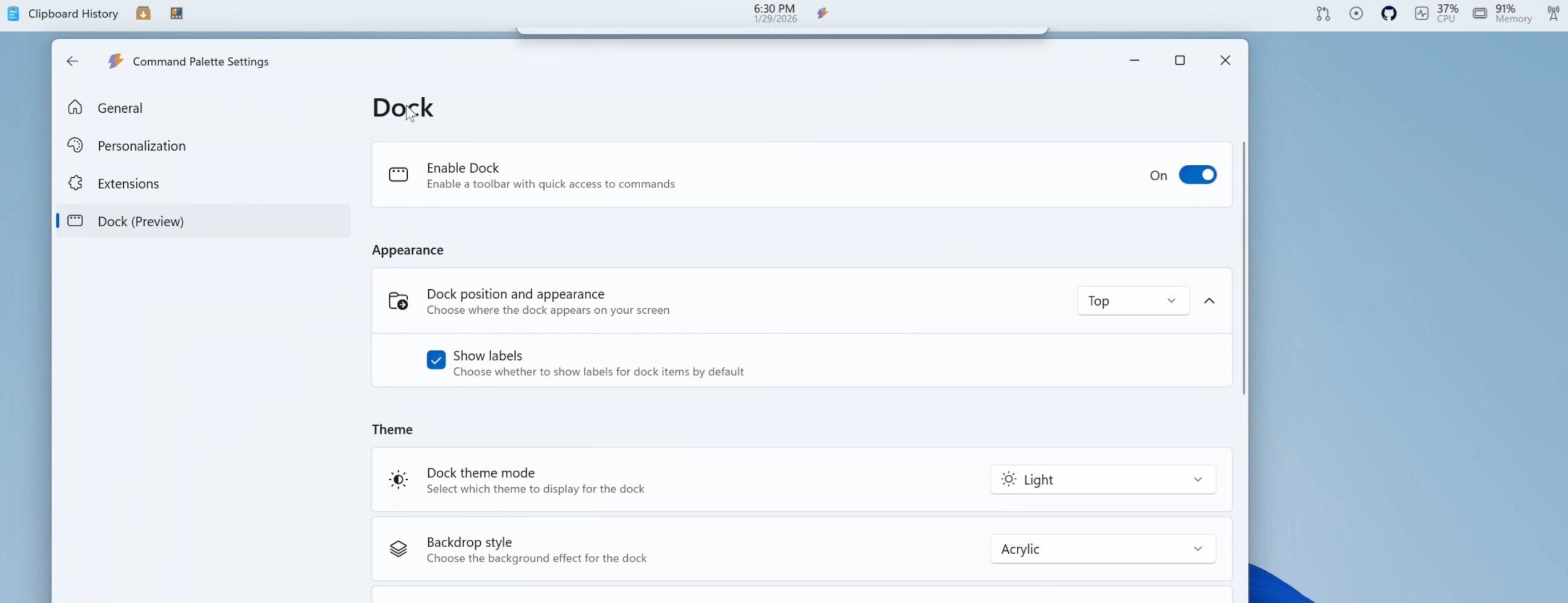
Also, it’s completely optional, just like the PowerToys suite itself.
But remember – PowerToys features sometimes become native features in Windows 11. For example, PowerToys’ text extractor (OCR) landed as a native feature, and Microsoft is even testing the Win+Shift+T shortcut to copy texts from your screen. Could Dock also become a native part of Windows? Only time will tell.