






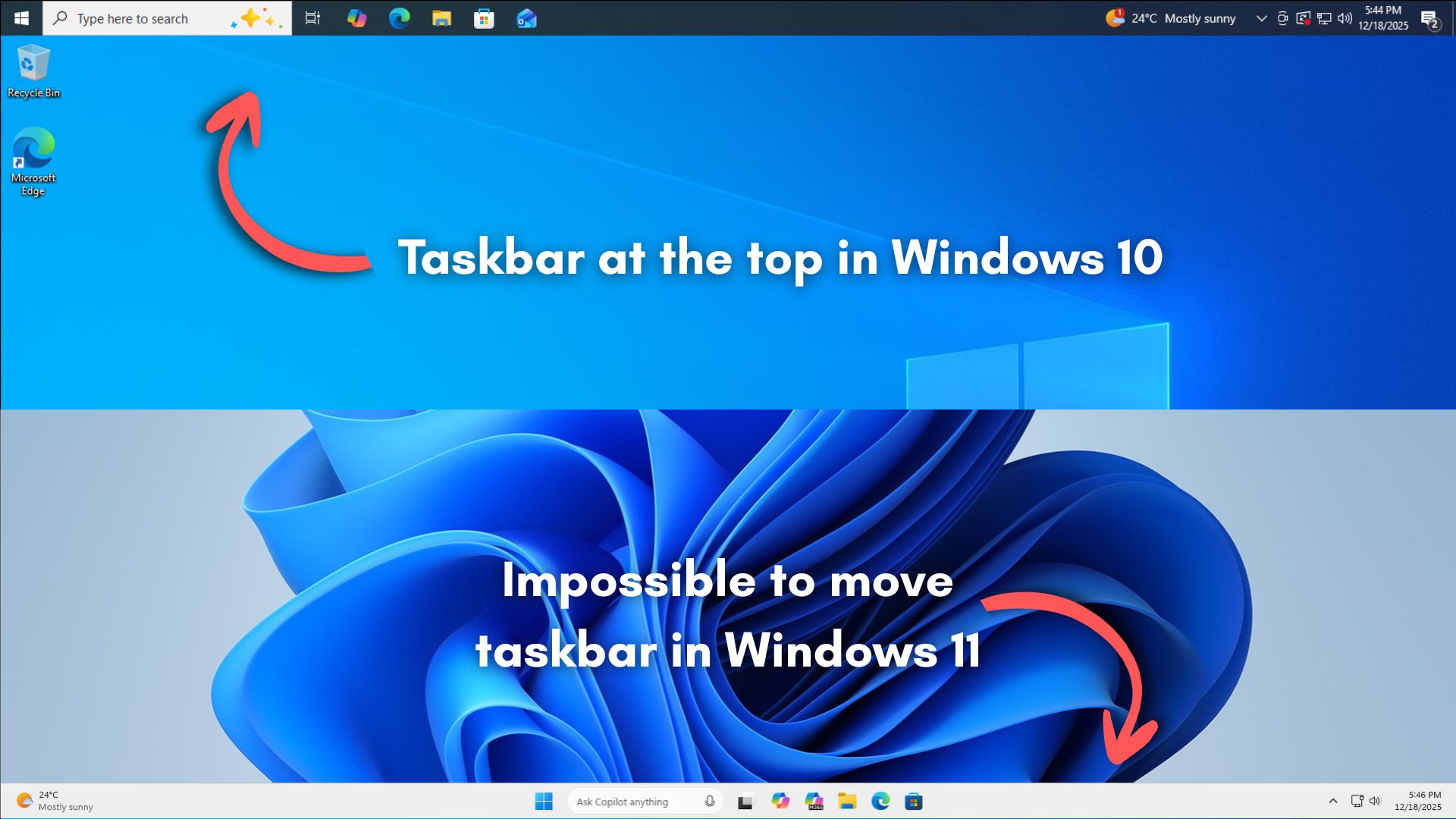
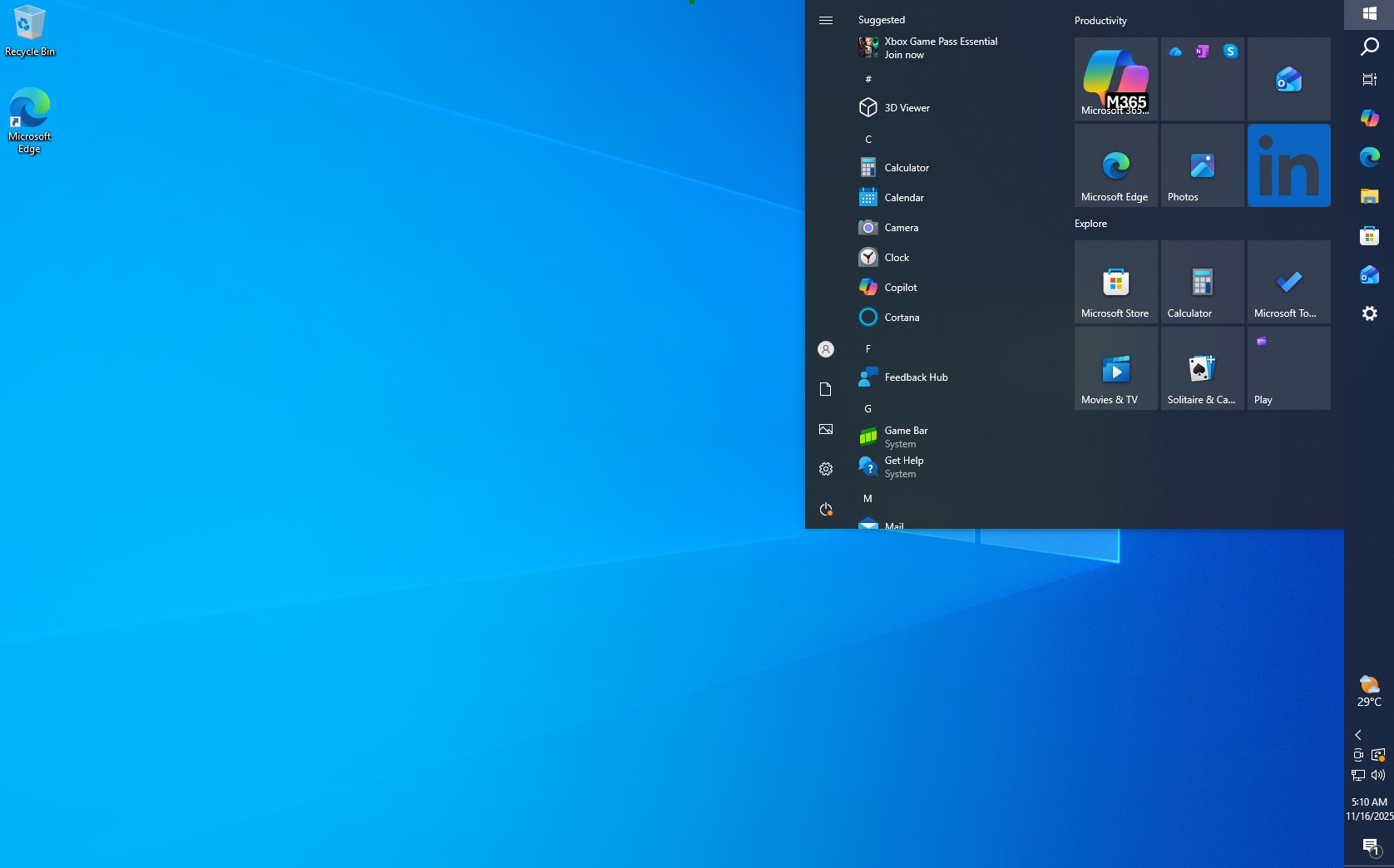
Ever since Windows 11 launched, one of the loudest complaints from longtime users has been the missing ability to move the taskbar. In Windows 10, you could move it to the top, left, or right of the screen.
4 years since its launch, and Microsoft still hasn’t given out a word about when or if a movable taskbar ever sees the light of day in Windows 11.
However, based on Microsoft’s explanation of why Windows 11 doesn’t have an adjustable taskbar, it’s safe to assume that the company isn’t interested in pouring its engineering resources into pursuing something that won’t benefit a majority of users.
A few months after Windows 11 launched, Microsoft’s engineering and product teams posted videos to answer some design questions. Among other questions, they were directly asked why the taskbar could no longer be moved. A Windows product manager responded with a surprisingly candid explanation.
Windows Latest revisited those videos again (some have been unlisted), and we’ve some interesting details.
Why can’t we move the taskbar to the top and sides of the screen on Windows 11?
The short answer is that the code required to move the taskbar to the top or sides isn’t actually in Windows 11, because Microsoft created the new taskbar from the ground up and didn’t use the old code from Windows 10.
The question posed to the product managers in Windows, during the AMA, was, “At some point, are we going to be able to move the taskbar to a different location on the screen in Windows 11?”
Tali Roth, the then product manager working on the core Windows user experience, including the Start menu, taskbar, and notifications, took up the question and talked about how building the taskbar from scratch meant that they had to cherry-pick things to put into the feature list first, and the ability to move the taskbar didn’t make the cut, for several reasons that Microsoft values.
The team knew that they had to fulfill their responsibilities to the billion Windows users who are already familiar with a particular set of features. So, to cater to the maximum number of users at once, Microsoft applied a data-driven approach to find out which features to add now, which features to add later, and which to completely avoid.
Unfortunately, for the enthusiasts who had a left-aligned or vertical taskbar in Windows 10, you would have to settle for the fact that Microsoft’s data shows such users are really small when compared to the number of users who are asking for other newer features in the taskbar.
What’s funny here is that in Microsoft’s Feedback Hub, the feedback related to “taskbar”, with the highest number of upvotes, is the one that asks the company to “Bring back the ability to move the taskbar to the top and sides if the screen on Windows 11”. We are not sure which data Microsoft used to get to such a conclusion…

Technical challenge of moving the taskbar
Microsoft’s Tali Roth explains:
“When you think about having the taskbar on the right or the left, all of a sudden the reflow and the work that all of the apps have to do to be able to have a wonderful experience in those environments is just huge.”
What this essentially means is that when the taskbar sits at the bottom, Windows and third-party apps know exactly how much horizontal space they have to work with. Once you move it to the left or right, the math breaks.
Apps then need to constantly reflow their layouts, resize content, adjust snapping behavior, and handle edge cases across different screen sizes, DPI settings, and multi-monitor setups. Also, this reflow logic has to work perfectly for legacy Win32 apps, modern UWP apps, and everything in between.
Notably, Windows 10 could do the same thing without any visible issues. And that’s probably because Windows 10 was a much lighter OS than Windows 11.
According to Microsoft, making all of that behave consistently without visual glitches would require a large amount of engineering effort. And based on their internal data, the number of users who actively rely on a vertical or top-aligned taskbar is not large enough to justify that cost right now.
What boggles me here is that it’s not like people are changing their taskbar positions every single day.
As Paul Barr, who was another product manager present in the AMA mentions, “taskbar is something that is actually very personal to your individual workflow and sometimes you make changes, and you find yourself working in a way that actually makes you better and more productive.”
So, a reason like the apps having to go through a reflow is unjustified in my opinion, especially since people change the taskbar position to one that they like and just continue using it.
This makes me believe that everyone at Microsoft sees taskbar repositioning as a high-complexity feature with low impact, even if it remains one of the most requested ones among power users.
What Microsoft chose to prioritize instead
Instead of taskbar repositioning, Microsoft chose to focus on features that it says caused more “pain” for a larger number of users.
One of the biggest examples Tali Roth pointed to was drag-and-drop support on the taskbar. This was one of the most requested regressions from Windows 10, and Microsoft eventually brought it back after initially removing it in Windows 11. From Microsoft’s perspective, restoring broken workflows ranked higher than adding back customization options used by fewer people.
Another area Microsoft focused on was improving the taskbar experience on smaller screens and touch devices. According to Roth, a lot of feedback came from users who felt the taskbar wasted space or didn’t behave well on tablets and compact devices. This is how the ability of the taskbar to expand and contract on touch devices came to be.
What Microsoft is doing with the taskbar now
Ironically, Microsoft justified removing taskbar repositioning by saying it wanted to focus on features that benefit the majority of users. Yet, in recent updates, the company has been steadily pushing taskbar changes that many users actively dislike.
Windows 11 taskbar is now being “upgraded” with AI-first features. Microsoft is working on the Ask Copilot bar, which may replace Windows Search in the taskbar.
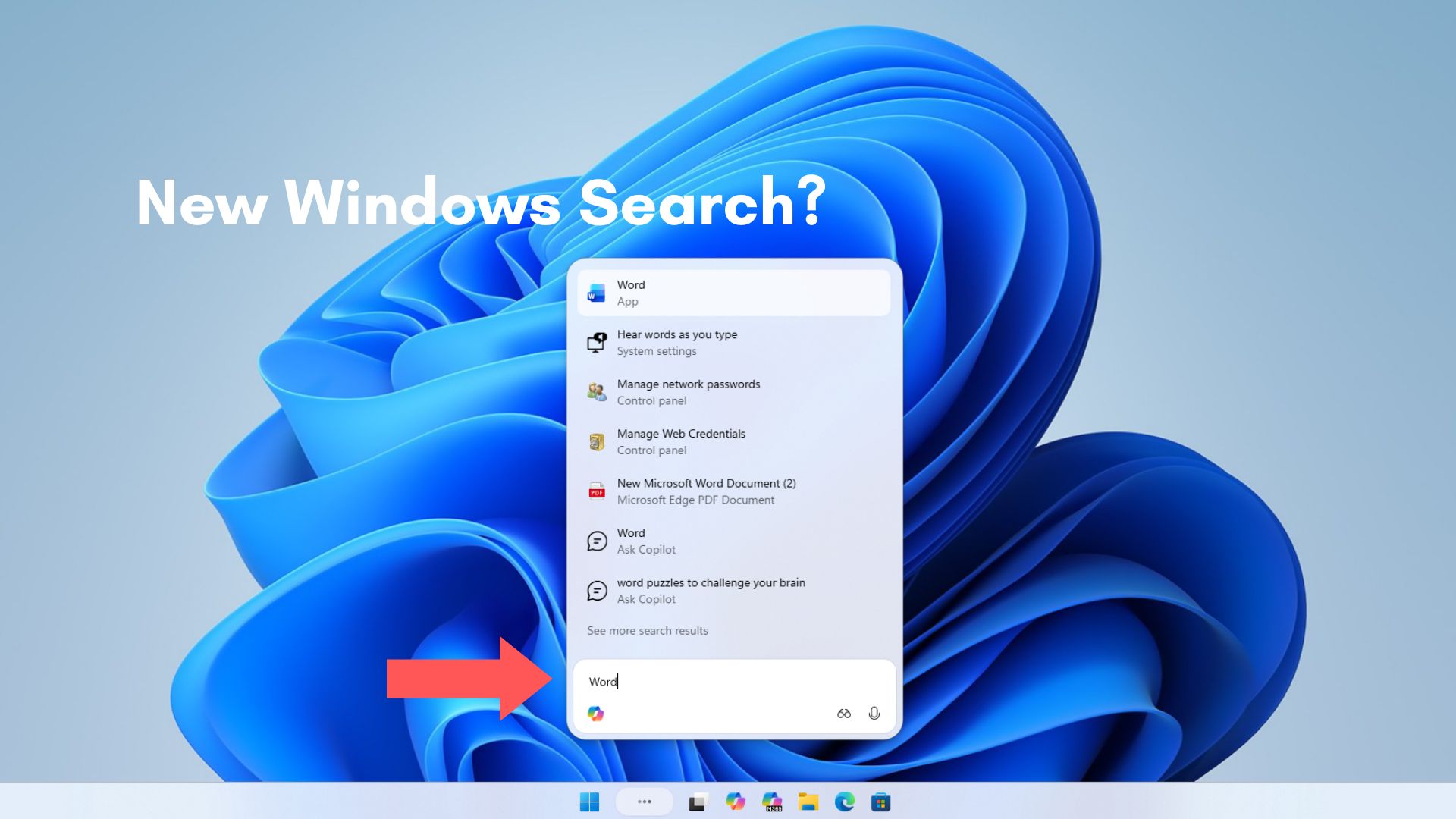
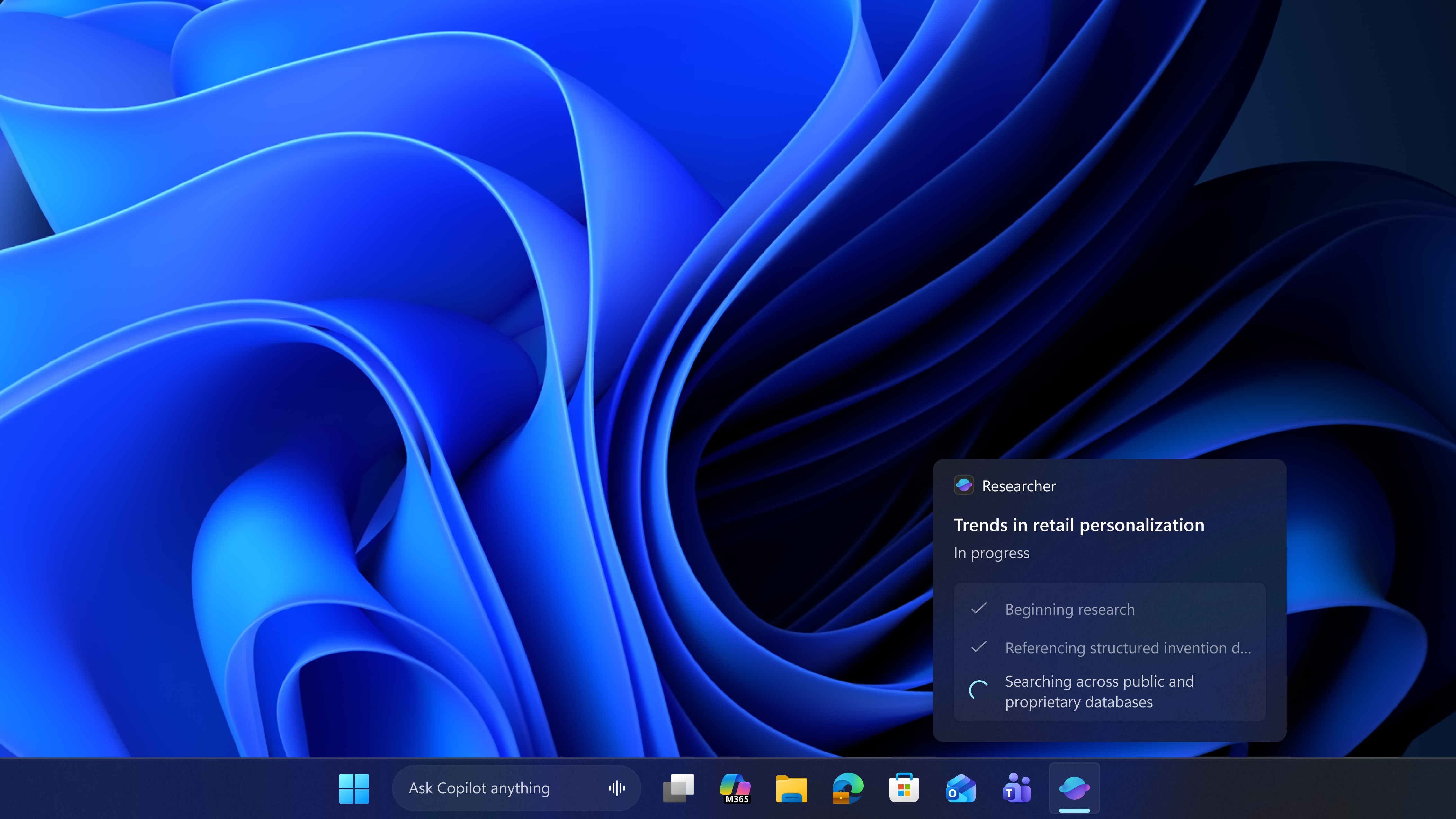
More recently, Microsoft has started testing AI agents directly inside the taskbar, with Microsoft’s goal of turning the taskbar into an AI hub.
The company is also working on using the Windows 11 taskbar to resume your Android activities.
As expected, all these make the taskbar more complicated than ever, and the engineering hustle needed to make the taskbar be able to move to the sides or the top is next to impossible for a company so focused on making its users accustomed to AI.