







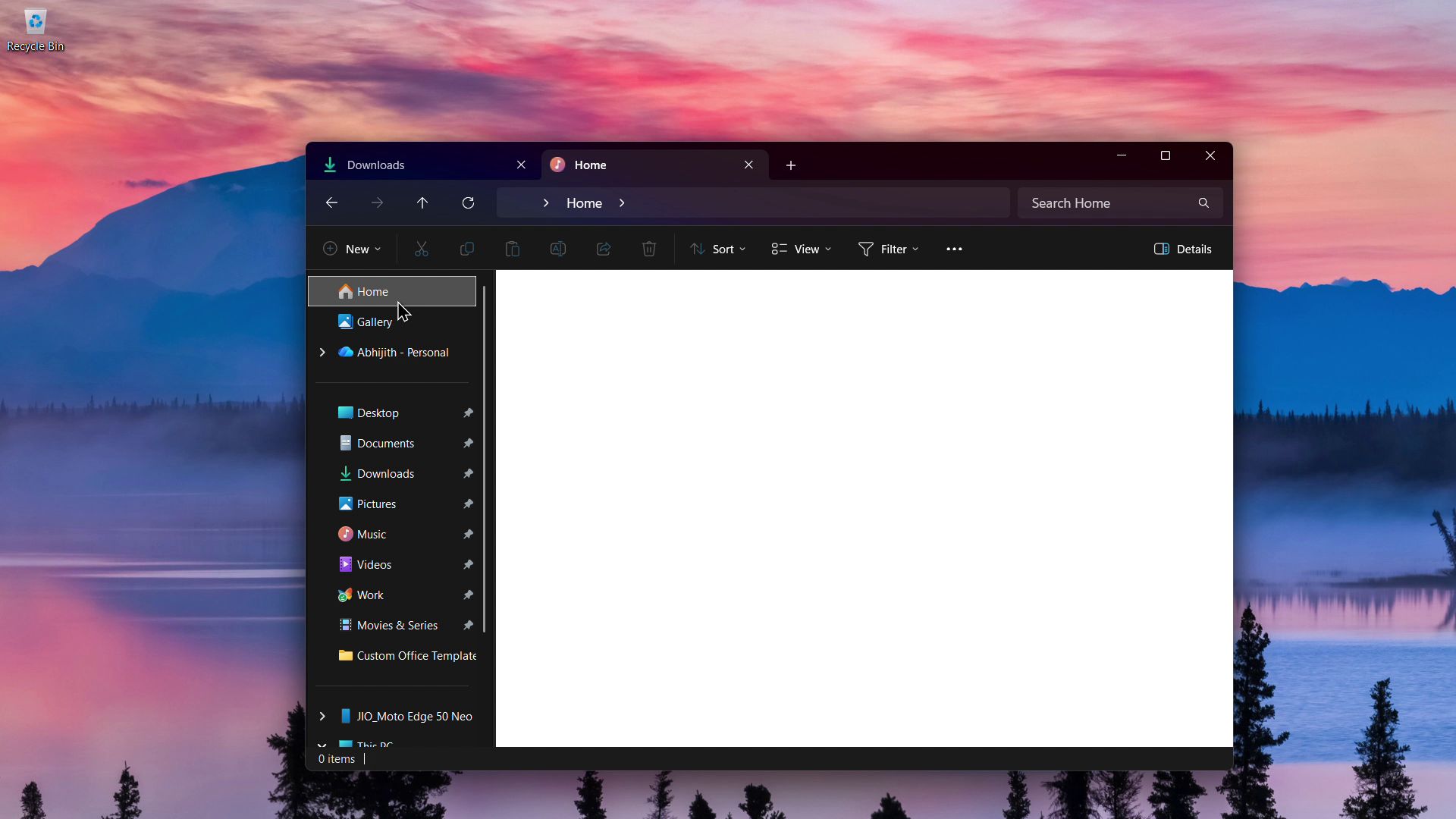
Microsoft’s latest Windows 11 KB5070311 update brings the much-awaited dark mode for File Explorer dialogs like copy, move, and delete. However, the update also brings a known issue where, in dark mode, the File Explorer might flash with a white screen when you do certain activities.
As reported by Windows Latest, the update titled “2025-11 Preview Update (KB5070311) (26200.7309)” is optional, and you’ll need to manually click “Download & Install” to apply it. Post the update, you’ll be on Windows 11 Build 26200.7309 if you’re on version 25H2, or Build 26100.7309 if you’re in version 24H2.
We installed KB5070311 on our PC running Windows 11 25H2 and noticed that the white screen appears everywhere except the ribbon and Navigation Pane. We also noticed some inconsistencies in the bug, which is ironic to say the least.
In our testing, we didn’t notice this bug in the Insider Build, which is strange since, technically, the Insider Builds are supposed to have bugs and not the general release Optional Updates.
File Explorer flashes a white screen in dark mode
Microsoft official says that the File Explorer, after the update, “might briefly display a blank white screen before loading files and folders”. The following activities also show the white screen, most of which the company acknowledges:
- Launching File Explorer to the Home page
- Switch back between Home and Gallery
- Going to the Home page from any page
- Creating a new tab
- Turning on or off the Details pane on the left
- Selecting More details while copying files
In our tests, Windows Latest noticed the white flash when launching the File Explorer, just like Microsoft mentioned.
If you look closer, you’ll see that it is not an entire screen flash, and the top ribbon and left part of the File Explorer do stay in dark mode. We noticed the same while creating new tabs as well.
However, it doesn’t always show white screen flashes. While creating new tabs, I first noticed a white screen on the File Explorer everywhere apart from the ribbon and the categories. Then, all of a sudden, it seemed as if the issue was fixed, and in the rest of the testing period, I didn’t notice the white screen, but only while creating a new tab, though.
Switching between different folders almost always shows the white screen, except for some cases where it switches normally, as you can see in the video:
Clicking “More details” while copying a file was supposed to show a white screen flash, but in our testing, we didn’t notice any, which is good.
The Details pane always shows a white screen for a split second while turning it on and off, and so does navigating between Gallery and Home.
Either way, from our testing, the white screen doesn’t always show up, and when it does, it is extremely annoying, especially if you’re using the File Explorer in full screen. In case you’re wondering, using the app in a windowed mode also shows the white screen.
Needless to say, the issue is nonexistent if you use the File Explorer in light mode. Also, since the update is optional, we recommend that you skip it until Microsoft issues the fix.
Microsoft is working on a fix for White Screens in File Explorer
Fortunately, Microsoft is aware of the white screen flashes that occur in Windows 11 File Explorer when using dark mode, and classifies this as a “known issue”, so it’s safe to assume that a fix is coming sooner than later.
Microsoft hasn’t issued any workarounds for the time being. There isn’t any word on what caused the issue either. However, the company has said that they’re “working to resolve this issue” and more information will be provided when the fix is available.
We are scheduled to get a Patch Tuesday update on December 9, and Microsoft might fix the white screen issue in File Explorer, but we can’t say for sure. If not, we expect it to be fixed in January 2026.
Copy, move, and delete dialogs get dark mode in Windows 11 File Explorer
The white flashes bug in File Explorer is a major letdown, but KB5070311 is one of the nicest updates if you’re a dark mode fan.
The File Explorer in Windows 11 has had a dark mode for years; however, the whole point of not straining the eyes takes a back seat when you try to copy or move files, because doing so will show all dialogue boxes in blinding white mode.
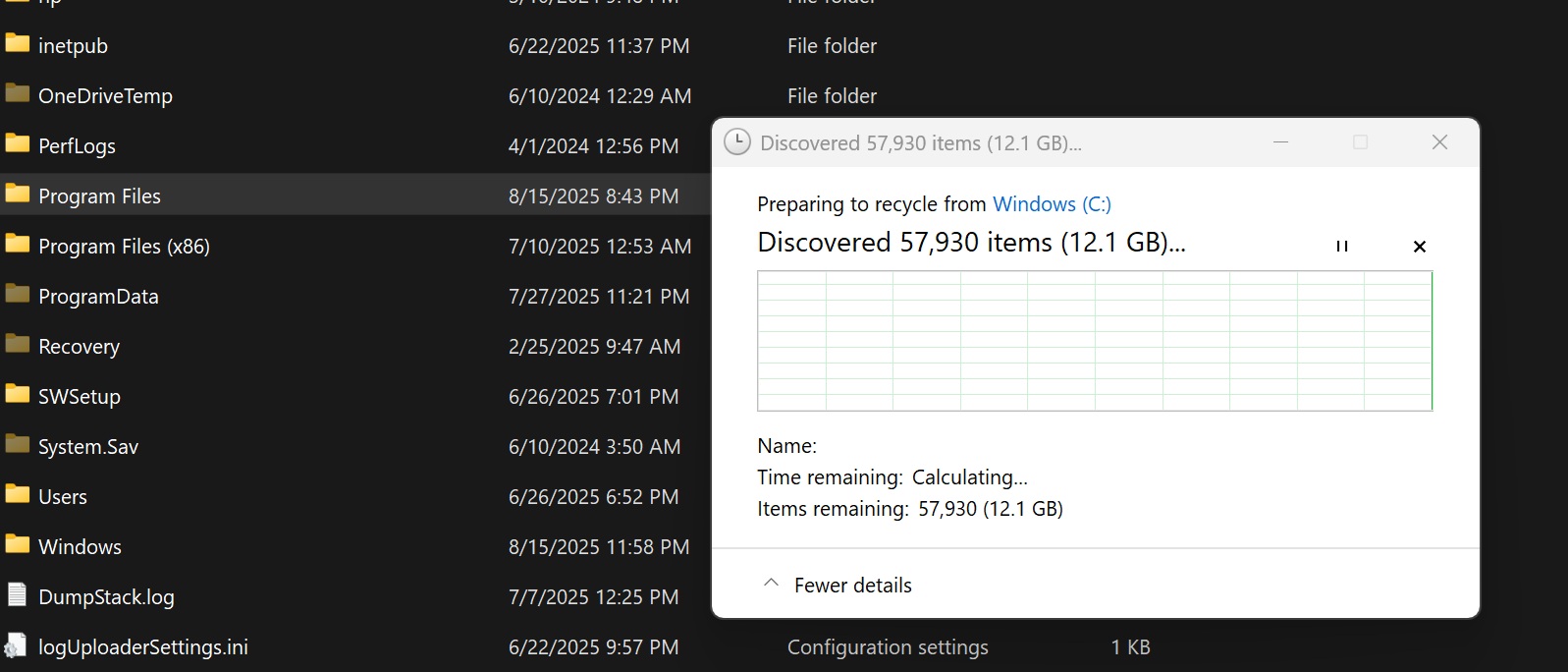
In mid-August, Windows Latest reported that the legacy file operation dialogue boxes were getting dark mode in Build 26100.5061 for Dev and Beta Channels. In our testing, we saw dark mode for almost all dialogue boxes, not just the ones in File Explorer.
On October 6, Microsoft formally acknowledged dark mode for various dialogue boxes in the Windows 11 Insider Preview Build 26220.6772 (Dev Channel) announcement.
Now, with the Windows 11 KB5070311, Microsoft is bringing a more consistent dark mode in the File Explorer:
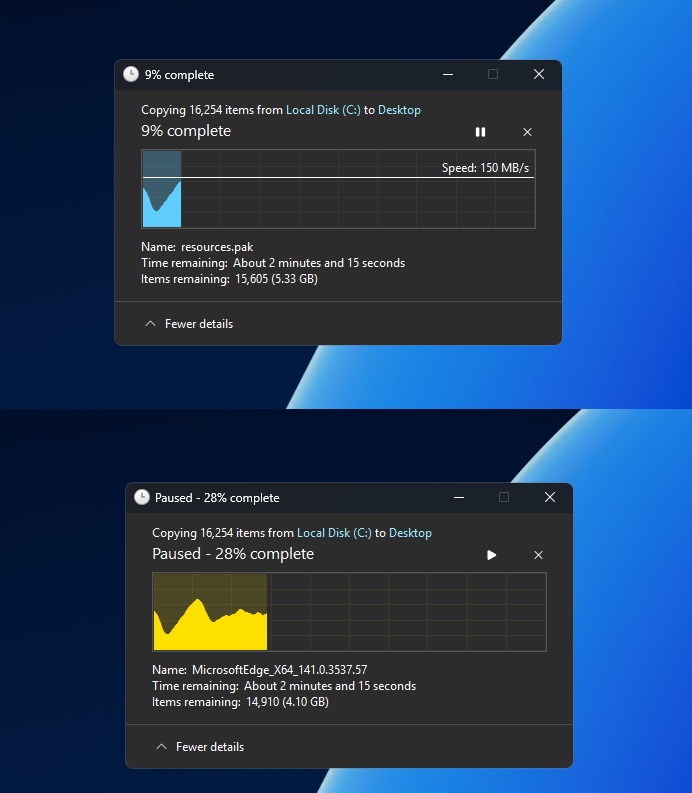
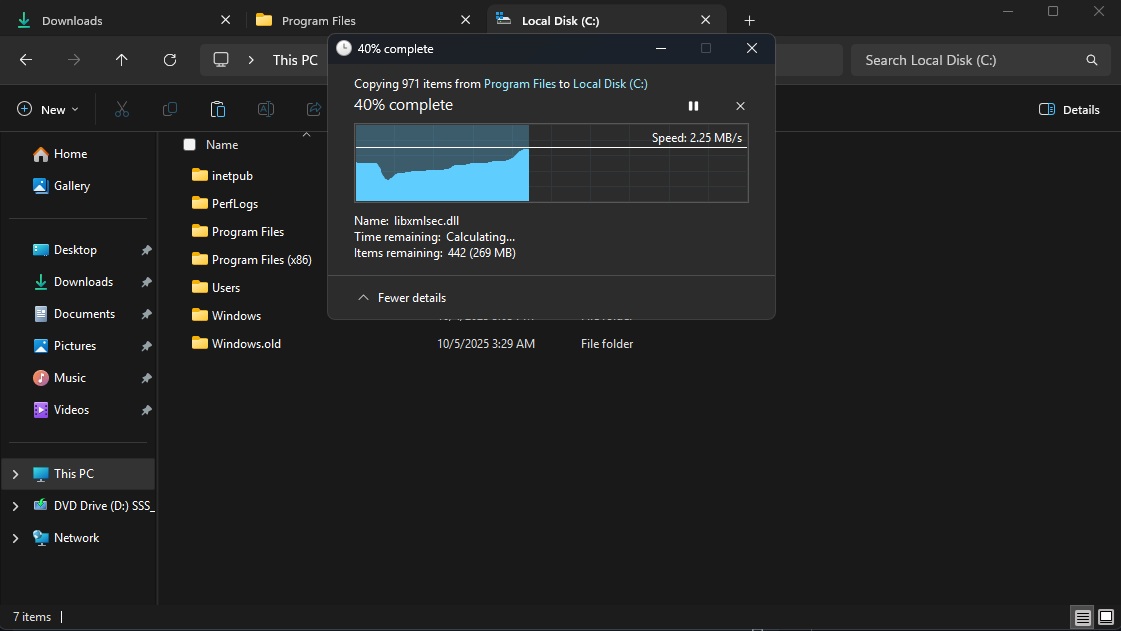
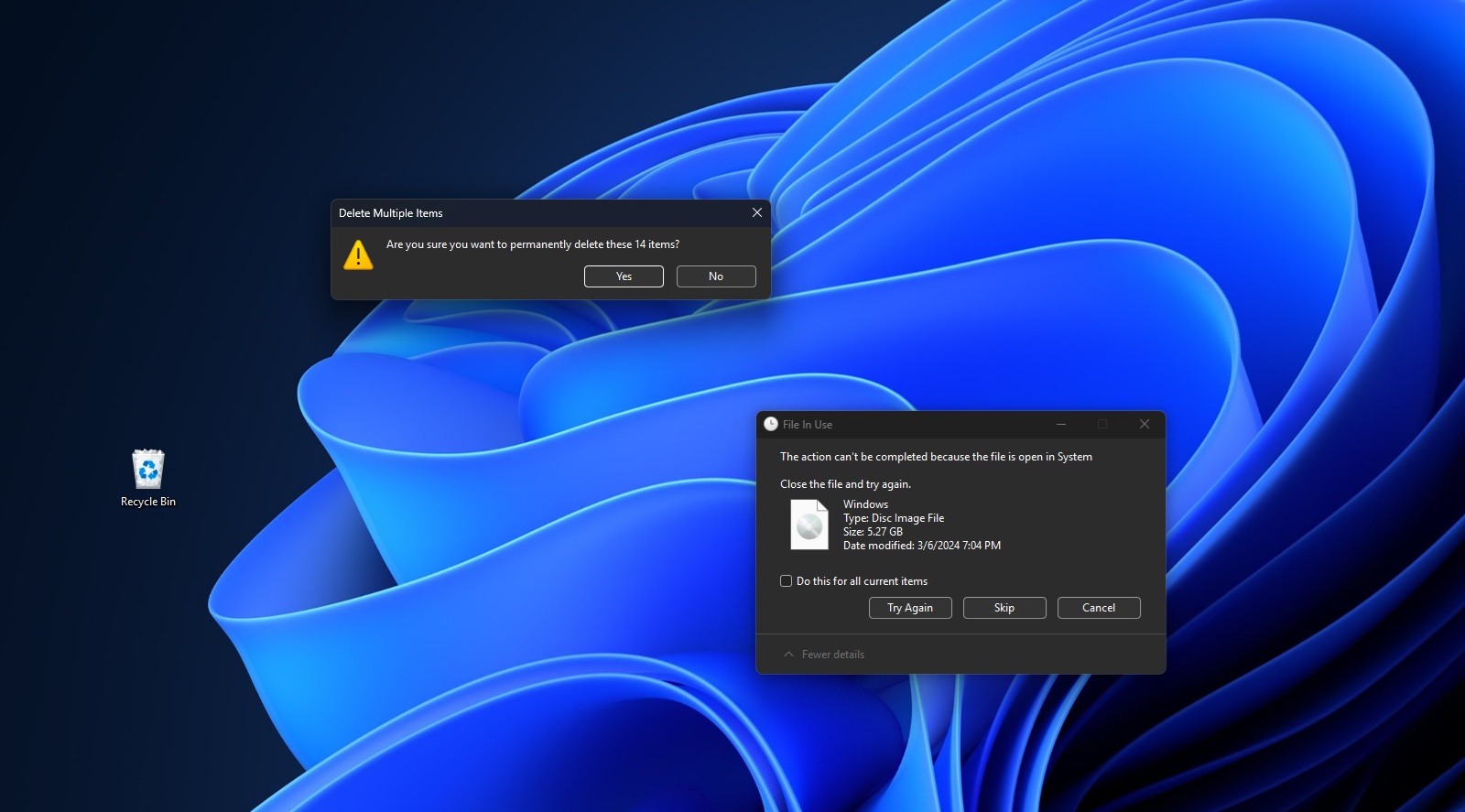
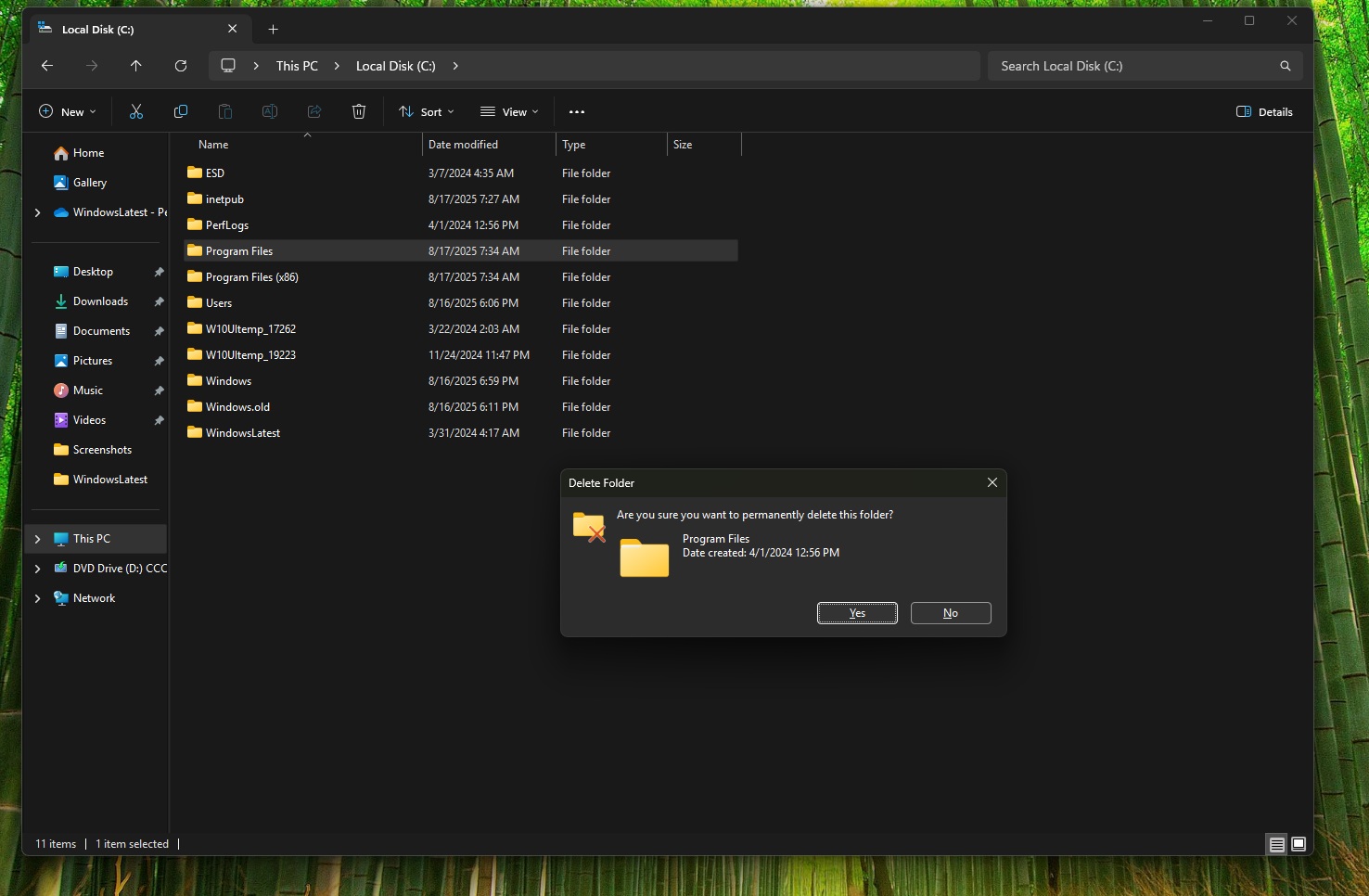
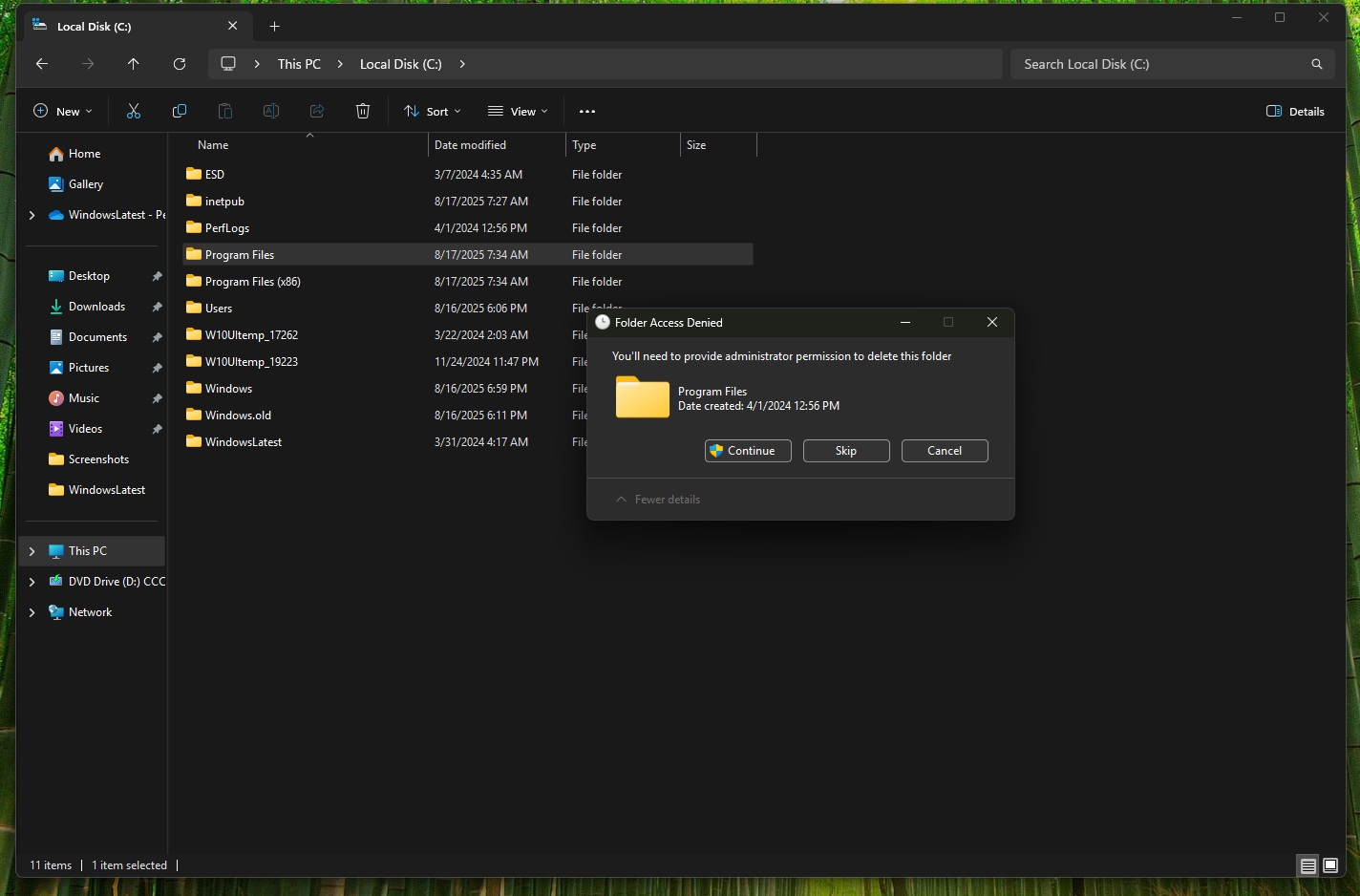
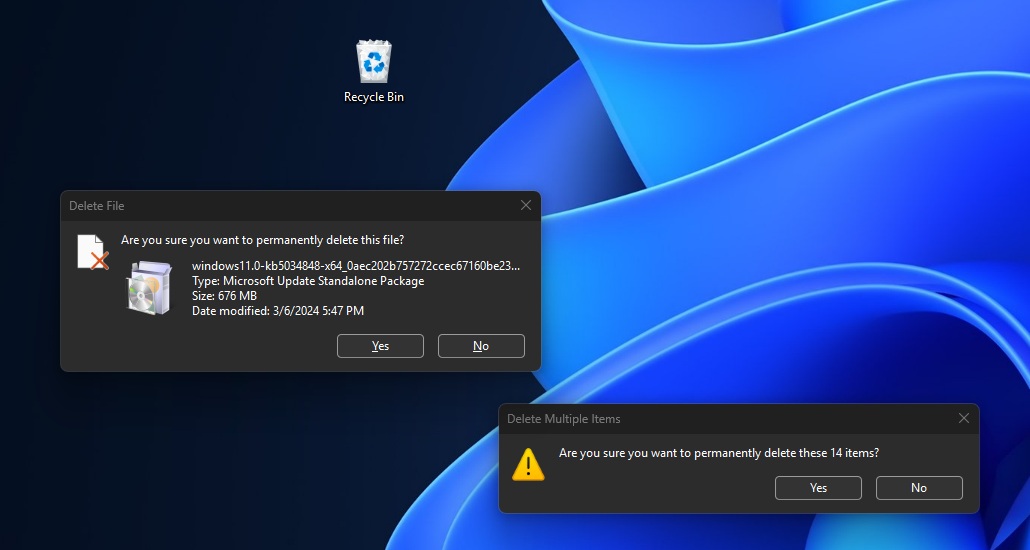
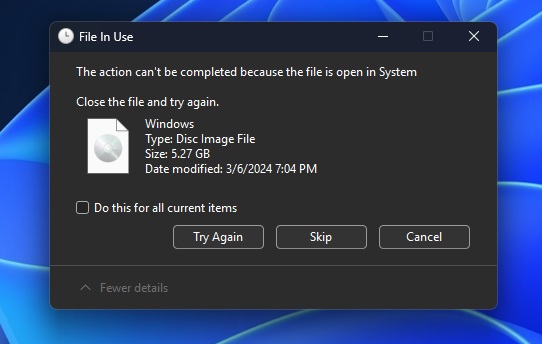
Windows Latest tested this new update and found that the dark mode is active for delete folder confirmation, delete file confirmation, multi-file delete confirmation, “File In Use” dialog, copy progress dialog, move progress, and the general file operation progress bar.
However, Microsoft didn’t issue dark mode for the legacy properties dialog, or the Windows Run dialogue, which interestingly exists in dark mode, mode isn’t enabled on this update.
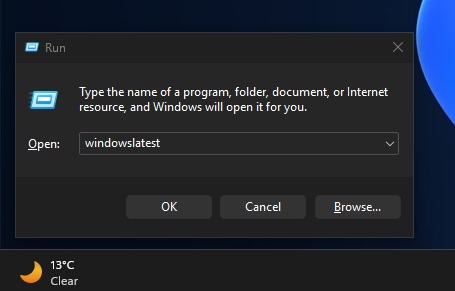
Dark mode for operation dialogs is still rolling out, but you’re almost always going to run into the File Explorer white flashes bug. If you don’t want that and you can wait, you should skip the optional update and hold your horses until December 9. We might see a patch for white flashes with Patch Tuesday.